Freedom251 › Emulator Software

DOSBox-X
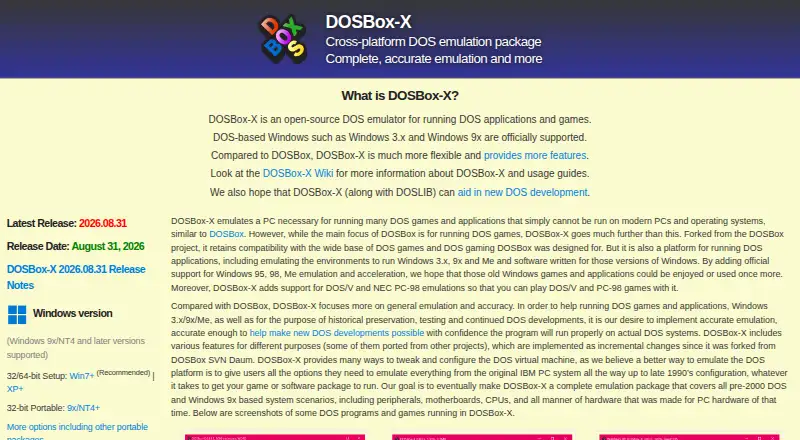
What DOSBox-X is
DOSBox-X is a free, open-source emulator for running DOS applications and games on Linux, macOS, and Windows. It also supports DOS-based Windows guests, including Windows 3.x and Windows 9x/Me. The project focuses on general emulation and reproducing hardware behavior, with support for DOS/V services and emulation of NEC PC-98, AX, and J-3100 systems. A graphical configuration tool and many virtual machine options let users tailor the emulated environment.
The emulator provides up to 100 save slots. It can save automatically for selected programs or at intervals chosen by the user. Guest network access is available through its emulated NE2000 adapter, which supports PCAP and Slirp backends. For printing, it supports parallel ports and real or emulated printers, with PostScript or PNG output. Printing can also work with tools such as Printfil or WinPrint on Windows hosts.
Launching host applications from within DOSBox-X is disabled by default for security reasons, though users can enable it through configuration or a command-line option. Setup guides are available in the project wiki, and an issue tracker accepts questions, issues, and suggestions. Maintained by Jonathan Campbell, DOSBox-X is intended for DOS software, historical preservation, testing, and ongoing DOS development. Emulating Pentium 4 or faster CPUs and post-2000 PC hardware are listed as project non-goals.
Who it suits
DOSBox-X is for people who need to run DOS applications or games, preserve historical software, test DOS programs, or continue DOS development. Its Windows guest support, configurable virtual machine, networking, and printing options also suit users who need those capabilities in an emulator.
What it does well
- Runs on Linux, macOS, and Windows.
- Supports DOS-based Windows guests, including Windows 3.x and Windows 9x/Me.
- Includes DOS/V and NEC PC-98, AX, and J-3100 emulation.
- Offers up to 100 save slots and automatic saving options.
- Supports guest networking through PCAP and Slirp backends.
- Prints through real or emulated printers, with PostScript or PNG output.
What to know first
- Android is not supported.
- Emulating Pentium 4 or faster CPUs is a stated non-goal.
- Emulating post-2000 PC hardware is a stated non-goal.
Limits
The project lists emulation of Pentium 4 or faster CPUs and post-2000 PC hardware as non-goals. Android support is not available.
Plans
| Plan | Billed and limits | Price |
|---|---|---|
| DOSBox-X | Open-source DOS emulator · no paid plans stated | Free |
| Free | Open-source DOS emulation · Windows, Linux, macOS and DOS packages | Free |
As dosbox-x.com lists them, read 8 Oct 2026. The maker's own page has the final word.
Getting started
- Visit the DOSBox-X website.
- Choose the version for Linux, macOS, or Windows.
- Consult the project wiki for setup guides.
- Use the graphical configuration tool and virtual machine options to adjust the environment.
- Check the issue tracker for questions, issues, or suggestions.
DOSBox-X is an open-source DOS emulator for running period software and games, including DOS-based Windows releases. It suits preservationists, developers, testers, and players who need detailed control over emulated hardware across desktop operating systems. Its broad compatibility and deep configuration make it a strong specialist tool, provided your target software predates the project’s post-2000 hardware boundary.
Overview
Maintained by Jonathan Campbell since 2011, DOSBox-X aims to reproduce DOS-era hardware behavior rather than simply launch a game. It officially supports DOS-based Windows such as Windows 3.x and Windows 9x/Me, making it useful for software that expects a Windows layer instead of plain DOS. The project also covers DOS/V services and NEC PC-98, AX, and J-3100 systems, giving users in East Asian computing communities hardware targets that many general DOS tools omit.
Accuracy and breadth come with responsibility. DOSBox-X exposes many virtual-machine settings, so achieving the right result can require more judgment than with a minimal emulator. Host-application launching is disabled by default for security; enabling it requires configuration or a command-line option, a sensible safeguard when running old software of uncertain origin.
Key features
Configuration and preservation
A graphical configuration tool and extensive options let you tune the virtual machine for individual programs, hardware profiles, and development work. Up to 100 save-state slots support experimentation and archival play, while automatic state saving can be enabled for selected programs or on user-defined intervals. That combination is valuable when documenting behavior or revisiting difficult-to-preserve software, not just when saving a game.
Networking and printing
The emulated NE2000 adapter provides guest networking through PCAP and Slirp backends. PCAP can suit setups that need access to a host network interface, while Slirp offers a user-space alternative; the project does not position either as a modern high-speed network environment. Parallel-port support works with real or emulated printers and can produce PostScript or PNG output. On Windows hosts, printing can integrate with tools such as Printfil or WinPrint, useful for recovering documents and workflows built around legacy printers.
Development and support
Its focus on accurate general emulation, DOS-based Windows, regional systems, and configurable hardware makes DOSBox-X practical for continued DOS development and compatibility testing. A project wiki supplies setup guidance, and an issue tracker handles questions, bug reports, and suggestions. Netplay and shader/upscaling support extend it beyond a bare command-line emulator, although the project remains centered on DOS rather than newer PC generations.
Pricing
DOSBox-X is free software under an open-source model. The DOSBox-X plan costs nothing and includes the open-source DOS emulator; no paid plans or free trial are offered. There are no seat charges, subscriptions, renewal terms, or usage quotas to weigh, so it fits individuals, preservation projects, and development teams that need a desktop emulator without licensing fees. The trade-off is scope, not price: the project does not target Pentium 4 or higher CPUs or PC hardware released after 2000.
Platforms
Official desktop platforms are Linux, macOS, and Windows. DOSBox-X does not support Android. It offers netplay and shader/upscaling features, but it is not an arcade emulator; choose a broader multi-system product when arcade platforms are central to your library.
Who it's for
Choose DOSBox-X for running DOS applications and games, preserving historical environments, testing software against varied hardware behavior, or continuing DOS development. It is especially well suited to users who need DOS-based Windows, PC-98-class systems, regional DOS/V services, configurable networking, or controlled printing. It is a poor fit for software that requires Pentium 4-era or newer hardware, and its configuration depth may be unnecessary if you only want a quick, standardized way to launch a handful of classic programs.
Pros and cons
Pros
- Wide DOS-era coverage: DOS, Windows 3.x, Windows 9x/Me, DOS/V, NEC PC-98, AX, and J-3100 support address varied historical software.
- Detailed control: Graphical and advanced configuration options accommodate compatibility work, development, and preservation.
- Useful state management: Up to 100 slots plus automatic saves make repeatable testing and archival sessions easier.
- Practical peripherals: NE2000 networking, parallel ports, and printer output cover real legacy workflows.
- Free and open source: There are no paid tiers, subscriptions, or quotas.
Cons
- Clear hardware ceiling: Pentium 4 and later CPUs and post-2000 PC hardware are outside its goals.
- Security friction by design: Host-application launching is off until explicitly enabled, which can interrupt workflows that depend on it.
- Desktop-only reach: Android is unsupported, limiting mobile use.
- Configuration overhead: The many options favor informed users over anyone seeking a minimal, preset emulator.
Alternatives
For a simpler free DOS emulator with Linux, macOS, and Windows support, consider DOSBox. DOSBox Staging is another free option for personal, low-stakes use across Linux, macOS, Windows, and API environments, with no warranty. Choose DOSBox Pure if you want a standalone desktop emulator sold on a name-your-own-price basis, with downloads free and donations welcome.
DOSVAXJ3 is free and GPL v2, with Windows downloads and macOS/Linux builds from source. DOS Browser targets browser-indexed storage and runs on Android, Linux, macOS, the web, and Windows; its free tier has no cross-device play, while js-dos Premium adds cloud saves and progress sync at a price not listed. DosKit is a free MIT-licensed alternative spanning Android, iOS, Linux, macOS, web, and Windows. For browser deployment, js-dos offers core features free across web, API, self-hosted, and Linux environments, while DOS Wasm X is a browser-based emulator with selectable 512 MB, 1 GB, or 2 GB drive sizes and 32 MB, 64 MB, or 128 MB RAM options.
Browse more choices in MS-DOS Emulators, Emulator Software, and Multi-System Emulators.
Verdict
Pick DOSBox-X when you need a free, open-source DOS environment with unusually broad historical coverage, hardware-level configuration, save-state controls, and legacy networking or printing. Its main reason to look elsewhere is equally clear: software built for Pentium 4-era or newer PCs, post-2000 hardware, or Android will need a different emulator.
Verdict
Pick DOSBox-X if you need a configurable, open-source emulator for DOS software, DOS-based Windows, preservation, testing, or DOS development. Look elsewhere if your work depends on emulating Pentium 4 or faster CPUs or post-2000 PC hardware, which the project lists as non-goals.
Questions
Is DOSBox-X free?
Yes. DOSBox-X is free and open source, with a listed price of $0.
Which platforms does DOSBox-X support?
It supports Linux, macOS, and Windows. Android is not supported.
What DOS-based Windows versions can it run?
It officially supports DOS-based Windows guests such as Windows 3.x and Windows 9x/Me.
Is DOSBox-X open source?
Yes. DOSBox-X is open-source software.
Who maintains DOSBox-X?
The project is maintained by Jonathan Campbell.
Does DOSBox-X have a free trial or paid plan?
It has no free trial because it is offered as free software. No paid plans are stated.
Facts from DOSBox-X's own pages
- Accuracy focus
- The project focuses on general emulation and accurate reproduction of hardware behavior. · dosbox-x.com, 8 Oct 2026
- Built-in tools
- The internal Z drive includes utilities such as CWSDPMI, DOS4GW, DOSIDLE and IMGMAKE. · dosbox-x.com, 15 Oct 2026
- Configuration
- It includes a graphical configuration tool and many options for customizing the virtual machine. · dosbox-x.com, 8 Oct 2026
- Developer API
- A GitHub issue records requests for controlling DOSBox-X from another program, indicating that a supported external application-control interface was not already available there. · github.com, 15 Oct 2026
- Developer documentation
- The repository includes Doxygen output, build instructions, contribution guidance, source documentation and a Python client directory. · github.com, 15 Oct 2026
- Documentation and support
- The project provides a wiki, guide pages, GitHub issue tracker and community contribution channels. · dosbox-x.com, 15 Oct 2026
- East Asian language support
- Native DOS/V services support Chinese, Japanese and Korean display without external tools. · dosbox-x.com, 15 Oct 2026
- East Asian systems
- It supports DOS/V services and NEC PC-98, AX, and J-3100 emulation. · dosbox-x.com, 8 Oct 2026
- Founded
- 2011 · dosbox-x.com, 28 Sept 2026
- Graphical configuration
- A built-in configuration tool lets users change settings through a GUI instead of editing configuration files manually. · dosbox-x.com, 15 Oct 2026
- Independent download listing
- TechSpot lists Windows, macOS and portable Windows downloads and records 15,343 downloads on the page. · techspot.com, 15 Oct 2026
- Independent package metadata
- MacPorts lists DOSBox-X as GPL-2+ software for Darwin and identifies SDL1 and Slirp variants. · ports.macports.org, 15 Oct 2026
- Integrations
- The project says printing can work with third-party tools such as Printfil or WinPrint on Windows hosts. · dosbox-x.com, 8 Oct 2026
- License
- The main repository identifies the software as GPL-2.0 licensed. · github.com, 15 Oct 2026
- Limit: complexity
- Uptodown says the large number of options can feel overwhelming, although its wiki explains the features. · dosbox-x.en.uptodown.com, 15 Oct 2026
- Limit: floating point
- Unless using the dynamic core, floating-point emulation uses 64-bit doubles instead of the x87 80-bit format, which can break some DOS numeric comparisons. · github.com, 15 Oct 2026
- Limit: newer hardware
- Pentium II-or-newer CPUs, post-2001 PC hardware and Windows XP-or-newer guests are outside the stated focus. · github.com, 15 Oct 2026
- Limit: precision
- The project says it does not provide cycle-accurate x86 timing and recommends PCem, 86Box or VARCem when that precision is required. · github.com, 15 Oct 2026
- macOS requirement
- The SDL2 macOS build is documented as working on macOS 12 or newer. · dosbox-x.com, 15 Oct 2026
- Maintainer
- The project is maintained by Jonathan Campbell. · dosbox-x.com, 8 Oct 2026
- Menu interface
- A toggleable drop-down menu exposes many emulator commands through the GUI. · dosbox-x.com, 15 Oct 2026
- Mounting
- It can automatically mount image files and can offer unmounted Windows drives for mounting. · dosbox-x.com, 15 Oct 2026
- Networking
- The project includes NE2000 Ethernet emulation and networking support. · dosbox-x.com, 15 Oct 2026
- Notable limits
- The project lists emulating Pentium 4 or higher CPUs and post-2000 PC hardware as non-goals. · dosbox-x.com, 8 Oct 2026
Where DOSBox-X stands on Freedom251
- Emulator Software#1 of 39
- Multi-System Emulators#2 of 54
- MS-DOS Emulators#4 of 26