Freedom251 › Desktop Organization Software

Desktop Broom
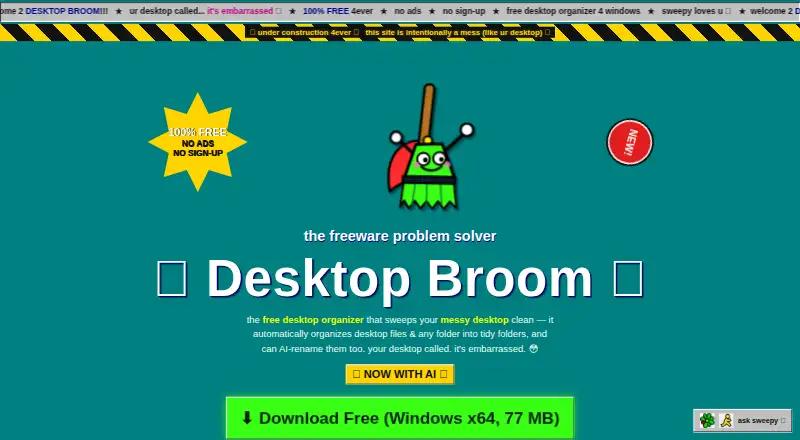
What Desktop Broom is
Desktop Broom is a free file organizer for Windows and macOS that sorts loose files from a desktop, Downloads folder, or another chosen folder into folders by type. It can organize files on any drive the computer can access, including USB and external drives. Before making changes, it previews the proposed moves; it moves files rather than deleting them and offers one-click undo. Existing folders and projects are left untouched. Its default Rules mode works offline, according to the maker’s GitHub README. Optional Smart Mode uses a key supplied by the user with Claude, GPT, or DeepSeek to suggest descriptive filenames. Smart Mode is off by default and sends small text snippets to the selected provider; the site says the key stays on the user’s machine. The free plan is listed as free, with no ads, sign-up, or premium tier. Windows support covers Windows 10 and 11 on 64-bit x64; a macOS DMG is available. The maker warns that Windows or Chrome may flag the freeware as unfamiliar.
Who it suits
Desktop Broom suits people who want to sort loose files across local or external drives without changing existing folders. Users who want AI filename suggestions can enable Smart Mode and supply their own provider key.
What it does well
- Previews planned file moves before making changes.
- Moves files without deleting them; one-click undo.
- Works with USB and external drives.
- Default Rules mode works offline.
What to know first
- Windows or Chrome may warn about the publisher.
- Smart Mode sends small text snippets to its selected provider.
- Maker advises keeping a backup; software is provided as-is.
Limits
Desktop Broom has no paid tier or free-plan quota listed. Smart Mode is optional and off by default; when enabled, it sends small text snippets to the selected provider.
Plans
| Plan | Billed and limits | Price |
|---|---|---|
| Free | No ads · no sign-up · no premium tier | Free |
As desktopbroom.com lists them, read 7 Oct 2026. The maker's own page has the final word.
Getting started
- Visit the Desktop Broom website.
- Choose the download for Windows or macOS; the site provides a macOS DMG.
- On Windows, use a 64-bit x64 system running Windows 10 or 11.
- Choose a desktop, Downloads folder, or another folder to organize.
- Review the planned moves before applying them.
Desktop Broom is a file-sorting utility for macOS and Windows, built to clear loose items from a desktop, Downloads folder, or another chosen location. It is best for people who want a cautious, no-cost cleanup rather than a broader desktop-management suite. Its narrow scope, preview, and undo keep routine sorting controlled.
Overview
Desktop Broom organizes loose files into folders by type and can work on any drive the computer can access, including USB and external drives. It leaves existing folders and projects untouched, which is useful when a location has accumulated loose clutter but its folder structure should stay as it is. The trade-off is equally clear: it does not reorganize files already inside folders.
Key features
Preview and undo
A preview of planned moves lets users check the proposed result before committing. The app moves files rather than deleting them and offers one-click undo, a sensible combination for people wary of automated cleanup. These safeguards do not replace a backup: the maker supplies the software as-is, without warranty, and advises keeping one.
Rules mode and Smart Mode
Default Rules mode works fully offline, making it a good fit for routine sorting that should not depend on an online service. Optional Smart Mode can use Claude, GPT, or DeepSeek to suggest descriptive filenames, with the user providing their own key. Smart Mode is off by default; when enabled, it sends small text snippets to the selected provider, while the maker says the key remains on the user's machine. That makes the AI option a choice for users comfortable with this data flow, not a requirement for organizing files.
Pricing
Desktop Broom is free forever and donation-supported. Its Free plan costs nothing and has no ads, sign-up, or premium tier. There is no free trial because the software is already free, and no paid tier to unlock. The straightforward terms suit anyone seeking a free utility, though users who prefer a verified publisher signature should note that the maker says a Windows or Chrome warning may appear because the freeware is new or not commonly downloaded; a verified signature is on the way.
Platforms
Desktop Broom supports macOS and Windows. The maker offers a macOS DMG and says Windows support covers Windows 10 and 11, 64-bit x64. An iOS companion app is planned, but there is no download yet.
Who it's for
This is a practical choice for people who regularly accumulate loose files on a desktop, in Downloads, or in another chosen folder and want type-based sorting without changing existing projects. Its offline Rules mode also suits users who want the standard workflow to run without an online service. Look elsewhere if you need to reorganize files within folders, or want a tool for grouping desktop icons rather than moving loose files.
Pros and cons
- Pros: Preview, move-only sorting, and one-click undo make the proposed cleanup reviewable and reversible.
- Pros: Rules mode works offline, and the app can sort files on accessible external and USB drives.
- Pros: The free plan has no ads, sign-up, or premium tier.
- Cons: It handles loose files only, leaving files inside existing folders untouched.
- Cons: Smart Mode sends small text snippets to the selected AI provider when enabled.
- Cons: The software comes without warranty, and Windows or Chrome may show an unknown-publisher or low-download warning.
Alternatives
For a broader comparison, see Desktop Organization Software. Choose iTop Easy Desktop if you want a Windows-only freemium option with three boxes and limited wallpapers on its free plan, or a Pro plan. BitDock is another Windows freemium alternative. DeskBox, Deskora, Desktop Fences+, Desktop Frames+, and DesktopBox are free Windows alternatives. If you use macOS and want a freemium option, consider Desktop Organizer.
Verdict
Choose Desktop Broom if your main goal is sorting loose files by type while keeping existing folders intact: its offline default mode, preview, and undo make that focused job appealing at no cost. Look elsewhere if you need a broader organizer, or if the maker's no-warranty terms and potential publisher warning are a concern.
Verdict
Desktop Broom combines file-type sorting with a preview and undo, while leaving existing folders and projects alone. Smart Mode is optional, but it sends small text snippets to the chosen provider when enabled.
Questions
How much does Desktop Broom cost?
It is free forever and donation-supported. The maker says it has no ads, sign-up, or premium tier.
Which platforms does Desktop Broom support?
It supports macOS and Windows. Windows support is for Windows 10 and 11 on 64-bit x64, and the site provides a macOS DMG download.
Does Desktop Broom work offline?
The maker’s GitHub README says the default Rules mode works 100% offline.
Does it use AI to rename files?
Optional Smart Mode can use Claude, GPT, or DeepSeek with your own key to suggest descriptive filenames. It is off by default and sends small text snippets to the selected provider when enabled.
Does Desktop Broom delete files?
It moves files without deleting them and offers one-click undo. It does not open, move, or rename existing folders or projects.
Is there an iOS app?
An iOS companion app is planned, but there is no download yet.
Facts from Desktop Broom's own pages
- AI data handling
- Smart Mode is off by default and sends small text snippets to the selected provider; the site says the key stays on the user's machine. · desktopbroom.com, 7 Oct 2026
- AI providers
- Smart Mode supports Claude, GPT, or DeepSeek with the user's own key. · desktopbroom.com, 7 Oct 2026
- AI renaming
- Optional Smart Mode can use AI to suggest descriptive filenames for files. · desktopbroom.com, 7 Oct 2026
- Existing folders
- It only touches loose files and does not open, move, or rename existing folders or projects. · desktopbroom.com, 7 Oct 2026
- File organization
- Desktop Broom sorts loose files in a desktop, downloads folder, or other chosen folder into folders by type. · desktopbroom.com, 7 Oct 2026
- iOS status
- The iOS companion app is planned and has no download yet. · desktopbroom.com, 7 Oct 2026
- Mac support
- The site provides a macOS DMG download. · desktopbroom.com, 7 Oct 2026
- Offline mode
- The maker's GitHub README says default Rules mode works 100% offline. · github.com, 7 Oct 2026
- Preview
- It shows a preview of planned moves before doing anything. · desktopbroom.com, 7 Oct 2026
- Pricing
- Desktop Broom is free forever and donation-supported, with no ads, sign-up, or premium tier. · desktopbroom.com, 7 Oct 2026
- Publisher warning
- The maker says Windows or Chrome may warn that the new freeware has an unknown publisher or is not commonly downloaded, and says a verified publisher signature is on the way. · desktopbroom.com, 7 Oct 2026
- Supported drives
- It can organize files on any drive the computer can access, including USB and external drives. · desktopbroom.com, 7 Oct 2026
- Undo and deletion
- It moves files without deleting them and offers one-click undo. · desktopbroom.com, 7 Oct 2026
- Warranty
- The site provides the software as-is without warranty and advises users to keep a backup. · desktopbroom.com, 7 Oct 2026
- Windows support
- The site says Desktop Broom works on Windows 10 and 11, 64-bit x64. · desktopbroom.com, 7 Oct 2026
Where Desktop Broom stands on Freedom251
- Desktop Organization Software#5 of 47