Freedom251 › Desktop Organization Software
DeskMakeover
What DeskMakeover is
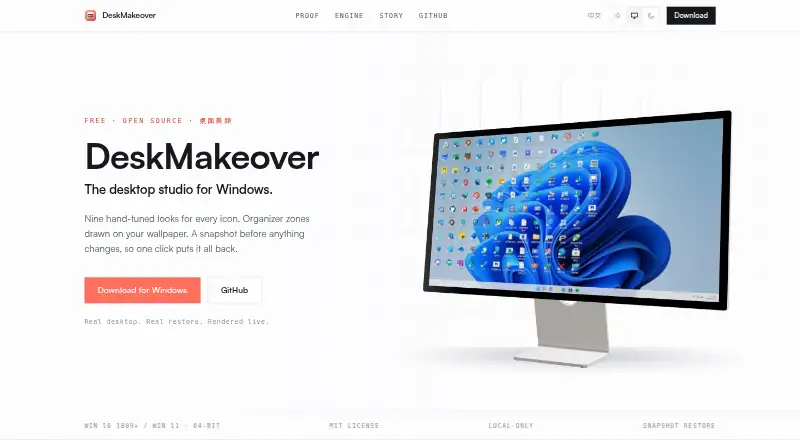
DeskMakeover is a free Windows app for changing desktop icon styles and arranging icons into zones on the wallpaper. Its nine looks include Squircle, Blueprint, Pixel Era, Gleam, Glaze, Die-Cut, Porthole, Scrapbook and Creekstone. Users can adjust icon shape, coloring, plate, finish and shortcut mark separately. For layout, they can begin with Workbench or Quadrants templates, or draw zones themselves using five materials and four title styles. The studio provides a live desktop mirror, undo and redo, and a one-click reread of icons, arrangement and wallpaper. Style combinations can be saved, exported as files or imported as packs. The app snapshots the desktop before changes, and each change can be undone with one click. It runs per-user on the PC; its maker says it requires no account, has no telemetry and uploads nothing. The listed version is 0.1.1 for 64-bit Windows 10 version 1809 or newer and Windows 11.
Who it suits
DeskMakeover suits Windows users who want to restyle desktop icons and organize them into wallpaper zones. It is also suited to people who prefer local processing and reusable style packs.
What it does well
- Nine icon looks are included.
- Icon appearance controls can be adjusted independently.
- Zones can be drawn or based on templates.
- Desktop snapshots and one-click undo are provided.
- Styles can be exported and imported.
What to know first
- Windows only; it does not work on macOS or Linux.
- Requires Windows 10 version 1809 or newer, or Windows 11.
- The listed installer is version 0.1.1.
Limits
The free plan is for 64-bit Windows 10 version 1809 or newer and Windows 11. The app does not work on macOS or Linux.
Plans
| Plan | Billed and limits | Price |
|---|---|---|
| Free | Free forever · MIT licensed · Windows 10 (1809+) or Windows 11, 64-bit | Free |
As dm.xiaominglab.com lists them, read 9 Oct 2026. The maker's own page has the final word.
Getting started
- Visit the DeskMakeover website.
- Download the Windows installer, DeskMakeover_0.1.1_x64-setup.exe.
- Install the app per user on a supported 64-bit Windows PC.
- Open the app and choose an icon look or a wallpaper-zone template, or draw your own zones.
Verdict
DeskMakeover provides detailed icon styling and wallpaper-zone layout controls in a free Windows app. Its listed compatibility excludes macOS and Linux.
Questions
How much does DeskMakeover cost?
The Free plan costs nothing and is described as free forever.
Which operating systems does it support?
DeskMakeover supports 64-bit Windows 10 version 1809 or newer and Windows 11. It does not work on macOS or Linux.
Does it require an account?
The maker says the app requires no account, installs per user, and runs on the PC.
Is DeskMakeover open source?
The Free plan is listed as MIT licensed.
Can I share or reuse styles?
Yes. Users can save combinations in a style library, export them as files, and import style packs.
Does it connect to third-party services?
No third-party integrations are listed. The maker describes exporting styles as files and importing style packs.
Facts from DeskMakeover's own pages
- Artwork preservation
- The maker says the engine does not recolor icon artwork, using plates, outlines, and shadows to distinguish icons. · dm.xiaominglab.com, 9 Oct 2026
- Browser demo privacy
- The engine page says images a visitor supplies are processed in the browser and never leave it. · dm.xiaominglab.com, 9 Oct 2026
- Compatibility
- The app supports Windows 10 version 1809 or newer and Windows 11, 64-bit; the maker says it does not work on macOS or Linux. · dm.xiaominglab.com, 9 Oct 2026
- Customization
- Users can adjust icon shape, coloring, plate, finish, and shortcut mark independently. · dm.xiaominglab.com, 9 Oct 2026
- Engine
- Its dm-icon-core pixel engine is written in Rust and is described as deterministic, producing byte-identical pixels in the browser and desktop app. · dm.xiaominglab.com, 9 Oct 2026
- Icon looks
- It includes nine hand-tuned looks: Squircle, Blueprint, Pixel Era, Gleam, Glaze, Die-Cut, Porthole, Scrapbook, and Creekstone. · dm.xiaominglab.com, 9 Oct 2026
- Installer
- The download section lists DeskMakeover_0.1.1_x64-setup.exe, version 0.1.1, dated 2026-07-19, at 14.6 MB. · dm.xiaominglab.com, 9 Oct 2026
- Integrations
- The maker describes exporting styles as files and importing style packs, but does not list third-party integrations. · dm.xiaominglab.com, 9 Oct 2026
- Local processing
- The app installs per-user and runs on the PC; the maker says it requires no account, has no telemetry, and uploads nothing. · dm.xiaominglab.com, 9 Oct 2026
- Preview and history
- The studio shows a live desktop mirror and offers undo, redo, and one-click rereading of desktop icons, arrangement, and wallpaper. · dm.xiaominglab.com, 9 Oct 2026
- Purpose
- DeskMakeover is a Windows desktop customization app for restyling desktop icons and organizing them with zones drawn onto the wallpaper. · dm.xiaominglab.com, 9 Oct 2026
- Restore
- The app snapshots the Windows desktop before changes, and says each change can be undone with one click. · dm.xiaominglab.com, 9 Oct 2026
- Style sharing
- Users can save combinations in a style library, export them as files, and import style packs from others. · dm.xiaominglab.com, 9 Oct 2026
- Wallpaper zones
- Users can start from Workbench or Quadrants templates or draw their own zones, with five materials and four title styles. · dm.xiaominglab.com, 9 Oct 2026
Where DeskMakeover stands on Freedom251
- Desktop Organization Software#6 of 47