Freedom251 › Journaling Software

Daybook
by Daybook
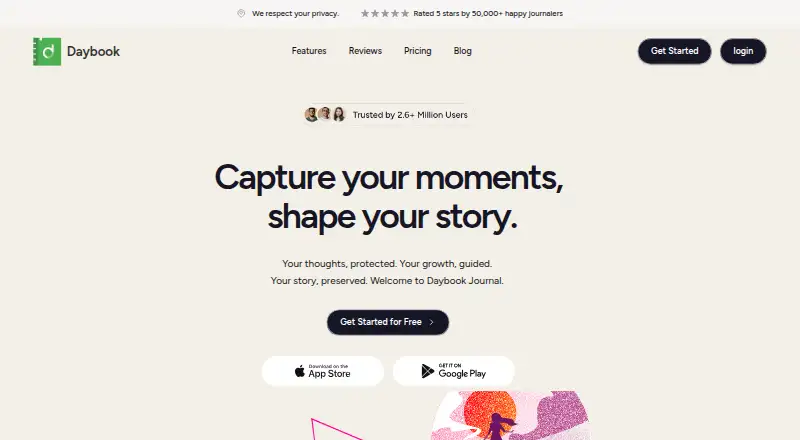
What Daybook is
Daybook is a digital diary and journaling app for recording thoughts and life events. It supports voice-to-text entry, mood and activity tracking, and guided journals for nightly reflections, mental health check-ins, and gratitude. Tags, categories, and a calendar view help organize and revisit entries; users can also export entries to PDF with customizable layouts. AI features can summarize entries, offer insights, and suggest improvements. Daybook is listed for Android, iOS, and web, with Alexa and the OpenAI ChatGPT Store also named as access options. The free plan includes unlimited entries and syncing across multiple devices. Pro costs $3.49 a month and adds mood analytics and word analysis, AI features, higher-resolution photos, guided journals and themes, custom templates, and an advanced printer. Daybook says entries are encrypted while traveling from a device to its cloud. Its privacy policy says diary information is stored in that cloud database and describes sharing information with service providers. Users must be at least 16 to create an account.
Who it suits
Daybook suits people who want a simple journal for thoughts and memories, with options for voice entry, mood tracking, or guided prompts. The free plan covers unlimited entries and syncing across devices.
What it does well
- Voice-to-text supports hands-free journaling.
- Tags, categories, and calendar view organize entries.
- PDF export offers customizable layouts.
- Free plan includes unlimited entries and multi-device sync.
What to know first
- Journal data is stored in Daybook's cloud database.
- Privacy policy describes sharing information with service providers.
- End-to-end encryption is not provided.
Limits
The free plan includes unlimited entries and syncing across multiple devices. Mood analytics and word analysis, AI features, higher-resolution photos, guided journals and themes, custom templates, and an advanced printer are included with Pro at $3.49 a month.
Plans
| Plan | Billed and limits | Price |
|---|---|---|
| Free | $0/year · Unlimited entries · Sync across multiple devices | Free |
| Pro | $3.49/month · Mood analytics and word analysis · AI features · Higher resolution photos · Guided journals and themes · Custom templates · Advanced printer | $3.49 a month |
| Pro | $39.99/year · Mood analytics and word analysis · AI features · Higher resolution photos · Guided journals and themes · Custom templates · Advanced printer | $39.99 a year |
As daybook.app lists them, read 29 Sept 2026. The maker's own page has the final word.
Getting started
- Visit the Daybook website.
- Choose Android, iOS, or web access.
- Create an account if you are at least 16.
- Start with the free plan or choose Pro at $3.49 a month.
Overview
Daybook is a digital diary for recording thoughts, memories, and daily activities across Android, iOS, and the web. It is best suited to journalers who want prompts, mood context, and several ways to retrieve old entries rather than a bare text editor. The free tier makes regular writing and multi-device access accessible, while cloud storage and the absence of end-to-end encryption matter for private or sensitive material.
Key features
Voice-to-text journaling lets you capture a thought without typing, which is useful for quick reflections or accessibility needs. Tags and categories, search and filters, and a calendar view provide practical routes back to older entries. Media attachments add photos or other context, and a privacy lock offers an extra device-level access-control measure.
Daybook can export entries to PDF with customizable layouts. That is useful for printing or keeping a readable archive, but the basic export format coverage is a limitation if you need editable documents or several interchange formats.
Guided journals cover nightly reflections, mental-health check-ins, and gratitude. Mood and activity tracking adds a way to associate entries with how you felt and what you did, while mood analytics and word analysis are Pro features. These options give a structured routine to people who struggle with an empty page; free users can journal without them, but will not get the deeper analysis.
Pro also adds AI summaries, insights, and suggested improvements, higher-resolution photos, themes, custom templates, and an advanced printer. Those tools suit readers who want help reviewing patterns or tailoring the journal’s presentation. They are enhancements rather than requirements for writing, so a simple diary user may not justify the subscription.
Daybook stores diary information in its cloud database and says it will not share entries with third parties, while also describing service-provider sharing for operations and other services. Entries are encrypted in transit, not end-to-end. Anyone creating an account must be at least 16.
Pricing
The Free plan costs nothing, billed $0/year. It includes unlimited entries and synchronization across multiple devices, making it the sensible starting point for consistent writing on Android, iOS, and the web. It does not include Pro’s mood analytics, word analysis, AI features, guided journals and themes, custom templates, higher-resolution photos, or advanced printer.
Pro costs $3.49 per month, billed $3.49/month. It is aimed at journalers who will use guided prompts, analytics, AI review, richer photo quality, or presentation controls often enough to pay for them. The subscription adds capability rather than removing a stated entry or sync quota, so occasional writers can remain on Free without losing core journaling.
Platforms
Daybook supports Android, iOS, and web access. Its listed access options also include Alexa and the OpenAI ChatGPT Store, extending how users can reach the service beyond its main apps and browser experience.
Who it's for
Choose Daybook if you want one journal for writing, voice capture, attachments, prompts, mood context, and calendar-based retrieval, with unlimited free entries synced across devices. It is particularly suitable for people building a guided reflection habit or wanting AI-assisted summaries. Look elsewhere if end-to-end encryption, local-first storage, or broad export formats are essential, or if you only need an unstructured notebook without paid analysis.
Pros and cons
Pros
- Unlimited free entries and sync: regular users can keep writing across devices without a stated entry cap.
- Multiple capture methods: voice-to-text, text, and media attachments support different journaling habits.
- Structured reflection: guided journals and mood tools can turn journaling into a repeatable routine.
- Findable archive: tags, categories, search, filters, and calendar browsing reduce the work of revisiting entries.
- Printable output: customizable PDF layouts make physical or saved copies straightforward.
Cons
- No end-to-end encryption: cloud-stored entries are encrypted in transit but not with device-to-device protection.
- Basic export coverage: PDF is useful for print and reading, but not a substitute for a wider set of editable formats.
- Important reflection tools require Pro: analytics, AI, guided journals, themes, templates, and advanced printing are subscription-only.
- Cloud dependence: users who prefer data kept solely on their own devices may not be comfortable with the storage model.
Alternatives
Journey is the better choice when you need broader platform coverage, including Linux, macOS, and Windows, and its annual Membership includes 10GB of cloud storage and 5,000 journal entries for $50.04 per year.
Rosebud suits readers who want a free tier and a free trial with a paid Bloom option at $12.99 per month.
Stoic is worth considering for additional guided journals, reflections, exercises, and mood and habit tracking through its Premium offering.
Clearful fits users seeking unlimited free entries, while its $9.99-per-month Pro plan adds photos and unlimited devices.
Day One is an alternative for Apple-focused users seeking macOS support, Windows access, and a one-month in-app trial subject to App Store eligibility.
Diarium offers basic journaling free, with Pro adding cloud sync, unlimited attachments per entry, and Word export.
Family Journal is designed for shared household use, allowing up to five family members on its free plan.
Lugelo is a free option with unlimited journals, moments, shared journals, contributors, and AI features.
For broader comparisons, see Journal Apps and Journaling Software.
Verdict
Daybook is a strong pick for anyone who wants free, cross-device journaling with voice capture, organization, prompts, mood context, and PDF output. Its main reason to choose it is the combination of unlimited free entries and structured reflection tools, with Pro available for deeper analysis and customization. Look elsewhere if your journal requires end-to-end encryption, local-only control, or more versatile exports.
Verdict
Daybook combines journaling, organization, mood tools, and PDF export, with core entry and sync features on its free plan. Consider its cloud storage and privacy details if those matter to your journal.
Questions
Is Daybook free?
Yes. The Free plan costs nothing and includes unlimited entries and syncing across multiple devices.
How much is Daybook Pro?
Pro costs $3.49 a month.
Which platforms can I use Daybook on?
The listed platforms are Android, iOS, and web. The About page also lists Alexa and the OpenAI ChatGPT Store as access options.
Does Daybook offer end-to-end encryption?
No. Daybook says journal entries are encrypted in transit to its cloud database. Its privacy policy says diary information is stored in that database and describes sharing information with service providers.
Can I export my journal entries?
Yes. Entries can be exported to PDF with customizable layouts for printing or saving.
Who makes Daybook, and who can create an account?
The maker is Daybook, headquartered in Jacksonville, Florida. Users must be at least 16 to create an account.
Facts from Daybook's own pages
- Age requirement
- The privacy policy says users must be at least 16 to create an account. · daybook.app, 29 Sept 2026
- AI features
- AI features can summarize entries, provide insights, and suggest improvements. · daybook.app, 29 Sept 2026
- Encryption
- Daybook says journal entries are encrypted in transit as they transfer from a device to its cloud. · daybook.app, 29 Sept 2026
- End-to-end encryption
- No · daybook.app, 20 Sept 2026
- Export
- Journal entries can be exported to PDF with customizable layouts for printing or saving. · daybook.app, 29 Sept 2026
- Export formats
- basic · daybook.app, 20 Sept 2026
- Free plan
- Yes · daybook.app, 20 Sept 2026
- Guided journals
- Guided journal options include nightly reflections, mental health check-ins, and gratitude journals. · daybook.app, 29 Sept 2026
- Headquarters
- Jacksonville, Florida, United States · daybook.app, 28 Sept 2026
- Integrations
- The About page lists Android, iOS, web, Alexa, and the OpenAI ChatGPT Store as ways to access Daybook. · daybook.app, 29 Sept 2026
- Intended users
- Daybook describes its focus as simple, easy-to-use journaling for people who want to document thoughts and memories. · daybook.app, 29 Sept 2026
- Mood tracking
- Users can track moods and activities and review mood analytics. · daybook.app, 29 Sept 2026
- Organization
- Entries can be organized with tags and categories and revisited by date in calendar view. · daybook.app, 29 Sept 2026
- Privacy
- The privacy policy says diary entry information is stored in its cloud database and will not be shared with third parties; it also describes sharing information with service providers for operations and other services. · daybook.app, 29 Sept 2026
- Product
- Daybook is a digital diary and journaling app for capturing life's moments and recording thoughts. · daybook.app, 29 Sept 2026
- Paid from
- 3.49 · daybook.app, 20 Sept 2026
- Support
- The website lists [email protected] as its support contact. · daybook.app, 29 Sept 2026
- Voice notes
- The app offers voice-to-text journaling to capture thoughts hands-free. · daybook.app, 29 Sept 2026
Where Daybook stands on Freedom251
- Journaling Software#4 of 37
- Journal Apps#7 of 35
- Journaling apps#9 of 37