Day One
by Day One
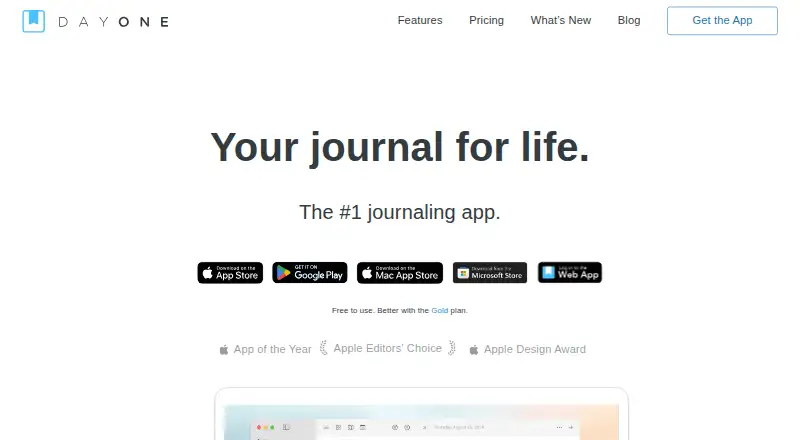
What Day One is
Day One is a journaling app available on iPhone, Android, iPad, Mac, Apple Watch, Windows, browsers and browser extensions. Entries can combine text, photos, video, audio, drawings and documents. Daily prompts, templates, reminders and streaks support a writing routine, while search and filters help organize entries. Passcodes, biometric security, end-to-end encryption and automatic backups protect journal data; offline access is available. Shared Journals let families, friends or small groups write together privately and securely. The free Basic plan is limited to one device and one photo per entry. Silver costs $49.99 per year and allows up to 30 media attachments per entry, unlimited devices, and Strava, Zapier and IFTTT integrations. Gold costs $74.99 per year and includes advanced reflection and AI features. A free one-month trial is available inside the app, subject to App Store eligibility; cancel before a paid trial ends to avoid a charge. Billing changes must be made on the platform where the subscription began. Data can be exported anytime, with PDF and CSV/JSON exports available on paid plans.
Who it suits
Day One suits people who want to keep multimedia journal entries across its listed devices and platforms. Shared Journals may suit families, friends or small groups, while the free plan is for one-device use.
What it does well
- Supports text, photos, video, audio and documents
- Includes end-to-end encryption and automatic backups
- Offline access is available
- Search and filters organize journal entries
- Shared Journals support private group writing
What to know first
- Basic is limited to one device
- Basic allows one photo per entry
- PDF and CSV/JSON exports are on paid plans
Limits
Basic allows one device and one photo per entry. Silver costs $49.99/yr and allows up to 30 media attachments per entry; paid plans provide PDF and CSV/JSON exports.
Plans
| Plan | Billed and limits | Price |
|---|---|---|
| Basic | billed annually · 1 photo per entry · 1 device | Free |
| Silver | Recurring annual subscription · 30 media attachments per entry · Unlimited devices | $49.99 a year |
| Gold | Recurring annual subscription · Unlimited devices | $74.99 a year |
As dayoneapp.com lists them, read 27 Sept 2026. The maker's own page has the final word.
Getting started
- Install or open Day One on a supported platform, including mobile, desktop, browser, or browser extension.
- Start with the free Basic plan or review Silver and Gold subscriptions.
- Use the in-app one-month trial if eligible through the App Store.
- Create journal entries with text or supported media.
- Make subscription or billing changes on the platform where the subscription began.
Day One suits people who want a journal that can hold far more than text, from photos and recordings to documents and drawings, while remaining private across devices. Its strongest case is the combination of rich media, habit-building tools, secure sharing, and broad platform coverage; the main trade-off is that the free tier is deliberately limited.
Overview
Day One is a journaling app from a company founded in 2011 and now owned by Automattic. Entries support text, photos, video, audio, drawings, and documents, and search and filters make a growing archive manageable. Offline access and automatic backups help keep the journal usable and recoverable.
Privacy is unusually central: passcodes, biometric security, and end-to-end encryption protect entries. Shared Journals extend that model to families, friends, and small groups that want to write together privately. Data can be exported at any time, with paid subscriptions adding PDF and CSV/JSON export formats.
For broader comparisons, see Journal Apps and Journaling Software.
Key features
- Multimedia journaling: Basic allows one photo per entry, while Silver and Gold allow up to 30 photos or videos. That makes the paid tiers much better suited to travel logs, family records, and media-heavy memory keeping.
- Prompts and routines: Daily prompts, a prompt gallery, templates, reminders, and streaks give both beginners and habitual writers ways to maintain momentum.
- Organization: Search and filters are practical for retrieving specific memories instead of scrolling through a chronological feed.
- Integrations: Silver and Gold connect with Strava, Zapier, and IFTTT, useful for bringing activity or automated data into a journal.
- Security and continuity: Encryption, device locks, and automatic backups address both privacy and the risk of losing personal records.
Pricing
Day One uses a freemium model with a 30-day trial available inside the app, subject to App Store eligibility. Cancel before a paid trial ends and you are not charged. Subscriptions renew annually, and upgrades or billing changes must be handled on the platform where the subscription began.
| Plan | Price | What it means |
|---|---|---|
| Basic | free | Core journaling, one device, and one photo per entry. It is suitable for a single-device text-first diary, but restrictive for media collections or multi-device use. |
| Silver | $49.99 a year | Expanded media, sync, unlimited devices, up to 30 media attachments per entry, and Strava, Zapier, and IFTTT integrations. This is the practical choice for most serious multi-device journalers. |
| Gold | $74.99 a year | Includes unlimited devices and advanced reflection and AI features. It is aimed at users who specifically want those higher-level reflection tools rather than only storage and synchronization. |
The cheaper Basic plan gives up device flexibility and attachment capacity; Silver is the more balanced upgrade, while Gold costs more for its advanced reflection focus.
Platforms
Day One covers iPhone, Android, iPad, Mac, Apple Watch, Windows, browsers, and browser extensions. That breadth benefits people who switch between phone, computer, and wearable, while Basic's one-device allowance limits how much of that coverage free users can actually use.
Who it's for
Choose Day One for a private multimedia diary, a long-term archive that needs dependable export, or a shared family journal. It also fits writers who benefit from prompts and streaks, and users who need the same journal on several operating systems. It is less compelling if you only need unlimited text entries on one device and do not value encryption, media, or integrations.
Pros and cons
- Pros: End-to-end encryption plus passcode and biometric locks; broad support across mobile, desktop, web, and extensions; multimedia entries with generous 30-item paid limits; private shared journals; paid PDF and CSV/JSON export; strong prompt and habit tools.
- Cons: Basic is limited to one device and one photo per entry; the 30-day trial depends on App Store eligibility; subscription administration is tied to the original billing platform; Gold's extra cost makes sense mainly for its advanced reflection and AI features.
Alternatives
Journey is a strong alternative for users wanting Android, iOS, Linux, macOS, web, and Windows support with a $50.04-per-year membership, 10GB of cloud storage, and 5,000 entries.
Rosebud suits users comparing a free tier with a $12.99-per-month Bloom subscription across Android, iOS, macOS, web, and Windows.
Stoic is worth considering for guided journals, reflections, exercises, and mood and habit tracking.
Clearful fits readers who want unlimited entries free, with a $9.99-per-month Pro plan adding photos and unlimited devices.
Daybook offers unlimited entries and multi-device sync free, with a $3.49-per-month Pro tier for mood analytics and additional features.
Diarium is an alternative for basic journaling across Android, iOS, macOS, and Windows, with its Pro tier adding cloud sync and unlimited attachments.
Family Journal is designed for up to five family members on its free plan.
Lugelo is a free option with unlimited journals, moments, shared journals, and contributors.
Verdict
Day One is the best fit for privacy-conscious journalers who want multimedia entries, dependable exports, and a journal that follows them across platforms. Choose Silver for the clearest balance of capacity and cost; choose Gold only if its advanced reflection and AI tools matter to you. Look elsewhere if a one-device, text-first journal is all you need or if the free tier's media and device limits are too restrictive.
Verdict
Day One combines multimedia journaling, organizational tools and privacy protections across a wide range of platforms. The free plan has device and photo limits; paid plans expand attachments, devices and export options.
Questions
Is Day One free?
Yes. The Basic plan is free and includes basic journaling features, one-device access, and one photo per entry.
How much do the paid plans cost?
Silver costs $49.99 per year and Gold costs $74.99 per year.
Is there a free trial?
A free one-month trial is available inside the app, subject to App Store eligibility. Cancel before a paid trial ends to avoid a charge.
Which platforms does Day One support?
Day One is available on iPhone, Android, iPad, Mac, Apple Watch, Windows, browsers, and browser extensions.
Does Day One support exports and integrations?
Users can export data anytime; PDF and CSV/JSON exports are available on paid plans. Silver and Gold include Strava, Zapier, and IFTTT integrations.
Who makes Day One?
Day One was founded in 2011 and is part of Automattic.
Facts from Day One's own pages
- Billing platform
- Upgrades and billing changes must be made on the platform where the subscription began. · dayoneapp.com, 27 Sept 2026
- Company owner
- Day One is part of Automattic. · dayoneapp.com, 27 Sept 2026
- Data export
- Users can export data anytime, including PDF and CSV/JSON exports on paid plans. · dayoneapp.com, 27 Sept 2026
- End-to-end encryption
- Yes · dayoneapp.com, 20 Sept 2026
- Media support
- Entries can include text, photos, video, audio, drawings, and documents. · dayoneapp.com, 27 Sept 2026
- Export formats
- multiple · dayoneapp.com, 20 Sept 2026
- Founded
- 2011 · dayoneapp.com, 23 Sept 2026
- Free photo limit
- The Basic plan allows 1 photo per journal entry. · dayoneapp.com, 27 Sept 2026
- Free plan
- Yes · dayoneapp.com, 20 Sept 2026
- Free plan
- Day One offers a free Basic plan with unlimited text entries and journals. · dayoneapp.com, 27 Sept 2026
- Free trial
- A free one-month trial is available inside the app, subject to App Store eligibility. · dayoneapp.com, 27 Sept 2026
- Available integrations
- Silver and Gold include Strava, Zapier, and IFTTT integrations. · dayoneapp.com, 27 Sept 2026
- Paid media limit
- Silver and Gold allow up to 30 photos or videos per entry. · dayoneapp.com, 27 Sept 2026
- Prompt features
- Day One includes daily prompts, a prompt library or gallery, templates, reminders, and streaks. · dayoneapp.com, 27 Sept 2026
- Security protection
- Day One provides passcodes, biometric security, end-to-end encryption, and automatic backups. · dayoneapp.com, 27 Sept 2026
- Shared journals
- Shared Journals let families, friends, or small groups journal together privately and securely. · dayoneapp.com, 27 Sept 2026
- Support channels
- Support is available through help guides, a forum, a help page, and contacting the support team. · dayoneapp.com, 27 Sept 2026
- Supported platforms
- Day One is available on iPhone, Android, iPad, Mac, Apple Watch, Windows, browsers, and browser extensions. · dayoneapp.com, 27 Sept 2026
- Trial cancellation
- Canceling before a paid trial ends means you will not be charged. · dayoneapp.com, 27 Sept 2026
- User reviews
- The homepage reports more than 150,000 five-star reviews. · dayoneapp.com, 27 Sept 2026
Where Day One stands on Freedom251
- Journaling apps#2 of 37
- Journaling Software#2 of 37
- Journal Apps#4 of 35