
MoodHaven Journal
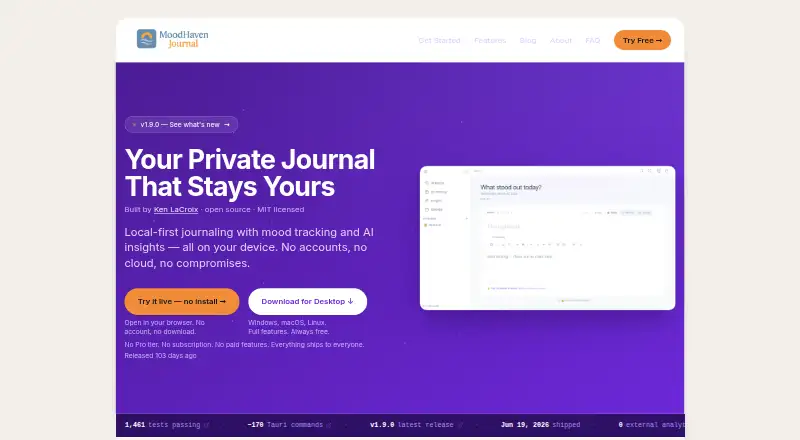
What MoodHaven Journal is
MoodHaven Journal is a free, open-source journaling app with guided prompts and end-to-end encryption. It runs on Android, iOS, Windows, macOS, Linux, and the web; its browser PWA is available without installation or an account. No account or email is required to use it. Entries use AES-256-GCM encryption with PBKDF2-HMAC-SHA256 and 600,000 iterations. Keys are derived in memory and cleared when the app is locked, while passwords are never stored or transmitted. Data is not uploaded or shared unless the user chooses to export it. Devices can sync over a local network using encrypted transport without a cloud relay. Entries can be exported as an encrypted .moodhaven backup or as plaintext. Wear OS supports voice captures and memos, transcribed locally with Whisper.cpp. AI analyzes metadata such as mood scores and patterns, while journal text stays on the device. The app includes 15 predefined activities and allows up to 50 custom activities. The free plan includes all features; no trial or refund policy is stated.
Who it suits
It suits people who want a private journal without creating an account, and who value local-network sync or export options. It also fits users who want voice capture from Wear OS or guided prompts.
What it does well
- No account or email required
- Journal text stays on-device during AI analysis
- Local-network sync without cloud relay
- Exports encrypted backups or plaintext
- All features included in the free plan
What to know first
- Plaintext export is available
- No team workspace or administrator features are stated
Limits
MoodHaven Journal allows up to 50 custom activities. Device syncing uses a local network and encrypted transport without a cloud relay.
Plans
| Plan | Billed and limits | Price |
|---|---|---|
| Free | Open-source MIT license · No subscription · No paid features · All features included | Free |
As moodhaven.app lists them, read 28 Sept 2026. The maker's own page has the final word.
Getting started
- Open the browser PWA at journal.moodhaven.app, or use an available Android, iOS, Windows, macOS, or Linux app.
- Begin using the app without creating an account or providing an email.
- Use guided prompts to create journal entries.
- Optionally sync devices over a local network.
- Optionally export entries as an encrypted .moodhaven backup or plaintext file.
Overview
MoodHaven Journal is a guided journal built around private, individual writing. It is best for people who want to use the same journal across desktop, phone and browser without creating an account. Its all-features-free approach is compelling, provided you are comfortable managing device sync and exports without a cloud relay.
Key features
Guided prompts offer a way into writing when a blank page is daunting, and search works across entries to help retrieve past notes. The 15 predefined activities and allowance for up to 50 custom activities add structure for people who want to record routines or moods alongside their writing.
Entries use AES-256-GCM encryption, with keys derived using PBKDF2-HMAC-SHA256 at 600,000 iterations. Keys are derived in memory and cleared when the app locks, while passwords are never stored or transmitted. Data is not uploaded or shared unless you choose to export it. This design suits writers who prioritize keeping journal contents under their own control, but it places more responsibility on them to preserve and move their data.
Devices sync over a local network using Ed25519 identity and encrypted transport, without a cloud relay. That fits a privacy-first setup, but is a less convenient match for anyone who expects syncing wherever their devices happen to be. Exports come in two materially different forms: an encrypted .moodhaven backup, or plaintext for direct reading. Plaintext is easier to use elsewhere but does not retain the encrypted-backup format.
AI analyzes metadata such as mood scores and patterns; journal text stays on the device. Wear OS voice memos are transcribed locally with Whisper.cpp, and the platform also supports voice capture from the wrist. Those options extend journaling beyond typing without sending the written content away for AI analysis.
Pricing
MoodHaven Journal costs free. The Free plan includes all features, with no account, subscription, paid tier or paid features, and the app is open source under the MIT license. There is no cheaper tier that withholds capabilities, but there is also no paid upgrade path. The plan is described as having everything included; no feature caps are stated.
No trial or refund policy is stated. This is a straightforward fit for individual users seeking a free journal, rather than teams looking for workspace or administrator controls.
Platforms
Native desktop apps are available for Windows, macOS and Linux, alongside iOS and Android apps. The browser PWA at journal.moodhaven.app works without installation or an account. Wear OS support adds wrist-based voice capture and voice memos. This range is useful for people moving between devices, though sync remains local-network peer sync rather than cloud relay.
Who it's for
MoodHaven Journal is a strong fit for a privacy-conscious individual who wants guided journaling, broad platform coverage and no recurring cost. It is less suitable for anyone who needs team administration, or whose priority is cloud-mediated syncing rather than local device-to-device transfer.
Pros and cons
- Pros: Every feature is free, with no account or subscription required, so users do not have to pay to access a higher tier.
- Pros: Encryption, in-memory keys and locally processed voice transcription support a privacy-centered workflow.
- Pros: Native desktop apps, mobile apps, a no-install browser PWA and Wear OS voice capture cover a wide range of ways to journal.
- Cons: Sync works over a local network without cloud relay, which may not suit users seeking access across devices from anywhere.
- Cons: Plaintext export is readable but does not preserve the encrypted-backup format; users choosing it should consider the privacy trade-off.
- Cons: No team workspace or administrator features are stated, so this is not positioned for managed group journaling.
Alternatives
For a free, open-source option on Android and iOS that supports text, photos, video and voice entries, consider Islet. If you want a freemium journal across desktop, mobile and web with a stated annual Membership plan at $50.04 a year and 10GB cloud storage, consider Journey instead.
Rosebud is another freemium option with a free trial. Stoic is a freemium alternative with a free trial and premium options for additional guided journals, reflections, exercises, mood and habit tracking. Day One offers a free tier and a one-month in-app trial subject to App Store eligibility. Diarium has a free basic journaling tier with limited Pro features; its Pro tier adds cloud sync, unlimited attachments per entry and Word export. Mindsera offers a free tier and trial, with a Genius plan at $14.99 a month. Penzu has a free Basic plan with unlimited entries, mobile apps, basic covers and fonts, and writing reminders.
Browse more options in Journaling Software.
Verdict
Choose MoodHaven Journal if you want a no-cost, account-free journal with encryption, guided prompts and apps across desktop, mobile and browser. Its strongest reason to choose is that all features are included without a subscription; its main limitation is local-network-only sync. Look elsewhere if cloud-relayed access, team tools or a different service model matters more than keeping data local.
Verdict
MoodHaven Journal centers on encrypted personal journaling across desktop, mobile, and web platforms, without requiring an account. Its export options include plaintext as well as encrypted backup, so readers should choose the format that fits their privacy needs.
Questions
Is MoodHaven Journal free?
Yes. Its free plan includes all features, and there is no paid tier.
Does it require an account?
No. An account or email is not required, including for the browser PWA.
Which platforms does it support?
It is available on Android, iOS, Windows, macOS, Linux, and the web. Native desktop apps are available for Windows, macOS, and Linux.
Is MoodHaven Journal open source?
Yes. It is open source under the MIT license and was built by Ken LaCroix.
How can entries be exported?
Entries can be exported as an encrypted .moodhaven backup or as a plaintext file.
What does Wear OS support?
Wear OS supports voice captures and voice memos, which are transcribed locally with Whisper.cpp.
Facts from MoodHaven Journal's own pages
- Account requirement
- No account or email is required to use the app. · moodhaven.app, 28 Sept 2026
- Activity limits
- There are 15 predefined activities and up to 50 custom activities. · moodhaven.app, 28 Sept 2026
- AI privacy
- AI analyzes metadata such as mood scores and patterns; journal text never leaves the device. · moodhaven.app, 28 Sept 2026
- Browser app
- A browser PWA is available at journal.moodhaven.app without installation or an account. · moodhaven.app, 28 Sept 2026
- Company builder
- MoodHaven Journal was built by Ken LaCroix and is open source under the MIT license. · moodhaven.app, 28 Sept 2026
- Data export
- Entries can be exported as an encrypted .moodhaven backup or as a plaintext file. · moodhaven.app, 28 Sept 2026
- Desktop platforms
- Native desktop apps are available for Windows, macOS, and Linux. · moodhaven.app, 28 Sept 2026
- Encryption method
- Entries use AES-256-GCM encryption with PBKDF2-HMAC-SHA256 and 600,000 iterations. · moodhaven.app, 28 Sept 2026
- End-to-end encryption
- Yes · moodhaven.app, 20 Sept 2026
- Export formats
- .moodhaven encrypted backup,plaintext · moodhaven.app, 20 Sept 2026
- Founded
- 2025 · moodhaven.app, 28 Sept 2026
- Free plan
- Yes · moodhaven.app, 20 Sept 2026
- Free tier limits
- Everything ships to everyone; the page does not state feature limits for the free plan. · moodhaven.app, 28 Sept 2026
- Key storage
- Keys are derived in memory and cleared on lock; passwords are never stored or transmitted. · moodhaven.app, 28 Sept 2026
- Peer sync
- Devices can sync over a local network using Ed25519 identity and encrypted transport, without cloud relay. · moodhaven.app, 28 Sept 2026
- Available platforms
- web,windows,macos,linux,ios,android · moodhaven.app, 20 Sept 2026
- Pricing model
- The app is completely free with no Pro tier, subscription, or paid features. · moodhaven.app, 28 Sept 2026
- Prompt features
- guided · moodhaven.app, 20 Sept 2026
- Search scope
- entry · moodhaven.app, 20 Sept 2026
- Sharing model
- Data is not uploaded or shared unless the user chooses to export it. · moodhaven.app, 28 Sept 2026
- Teams and admin
- No team workspace or administrator features are stated in the supplied page text. · moodhaven.app, 28 Sept 2026
- Trial and refund
- No trial or refund policy is stated in the supplied page text. · moodhaven.app, 28 Sept 2026
- Wear OS support
- Wear OS supports voice captures and voice memos from the wrist. · moodhaven.app, 28 Sept 2026
Where MoodHaven Journal stands on Freedom251
- Journaling apps#5 of 37
- Journaling Software#18 of 37