Freedom251 › Leave Management Software

Day Off
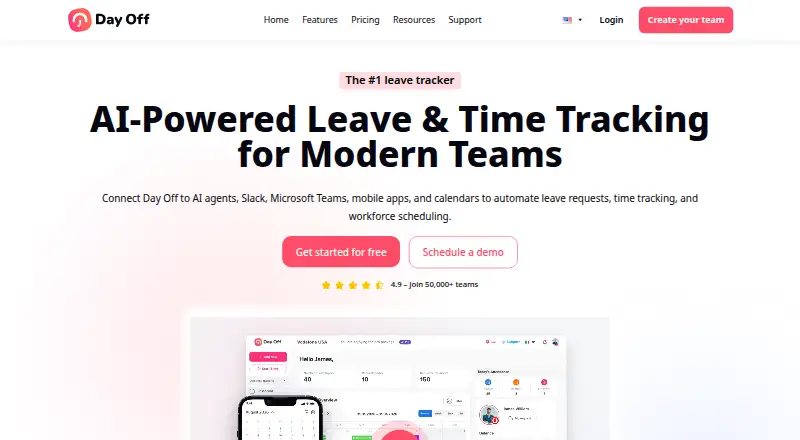
What Day Off is
Day Off helps HR managers organize employee leave and paid time off. It centralizes employee profiles, leave balances, requests, and approvals, while leave policies can automate accruals and carryover on weekly, biweekly, semimonthly, or monthly schedules. Administrators can assign multiple approvers and approve requests with one click. Integrations include Google Calendar, Outlook Calendar, Slack, Microsoft Teams, and a public API for employee, leave, and company data. Android, iOS, web, and API access are listed. The Free Plan covers up to 10 users and 10 employees and includes a calendar view, customizable leave types, one-step approval, and management reports. Pro costs $2/seat/mo with a $20/month minimum; Pro + Time Tracker costs $3/seat/mo with a $30/month minimum. A 30-day free trial is available for Pro. Day Off says it is not tailored to meet industry-specific regulations such as HIPAA and FISMA. Its headquarters are in London, United Kingdom.
Who it suits
Day Off suits HR teams that need to manage leave balances, requests, approval workflows, and accrual policies. The free plan is limited to 10 users and 10 employees, while paid plans add integrations and, for Pro + Time Tracker, time-tracking tools.
What it does well
- Automates accruals and carryover rules.
- Supports multiple approvers and one-click approvals.
- Integrates with Google Calendar, Outlook, Slack, and Teams.
- Free plan covers up to 10 users and employees.
- 30-day Pro trial is available.
What to know first
- Free plan is limited to 10 users and 10 employees.
- Pro has a $20/month minimum.
- Not tailored for regulations such as HIPAA and FISMA.
Limits
The free plan is free forever and supports up to 10 users and 10 employees, with calendar view, customizable leave types, one-step approval and management reports. Pro costs $2/seat/mo with a $20/month minimum; Pro + Time Tracker costs $3/seat/mo with a $30/month minimum. The Pro trial lasts 30 days.
Plans
| Plan | Billed and limits | Price |
|---|---|---|
| Free Plan | /month · Free forever · up to 10 users · 10 employees · calendar view · customizable leave types · one-step approval · management reports | Free |
| Pro Plan | /seat/mo · $20/month minimum · unlimited employees · advanced leave types · advanced work schedules · bulk actions · integrations · save 17% yearly | $2 a month |
| Pro + Time Tracker Plan | /seat/mo · $30/month minimum · task tracking · clock in/out · projects, tasks and clients · detailed and summary reports · attendance review · save 17% yearly | $3 a month |
As day-off.app lists them, read 1 Oct 2026. The maker's own page has the final word.
Getting started
- Open the Day Off website.
- Choose the Free Plan or start the 30-day Pro trial.
- Use the web app or install Day Off on Android or iOS.
- Set leave policies and accrual schedules for employees.
- Connect supported calendars, Slack, Microsoft Teams or the public API as needed.
Verdict
Day Off offers a free entry tier and paid plans for teams needing more capacity or time-tracking features. Organizations in regulated industries should account for its stated limits on industry-specific compliance.
Questions
Is Day Off free?
Yes. Its free plan is free forever and covers up to 10 users and 10 employees.
How much do the paid plans cost?
Pro is $2/seat/mo with a $20/month minimum. Pro + Time Tracker is $3/seat/mo with a $30/month minimum.
Is there a free trial?
Day Off offers a 30-day free trial for the Pro plan.
Which platforms does Day Off support?
Day Off is available on Android, iOS and web, and provides a public API.
What does Day Off integrate with?
It integrates with Google Calendar, Outlook Calendar, Slack, Microsoft Teams and its public API.
Where is Day Off based?
Day Off is headquartered in London, United Kingdom.
Facts from Day Off's own pages
- API
- The public API can retrieve and manage employee, leave and company data using custom API keys with names and expiration dates. · day-off.app, 1 Oct 2026
- Approvals
- Administrators can assign multiple approvers and use instant one-click leave approvals. · day-off.app, 1 Oct 2026
- Backups
- Data is backed up daily with encrypted copies in diverse locations and a stated recovery point objective of 24 hours. · day-off.app, 1 Oct 2026
- Employee management
- The platform centralizes employee profiles, leave balances, approvals and leave requests. · day-off.app, 1 Oct 2026
- Encryption
- Day Off encrypts data in transit and at rest, and its web and mobile applications use HTTPS/SSL with 256-bit encryption. · day-off.app, 1 Oct 2026
- Headquarters
- London, United Kingdom · day-off.app, 28 Sept 2026
- Hosting certification
- The hosting provider is described as AICPA, SOC 2 Type II and SOC 3 Type II certified. · day-off.app, 1 Oct 2026
- Integrations
- Day Off integrates with Google Calendar, Outlook Calendar, Slack, Microsoft Teams and a public API. · day-off.app, 1 Oct 2026
- Leave policies
- Leave policies support automated accruals and carryover rules, including weekly, biweekly, semimonthly and monthly accrual schedules. · day-off.app, 1 Oct 2026
- Payments
- Day Off states that it follows PCI DSS for payments and uses Stripe to encrypt payment data. · day-off.app, 1 Oct 2026
- Platforms
- Day Off is available on iOS, Android and the web, with mobile and web data synchronized in real time. · day-off.app, 1 Oct 2026
- Purpose
- Day Off helps HR managers plan, track and manage employees’ leave and PTO. · day-off.app, 1 Oct 2026
- Service limitation
- The terms state that the services are not tailored to comply with industry-specific regulations such as HIPAA and FISMA. · day-off.app, 1 Oct 2026
- Support resources
- Day Off provides a knowledge base, FAQ and contact support resources. · day-off.app, 1 Oct 2026
- Trial
- Day Off offers a 30-day free trial for the Pro plan and a Basic Forever free plan. · day-off.app, 1 Oct 2026
Where Day Off stands on Freedom251
- Leave Management Software#6 of 55