Freedom251 › Database Client Software

DataGrip
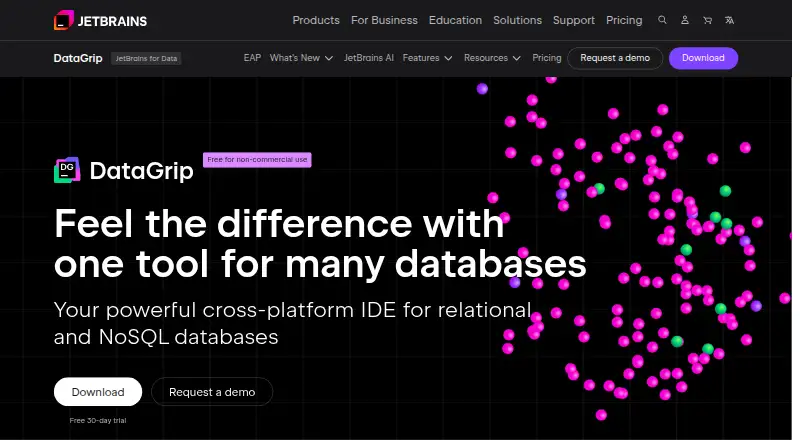
What DataGrip is
DataGrip is a desktop IDE for working with relational and NoSQL databases on Windows, macOS, and Linux. It connects to more than 50 databases and helps organize and manage database objects. Its SQL tools include smart completion, inspections, error highlighting, quick-fixes, and refactoring. JetBrains AI Assistant can use database context to help draft SQL from natural language and fix errors; the IDE also supports workflows with AI agents such as Codex and Claude Agent. An Excel-like editor supports exploring, editing, and analyzing data, while SQL, CSV, and JSON files can be used in the IDE. Queries run in a dedicated window or console, and users can compare results and preserve work with Local History and version control integrations including Git, SVN, and Mercurial. The individual non-commercial plan is free. Commercial use costs $10.90 a month and has a free 30-day trial. JetBrains says detailed code-related data collection for individual non-commercial users may be enabled by default, with an opt-out in settings.
Who it suits
DataGrip suits people working with multiple databases, particularly across different projects. The non-commercial plan is for individual non-commercial development; commercial development and organizations have a paid plan.
What it does well
- Connects to more than 50 supported databases
- Works on Windows, macOS, and Linux
- AI can help draft SQL and fix errors
- Supports SQL, CSV, and JSON files
- Includes query history and result-set comparison
What to know first
- Commercial plan costs $10.90 a month
- Visual query builder is not available
- Non-commercial data collection may be enabled by default
Limits
The free DataGrip Non-Commercial license is for individual, non-commercial development. Commercial use is $10.90 a month, billed monthly; its trial lasts 30 days.
Plans
| Plan | Billed and limits | Price |
|---|---|---|
| DataGrip Non-Commercial | For individual, non-commercial development · AI Free included · public forums and bug tracker support | Free |
| DataGrip Commercial | per month · For organizations and individual commercial development · free 30-day trial · AI Free included · private tickets, public forums, and bug tracker support | $10.90 a month |
| All Products Pack | per month · Includes DataGrip and 15 other tools · 10 IDEs, Air, 3 extensions, 2 profilers, and 10 JetBrains AI Credits per 30 days | $29.90 a month |
As jetbrains.com lists them, read 3 Oct 2026. The maker's own page has the final word.
Getting started
- Download DataGrip for Windows, macOS or Linux from the JetBrains website.
- Choose the non-commercial license or start the commercial plan's 30-day trial.
- Connect to a supported database.
- Open a query window or console, or work with SQL, CSV or JSON files.
- Use the editor to query or edit data, then import or export it as needed.
DataGrip is a desktop IDE for relational and NoSQL databases, aimed at developers and teams that work across several database systems or projects. Its broad connectivity and integrated SQL, data, and version-control tools make it a strong general-purpose choice, but the free license is only for individual non-commercial development.
Overview
DataGrip connects to more than 50 supported databases and organizes their objects in one workspace. That is particularly useful when a project spans different database technologies, since the same environment covers connection management, queries, files, and data editing. It is less suitable if a visual query builder is essential: DataGrip has none.
Key features
SQL and query workflow
Smart completion, inspections, live error highlighting, quick-fixes, and refactoring help users write and revise SQL with more guidance than a basic editor provides. Queries run in a dedicated window or console, and result sets can be compared. Query history preserves earlier work, while Local History and Git integrations provide ways to recover and review changes. Support also covers SVN, Mercurial, and other major version-control systems, which suits database work managed alongside application code.
Data, files, and AI
The Excel-like data editor supports exploring, editing, and analyzing records without changing tools. SQL, CSV, and JSON files can be handled in the IDE, and results can be exported as SQL, CSV, TSV, pipe-separated TXT, Excel XLSX or XLS, HTML, JSON, Markdown, or XML. JetBrains AI Assistant uses database context to turn natural-language requests into SQL and help fix errors. DataGrip also supports workflows with AI agents such as Codex and Claude Agent, useful for teams incorporating assisted development into database tasks.
Connectivity and trust
Desktop downloads are provided for Windows, macOS, and Linux, and SSH tunneling is supported. JetBrains points to SOC 2 Type II, GDPR compliance, security practices, and data-protection measures through its Trust Center. Individual non-commercial users may have detailed code-related collection enabled by default but can opt out in settings; commercial and trial users require explicit consent before that collection starts.
Pricing
DataGrip Non-Commercial — free
This plan is for individual, non-commercial development and includes AI Free. Support is through public forums and the bug tracker. It is the sensible choice for personal or qualifying non-commercial work, but organizations and commercial projects need a different license.
DataGrip Commercial — $10.90 a month
Billed monthly, this plan covers organizations and individual commercial development. It includes a free 30-day trial, AI Free, and private tickets in addition to public forums and bug-tracker support. Choose it when DataGrip is part of paid work and private assistance matters; the monthly cost is the trade-off for commercial rights and that support channel.
All Products Pack — $29.90 a month
Billed monthly, the pack includes DataGrip plus 15 other tools: 10 IDEs, Air, three extensions, two profilers, and 10 JetBrains AI Credits per 30 days. It fits users who need several JetBrains products, not someone seeking only a database IDE.
Platforms
DataGrip is a desktop application for Linux, macOS, and Windows. SSH tunneling supports remote database connections.
Who it's for
DataGrip is best for developers, database specialists, and teams moving among multiple databases across projects. Its SQL assistance, broad import and export, history, and source-control integrations reward structured, repeatable workflows. A user with one simple database or a strong need for visual query construction may find its wider IDE approach unnecessary.
Pros and cons
- Pro: Connections to more than 50 databases reduce the need to maintain separate clients.
- Pro: SQL guidance, refactoring, history, and result comparison support a disciplined query workflow.
- Pro: The data editor and extensive export formats cover practical record-management tasks.
- Pro: Commercial users can obtain private-ticket support, while non-commercial users have a free route.
- Con: The free plan excludes commercial development, so paid work requires the 10.90 USD monthly license or broader pack.
- Con: There is no visual query builder, a meaningful gap for diagram-oriented users.
- Con: Non-commercial users may need to disable detailed code-related collection in settings.
Alternatives
For a broader directory of SQL Query Tools, compare purpose-built query options; Database Client Software covers the wider client category.
- Outerbase Studio is a free, open-source database GUI with no paid Studio service required.
- Beekeeper Studio offers a free Community plan with unlimited connections and no tab limits.
- CloudBeaver is a web and self-hosted option with an academic license available for one year.
- DBeaver provides a free, open-source Community edition under Apache License 2.0.
- dbForge Studio for PostgreSQL has an Express plan with core completion, formatting, history, editing, and transfer tools.
- Apache Drill is free Apache-licensed software for downloadable, embedded, or cluster deployment.
- DbVisualizer offers a free standard feature set for commercial and non-commercial use.
- Execute Query is a free Windows, macOS, and Linux option.
Verdict
Choose DataGrip if you need one polished workspace for many databases, serious SQL assistance, editable data, and traceable query work across projects. Its commercial license and lack of visual query building are the main reasons to look elsewhere; qualifying individuals can start free, while commercial users should budget $10.90 a month.
Verdict
DataGrip brings database connections, SQL assistance, data editing, and query workflows together in a desktop IDE. Check the commercial price and non-commercial data collection settings against your needs.
Questions
Is DataGrip free?
A free license is available for individual, non-commercial development. Commercial use costs $10.90 a month.
Is there a free trial for commercial use?
Yes. The commercial plan includes a free 30-day trial.
Which operating systems does DataGrip support?
JetBrains provides downloads for Windows, macOS and Linux.
Which databases can DataGrip connect to?
It supports more than 50 databases.
Does DataGrip support AI features?
JetBrains AI Assistant can use database context to help write SQL from natural language and fix errors. DataGrip also supports workflows with AI agents such as Codex and Claude Agent.
What support comes with each license?
The non-commercial license includes public forums and a bug tracker. The commercial plan adds private tickets while retaining access to forums and the bug tracker.
Facts from DataGrip's own pages
- AI features
- JetBrains AI Assistant uses database context to help write SQL from natural language and fix errors, and DataGrip supports workflows with AI agents such as Codex and Claude Agent. · jetbrains.com, 3 Oct 2026
- Database support
- DataGrip connects to more than 50 supported databases and can organize and manage database objects. · jetbrains.com, 3 Oct 2026
- Data collection
- JetBrains says detailed code-related data collection for individual non-commercial DataGrip users may be enabled by default and can be opted out of in product settings; collection for commercial and trial users starts only with explicit consent. · jetbrains.com, 3 Oct 2026
- Data editing
- Its Excel-like data editor lets users explore, edit, and analyze data, and import or export data in different formats. · jetbrains.com, 3 Oct 2026
- File formats
- Users can work with SQL, CSV, and JSON files in the IDE and import or export data in different formats. · jetbrains.com, 3 Oct 2026
- Integrations
- The product page lists version control support for Git, SVN, Mercurial, and other major systems. · jetbrains.com, 3 Oct 2026
- Intended users
- JetBrains describes standalone DataGrip as suited to people working with multiple databases, especially databases across different projects. · jetbrains.com, 3 Oct 2026
- Query workflow
- DataGrip can run queries in a dedicated window or console, compare result sets, and preserve work with Local History and Git integrations. · jetbrains.com, 3 Oct 2026
- Security and compliance
- JetBrains says its Trust Center provides details on SOC 2 Type II and GDPR compliance, security practices, and data protection measures. · jetbrains.com, 3 Oct 2026
- SQL assistance
- It provides smart code completion, code inspections, on-the-fly error highlighting, quick-fixes, and refactoring. · jetbrains.com, 3 Oct 2026
- Support
- The non-commercial license includes support through public forums and a bug tracker, while the commercial plan also includes private tickets. · jetbrains.com, 3 Oct 2026
- Supported operating systems
- JetBrains provides DataGrip downloads for Windows, macOS, and Linux. · jetbrains.com, 3 Oct 2026
- What it does
- DataGrip is a cross-platform IDE for relational and NoSQL databases. · jetbrains.com, 3 Oct 2026
Where DataGrip stands on Freedom251
- Database Client Software#7 of 53
- SQL Query Tools#6 of 31
- Developer Tools#11 of 33