
CloudBeaver
What CloudBeaver is
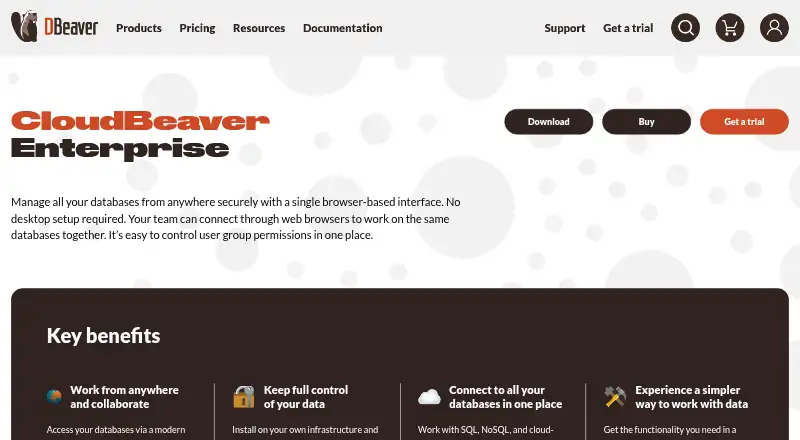
CloudBeaver Enterprise is a browser-based application for managing multiple data sources through one interface. It supports SQL, NoSQL and cloud-native databases, with Cloud Explorer access to databases on AWS, GCP and Azure. The browser SQL editor includes formatting, autocomplete and syntax highlighting; the Data Editor supports inline row edits, filtering, sorting, grouping and one-click exports. Users can also build queries with a drag-and-drop visual tool and view results as pie, bar or line charts. AI integrations include OpenAI, Azure AI, Gemini and Copilot, while MCP integration lets AI tools access schema metadata and run queries through existing connections. The product can run on customer infrastructure, including through Docker Compose on Ubuntu, macOS and Windows. Authentication options include local accounts, LDAP, SAML, OpenID, NTLM, JWT, AWS IAM and Microsoft Entra ID. It supports SSL-encrypted connections and SSH tunnels with key authentication. Enterprise costs $1,025 a year, with a five-user minimum for one server; a 14-day trial is listed. The annual license includes updates and support during its subscription period.
Who it suits
CloudBeaver Enterprise may suit developers, ML and QA engineers, technical support and security staff, finance professionals, or sales and marketing roles working with databases. It is relevant to teams seeking browser access with deployment on their own infrastructure.
What it does well
- Supports SQL, NoSQL and cloud-native databases.
- Includes a visual query builder and result charts.
- Supports SSH tunnels with key authentication.
- Runs on customer infrastructure.
- Offers multiple authentication options.
What to know first
- Enterprise license costs $1,025 a year.
- License requires at least five users.
- License covers one server.
- User count cannot be downgraded before subscription ends.
Limits
The Enterprise trial lasts 14 days and supports up to five users: one administrator and four other users. A paid Enterprise license covers one server, has a five-user minimum, and its user count cannot be reduced before the subscription ends.
Plans
| Plan | Billed and limits | Price |
|---|---|---|
| CloudBeaver Academic license | One year; request a new license and verify student or teacher status after the first year. · For students and teachers | Free |
| CloudBeaver Enterprise trial | 14 days · Up to 5 users · one administrator and four other users | Free |
| CloudBeaver Enterprise | Annual subscription; price varies by number of users. · One server · limited number of users · minimum 5 users | $1,025 a year |
As dbeaver.com lists them, read 11 Oct 2026. The maker's own page has the final word.
Getting started
- Visit the CloudBeaver Enterprise website.
- Request the 14-day Enterprise trial, which supports up to five users.
- Choose a deployment on customer infrastructure; Docker Compose is supported on Ubuntu, macOS, and Windows.
- Select an authentication option and configure database connections.
- For continued use, choose the annual Enterprise subscription starting at $1,025/yr.
CloudBeaver Enterprise is a browser-based workspace for managing multiple data sources. It suits teams that want database access and query tools on their own infrastructure, especially when centralized access and audit records matter. Its breadth is compelling, but the one-server license and five-user minimum make it a poor fit for a solo user or a small, flexible deployment.
Overview
CloudBeaver brings SQL and NoSQL databases, cloud-native sources, editing, querying, and result visualization into a browser interface. Cloud Explorer reaches databases on AWS, GCP, and Azure, while the product can run on customer infrastructure. That combination is useful for teams working across environments, though the Enterprise license is tied to one server and a minimum number of users.
The product traces its origins to a hobby project created by founder Serge Rider in 2010; DBeaver officially opened in 2017. CloudBeaver Enterprise is an annual subscription that includes updates and support while active and does not automatically renew.
Key features
Querying and data work
The browser SQL editor offers formatting, autocomplete, and syntax highlighting. The Data Editor handles inline row edits, filtering, sorting, grouping, and one-click exports. These tools make the browser interface more than a read-only gateway, although teams should account for the Enterprise user and server limits before standardizing on it.
The Visual Query Builder creates queries by drag and drop, and integrated charts show results as pie, bar, or line visualizations. Query history is supported, and result exports include CSV, DBUnit, JSON, Markdown, source code, SQL, TXT, XML, Parquet, XLSX, and HTML.
Connections, security, and AI
CloudBeaver supports a wide range of databases, including PostgreSQL, MySQL, Oracle, SQL Server, SQLite, Cassandra, Couchbase, Databricks, and cloud services such as Athena and Azure SQL Server. SSL-encrypted database connections and SSH tunnels with key authentication offer options for securing access.
Authentication choices include local accounts, LDAP, SAML, OpenID, NTLM, JWT, AWS IAM, and Microsoft Entra ID. The Query Manager audit trail records query author, time, duration, affected rows, and outcome; audit logging is available in Enterprise, AWS, and GCP editions. That is a meaningful strength for teams that need to review database activity.
The AI assistant supports OpenAI, Azure AI, Gemini, and Copilot. MCP integration allows AI tools to access schema metadata and run queries through existing connections. This expands the workflow options, but the product's core appeal remains its database access and management capabilities.
Pricing
| Plan | Price | What it includes |
|---|---|---|
| CloudBeaver Academic license | free | One year for students and teachers; request a new license and verify student or teacher status after the first year. |
| CloudBeaver Enterprise trial | free | 14 days, up to five users: one administrator and four other users. |
| CloudBeaver Enterprise | $1,025 a year | Annual subscription; price varies by user count. One server, limited users, five-user minimum. |
The academic license is the no-cost option for eligible students and teachers, but it lasts one year before a new license and status verification are required. The trial gives a small team two weeks to evaluate the Enterprise setup. At $1,025 a year, Enterprise includes updates and support during the subscription period; the subscription does not auto-renew. Its five-user minimum and one-server scope can make the effective commitment awkward for smaller teams, and user counts cannot be downgraded before the subscription ends. The price varies with user count.
Platforms
CloudBeaver supports Linux, macOS, Windows, web, and self-hosted deployment. Docker Compose deployment is supported on Ubuntu, macOS, and Windows, giving teams a path to run the application on infrastructure they control.
Who it's for
The maker identifies developers, ML and QA engineers, technical support and security staff, finance professionals, and sales and marketing roles as intended users. In practice, its strongest fit is an organization that needs browser-based access across multiple databases, a self-managed deployment, and query auditing. Individuals and teams needing fewer than five licensed users should weigh the minimum carefully.
Pros and cons
Pros
- Broad database coverage: SQL, NoSQL, cloud-native sources, and Cloud Explorer access to AWS, GCP, and Azure databases suit teams working across different systems.
- Useful browser-based data tools: Inline editing, query building, charts, history, and numerous export formats support more than basic connection management.
- Flexible access controls and security: Multiple authentication methods, SSL connections, SSH tunnels, and query audit records address needs common in shared environments.
- Self-managed deployment: Customer infrastructure and Docker Compose support matter to teams that want to operate the application themselves.
Cons
- Five-user minimum: A smaller team cannot license just the number of users it needs, and the count cannot be reduced during the subscription.
- One server per license: Teams planning to cover multiple servers need to account for the license boundary.
- Annual commitment: The subscription is annual, so the 14-day trial is the opportunity to evaluate before committing.
Alternatives
Outerbase Studio is a free, open-source option for readers who want to avoid a paid service for Studio. DBeaver is worth considering for readers who want a free Community edition under Apache License 2, with a free plan and trial. DbGate is another freemium alternative with a free plan and trial.
MySQL is a freemium alternative for readers focused on its Community Edition, while SQLPro Studio is a paid option with a free student license for approved educational users. Apache OpenOffice Impress is also listed as an alternative.
Beekeeper Studio may suit readers who want a free Community edition with unlimited connections and no tab limits. DataGrip offers a free non-commercial plan for individual development, with AI Free included.
For broader browsing, see Database Client Software and SQL Query Tools.
Verdict
Choose CloudBeaver Enterprise if your team needs browser-based database management across varied sources, self-managed deployment, and auditable query activity. Its mix of editing, query tools, cloud access, and security options is substantial. Look elsewhere if you need only a few seats, multiple servers under one license, or a free general-purpose database client.
Verdict
CloudBeaver Enterprise combines browser-based database access, editing and query tools with self-managed deployment options. Its annual license has a five-user minimum and covers one server, so check those limits against your setup.
Questions
How much does CloudBeaver Enterprise cost?
The annual Enterprise subscription starts at $1,025/yr. The price varies by number of users.
Is there a free plan?
There is no free ongoing Enterprise plan. A 14-day trial is available, and an Academic license is offered at no cost for one year to students and teachers who verify their status.
Which platforms does it support?
CloudBeaver lists Linux, macOS, self-hosted, web, and Windows platforms. Docker Compose deployment is supported on Ubuntu, macOS, and Windows.
Which databases can it connect to?
It supports SQL, NoSQL, and cloud-native databases, including databases accessed through Cloud Explorer on AWS, GCP, and Azure.
What does the Enterprise subscription include?
It includes product updates and support during the annual subscription period. It is not set to auto-renew.
Who makes CloudBeaver?
DBeaver says its first version began as founder Serge Rider’s hobby project in 2010, and the company officially opened in 2017.
Facts from CloudBeaver's own pages
- AI integrations
- The AI assistant supports OpenAI, Azure AI, Gemini, and Copilot, and MCP integration lets AI tools access schema metadata and run queries through existing connections. · dbeaver.com, 11 Oct 2026
- Audit
- The product page describes a Query Manager audit trail with query author, time, duration, affected rows, and outcome; audit logging is available in Enterprise, AWS, and GCP editions. · dbeaver.com, 11 Oct 2026
- Authentication
- Documented authentication options include local accounts, LDAP, SAML, OpenID, NTLM, JWT, AWS IAM, and Microsoft Entra ID. · dbeaver.com, 11 Oct 2026
- Connection security
- CloudBeaver supports SSL-encrypted database connections and SSH tunnels with key authentication. · dbeaver.com, 11 Oct 2026
- Databases
- It supports SQL, NoSQL, and cloud-native databases, with Cloud Explorer access to AWS, GCP, and Azure databases. · dbeaver.com, 11 Oct 2026
- Data tools
- The Data Editor supports inline row edits, filtering, sorting, grouping, and one-click exports. · dbeaver.com, 11 Oct 2026
- Deployment
- The product can run on customer infrastructure and supports Docker Compose deployment on Ubuntu, macOS, and Windows. · dbeaver.com, 11 Oct 2026
- Founded
- 2017 · dbeaver.com, 28 Sept 2026
- Intended users
- The maker lists developers, ML and QA engineers, technical support and security staff, finance professionals, and sales and marketing roles as intended users. · dbeaver.com, 11 Oct 2026
- License limits
- An Enterprise license covers one server and a limited number of users, with a five-user minimum; the user count cannot be downgraded before the subscription ends. · dbeaver.com, 11 Oct 2026
- Maker history
- DBeaver says its first version was created as founder Serge Rider’s hobby project in 2010, and the company officially opened in 2017. · dbeaver.com, 11 Oct 2026
- Product
- CloudBeaver Enterprise is a browser-based application for managing multiple data sources from one interface. · dbeaver.com, 11 Oct 2026
- Querying
- Its browser SQL editor includes formatting, autocomplete, and syntax highlighting. · dbeaver.com, 11 Oct 2026
- Subscription and support
- The Enterprise license is an annual subscription that includes product updates and support during the subscription period, and it is not set to auto-renew. · dbeaver.com, 11 Oct 2026
- Visualization
- The Visual Query Builder creates queries through a drag-and-drop interface, and integrated charts display results as pie, bar, or line charts. · dbeaver.com, 11 Oct 2026
Where CloudBeaver stands on Freedom251
- SQL Query Tools#22 of 31
- Database Client Software#38 of 53