
DbVisualizer
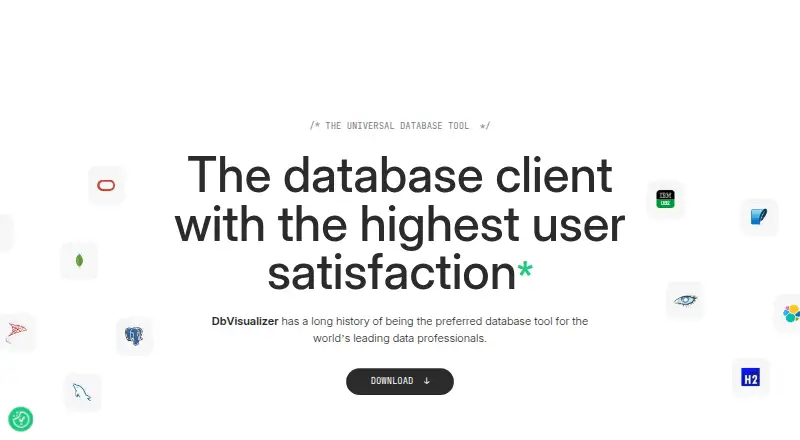
What DbVisualizer is
DbVisualizer is a desktop client for accessing, exploring, and optimizing databases on Linux, macOS, and Windows. It can connect to any database with a JDBC driver, and has extended support for systems including Oracle, MySQL, Microsoft SQL Server, PostgreSQL, MongoDB, Redis, Snowflake, Elasticsearch, IBM Db2, and SQLite. The available tools include data editing, a visual query builder, query history, SSH tunneling, and export to CSV, HTML, SQL, XML, XLS, XLSX, JSON, and TXT. Its AI Assistant can answer database questions, explain query errors, and analyze code; AI features are enabled only when users opt in. The client runs within infrastructure controlled by the customer, and DbVis Software says it does not store, process, or access customer data. The Free edition includes a User Guide and community access; full support requires Pro. Free costs nothing. Pro with 60 day support costs $199 a year, and Pro with premium support costs $229 a year. Pro grants perpetual use of versions released during the subscription term, but updates require an active subscription.
Who it suits
It suits database users who want a desktop client with JDBC connectivity, query tools, and broad database support. It is not for users who need to work from phones or tablets.
What it does well
- Connects to any database with a JDBC driver
- Runs on Linux, macOS, and Windows
- AI features require opt-in
- Includes data editing and a visual query builder
- Exports results in eight listed formats
What to know first
- Does not run on phones or tablets
- Full support requires Pro
- Updates require an active subscription
Limits
Free is limited to the standard feature set and includes a User Guide and community access; full support requires Pro. Pro with 60 day support costs $199 a year, billed at $199 per user for the first year and $89 from the second year onwards, excluding VAT. Pro with premium support costs $229 a year, billed at $229 per user for the first year and $119 from the second year onwards, excluding VAT; both plans provide perpetual use of versions released during the subscription term, while updates require an active subscription.
Plans
| Plan | Billed and limits | Price |
|---|---|---|
| Free | $0 · standard feature set · free for commercial and non-commercial use | Free |
| Pro with 60 day support | $199 Per user first year Excl. vat; $89 Second year onwards Excl. vat · full feature set · support during first 60 days · perpetual license for versions released during subscription | $199 a year |
| Pro with premium support | $229 Per user first year Excl. vat; $119 Second year onwards Excl. vat · full feature set · premium support during the whole period · perpetual license for versions released during subscription | $229 a year |
As dbvis.com lists them, read 1 Oct 2026. The maker's own page has the final word.
Getting started
- Visit the DbVisualizer website.
- Choose the Free edition or a Pro plan.
- Download the desktop application for Linux, macOS or Windows.
- Install Java 25, which the current download requirements list.
- Connect to a database using its JDBC driver.
Verdict
DbVisualizer offers a free desktop edition alongside Pro licenses, with broad JDBC connectivity and database tools. Consider the support and update terms, and note that it does not run on mobile devices.
Questions
Is DbVisualizer free?
Yes. The Free plan costs nothing and is available for commercial and non-commercial use.
How much do the Pro plans cost?
Pro with 60 day support is $199 a year. Pro with premium support is $229 a year; the listed first-year and second-year prices exclude VAT.
Which operating systems does it support?
DbVisualizer is available for Linux, macOS and Windows. The current download requirements list Windows 64-bit/ARM64, macOS 11+ and Linux, and require Java 25.
Which databases can it connect to?
It can connect to any database accessible through a JDBC driver. Extended support includes Oracle, MySQL, Microsoft SQL Server, PostgreSQL, MongoDB, Redis, Snowflake, Elasticsearch, IBM Db2 and SQLite.
Does DbVisualizer include AI features?
Yes. The AI Assistant can answer database questions, explain query errors and analyze code. AI features are enabled only when users explicitly opt in.
What does a Pro subscription include?
Pro includes the full feature set. A subscription grants perpetual use of versions released during its term, but software updates require an active subscription.
Facts from DbVisualizer's own pages
- AI assistant
- The built-in AI Assistant can answer database questions, explain query errors and analyze code, and AI features are enabled only when users explicitly opt in. · dbvis.com, 1 Oct 2026
- Current release requirements
- The download page lists version 26.2.3, supports Windows 64-bit/ARM64, macOS 11+ and Linux, and requires Java 25. · dbvis.com, 1 Oct 2026
- Database support
- DbVisualizer provides extended support for databases including Oracle, MySQL, Microsoft SQL Server, PostgreSQL, MongoDB, Redis, Snowflake, Elasticsearch, IBM Db2 and SQLite. · dbvis.com, 1 Oct 2026
- Encryption and authentication
- DbVisualizer supports encrypted data transfer, SSH tunnels, and security protocols available through JDBC drivers, which may include 2FA/MFA, Kerberos, IdP and AD. · dbvis.com, 1 Oct 2026
- Founded
- 2003 · dbvis.com, 28 Sept 2026
- Git integration
- DbVisualizer Pro includes Git version control for tracking and sharing database scripts, collaborating, switching branches, pushing changes and exploring history. · dbvis.com, 1 Oct 2026
- Headquarters
- Stockholm, Sweden · dbvis.com, 28 Sept 2026
- JDBC connectivity
- Any database that can be accessed with a JDBC driver can be used with DbVisualizer. · dbvis.com, 1 Oct 2026
- Licensing model
- A DbVisualizer Pro subscription grants a perpetual usage license for versions released during the subscription term, while an active subscription is required for software updates. · dbvis.com, 1 Oct 2026
- Local password protection
- DbVisualizer provides master-password protection for database passwords stored on the computer. · dbvis.com, 1 Oct 2026
- Mobile limitation
- DbVisualizer does not run on mobile phones or tablets. · dbvis.com, 1 Oct 2026
- Product purpose
- DbVisualizer is a universal database client for accessing, exploring and optimizing popular databases. · dbvis.com, 1 Oct 2026
- Security architecture
- DbVisualizer is client-based, runs within infrastructure controlled by the customer and DbVis Software does not store, process or access customer data. · dbvis.com, 1 Oct 2026
- Security frameworks
- DbVis Software says its information-security approach aligns with the NIST and ISO 27001 frameworks. · dbvis.com, 1 Oct 2026
- Support
- The Free edition includes a User Guide and active Community, while a Pro license is required to unlock full support. · dbvis.com, 1 Oct 2026
Where DbVisualizer stands on Freedom251
- SQL Query Tools#7 of 31
- Database Client Software#15 of 53