Freedom251 › Database Administration Tools
Adminer
What Adminer is
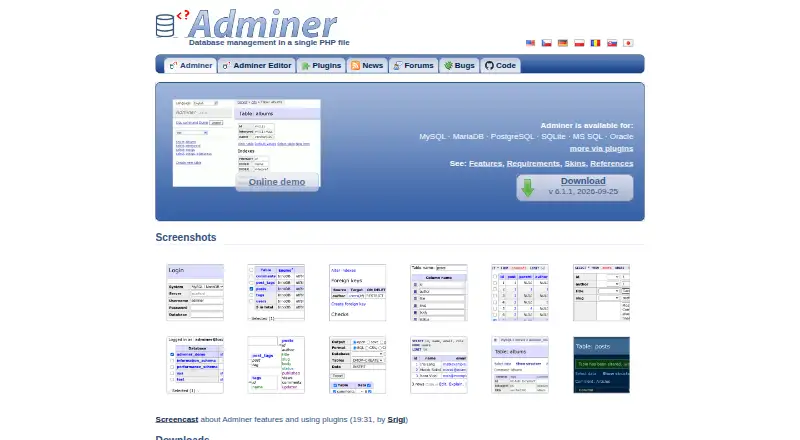
Adminer is database management software packaged as a single PHP file for web use. It works with MySQL, MariaDB, PostgreSQL, CockroachDB, SQLite, MS SQL, and Oracle; plugins can add drivers for Elasticsearch, SimpleDB, MongoDB, Redis, Firebird, ClickHouse, IGDB, and IMAP. You can create or change database structures such as tables, indexes, views, procedures, functions, and triggers, then search, sort, or limit results, edit records, run SQL, and export data to SQL or CSV. Query history is listed, as are features such as generated columns, check constraints, MySQL events and partitions, and PostgreSQL schemas, sequences, and user types. A database password is required, and connection attempts are rate-limited. The site advises restricting public access and keeping the software updated. Plugins can add options including OTP or passkey login, SSL connections, SQL highlighting, and more export formats. Adminer supports PHP 5.3+, 7, and 8 with sessions enabled. It is free for commercial and non-commercial use under the Apache License or GPL 2.
Who it suits
Adminer suits people who need a web-based interface to manage supported databases, run SQL, edit records, and export results. Adminer Editor is described as suitable for common users who need high-level data manipulation.
What it does well
- Works with eight listed database systems.
- Can run SQL and edit records.
- Exports results to SQL or CSV.
- Free for commercial and non-commercial use.
What to know first
- Requires PHP with sessions enabled.
- Adminer Editor handles one database per instance.
- Adminer Editor lacks SQL editing and display.
Limits
Adminer Editor supports one database per instance and does not provide SQL command editing or display. The listed Free plan is free for commercial and non-commercial use.
Plans
| Plan | Billed and limits | Price |
|---|---|---|
| Free | Free for commercial and non-commercial use · PHP 5.3+, 7 and 8 with enabled sessions | Free |
As adminer.org lists them, read 7 Oct 2026. The maker's own page has the final word.
Getting started
- Visit the Adminer website.
- Prepare a server with PHP 5.3+, 7 or 8 and sessions enabled.
- Deploy the PHP file for web access.
- Connect using your database password.
- Restrict public access with IP whitelisting or web-server password protection.
Adminer is a web-based database management tool for people who want to work across database engines from a PHP server. It suits administrators and developers who need structure management as well as data editing; the broad coverage is useful, but the single-file format still carries a PHP runtime requirement and calls for careful access controls.
Overview
Adminer brings database structure work and routine data handling into one interface. It can create and alter tables, columns, indexes, foreign keys, views, stored procedures, functions, and triggers, while also supporting record edits, SQL queries, and SQL or CSV exports. Search, sorting, result limits, and query history round out the day-to-day toolkit.
Its core database support spans MySQL, MariaDB, PostgreSQL, CockroachDB, SQLite, MS SQL, and Oracle. Plugins add drivers for Elasticsearch, SimpleDB, MongoDB, Redis, Firebird, ClickHouse, IGDB, and IMAP. The feature set also covers generated columns and check constraints, MySQL events and partitions, and PostgreSQL schemas, sequences, and user types. This breadth is a strong fit for mixed database environments, though engine-specific capabilities naturally vary.
Adminer is distributed as a single PHP file, but requires PHP 5.3+, 7, or 8 with sessions enabled. It requires a database password and rate-limits connection attempts, useful safeguards against brute-force attempts. Those measures are not a reason to expose the tool publicly: restrict access with IP whitelisting or web-server password protection, and keep it updated.
Key features
For people who regularly make schema changes, Adminer handles a broad set of database objects without limiting the interface to browsing tables. Searching, sorting, and limiting results make large tables more manageable, while record editing, SQL execution, and export cover common maintenance tasks. Plugins can extend the interface with options such as OTP or passkey login, SSL connections, SQL syntax highlighting, and additional export formats.
Adminer Editor is aimed at users who need higher-level data manipulation rather than database administration. Its constraints matter: each instance works with one database, and it does not provide SQL command editing or display. That makes it more suitable for bounded data-editing tasks than for users who need to inspect and write queries.
User-contributed packages connect Adminer with environments including Docker, cPanel, Easypanel, WordPress, Drupal, Moodle, Laravel, and Electron. Support channels include user forums and a GitHub bug tracker.
Pricing
Adminer is free for commercial and non-commercial use under either the Apache License or GPL 2. The Free plan costs nothing and includes use under those terms; it requires PHP 5.3+, 7, or 8 with sessions enabled. There is no paid tier to weigh against the free offering, so the practical trade-off is whether your server meets the runtime requirements and whether its security posture is appropriate for exposing a database interface.
Platforms
Adminer is a web application for self-hosted deployment on Linux. Its PHP runtime requirement makes it a fit for environments that can run a compatible PHP version with sessions enabled, rather than a standalone desktop database client.
Who it's for
Adminer is a sensible choice for database administrators and developers who want one web interface for several database engines, especially when they need both schema operations and data editing. Adminer Editor can suit common users handling data at a higher level, provided one database per instance and the absence of SQL command editing are acceptable. It is a poorer fit where users need an SQL-focused editing interface in Editor or cannot restrict access to the web application.
Pros and cons
- Pros: Broad support for major database engines, with plugin drivers extending the range further, makes it useful in varied database environments.
- Pros: Schema changes, record editing, SQL execution, query history, and SQL or CSV export cover substantial administration and maintenance work.
- Pros: Free commercial and non-commercial use avoids license costs for individuals and organizations.
- Cons: A compatible PHP runtime with sessions enabled is mandatory, so the single-file distribution does not eliminate deployment prerequisites.
- Cons: Adminer Editor is limited to one database per instance and omits SQL command editing and display.
- Cons: Password requirements and rate limiting do not replace access restrictions and regular updates when deploying it.
Alternatives
Choose DbNinja if you want a freemium database tool available across Linux, macOS, Windows, web, and self-hosted platforms. ClusterControl is worth considering when deployment and monitoring, performance advisors, and community support are the priority; its Community plan is free forever, while Self-serve costs €250 a month. OpenEverest suits readers seeking a free, open-source option they can deploy and customize without licensing fees.
For PostgreSQL-specific use, pgAdmin is a free open-source alternative. If your work is limited to SQLite, phpLiteAdmin is another free PHP-server option. phpMyAdmin is a free web tool focused on MySQL and MariaDB, a narrower scope than Adminer’s multiple-engine support.
Trusted Postgres Architect is a free alternative for Linux and self-hosted environments. YugabyteDB Anywhere is a paid alternative with an evaluation license limited to up to 32 consecutive calendar days and a commercial production license required for production use.
Browse more options in Database Administration Tools or Database Client Software.
Verdict
Choose Adminer if you need a free, compact web interface that can handle both database structure and data work across a wide range of engines. Its single-file distribution and breadth are compelling for PHP-capable self-hosted setups. Look elsewhere if you need a desktop client, cannot meet its PHP requirements, or cannot keep the interface behind suitable access controls.
Verdict
Adminer combines database administration and data editing in a single PHP file, with a broad range of database support. Review its PHP requirements and the Adminer Editor limits, and restrict public access as the site recommends.
Questions
How much does Adminer cost?
The Free plan costs nothing. Adminer is free for commercial and non-commercial use.
Which databases does it support?
It works with MySQL, MariaDB, PostgreSQL, CockroachDB, SQLite, MS SQL and Oracle. Plugin drivers add support for Elasticsearch, SimpleDB, MongoDB, Redis, Firebird, ClickHouse, IGDB and IMAP.
What platforms and runtime does it support?
Adminer is listed for Linux, self-hosted and web use. It requires PHP 5.3+, 7 or 8 with sessions enabled.
Is Adminer open source?
It is licensed under either the Apache License or GPL 2.
What are Adminer Editor's limits?
Adminer Editor supports one database per instance and does not provide SQL command editing or display.
What integrations are available?
User-contributed packages are listed for Docker, cPanel, Easypanel, WordPress, Drupal, Moodle, Laravel and Electron, among others.
Facts from Adminer's own pages
- Customization
- Plugins can add features such as OTP login, passkey login, SSL connections, SQL syntax highlighting and additional export formats. · adminer.org, 7 Oct 2026
- Database features
- The feature list includes generated columns and check constraints, MySQL events and partitions, and PostgreSQL schemas, sequences and user types. · adminer.org, 7 Oct 2026
- Database operations
- It can create and alter tables, columns, indexes, foreign keys, views, stored procedures, functions and triggers. · adminer.org, 7 Oct 2026
- Database support
- Adminer works with MySQL, MariaDB, PostgreSQL, CockroachDB, SQLite, MS SQL and Oracle. · adminer.org, 7 Oct 2026
- Data handling
- It supports searching, sorting and limiting table results, editing records, running SQL, and exporting to SQL or CSV. · adminer.org, 7 Oct 2026
- Integrations
- The site lists user-contributed packages for Docker, cPanel, Easypanel, WordPress, Drupal, Moodle, Laravel and Electron, among others. · adminer.org, 7 Oct 2026
- Intended users
- Adminer Editor is described as suitable for common users who need high-level database data manipulation. · adminer.org, 7 Oct 2026
- Licensing
- Adminer is free for commercial and non-commercial use under either the Apache License or GPL 2. · adminer.org, 7 Oct 2026
- Notable limit
- Adminer Editor supports one database per instance and does not provide SQL command editing or display. · adminer.org, 7 Oct 2026
- Plugin drivers
- Plugins add drivers for Elasticsearch, SimpleDB, MongoDB, Redis, Firebird, ClickHouse, IGDB and IMAP. · adminer.org, 7 Oct 2026
- Purpose
- Adminer is database management software distributed as a single PHP file. · adminer.org, 7 Oct 2026
- Runtime requirements
- Adminer supports PHP 5.3+, 7 and 8 with sessions enabled. · adminer.org, 7 Oct 2026
- Security
- Adminer requires a database password and rate-limits connection attempts to protect against brute-force attacks. · adminer.org, 7 Oct 2026
- Security guidance
- The site recommends restricting public access, for example with IP whitelisting or web-server password protection, and keeping Adminer updated. · adminer.org, 7 Oct 2026
- Support channels
- The site links to user forums and a bug tracker on GitHub. · adminer.org, 7 Oct 2026
Where Adminer stands on Freedom251
- Database Administration Tools#2 of 34
- Database Client Software#5 of 53