Freedom251 › Database Administration Tools

OpenEverest
What OpenEverest is
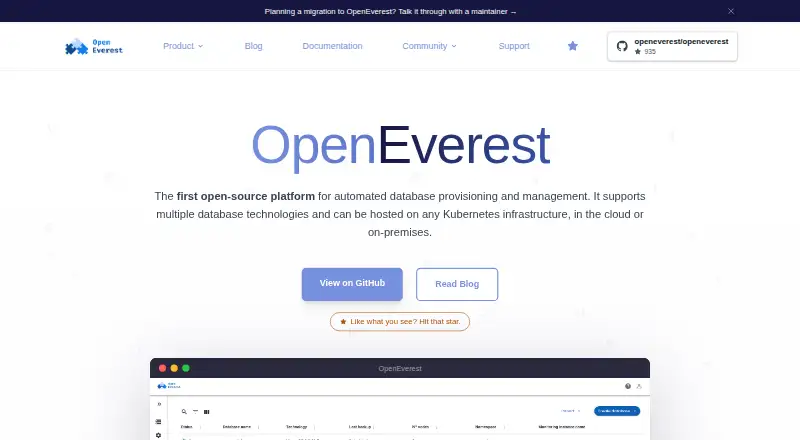
OpenEverest is a free, open-source platform for provisioning and managing databases, storage, and LLMs on Kubernetes. Teams can create database instances through a web interface, API, or CLI, selecting topologies, versions, and presets. Listed workloads include MySQL, MariaDB, MongoDB, PostgreSQL, ClickHouse, Microsoft SQL Server, TiDB, and Valkey; the FAQ also names Apache Cassandra and KServe. Users can adjust CPU, memory, and storage, or add nodes, shards, and replicas as needs change. Backup options include scheduled copies to S3-compatible storage, point-in-time recovery, and creating an instance from a backup. OpenEverest can send metrics to an existing observability stack without requiring a specific monitoring tool. It lists TLS, generated credentials, and role-based access control as built-in protections. The platform can run on Kubernetes in public or private clouds, bare metal, or on-premises. Its components are available under Apache 2.0. Version 1 is the current release; version 2 is a developer preview that is not feature-complete or intended for production.
Who it suits
OpenEverest suits teams managing database and related workloads on Kubernetes who want self-hosted deployment options. It offers UI, API, and CLI provisioning, plus configuration and scaling controls.
What it does well
- Free and open source under Apache 2.0
- Provision through UI, API, or CLI
- Supports scheduled backups and point-in-time recovery
- Runs on cloud, bare metal, or on-premises Kubernetes
What to know first
- Version 2 is a developer preview
- Version 2 is not intended for production
Plans
| Plan | Billed and limits | Price |
|---|---|---|
| OpenEverest | 100% open source · no licensing fees · deploy and customize to your needs | Free |
As openeverest.io lists them, read 4 Oct 2026. The maker's own page has the final word.
Getting started
- Visit the OpenEverest website.
- Choose a Kubernetes environment: public or private cloud, bare metal, or on-premises.
- Deploy OpenEverest as a self-hosted service.
- Create a workload through the UI, API, or CLI, selecting its topology, version, and preset.
Overview
OpenEverest is open-source software for provisioning and managing databases, storage, and LLMs on Kubernetes. It is best for platform and database teams running infrastructure they control, rather than organizations looking for a managed database service. Its combination of provisioning, scaling, backup, and access controls makes it a broad operations platform, but it expects Kubernetes expertise.
Key features
Teams can create databases through a web interface, API, or CLI, selecting topology, version, and presets. That gives operators a consistent starting point while allowing configurations to vary by workload. A guided interface also covers storage classes, pod scheduling, external access, and database engine parameters, so it is useful for teams that need to shape deployments rather than accept fixed defaults.
Workloads named by the project include MySQL, MariaDB, MongoDB, PostgreSQL, ClickHouse, Microsoft SQL Server, TiDB, and Valkey; Apache Cassandra and KServe are also mentioned. Operators can add nodes, shards, or replicas and adjust CPU, memory, and storage as demand changes. This range of controls helps teams adapt deployments, but the product is not a substitute for operating the Kubernetes environment underneath.
Scheduled backups to S3-compatible storage, point-in-time recovery, and cloning an instance from a backup support recovery and repeatable environments. TLS, generated credentials, and role-based access control provide core security measures. Metrics can feed an existing observability stack without requiring a particular monitoring product, a practical advantage for teams that already have monitoring in place.
An interactive topology view covers proxies, pods, and containers, while in-app streaming and search provide access to Kubernetes pod logs. The Extension Hub catalogs database providers and plugins, and the Provider SDK gives teams a route to build their own. Community help runs through CNCF Slack, issues, discussions, and meetings; certified partners offer a commercial support route.
The project makes its components available under Apache 2.0. OpenEverest can run on Kubernetes in public or private clouds, bare metal, or on-premises, giving infrastructure teams deployment choice without changing the self-hosted model.
Pricing
OpenEverest is free: the OpenEverest plan costs nothing, with no licensing fees, and is 100% open source. Teams can deploy and customize it to their needs. There is no free trial because the product is offered as a free plan.
The plan includes self-hosted deployment, automated provisioning, high-availability management, and roles and permissions. Its stated supported database engines are PostgreSQL, MySQL, and MongoDB, narrower than the broader list of workloads named elsewhere by the project. There are no published seat or quota caps in the plan terms. The trade-off is operational ownership: teams provide and manage the Kubernetes infrastructure, while commercial support is available through certified partners.
Platforms
OpenEverest supports API, Linux, macOS, web, and self-hosted use. It runs on Kubernetes across public and private clouds, bare metal, and on-premises environments, making it suitable for teams with infrastructure preferences that differ across deployments.
Who it's for
OpenEverest suits platform engineers and database operators who want to provision multiple database workloads on Kubernetes, retain control over where they run, and integrate monitoring with an existing stack. It is less appropriate for teams without Kubernetes operating experience or those wanting a provider to take responsibility for hosting and infrastructure.
Version 1 is the current release. Version 2 is a developer preview, is not feature-complete, and is not intended for production use; production-minded teams should base their choice on v1.
Pros and cons
- Pros: UI, API, and CLI provisioning with configurable topologies and presets supports both repeatable deployments and tailored setups.
- Pros: Scaling controls, S3-compatible scheduled backups, point-in-time recovery, and backup-based cloning cover meaningful operational needs in one platform.
- Pros: Apache 2.0 licensing and no licensing fees leave teams free to deploy and customize the software.
- Cons: Self-hosted Kubernetes operation is required, so teams seeking managed service convenience should look elsewhere.
- Cons: Production use should remain on v1; v2 is explicitly a preview and not feature-complete.
- Cons: Community support is the direct project route; commercial support comes through certified partners.
Alternatives
Database Administration Tools is the broader category to explore when comparing database operations software.
Choose ClusterControl if a freemium alternative with a free forever Community plan for deployment, monitoring, performance advisors, and community support better fits your needs; its Self-serve plan is €250 a month.
YugabyteDB Anywhere is an option for teams evaluating a product with a free license lasting up to 32 consecutive calendar days and a commercial production license required for production use.
Trusted Postgres Architect is another free option for readers comparing database administration software.
Consider Neo4j if a free managed graph database plan is a closer fit.
Oracle Enterprise Manager may suit organizations already working with Oracle software licenses or support contracts, which include its base platform features.
EDB Postgres AI Hybrid Manager is an alternative for teams looking at EDB's paid enterprise Postgres offering, which includes Hybrid Manager.
Elastic Cloud Enterprise is another paid, self-hosted option, with licensing based on node count and used RAM.
ScyllaDB Manager is an alternative for readers comparing database management products.
Verdict
OpenEverest is a strong fit for teams already equipped to run Kubernetes and wanting a free, customizable way to provision and operate database services across infrastructure they control. Its breadth of workload controls, recovery tools, and integration flexibility are the main reasons to choose it. Look elsewhere if managed hosting or an alternative to Kubernetes operations is the priority, and keep production deployments on v1.
Verdict
OpenEverest combines Kubernetes-based provisioning with workload scaling, backup, and access controls. Version 1 is the current release; version 2 is explicitly a developer preview rather than a production-ready release.
Questions
Is OpenEverest free?
Yes. The OpenEverest plan is free, with no licensing fees.
Is OpenEverest open source?
Yes. The project says its components are available under the Apache 2.0 license.
Which platforms does it support?
Its listed platforms are API, Linux, macOS, self-hosted, and web. It runs on Kubernetes in public or private clouds, on bare metal, or on-premises.
Which database engines and workloads are listed?
The site lists MySQL, MariaDB, MongoDB, PostgreSQL, ClickHouse, Microsoft SQL Server, TiDB, and Valkey. Its FAQ also names Apache Cassandra and KServe.
Is v2 ready for production?
No. The repository describes v1 as the current release and v2 as a developer preview that is not feature-complete or intended for production.
What support is available?
Community help is available through CNCF Slack, issues, discussions, and meetings. The project also lists certified partners for commercial support.
Facts from OpenEverest's own pages
- Backups
- The platform supports scheduled backups to S3-compatible storage, point-in-time recovery, and cloning an instance from a backup. · openeverest.io, 4 Oct 2026
- Configuration
- A guided interface supports configuration of storage classes, pod scheduling, external access, and database engine parameters. · openeverest.io, 4 Oct 2026
- Deployment
- OpenEverest can run on Kubernetes in public or private clouds, on bare metal, or on-premises. · openeverest.io, 4 Oct 2026
- Extensions
- The Extension Hub is the official catalog for database providers and plugins, and the site says users can build providers with the Provider SDK. · openeverest.io, 4 Oct 2026
- License
- The project says its components are available under the Apache 2.0 license. · openeverest.io, 4 Oct 2026
- Logs and topology
- The homepage describes an interactive topology view for inspecting proxies, pods, and containers, plus in-app Kubernetes pod log streaming and search. · openeverest.io, 4 Oct 2026
- Monitoring
- OpenEverest can plug metrics into an existing observability stack and does not require a particular monitoring tool. · openeverest.io, 4 Oct 2026
- Provisioning
- Teams can create databases through the UI, API, or CLI, with topologies, versions, and presets. · openeverest.io, 4 Oct 2026
- Purpose
- OpenEverest is an open-source platform for automated provisioning and management of databases, storage, and LLMs on Kubernetes. · openeverest.io, 4 Oct 2026
- Release status
- The repository says v1 is the current released version and v2 is a developer preview that is not feature-complete or intended for production. · github.com, 4 Oct 2026
- Scaling
- Users can add nodes, shards, or replicas and adjust CPU, memory, and storage as workloads change. · openeverest.io, 4 Oct 2026
- Security
- The site lists TLS, generated credentials, and role-based access control as built-in protections. · openeverest.io, 4 Oct 2026
- Support
- The project offers community help through CNCF Slack, issues, discussions, and meetings, and lists certified partners for commercial support. · openeverest.io, 4 Oct 2026
- Workloads
- The site lists MySQL, MariaDB, MongoDB, PostgreSQL, ClickHouse, Microsoft SQL Server, TiDB, and Valkey, and its FAQ also names Apache Cassandra and KServe. · openeverest.io, 4 Oct 2026
Where OpenEverest stands on Freedom251
- Database Administration Tools#5 of 34