CoSMOS
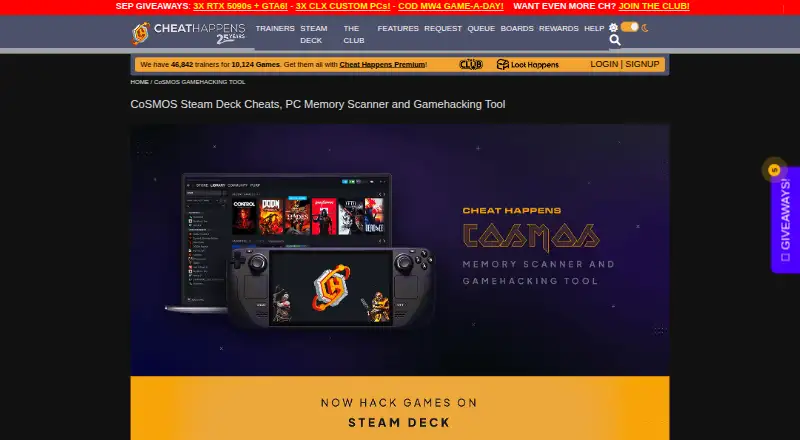
What CoSMOS is
CoSMOS is a self-service gamehacking tool for people modifying their own games while waiting for trainers. It comes in Steam Deck, PC Beginner, and PC Advanced versions, with features for beginners as well as experienced gamehackers who create and share cheat scripts. The Steam Deck edition is a native application that works with Linux and Steam Deck and includes a simplified memory scanner and built-in disassembler. PC CoSMOS Beginner is integrated into Cheat Happens Aurora. PC CoSMOS Advanced includes a memory scanner, VEH debugger, script engine, disassembler, dump viewer, speedhack, .NET assembly explorer, reference search, process viewers, and script editor; its listed version is 6.1.5. CoSMOS can read and import 99% of CheatEngine tables and uses hardware-accelerated scans. Cheat Happens provides free technical support through the CoSMOS message board. The software checks for updates without sending personal information, though optional feedback and crash-log submissions may contain personal information. Cheat Happens advises offline use and says it does not make cheats for online or multiplayer games.
Who it suits
CoSMOS suits people modifying their own games, from beginners to experienced gamehackers writing or sharing scripts. Its Steam Deck version is aimed at users of Linux and Steam Deck.
What it does well
- Free, with no registration required and no features locked.
- PC Advanced includes a debugger, disassembler, and script engine.
- Can import 99% of CheatEngine tables.
- Steam Deck version is a native application.
- Free technical support is available through its message board.
What to know first
- Cheat Happens advises using cheats and trainers offline only.
- It does not make cheats for online or multiplayer games.
- Optional feedback and crash-log submissions may contain personal information.
Plans
| Plan | Billed and limits | Price |
|---|---|---|
| CoSMOS | 100% FREE · No registration required · no features locked · no adware or hidden software | Free |
As cheathappens.com lists them, read 30 Sept 2026. The maker's own page has the final word.
Getting started
- Visit the CoSMOS website.
- Choose the Steam Deck, PC Beginner, or PC Advanced version that fits your use.
- Use the Steam Deck version with Linux or Steam Deck.
- Use PC Beginner through Cheat Happens Aurora software.
- Use the CoSMOS message board for technical support.
CoSMOS is a game-memory editor for modifying games, with beginner, advanced and Steam Deck versions. It suits players who want to make their own changes offline, from a simplified scan to a broad set of debugging and scripting tools. Its free offering and Cheat Engine table compatibility make it a practical option, though its use is expressly for offline play.
Overview
CoSMOS is a self-service gamehacking tool from Cheat Happens, a company formed in 2001. It is intended for people who want to modify their own games while waiting for trainers, and spans entry-level use through advanced script creation and sharing. That range is useful, but the three versions serve distinct contexts rather than offering one uniform experience.
It can read and import 99% of Cheat Engine tables, easing the move for users with existing tables. Hardware-accelerated scans are another practical advantage when searching game memory. Cheat Happens advises using cheats and trainers offline only and does not make cheats for online or multiplayer games; CoSMOS is therefore not the right choice for competitive or networked play.
Key features
Beginner and Steam Deck options
PC CoSMOS Beginner is integrated into Cheat Happens Aurora software, a fit for newcomers who want a beginner-oriented route. The native Steam Deck version works with Linux and Steam Deck and pairs a simplified memory scanner with a built-in disassembler. That combination brings useful tools to Deck users without requiring the full PC Advanced toolset.
Advanced toolkit
PC CoSMOS Advanced includes a memory scanner, VEH debugger, script engine, disassembler, dump viewer, speedhack, .NET assembly explorer, reference search, process viewers and script editor. This is the version for experienced gamehackers who want to build and share cheat scripts; its breadth is less compelling for someone who only needs a simple scan. The PC Advanced page lists version 6.1.5.
Debugging and scripting support are included, with support for both 32-bit and 64-bit architectures. Cheat Happens provides free technical support through the CoSMOS message board.
Pricing
CoSMOS costs nothing. The free plan is billed 100% FREE, requires no registration, locks no features, and includes no adware or hidden software. That makes it straightforward to try without a paid commitment or a feature cap.
The named CoSMOS free plan does not distinguish prices or feature limits among the Steam Deck, PC Beginner and PC Advanced versions. Choose among them by platform and tool needs: the Deck version has a simplified scanner and disassembler; Beginner integrates with Aurora; Advanced supplies the broadest toolset. There is no paid tier or stated seat, quota, trial or renewal term to weigh.
Platforms
CoSMOS supports Windows and Linux, with a native Steam Deck version that also works with Linux. PC Advanced is the Windows-oriented option; the Steam Deck version is the more direct choice for Deck use. The product's platform breadth does not extend to macOS or mobile systems.
Who it's for
CoSMOS is best suited to offline players who want to modify their own games, beginners who want an entry point, and experienced users who need memory scanning, debugging and script tools. Existing Cheat Engine table users may also value its stated compatibility. It is a poor fit for anyone seeking online or multiplayer cheats, which Cheat Happens explicitly excludes.
Pros and cons
- Pros: The free plan has no registration requirement, feature locks, adware or hidden software, lowering the barrier to trying it.
- Pros: Three versions cover a simplified Steam Deck workflow, beginner use through Aurora, and a substantial advanced toolset.
- Pros: Support for importing 99% of Cheat Engine tables and hardware-accelerated scans can help users carry over existing work and search memory faster.
- Cons: Its stated use is offline only, so it does not serve players looking to modify online or multiplayer games.
- Cons: The most extensive tools are in PC Advanced, while Steam Deck uses a simplified scanner; users should choose by workflow rather than expect identical capabilities across versions.
- Cons: The supported platform set is limited to Windows and Linux, leaving macOS and mobile users out.
Alternatives
For a related starting point, browse Game Memory Editors or Game Trainers.
- ReClass.NET is a free, open-source option for Linux and Windows; choose it if open-source licensing is a priority.
- scanmem is free and open source for Android and Linux; it is worth considering if those platforms matter more than CoSMOS's Windows support.
- Bit Slicer is free, open source and for macOS 10.8 or later, making it the platform-specific alternative for Mac users.
- PINCE is a free, open-source Linux reverse engineering tool; choose it if that focus and platform are a better fit.
- MemDBG is a free, open-source alternative.
- Squalr is a free, open-source alternative.
- Game Cheetah is a free, open-source alternative.
- Cheat Engine Linux is a free, open-source Linux alternative.
Verdict
Choose CoSMOS if you want a free game-memory editor for offline play and value its range from a beginner option to PC Advanced's scripting and debugging tools. Its Steam Deck version and Cheat Engine table compatibility strengthen the case for users in those workflows. Look elsewhere if your games are online or multiplayer, or if you need a platform beyond Windows or Linux.
Verdict
CoSMOS offers beginner and advanced versions, including a native Steam Deck option and a broad advanced toolset. Its stated use is offline game modification, not online or multiplayer play.
Questions
How much does CoSMOS cost?
The CoSMOS plan costs nothing. It requires no registration and has no locked features, adware, or hidden software.
Which platforms does CoSMOS support?
The listed platforms are Linux and Windows. The Steam Deck version is a native application that works with Linux and Steam Deck.
What versions are available?
CoSMOS is offered as Steam Deck, PC Beginner, and PC Advanced. PC Beginner is integrated into Cheat Happens Aurora software.
Does CoSMOS support scripting and debugging?
Yes. PC CoSMOS Advanced includes a script engine, script editor, and VEH debugger.
Can CoSMOS use CheatEngine tables?
It can read and import 99% of CheatEngine tables.
Can CoSMOS be used for online games?
Cheat Happens advises using cheats and trainers offline only and says it does not make cheats for online or multiplayer games.
Facts from CoSMOS's own pages
- Advanced tools
- PC CoSMOS Advanced includes a memory scanner, VEH debugger, script engine, disassembler, dump viewer, speedhack, .NET assembly explorer, reference search, process viewers, and a script editor. · cheathappens.com, 30 Sept 2026
- Audience
- The product is designed for beginners while also providing advanced features for experienced gamehackers to create and share cheat scripts. · cheathappens.com, 30 Sept 2026
- Aurora integration
- PC CoSMOS Beginner is integrated into Cheat Happens Aurora software. · cheathappens.com, 30 Sept 2026
- Cheat Engine compatibility
- CoSMOS can read and import 99% of CheatEngine tables. · dingowebworks.com, 30 Sept 2026
- Founded
- 2001 · cheathappens.com, 28 Sept 2026
- Maker history
- Dingo WebWorks, LLC/Cheat Happens was formed in 2001. · dingowebworks.com, 30 Sept 2026
- Privacy
- CoSMOS routinely checks for new versions without sending personal information, while feedback and crash-log submission are optional and may contain personal information. · cheathappens.com, 30 Sept 2026
- Purpose
- CoSMOS is a self-service gamehacking tool for users who want to modify their own games while waiting for trainers. · cheathappens.com, 30 Sept 2026
- Scan performance
- CoSMOS uses hardware-accelerated scans. · dingowebworks.com, 30 Sept 2026
- Site security
- Cheat Happens states that all site pages use SSL, data is stored behind two independent firewalls, and Akamai helps protect against DDoS and other attacks. · cheathappens.com, 30 Sept 2026
- Steam Deck support
- The Steam Deck version is a native application, includes a built-in disassembler and simplified memory scanner, and works with Linux and Steam Deck. · cheathappens.com, 30 Sept 2026
- Support
- Cheat Happens provides free technical support through the CoSMOS message board. · cheathappens.com, 30 Sept 2026
- Usage limitation
- Cheat Happens advises using its cheats and trainers offline only and says it does not make cheats for online or multiplayer games. · cheathappens.com, 30 Sept 2026
- Version
- The PC CoSMOS Advanced page lists version 6.1.5. · cheathappens.com, 30 Sept 2026
- Versions
- CoSMOS is offered in Steam Deck, PC Beginner, and PC Advanced versions. · cheathappens.com, 30 Sept 2026
Where CoSMOS stands on Freedom251
- Game Trainers#6 of 30
- Game Memory Editors#5 of 23