CheatDeck
What CheatDeck is
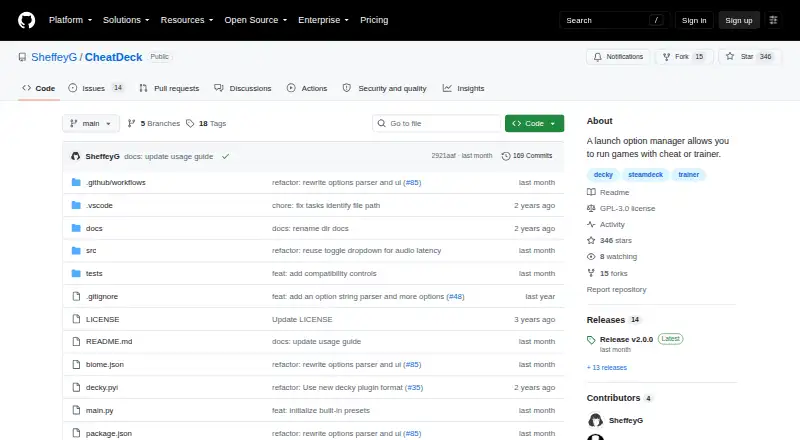
CheatDeck is a free, open-source Decky Loader plugin for managing Steam Deck game launch options and running sidecar programs. It can start a selected .exe or .bat in the same Proton or Wine environment as a game, then stop the program when the game exits. Its Language option sets both LANG and HOST_LC_ALL to a selected locale. Other controls cover desktop behavior, FSYNC, WineD3D, compatibility data redirection, and audio latency. Custom Options can add environment assignments, prefix commands, and arguments before or after %command%. To reduce the risk of damaging launch settings, CheatDeck makes a document read-only when it finds unsupported shell syntax or ambiguous options. Optional presets for Lossless Scaling and OptiScaler require their respective Decky plugins. Installation requires Decky Loader Developer Mode and the packaged CheatDeck.zip from a release or nightly build. Some sidecar programs may need .NET Core, .NET Framework, or Visual C++ Redistributable dependencies in their compatibility environment. The project is licensed under GPL-3.0.
Who it suits
CheatDeck suits Steam Deck users who want to adjust launch options or run sidecar programs alongside games. It is for users prepared to install through Decky Loader Developer Mode.
What it does well
- Runs selected .exe or .bat files alongside a game
- Offers locale, compatibility, and audio settings
- Custom Options support environment assignments and arguments
- Read-only safeguards apply to ambiguous launch options
What to know first
- Installation requires Decky Loader Developer Mode
- Sidecar programs may need additional runtime dependencies
- Previous Custom Options may not migrate to v2.0.0
Plans
| Plan | Billed and limits | Price |
|---|---|---|
| CheatDeck | No plan limits stated | Free |
As github.com lists them, read 9 Oct 2026. The maker's own page has the final word.
Getting started
- Install or enable Decky Loader Developer Mode.
- Download CheatDeck.zip from a release or nightly build.
- Install the package through Decky Loader developer settings.
- Set launch options or choose a preset that matches your installed software.
- Install any required sidecar dependencies in the compatibility environment with protontricks.
Verdict
CheatDeck offers detailed launch controls and sidecar support for Steam Deck through Decky Loader. Back up Custom Options before updating, and check whether sidecar dependencies are needed.
Questions
How much does CheatDeck cost?
CheatDeck is free. The listed plan is free.
Is CheatDeck open source?
Yes. The project is GPL-3.0 licensed.
Which platform does it support?
CheatDeck runs on Linux as a Decky Loader plugin for Steam Deck.
What can CheatDeck launch alongside a game?
It can start a selected .exe or .bat in the same Proton or Wine environment as a game and stop it when the game exits.
What is needed to install it?
Installation requires Decky Loader Developer Mode and CheatDeck.zip from a release or nightly build.
Will Custom Options carry over to v2.0.0?
The v2.0.0 release warns that previous Custom Options may not migrate and advises backing them up before updating.
Facts from CheatDeck's own pages
- Advanced options
- Built-in launch controls include desktop behavior, FSYNC, WineD3D, compatibility data redirection, and audio latency overrides. · github.com, 9 Oct 2026
- Compatibility caveat
- A sidecar may need .NET Core, .NET Framework, or Visual C++ Redistributable dependencies installed in its compatibility environment with protontricks. · github.com, 4 Oct 2026
- Compatibility limits
- Some sidecar programs may need .NET Core, .NET Framework, or Visual C++ Redistributable installed in the compatibility environment. · github.com, 9 Oct 2026
- Custom options
- Users can define environment variables, prefix commands, and command-line arguments as custom launch options. · github.com, 9 Oct 2026
- Distribution
- The README instructs users to download CheatDeck.zip from a release or nightly build and install it through Decky Loader developer settings. · github.com, 9 Oct 2026
- Editing safeguards
- Unsupported shell syntax or ambiguous launch options make the document read-only to avoid partial or destructive edits. · github.com, 4 Oct 2026
- Edit safety
- If launch options contain unsupported shell syntax or ambiguous markers, CheatDeck makes the document read-only to avoid a partial or destructive edit. · github.com, 9 Oct 2026
- Installation
- Installation requires Decky Loader Developer Mode and the packaged CheatDeck.zip from a release or nightly build. · github.com, 4 Oct 2026
- Integrations
- The README lists optional presets for Lossless Scaling and OptiScaler that require their respective Decky plugins. · github.com, 4 Oct 2026
- Language control
- Its Language option sets both LANG and HOST_LC_ALL to a selected locale code. · github.com, 4 Oct 2026
- Language setting
- Its Language option sets the LANG and HOST_LC_ALL environment variables to a selected locale code. · github.com, 9 Oct 2026
- License
- The public repository identifies its license as GPL-3.0. · github.com, 9 Oct 2026
- Presets
- Initial custom option presets include Lossless Scaling and OptiScaler commands, which require their respective software or Decky plugins. · github.com, 9 Oct 2026
- Purpose
- CheatDeck is a Decky Loader plugin for launching sidecar programs and managing launch options on Steam Deck. · github.com, 9 Oct 2026
- Release migration
- The v2.0.0 release warns that previous Custom Options may not migrate and advises backing them up before updating. · github.com, 4 Oct 2026
- Release update caveat
- The v2.0.0 release warns that previous Custom Options may not migrate and recommends backing them up before updating. · github.com, 9 Oct 2026
- Save data caveat
- Changing STEAM_COMPAT_DATA_PATH may require migrating game saves because compatibility data can contain saves. · github.com, 9 Oct 2026
- Sidecar programs
- It can start a selected Windows .exe or .bat alongside a game in the same Proton/Wine environment, and stops it when the game exits. · github.com, 9 Oct 2026
Where CheatDeck stands on Freedom251
- Game Trainers#5 of 30