ArtMoney
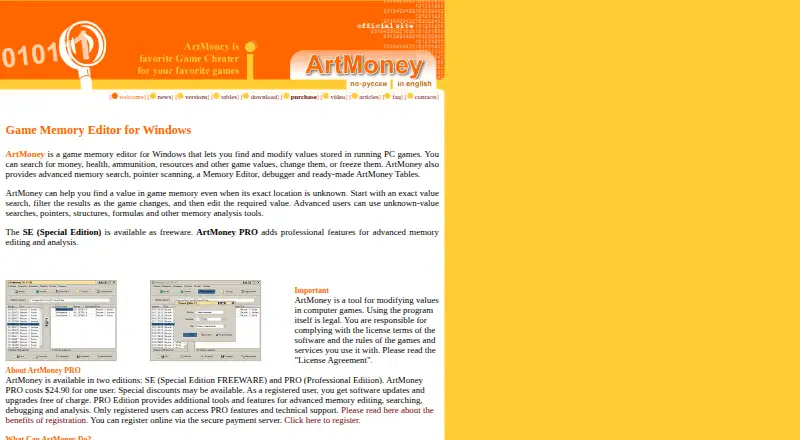
What ArtMoney is
ArtMoney is a Windows game memory editor for finding and changing values such as money, health, ammunition, and resources in running PC games. Search options cover exact or range values, unknown and encoded values, sequences, hexadecimal data, structures, and formulas. Its memory tools include pointer scanning, a memory editor, a disassembler, a debugger, and breakpoints. ArtMoney Tables are AMT files with ready-made game information such as saved addresses and descriptions; the tables page lists 6,728 tables. The software also offers emulator options and supports emulator addresses and pointers. The vendor lists 32-bit and 64-bit Windows versions, including support for Windows 10 and 11. The free SE edition lacks some features, including folder and structure search, and its pointer-to-pointer scanner supports up to three levels; PRO supports up to six. PRO costs $24.90 as a one-time payment, with updates of ArtMoney v8 Pro Edition free. The separate PRO VIP Edition is listed at $44.91 as a one-time special sale price; VIP upgrades are not free, and registrations are not refundable. The manual says the software is not intended for multiplayer or online games.
Who it suits
It suits Windows users seeking to inspect and edit values in running PC games or use its emulator-related options. The manual advises against using it for multiplayer or online games.
What it does well
- Searches values using multiple listed methods
- Includes pointer scanning, debugger, and breakpoints
- ArtMoney Tables include ready-made game information
- PRO costs $24.90 as a one-time payment
What to know first
- Not intended for multiplayer or online games
- SE omits folder and structure search
- SE pointer-to-pointer scanning supports up to three levels
Limits
ArtMoney SE does not include folder or structure search, and its pointer-to-pointer scanner supports up to three levels. PRO supports up to six levels. PRO costs $24.90 as a one-time payment; PRO VIP Edition is listed at a $44.91 one-time special sale price, with non-free VIP upgrades and nonrefundable registrations.
Plans
| Plan | Billed and limits | Price |
|---|---|---|
| ArtMoney SE (Special Edition) | FREEWARE · Windows · some features unavailable in SE | Free |
| ArtMoney PRO | One-time payment; updates of ArtMoney v8 Pro Edition are free · One user · registered users receive full technical support and extra features | $24.90, paid once |
| ArtMoney PRO VIP Edition (Undetectable) | 44.91 USD special sale price; VIP upgrades are not free · Personalized version · VIP Edition registrations are not refundable | $44.91, paid once |
As artmoney.ru lists them, read 7 Oct 2026. The maker's own page has the final word.
Getting started
- Visit the ArtMoney website.
- Choose the free ArtMoney SE edition or a paid PRO edition.
- Install the Windows version that matches your system; 32-bit and 64-bit versions are available.
- Use ArtMoney to search for game values or browse AMT game tables.
ArtMoney is a Windows utility for finding and changing values in running PC games. It is best for players who want to investigate game memory themselves, including in supported emulators. Its broad search and analysis toolkit is the main draw; the free edition has real limits, and the vendor says the program is not intended for multiplayer or online games.
Overview
ArtMoney targets a focused task: locating values such as money, health, ammunition, or resources in a running game and modifying them. It offers more than a basic value search, with tools for examining memory and prepared game tables that can give users a starting point. That depth favors technically curious players over anyone seeking a ready-made trainer for a specific title. The Windows-only requirement also makes it a poor fit for users on other desktop systems.
Key features
Search and memory analysis
Search methods cover exact and range values, unknown values, encoded and sequence searches, hexadecimal, structure, and formula searches. This range is useful when a value is not immediately identifiable or cannot be found through a simple exact search. Pointer scanning, a memory editor, disassembler, debugger, and breakpoints add deeper ways to inspect game memory. Those tools give experienced users room to investigate, but raise the learning burden for players who only want a quick change.
Tables and emulators
ArtMoney Tables are AMT files containing prepared game information, including saved addresses and descriptions. The tables page lists 6,728 entries, offering a potential head start rather than a guarantee that a table will suit a particular game or version. ArtMoney also provides emulator options and supports emulator addresses and pointers, making it relevant to users working with supported emulated systems as well as PC games.
Online play and responsibility
The manual says ArtMoney is not intended for multiplayer or online games, even though it may sometimes work in those settings. That is a clear boundary for prospective users: choose it for appropriate offline use, not as a tool for gaining an advantage in online play. The vendor says use of the program itself is legal, while users remain responsible for following software licenses and game or service rules.
Pricing
ArtMoney is freemium, with no free trial. The free ArtMoney SE (Special Edition) plan costs nothing and is billed as freeware. It provides a no-cost way to use the product, but excludes some features, including folder and structure search, and limits pointer-to-pointer scanning to three levels. That is a sensible starting point for occasional use, but users who need those capabilities will hit its ceiling.
ArtMoney PRO costs $24.90, paid once, as a one-time payment for one user. It adds features unavailable in SE and raises pointer-to-pointer scanning to six levels. Registered users receive full technical support, and updates to ArtMoney v8 Pro Edition are free. This is the clearest fit for regular users who need the deeper scanning options without a recurring subscription.
ArtMoney PRO VIP Edition (Undetectable) costs $44.91, paid once at the special sale price. It is a personalized version, but VIP upgrades are not free and registrations are not refundable. Those terms make it a more consequential purchase than standard PRO; the stated special price is also not the same as a recurring plan.
Platforms
ArtMoney is a standalone Windows program. The vendor lists 32-bit and 64-bit versions and support for Windows 10 and 11. There is no stated support for macOS or Linux, so users on those systems should consider a different tool.
Who it's for
ArtMoney suits Windows players who want to search game memory directly, especially those willing to use technical analysis tools or work with emulator addresses and pointers. SE is appropriate for exploring the workflow when its search and pointer limits are sufficient; PRO is the more capable choice for users who need the excluded searches or deeper pointer scanning. It is not the right choice for online or multiplayer modification, nor for users who want a simple, title-specific trainer.
Pros and cons
- Pros: A wide range of search methods helps users pursue values in different forms, including unknown or encoded values.
- Pros: Pointer scanning, a disassembler, debugger, and breakpoints give technically minded users more than basic editing.
- Pros: AMT tables and emulator-address support can help users start with prepared game information or work with emulated games.
- Pros: PRO is a one-time purchase, and updates to ArtMoney v8 Pro Edition are free.
- Cons: SE omits folder and structure search and caps pointer-to-pointer scanning at three levels, which can make the free version insufficient for deeper work.
- Cons: Windows is the only stated platform, excluding users who need a native macOS or Linux option.
- Cons: The vendor advises against multiplayer and online use, sharply limiting the appropriate use case.
- Cons: VIP upgrades are paid separately, and VIP registrations are non-refundable.
Alternatives
For a broader directory of tools in this category, see Game Memory Editors or Game Trainers.
- chromedp is a free, open-source Go package for users who need its API, self-hosted, or cross-platform environment rather than ArtMoney's game-memory workflow.
- DOSBox Cheat Engine is a free, open-source option for users working with DOSBox Staging 0.83 or newer.
- CoSMOS is a free alternative for Linux or Windows users who want no registration and no locked features.
- ReClass.NET is a free, open-source Linux and Windows option for users comfortable with software supplied without warranty.
- scanmem is a free, open-source alternative for Android or Linux users.
- Bit Slicer is a free, open-source choice for macOS 10.8 or later.
- PINCE is a free, open-source Linux reverse engineering tool.
- ProMod is another option for users on iOS or macOS.
Verdict
Choose ArtMoney if you use Windows and want a flexible way to find and alter game values, with PRO available as a one-time upgrade for deeper scanning and excluded SE features. Its technical toolkit and emulator support are meaningful strengths, but the free edition's caps and the warning against online play are decisive boundaries. Look elsewhere if you need another operating system or a tool for multiplayer use.
Verdict
ArtMoney provides a range of memory search and analysis tools, with some SE limits and additional PRO features. Its stated use is not multiplayer or online games, and PRO is a one-time purchase.
Questions
Is ArtMoney free?
ArtMoney SE is free. Some features are unavailable in SE, including folder and structure search.
How much does ArtMoney PRO cost?
ArtMoney PRO costs $24.90 as a one-time payment. Updates of ArtMoney v8 Pro Edition are free.
What does PRO VIP Edition cost?
It is listed at a $44.91 one-time special sale price. VIP upgrades are not free, and VIP registrations are not refundable.
Which operating systems does ArtMoney support?
The listed system requirement is Microsoft Windows. The vendor lists 32-bit and 64-bit versions, including support for Windows 10 and 11.
Can ArtMoney be used with online games?
The manual says it is not intended for multiplayer or online games, though it sometimes can work.
Who publishes ArtMoney?
The site copyright identifies System SoftLab as the publisher.
Facts from ArtMoney's own pages
- Developer
- The site copyright identifies System SoftLab as the publisher. · artmoney.ru, 7 Oct 2026
- Emulators
- ArtMoney provides emulator options and supports emulator addresses and pointers; its version notes list support for various emulator systems. · artmoney.ru, 7 Oct 2026
- Free edition limits
- Some features are unavailable in SE, including folder search and structure search; its pointer-to-pointer scanner supports up to 3 levels, compared with up to 6 in PRO. · artmoney.ru, 7 Oct 2026
- Game tables
- ArtMoney Tables are AMT files with ready-made game information such as saved addresses and descriptions; the tables page lists 6,728 tables. · artmoney.ru, 7 Oct 2026
- Legal responsibility
- The vendor says using the program itself is legal and users are responsible for complying with software license terms and game or service rules. · artmoney.ru, 7 Oct 2026
- Memory analysis
- The product includes pointer scanning, a memory editor, a disassembler, a debugger, and breakpoints. · artmoney.ru, 7 Oct 2026
- Not for online games
- The user manual says ArtMoney is not intended for multiplayer or online games, though it sometimes can work. · artmoney.ru, 7 Oct 2026
- Payment security
- The registration page says credit-card registrations are handled online through a secure server and orders use the latest security technologies. · artmoney.ru, 7 Oct 2026
- Platform support
- The vendor lists Microsoft Windows as the system requirement and says 32-bit and 64-bit versions are available, including support for Windows 10 and 11. · artmoney.ru, 7 Oct 2026
- PRO registration
- The vendor says PRO registration is a one-time payment and updates of ArtMoney v8 Pro Edition are free. · artmoney.ru, 7 Oct 2026
- Purpose
- ArtMoney is a Windows game memory editor that finds and modifies values such as money, health, ammunition, and resources in running PC games. · artmoney.ru, 7 Oct 2026
- Search tools
- Search methods include exact, range, unknown, encoded, sequence, hexadecimal, structure, and formula searches. · artmoney.ru, 7 Oct 2026
- Support
- Registered users receive full technical support, and the vendor lists email addresses for ArtMoney technical support and sales questions. · artmoney.ru, 7 Oct 2026
Where ArtMoney stands on Freedom251
- Game Trainers#4 of 30
- Game Memory Editors#4 of 23