Freedom251 › Game Memory Editors
Game Cheetah
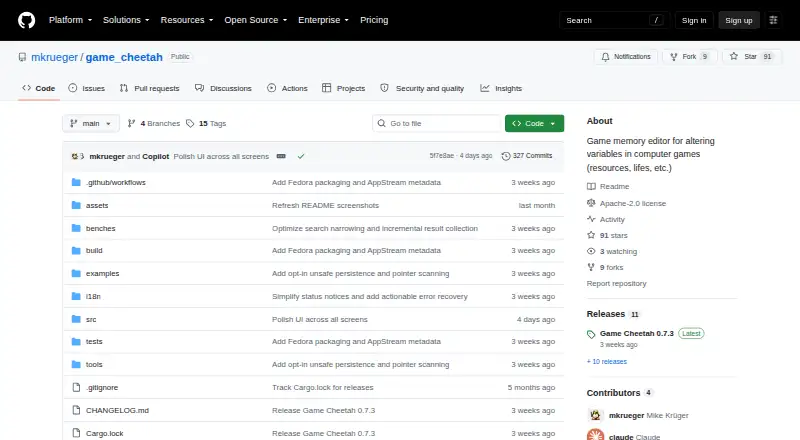
What Game Cheetah is
Game Cheetah is an open-source desktop memory scanner and game trainer for locating, editing, and freezing values in running games. Its stated uses include offline single-player play, debugging, reverse engineering, modding, and education; it is not intended for online or multiplayer cheating. Searches can target integers, floating-point values, strings, UTF-16 strings, byte arrays, or unknown values, with workflows for narrowing results. Users can change search results, freeze individual values or a complete set, and inspect or edit memory in a hex and ASCII view. Saving and loading cheat tables, address editing, and pointer scanning are experimental options that are off by default and require enabling the unsafe persistence setting. The maker warns that saved addresses or pointer chains can refer to the wrong object after a restart, and that modifying another process can cause crashes or unpredictable behavior. Game Cheetah supports Linux, Windows, and macOS; release packages usually include a Linux AppImage and .deb, Windows x64 ZIP, and universal macOS .dmg. Fedora COPR and Cargo installation are also listed, with Cargo requiring Rust 1.95 or newer. Linux process access may be restricted by operating-system settings such as Yama ptrace_scope.
Who it suits
It suits people working with offline single-player games, game modding, debugging, reverse engineering, or educational projects. Users should be comfortable checking memory targets and handling platform permissions.
What it does well
- Supports Linux, Windows, and macOS.
- Searches include numeric, text, byte, and unknown values.
- Can freeze values and inspect memory in hex and ASCII.
- Licensed under Apache License 2.0.
- English and German localization is included.
What to know first
- Persistence features are experimental and off by default.
- Saved addresses may resolve to the wrong object after restart.
- Modifying another process can cause crashes or unpredictable behavior.
- Linux process access may be restricted by system settings.
Limits
Cheat tables, address editing and pointer scanning are experimental and disabled by default. Saved addresses and pointer chains may point to the wrong object after a restart; Linux process permissions may also restrict access.
Getting started
- Open the project website on GitHub.
- Download a release package for Linux, Windows or macOS.
- On Linux, check whether operating-system process-access settings allow access to the target process.
- Alternatively, use Fedora COPR or install through Cargo; Cargo requires Rust 1.95 or newer.
- Run Game Cheetah and search for a value in a running game.
- Enable Settings → Persistence (UNSAFE) only if you need experimental cheat tables, address editing or pointer scanning.
Verdict
Game Cheetah provides memory search and editing tools across the major desktop platforms, with a clear focus on offline and development use. Its experimental persistence options and warnings about stale pointers make careful target verification important.
Questions
How much does Game Cheetah cost?
It is free and open source under the Apache License 2.0.
Which operating systems does it support?
The maker lists Linux, Windows and macOS support.
What can it search and change?
It can search integers, floating-point values, strings, UTF-16 strings, byte arrays and unknown values. Users can edit results, freeze values and inspect or edit memory in a hex and ASCII view.
Are cheat tables and pointer scanning available?
They are experimental options, disabled by default. They require enabling the unsafe persistence setting.
Can it be used with online games?
The project says Game Cheetah is not intended for online or multiplayer cheating. It describes offline single-player games and debugging, reverse engineering, modding and educational work as intended contexts.
How can I install it?
Release artifacts usually include a Linux AppImage and .deb, a Windows x64 ZIP and a universal macOS .dmg. Fedora COPR and Cargo installation are also documented; Cargo requires Rust 1.95 or newer.
Facts from Game Cheetah's own pages
- Alternative installation
- The README also lists Fedora COPR and cargo install as installation options, and says Cargo installation requires Rust 1.95 or newer. · github.com, 4 Oct 2026
- Cheat tables
- Saving and loading cheat tables, address editing, and pointer scanning are experimental and require enabling the unsafe persistence setting, which is off by default. · github.com, 4 Oct 2026
- Downloads
- The README says release artifacts usually include a Linux AppImage, Linux .deb package, Windows x64 ZIP, and universal macOS .dmg. · github.com, 4 Oct 2026
- Editing
- Users can edit results live, freeze individual values or a complete result set, and inspect or edit bytes in a memory editor. · github.com, 4 Oct 2026
- Editing features
- Users can edit search results, freeze values, and inspect or edit memory in a hex and ASCII view. · github.com, 4 Oct 2026
- Installation
- The maker also documents Fedora COPR and Cargo installation, and says Cargo installation requires Rust 1.95 or newer. · github.com, 4 Oct 2026
- Integrations
- The README documents optional update checks against GitHub releases and does not list other product integrations. · github.com, 4 Oct 2026
- Intended audience
- The maker positions it for players of offline single-player games and for debugging, reverse-engineering, modding, and educational work. · github.com, 4 Oct 2026
- Intended use
- The project describes single-player and offline games, debugging, reverse engineering, game modding, and educational use as intended contexts. · github.com, 4 Oct 2026
- License
- Game Cheetah is licensed under the Apache License 2.0. · github.com, 4 Oct 2026
- Linux permissions
- On Linux, process access is controlled by the operating system, and distribution settings such as Yama ptrace_scope may restrict access. · github.com, 4 Oct 2026
- Localization
- The desktop app includes English and German localization. · github.com, 4 Oct 2026
- Online play
- The project says Game Cheetah is not intended for cheating in online or multiplayer games. · github.com, 4 Oct 2026
- Persistence limits
- Cheat tables, address editing, and pointer scanning are experimental opt-in features, disabled by default under Settings → Persistence (UNSAFE). · github.com, 4 Oct 2026
- Platform access
- On Linux, access to another process is controlled by the operating system, and some distributions restrict it through Yama ptrace_scope. · github.com, 4 Oct 2026
- Platforms and downloads
- The maker lists Linux, Windows, and macOS support, with release packages usually including a Linux AppImage and .deb, Windows x64 ZIP, and universal macOS .dmg. · github.com, 4 Oct 2026
- Pointer safety
- The project warns that saved addresses and pointer chains may resolve to the wrong object after a restart, even when readable, and recommends verifying targets before writing or freezing. · github.com, 4 Oct 2026
- Purpose
- Game Cheetah is a cross-platform memory scanner and game trainer for searching, editing, and freezing values in running games. · github.com, 4 Oct 2026
- Release
- The latest release page opened lists Game Cheetah 0.7.3, released September 7. · github.com, 4 Oct 2026
- Scanning
- It searches integers, floating-point numbers, strings, UTF-16 strings, byte arrays, and unknown values, with workflows to refine results. · github.com, 4 Oct 2026
- Search features
- Search supports integers, floating-point values, strings, UTF-16 strings, byte arrays, and unknown values, with workflows to narrow results. · github.com, 4 Oct 2026
- Security and safety
- The maker warns that modifying another process can crash it or behave unpredictably, and says the software is not intended for online or multiplayer cheating. · github.com, 4 Oct 2026
- Use cases
- The maker describes it for single-player and offline games, debugging, reverse engineering, game modding, and educational use. · github.com, 4 Oct 2026
Where Game Cheetah stands on Freedom251
- Game Memory Editors#17 of 23