Freedom251 › Sales Content Management Software

Content Camel
What Content Camel is
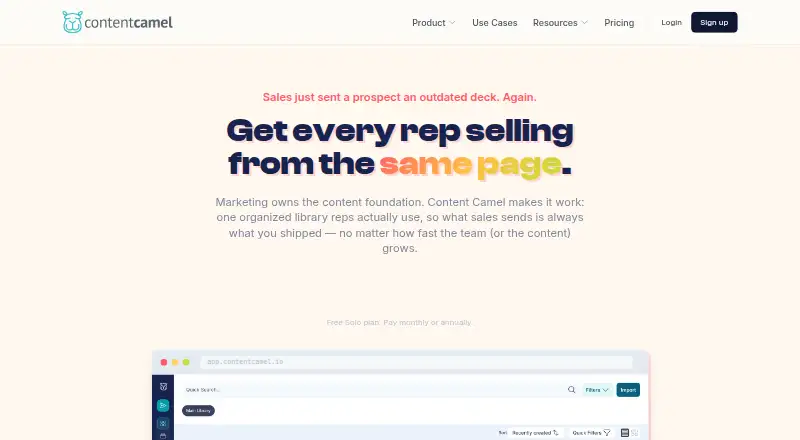
Content Camel is a sales content platform for organizing, finding, sharing, and measuring material. Its library accepts PDFs, decks, videos, web links, third-party content, and podcast episodes, with AI auto-tagging, funnel-stage organization, and version control. Collections can become branded buyer pages where prospects view shared content without an account or downloading it. Analytics cover page-by-page prospect engagement, shares, team activity, failed searches, and content freshness. A Chrome and Edge extension lets users search the library and create tracked links inside web apps such as Gmail, LinkedIn, and CRMs. It works with Salesforce, HubSpot, Pipedrive, Gmail, Outlook, Outreach, Salesloft, LinkedIn, Slack, and other web apps. Imports can come from Google Drive, SharePoint/OneDrive, Dropbox, public URLs, or CSV and spreadsheet files. Team and Business plans include a REST API and webhooks. A free Solo plan includes one user and one published site; Team costs $25 a month per user, and a 14-day trial is available. The product is aimed at growing B2B teams, particularly those with 10–200 people.
Who it suits
Content Camel is designed for growing B2B teams, especially teams of 10–200 people that need to organize and share sales materials. Its buyer pages and engagement analytics may suit teams tracking how prospects interact with shared content.
What it does well
- Supports varied content types and imports.
- Branded buyer pages need no prospect account.
- Tracks engagement and content freshness.
- Browser extension creates tracked links.
- Free Solo plan includes one published site.
What to know first
- Solo plan is limited to one user.
- Deep bi-directional CRM sync is not provided.
- Automatic CRM activity logging is not provided.
Limits
Solo includes one user, one published site, basic search, collections, and community support. Team costs $25/user/mo; the listed features include unlimited users, collections, and sites, analytics, playbooks, and custom branding.
Plans
| Plan | Billed and limits | Price |
|---|---|---|
| Solo | Free · 1 user · content library · basic search · collections · 1 published site · community support | Free |
| Team | $25/user/mo · unlimited users · AI-powered search · Chrome & Edge extension · unlimited collections & sites · analytics · playbooks · custom branding · email support | $25 a month |
| Business | Custom · SSO · advanced analytics · CRM integrations · custom domains · API access & webhooks · dedicated onboarding · priority support · custom integrations | On request |
As contentcamel.io lists them, read 30 Sept 2026. The maker's own page has the final word.
Getting started
- Open the Content Camel website.
- Choose the free Solo plan or review the Team and Business plans.
- Use the 14-day trial if evaluating a paid plan.
- Import content from a supported source such as Google Drive, Dropbox, or a public URL.
- Organize materials into collections and publish a buyer experience page.
- Install the Chrome or Edge extension to search the library and create tracked links in web apps.
Content Camel is a sales content management platform for growing B2B teams that need a shared library and buyer-facing content pages. Its strongest fit is a team that wants to see how prospects engage with shared material without adding a more complex sales-engagement stack. The free Solo plan is narrow; the paid Team plan brings the search, sharing and analytics capabilities that make the platform useful across a team.
Overview
Content Camel combines a library for sales materials with branded pages for sharing collections and analytics on how they are used. The library accepts PDFs, decks, videos, web links, third-party content and podcast episodes. AI auto-tagging, organization by funnel stage and version control help keep a mixed collection easier to maintain, particularly for growing teams whose sellers need consistent, current materials.
Prospects can open shared pages without creating an account or downloading files, which lowers friction at the point of sharing. Teams can track page-by-page prospect engagement as well as shares, team activity, failed searches and content freshness. These signals can help reveal which material attracts attention and where sellers have trouble finding content. They do not amount to revenue attribution: Content Camel does not provide closed-revenue attribution or deal-stage recommendations.
Key features
Library, search and sharing
Content can be brought in from Google Drive, SharePoint/OneDrive, Dropbox, public URLs and CSV or spreadsheet files. Funnel-stage organization and version control suit teams that manage assets across a sales process; AI auto-tagging can reduce the work of categorizing a varied library. Team adds AI-powered search, a meaningful step up from Solo’s basic search for users handling a larger collection.
Buyer pages and analytics
Collections can become branded buyer experience pages, with analytics at the page level. This gives sellers a view of prospect engagement rather than just whether content was sent. Team includes unlimited collections and sites, analytics and custom branding; Solo allows just one published site, so it is better treated as an individual’s starting point than a shared buyer-content program.
Browser extension, integrations and API
The Chrome and Edge extension lets users search the library and create tracked links from web apps including Gmail, LinkedIn and CRMs. It works with Salesforce, HubSpot, Pipedrive, Gmail, Outlook, Outreach, Salesloft, LinkedIn, Slack and other web apps. That broad in-app reach is useful for sharing content in existing workflows, but it should not be confused with deep CRM automation: bi-directional sync and automatic CRM activity logging are not provided. REST API access and webhooks are available on Team and Business plans.
Pricing
Content Camel has a free plan, paid plans from $25/user/mo, and a 14-day trial.
- Solo: free, billed Free. It includes one user, a content library, basic search, collections, one published site and community support. This is a no-cost way for one person to organize and share content, but it omits Team’s AI-powered search, extension and analytics.
- Team: $25 a month, billed $25/user/mo. It includes unlimited users, AI-powered search, the Chrome and Edge extension, unlimited collections and sites, analytics, playbooks, custom branding and email support. It is the plan for teams that need shared buyer pages and engagement data. The per-user monthly price makes seat count relevant as a team grows.
- Business: custom pricing. It adds SSO, advanced analytics, CRM integrations, custom domains, API access and webhooks, dedicated onboarding, priority support and custom integrations. It suits organizations that need these enterprise-oriented controls or integration options; the price is custom.
Solo’s one-user and one-site caps are substantial for a team evaluating a shared workflow. Team removes the user and site limits but is priced per user. Business is the route to SSO and the stated CRM integrations, though even the browser-extension approach does not provide deep bi-directional sync, automatic activity logging, deal-stage recommendations or closed-revenue attribution.
Platforms
Content Camel is available on the web, through a browser extension, and via API. The extension supports Chrome and Edge. Its security practices include encryption in transit and at rest, SOC 2 compliant infrastructure and role-based access controls.
Who it's for
Content Camel is best suited to growing B2B teams, particularly those with 10–200 people, that need a searchable sales library, branded content sharing and prospect engagement signals. It is a stronger fit for teams that want to improve content discovery and see which pages prospects engage with than for organizations whose priority is automatic CRM activity capture or revenue attribution.
Pros and cons
- Pros: The library covers varied formats and import sources, while AI tagging, funnel-stage organization and version control address the upkeep and discoverability of sales content.
- Pros: Branded buyer pages and page-level engagement analytics connect content sharing with prospect activity, and prospects do not need an account or download.
- Pros: The Chrome and Edge extension works across named sales and communications apps, letting sellers search and share from existing web workflows.
- Cons: Solo is limited to one user and one published site, and its basic search lacks the more capable Team search and analytics.
- Cons: The extension approach does not supply deep bi-directional CRM sync or automatic activity logging, and the platform lacks deal-stage recommendations and closed-revenue attribution.
- Cons: Team’s $25/user/mo pricing scales with seats; Business pricing is custom.
Alternatives
Sales Content Management Software is a useful directory starting point for comparing products in the category.
- YourShowroom has a free plan for up to three users with 10 GB storage and free hosting; consider it if those limits and its web, iOS or self-hosted platforms better match your needs.
- Airstride offers a free plan for up to three partners with partner management, a dashboard, deal management, account mapping and CRM integration; choose it when partner management is the priority.
- Attach offers a free plan for up to three documents; consider it if that smaller free allowance fits your sharing needs.
- Cirua has an always-free one-user plan with 5 GB of workspace storage and personal asset-library tools; it may suit an individual who wants a personal library rather than a team sales-content workflow.
- Dock offers a free plan with capped workspaces and content types, including 10 workspaces, 25 CMS assets and one playbook; consider it if its deal-desk materials fit your needs.
- Bigtincan Digital Sales Rooms is an alternative for buyers considering digital sales rooms and content shares.
- Templafy Email Signature Management is an alternative for buyers considering email signature management.
- Accent Technologies is another alternative to compare.
Verdict
Choose Content Camel if your growing B2B team needs one place to organize sales assets, share branded buyer pages and see prospect engagement without requiring account creation from buyers. Team is the practical choice for a group, while Solo is constrained to one user and one site. Look elsewhere if deep CRM synchronization, automatic activity logging or closed-revenue attribution is central to your sales process.
Verdict
Content Camel pairs a searchable content library with buyer pages, tracked sharing, and engagement analytics. Teams needing deep CRM sync or automatic activity logging should note those features are not currently provided by its browser-extension approach.
Questions
Is there a free plan?
Yes. Solo is free and includes one user, a content library, basic search, collections, one published site, and community support.
How much does Content Camel cost?
Team is $25/user/mo. Business has custom pricing, and Solo is free.
Is a free trial available?
Yes, a 14-day trial is listed.
Which platforms does it support?
The listed platforms are API, extension, and web. The browser extension is for Chrome and Edge.
Does it integrate with CRMs?
The extension works with Salesforce, HubSpot, and Pipedrive, along with other listed web apps. Deep bi-directional CRM sync and automatic CRM activity logging are not currently provided by the browser-extension approach.
Who makes Content Camel?
Content Camel says it is founder-led and bootstrapped, with Dave Shanley listed as founder.
Facts from Content Camel's own pages
- Analytics
- Analytics tracks shares, prospect page-by-page engagement, team activity, failed searches and content freshness. · contentcamel.io, 30 Sept 2026
- API
- A REST API and webhooks are available to Team and Business plan customers. · contentcamel.io, 30 Sept 2026
- Browser extension
- The Chrome and Edge extension lets users search the library and create tracked links inside web apps such as Gmail, LinkedIn and CRMs. · contentcamel.io, 30 Sept 2026
- Buyer sites
- Collections can be published as branded buyer experience pages with page-level engagement analytics, and prospects can view shared content without an account or download. · contentcamel.io, 30 Sept 2026
- Company status
- Content Camel says it is founder-led and bootstrapped, with Dave Shanley listed as founder. · contentcamel.io, 30 Sept 2026
- Content library
- The content library supports PDFs, decks, videos, web links, third-party content and podcast episodes, with AI auto-tagging, funnel-stage organization and version control. · contentcamel.io, 30 Sept 2026
- CRM limitation
- Deep bi-directional CRM sync, automatic CRM activity logging, deal-stage recommendations and closed-revenue attribution are not currently provided by the browser-extension approach. · contentcamel.io, 30 Sept 2026
- Headquarters
- Portland, Oregon, United States · contentcamel.io, 28 Sept 2026
- Import sources
- Content can be imported from Google Drive, SharePoint/OneDrive, Dropbox, public URLs and CSV or spreadsheet files. · contentcamel.io, 30 Sept 2026
- Integrations
- The browser extension works with Salesforce, HubSpot, Pipedrive, Gmail, Outlook, Outreach, Salesloft, LinkedIn, Slack and other web apps. · contentcamel.io, 30 Sept 2026
- Product purpose
- Content Camel is a sales content management platform for organizing, finding, sharing and measuring sales content. · contentcamel.io, 30 Sept 2026
- Security
- Content Camel states that it uses encryption in transit and at rest, SOC 2 compliant infrastructure and role-based access controls. · contentcamel.io, 30 Sept 2026
- Support
- Solo includes community support, Team includes email support, and Business includes dedicated onboarding and priority support. · contentcamel.io, 30 Sept 2026
- Target teams
- The product is designed for growing B2B teams, particularly teams of 10–200 people. · contentcamel.io, 30 Sept 2026