Freedom251 › Action Item Tracking Software
Confab
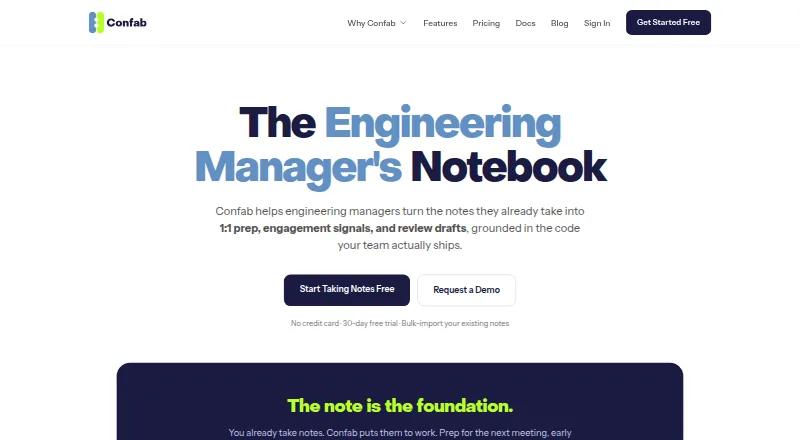
What Confab is
Confab helps engineering managers turn notes from meetings and other conversations into 1:1 preparation, engagement signals, and performance review drafts. Managers can sort notes by person or topic, attach transcripts, and search their history. AI can suggest meeting topics based on past notes and analyze sentiment across notes, transcripts, pulse check-ins, and code activity. It also drafts editable reviews from notes, action items, insights, and 360 feedback; teams can customize 360 feedback cycles. Confab lists connections to Google Meet, Zoom, Slack, Jira, Linear, GitHub, Bitbucket, and GitLab, with Google Calendar and Outlook sync. Notes can be imported from a zip of Markdown or plain-text files and exported as Markdown or formatted PDF. A read-only MCP server gives organization-scoped access to selected notes and team information. The security documentation describes encryption at rest and in transit, and says names are replaced before context goes to an AI model. Plans include a 30-day trial and paid options from $6/user/mo.
Who it suits
Confab suits engineering managers who want to organize 1:1 notes, prepare discussions, and draft performance reviews from existing records. It may also fit teams using 360 feedback cycles and the listed work tools.
What it does well
- Searches notes organized by person or topic
- AI suggests topics from note history
- Drafts editable reviews using 360 feedback
- Imports and exports common note formats
- Read-only, organization-scoped MCP access
What to know first
- No free plan
- Solo excludes 360 Feedback and Slack integration
- Pro does not include 2FA
- AI quotas vary by plan
Limits
The free trial supports up to five team members, has limited AI quotas, and omits Code Insights and 2FA. Solo supports up to eight team members and excludes 360 Feedback, Slack integration, and 2FA; Pro has higher AI quotas but no 2FA.
Plans
| Plan | Billed and limits | Price |
|---|---|---|
| Free Trial | Up to 5 team members · Unlimited notes · Limited AI quotas · No Code Insights or 2FA | Free |
| Solo | Up to 8 team members · Unlimited notes · No 360 Feedback, Slack integration, or 2FA | $15 a month |
| Pro | Unlimited team members and notes · Higher AI quotas · 2FA unavailable | $6 a month |
| Enterprise | Unlimited team members · Highest AI quotas · Priority support · 2FA | $10 a month |
As confab.team lists them, read 28 Sept 2026. The maker's own page has the final word.
Getting started
- Open the Confab website
- Start the 30-day free trial
- Choose a plan for your team size and AI quota needs
- Connect available meeting, calendar, project, and code integrations
- Import Markdown or plain-text notes from a zip file
- Organize notes by person or topic and begin creating agendas and reviews
Verdict
Confab brings note organization, meeting preparation, sentiment analysis, and review drafting into one tool for engineering managers. Check the plan-specific limits on team size, integrations, AI quotas, and 2FA before choosing.
Questions
Does Confab have a free plan?
No. It offers a free trial, listed as free, and paid plans.
How much does Confab cost?
The pricing note says from $6/user/mo with a 30-day trial. Listed plans are Solo at $15 a month, Pro at $6 a month, and Enterprise at $10 a month.
Which platforms does Confab support?
Confab is available on the web and provides an API.
What integrations are listed?
Google Meet, Zoom, Slack, Jira, Linear, GitHub, Bitbucket, GitLab, Google Calendar, and Outlook synchronization are listed.
Can Confab import and export notes?
Yes. It bulk-imports Markdown and plain-text notes from a zip and exports Markdown or formatted PDF.
Facts from Confab's own pages
- AI connector
- A built-in MCP server provides read-only access to notes, action items, agendas, tasks, 1:1s, and team analytics scoped to the organization. · confab.team, 28 Sept 2026
- AI features
- AI generates meeting topics from note history and analyzes sentiment across notes, transcripts, pulse check-ins, and code activity. · confab.team, 28 Sept 2026
- AI privacy
- Before note or meeting context is sent to an AI model, Confab replaces team members’ names with an anonymous placeholder. · confab.team, 28 Sept 2026
- Encryption
- The security documentation says notes are encrypted at rest with AES-256-GCM using per-organization keys and data is transmitted over HTTPS/TLS. · confab.team, 28 Sept 2026
- Free plan
- No · confab.team, 20 Sept 2026
- Import and export
- Confab can bulk-import Markdown and plain-text notes from a zip and export notes as Markdown or formatted PDF. · confab.team, 28 Sept 2026
- Integrations
- The product page lists Google Meet, Zoom, Slack, Jira, Linear, GitHub, Bitbucket, and GitLab; it also describes Google Calendar and Outlook sync. · confab.team, 28 Sept 2026
- Maker
- The site identifies BoldMinded, LLC as the company behind Confab. · confab.team, 28 Sept 2026
- Note access
- The security documentation says manager notes are readable by the report’s current manager and that HR and organization admins have no backdoor access to note contents. · confab.team, 28 Sept 2026
- Notes
- Managers can organize meeting and ad hoc notes by person or topic, attach transcripts, and search their history. · confab.team, 28 Sept 2026
- Purpose
- Confab helps engineering managers turn existing notes into 1:1 preparation, engagement signals, and performance review drafts. · confab.team, 28 Sept 2026
- Reviews and feedback
- Confab drafts editable performance reviews from notes, action items, insights, and 360 feedback, and supports customizable 360 feedback cycles. · confab.team, 28 Sept 2026
- Paid from
- 6 · confab.team, 20 Sept 2026
- Support
- The pricing page lists priority support on Enterprise. · confab.team, 28 Sept 2026
Where Confab stands on Freedom251
- Action Item Tracking Software#19 of 26
- Meeting Notes Software#95 of 112