Freedom251 › PDF Compression Software
Compressify
What Compressify is
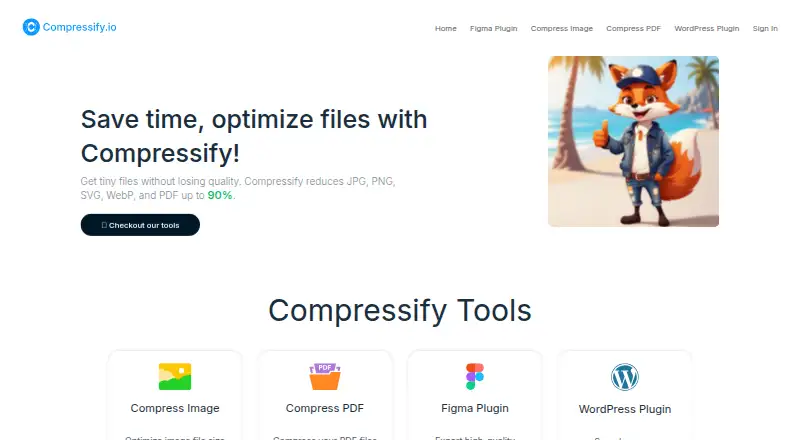
Compressify is a file compression service for images and PDFs, with access through the web, Android, iOS, and an extension. Its tools compress and resize images, process batches, and compress multiple PDFs at once. The online image compressor accepts JPEG, PNG, and WebP files and analyzes each image to select an encoding strategy. Compressify says it can reduce JPG, PNG, SVG, WebP, and PDF files by up to 90%. Its PDF compressor works without user settings and allows five free PDF compressions per day.
For design work, the Figma plugin bulk-compresses JPG, PNG, WebP, and SVG exports and can combine selected frames into a PDF. The WordPress plugin compresses new uploads, bulk-optimizes existing media, and can optionally convert images to WebP. It says routine processing runs locally through the site's WordPress image editors. The Free plan costs nothing, billed Free Forever, and includes 60 Image Exports per month with limited features. Pro costs $4.99 a month and includes unlimited image exports, PDF exports, and PDF merges, plus priority customer support. Compressify says transfers use HTTPS, files are encrypted in transit and at rest while queued, and originals and processed files are automatically deleted after results are returned.
Who it suits
Compressify suits people who need to compress or resize images in batches, and users who want PDF compression through a browser. Its Figma and WordPress plugins are relevant to designers managing exports and site owners optimizing media uploads.
What it does well
- Supports image resizing and batch processing.
- Online image compressor handles JPEG, PNG, and WebP.
- PDF compressor processes multiple files without settings.
- Figma plugin can merge selected frames into one PDF.
- WordPress plugin offers optional WebP conversion.
- Files are automatically deleted after processing is returned.
What to know first
- Free plan limits image exports to 60 per month.
- Free PDF compression is limited to five times a day.
- Pro costs $4.99 a month.
Limits
The Free plan includes 60 Image Exports per month with limited features, and PDF compression is free five times a day. Pro includes unlimited image exports, PDF exports, and PDF merges.
Plans
| Plan | Billed and limits | Price |
|---|---|---|
| Free | Free Forever · 60 Image Exports per month · Limited Feature | Free |
| Pro | Per Month · Unlimited Image Exports · Unlimited PDF Exports · Unlimited Merge PDFs · Priority Customer Support | $4.99 a month |
As compressify.io lists them, read 11 Oct 2026. The maker's own page has the final word.
Getting started
- Open https://compressify.io/ in a browser.
- Choose the Free plan or Pro plan for image exports and PDF tools.
- Use the online image compressor for JPEG, PNG, or WebP files, or the PDF compressor for PDFs.
- For design exports, use the Figma plugin to bulk-compress files or merge selected frames.
- For WordPress media, use the plugin to compress uploads or bulk-optimize existing files.
- On mobile, open the image compressor in a browser on iPhone or use it from Android.
Verdict
Choose Compressify if you need image compression across web and mobile, batch PDF processing, or its Figma and WordPress workflows. The Free plan has monthly image export and daily PDF compression limits; Pro removes the listed export and merge limits for $4.99 a month.
Questions
Is Compressify free?
Yes. Its Free plan costs nothing, billed Free Forever, and includes 60 Image Exports per month with limited features.
What does Pro cost?
Pro costs $4.99 a month. It includes unlimited image exports, PDF exports, and PDF merges, plus priority customer support.
Which platforms can I use?
Compressify lists Android, iOS, web, and an extension. Its image compressor can also be used in a mobile browser.
Which image formats does the online compressor support?
The online image compressor supports JPEG, PNG, and WebP. Compressify also says it reduces JPG, PNG, SVG, WebP, and PDF files by up to 90%.
Does Compressify work with Figma and WordPress?
Yes. Its Figma plugin bulk-compresses JPG, PNG, WebP, and SVG exports and can merge selected frames into one PDF. Its WordPress plugin compresses new uploads, bulk-optimizes existing media, and offers optional WebP conversion.
How does Compressify handle files?
Compressify says transfers use HTTPS and files are encrypted in transit and at rest while queued for processing. It says files are used only for the requested task and automatically deleted after the result is returned.
Facts from Compressify's own pages
- Batch processing
- Yes · compressify.io, 23 Sept 2026
- Compression
- Compressify says it reduces JPG, PNG, SVG, WebP, and PDF files by up to 90%. · compressify.io, 11 Oct 2026
- Figma integration
- The Figma plugin bulk-compresses JPG, PNG, WebP, and SVG exports and can merge selected frames into one PDF. · compressify.io, 11 Oct 2026
- File deletion
- Compressify says it automatically deletes original and processed files after compression or conversion is returned. · compressify.io, 11 Oct 2026
- File handling
- Compressify says uploaded files are used only for the requested compression or conversion and are not manually inspected or used for unrelated purposes. · compressify.io, 11 Oct 2026
- Free plan
- Yes · compressify.io, 23 Sept 2026
- Image formats
- The online image compressor supports JPEG, PNG, and WebP files and analyzes images to choose an encoding strategy. · compressify.io, 11 Oct 2026
- Mobile use
- The image compressor page describes using Compressify in a mobile browser on iPhone and says image compression also works from Android. · compressify.io, 11 Oct 2026
- PDF free usage
- The PDF page says PDF compression is free five times a day. · compressify.io, 11 Oct 2026
- PDF tools
- The online PDF compressor requires no settings and can process multiple PDFs in a batch. · compressify.io, 11 Oct 2026
- Image resizing
- Yes · compressify.io, 23 Sept 2026
- Support
- The Figma Pro plan includes priority customer support, and Compressify lists [email protected] as a contact address. · compressify.io, 11 Oct 2026
- Supported formats
- JPG,JPEG,PNG,SVG,WebP,HEIC,GIF,BMP,TIFF · compressify.io, 23 Sept 2026
- Transmission security
- Compressify says file uploads and downloads use HTTPS and files are encrypted in transit and at rest while queued for processing. · compressify.io, 11 Oct 2026
- WordPress integration
- The WordPress plugin compresses new uploads, bulk-optimizes existing media, and offers optional WebP conversion. · compressify.io, 11 Oct 2026
- WordPress processing
- The WordPress plugin says routine compression runs locally through the site's WordPress image editors, without an external compression API. · compressify.io, 11 Oct 2026
Where Compressify stands on Freedom251
- PDF Compression Software#3 of 39
- Image Compression Software#11 of 85
- PDF compressors#8 of 22