Freedom251 › PDF Compression Software
HankPDF
What HankPDF is
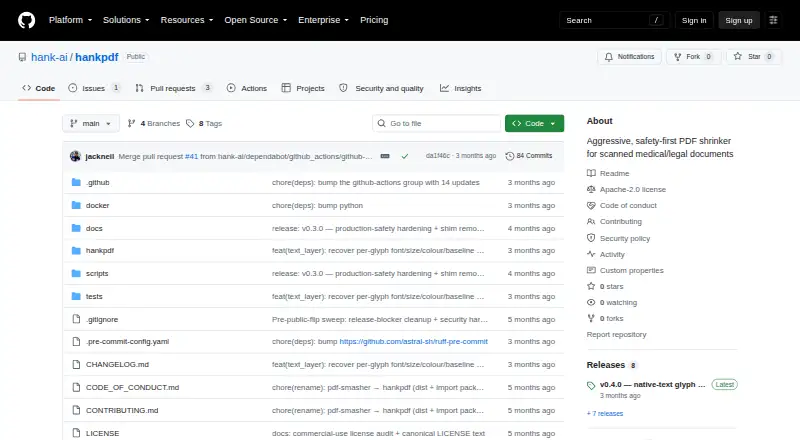
HankPDF is a free, open-source tool for turning scanned PDFs into smaller, searchable files, with a focus on medical and legal documents. It processes files on the user's machine; during normal use, it says PDFs are not uploaded and there is no network activity, telemetry, or phone-home behavior. The command-line tool can compress files, divide output into chunks for size limits, and export chosen pages as JPEG, PNG, or WebP images. A Python package offers a compress() API as well as the hankpdf console command.
The README describes 8–15× compression as a typical target and says text-dominant scans may reach up to 200×, though already-efficient files may not shrink. The project checks output through OCR-text comparison, tile-level SSIM, and a structural audit, and says it will refuse rather than silently corrupt content. Install options include PyPI, GHCR, or the source repository. A Python install needs separate Tesseract and qpdf binaries; jbig2enc is optional and improves text-only compression, while the Docker image includes the native tools. HankPDF is licensed under Apache-2.0 and cleared for commercial use.
Who it suits
HankPDF suits people who need to reduce scanned medical or legal PDFs while keeping them searchable and processing them locally. It also fits command-line users and Python developers who want batch compression or access through an API.
What it does well
- Processes PDFs locally without normal-use network activity or uploads.
- Offers CLI compression, chunking, and selected-page image exports.
- Provides a Python compress() API and console command.
- Checks output text, image similarity, and PDF structure.
- Apache-2.0 licensed and cleared for commercial use.
What to know first
- Python installation requires separate Tesseract and qpdf binaries.
- Already-efficient PDFs may not shrink.
- jbig2enc is optional rather than included with Python installation.
Plans
| Plan | Billed and limits | Price |
|---|---|---|
| HankPDF | Apache-2.0 licensed; local command-line tool | Free |
As github.com lists them, read 11 Oct 2026. The maker's own page has the final word.
Getting started
- Choose PyPI, GHCR, or the source repository as the installation route.
- For a Python install, install Tesseract and qpdf separately; jbig2enc is optional.
- Use the hankpdf console command or the Python compress() API.
- Run compression locally, with optional chunked output or selected-page image exports.
Verdict
Choose HankPDF for local, open-source compression of scanned PDFs, especially when searchable output and command-line or Python access matter. Look elsewhere if you need an offline desktop app; HankPDF is a command-line tool, and Python setup requires native dependencies.
Questions
Is HankPDF free?
Yes. The listed HankPDF plan is free, and it is Apache-2.0 licensed.
Which platforms does it support?
The listed platforms are Windows, macOS, Linux, API, and self-hosted.
Can it be used through an API?
Yes. The Python package provides a compress() API.
Does it upload PDFs?
HankPDF says it processes files on the user's machine and does not upload PDFs during normal use.
What does Python installation require?
It requires separate Tesseract and qpdf binaries. jbig2enc is optional, and the Docker image includes the native tools.
Who makes HankPDF?
The maker's GitHub organization profile lists Hank AI, Inc. in the US.
Facts from HankPDF's own pages
- API
- The Python package provides a compress() API as well as the hankpdf console command. · github.com, 11 Oct 2026
- Compression
- The README gives a target of 8–15× typical compression and up to 200× on text-dominant scans, while warning that already-efficient files may not shrink. · github.com, 11 Oct 2026
- Content checks
- Outputs are checked with OCR-text comparison, tile-level SSIM, and a structural audit; the project says it refuses rather than silently corrupting content. · github.com, 11 Oct 2026
- Dependencies
- A Python install requires separate Tesseract and qpdf binaries; jbig2enc is optional but improves text-only compression, and the Docker image includes these native tools. · github.com, 11 Oct 2026
- Installation
- The project is distributed through PyPI and GHCR, or can be installed from its source repository. · github.com, 11 Oct 2026
- License
- HankPDF is licensed under Apache-2.0, and the README states it is cleared for commercial use. · github.com, 11 Oct 2026
- Local processing
- It runs on the user's machine and states that PDFs are never uploaded, with no network, telemetry, or phone-home behavior during normal use. · github.com, 11 Oct 2026
- Maker location
- The maker's GitHub organization profile lists Hank AI, Inc. in the US. · github.com, 11 Oct 2026
- Output options
- The CLI can produce compressed PDFs, split output into chunks for size limits, and export selected pages as JPEG, PNG, or WebP images. · github.com, 11 Oct 2026
- Platforms
- The README documents native installation on Windows, macOS, and Linux, plus Docker use on those systems. · github.com, 11 Oct 2026
- Purpose
- HankPDF compresses scanned PDFs into compact, searchable PDFs, with a focus on medical and legal documents. · github.com, 11 Oct 2026
- Release integrity
- The security policy says Docker images are signed with cosign and carry SLSA provenance and an SPDX SBOM; PyPI publishing uses checksum and GitHub OIDC provenance. · github.com, 11 Oct 2026
- Security
- The security policy says compression does not open network sockets or transmit user data and describes subprocess resource limits for hostile PDF parsing. · github.com, 11 Oct 2026
- Support
- The README directs users who remain stuck to open a GitHub issue and attach the output of hankpdf --version. · github.com, 11 Oct 2026
Where HankPDF stands on Freedom251
- PDF Compression Software#6 of 39