Freedom251 › Experimentation Platforms

Compose
What Compose is
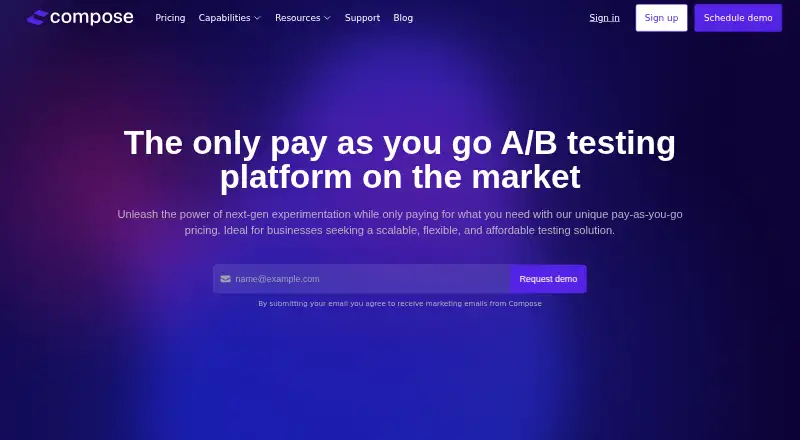
Compose is a web-based, pay-as-you-go platform for A/B testing and conversion rate optimization. It supports A/B/n and split URL tests, as well as split theme and split template experiments, with custom goals, audiences, triggers, and traffic allocation. A visual editor and audience targeting are available. For planning experiments, teams get a shared hypothesis backlog, PIE prioritization, and an experimentation roadmap. Reports update in real time and use frequentist statistical calculations; listed integrations include GA4 and BigQuery. Shopify users can build no-code tests on themes and templates through Shopify’s editor. Compose says its client-side testing uses AWS Lambda@Edge for high speed and flicker-free testing. The product lists unlimited experiments, collaborators, variations, and projects. Users can explore the platform without charge until launching their first experiment, but there is no traditional free trial. The Early Adopter Plan is free, billed at $0.0012 per monthly tested user for prior-month usage. Charges start when an experiment is initiated. Server-side testing is not currently available.
Who it suits
Compose suits small and mid-sized businesses, including agencies and in-house CRO teams planning and running web experiments. Shopify teams can use its no-code theme and template testing support.
What it does well
- Supports A/B/n, URL, theme, and template tests.
- Includes collaborative hypothesis planning and PIE prioritization.
- Real-time reporting includes frequentist statistical calculations.
- Shopify integration supports no-code theme and template tests.
- Unlimited experiments, variations, collaborators, and projects are listed.
What to know first
- Server-side testing is unavailable.
- There is no traditional free trial.
- Charges begin when an experiment is initiated.
Limits
The Early Adopter Plan has no minimum tested users and includes unlimited experiments and variants, but usage is billed at $0.0012 per monthly tested user. Charges begin when an experiment is initiated, and monthly usage is billed on the first of the following month for the prior month.
Plans
| Plan | Billed and limits | Price |
|---|---|---|
| Early Adopter Plan | $0.0012 / Monthly Tested Users (MTU); billed at the end of each month for the prior month’s usage · Unlimited experiments & variants · Unlimited collaborators & projects · No minimum tested users | Free |
| Half-day with Compose team | $400 | One time fee paid up front · Half-day technical team session via video call | $400, paid once |
| Full-day with Compose team | $800 | One time fee paid up front · Full-day technical team session via video call | $800, paid once |
| Advanced Support Add-on | Subscription fee; price not stated · Dedicated success manager · Up to 1 hour of monthly meeting time · Chat support · Continuous data storage | On request |
As compose.co lists them, read 9 Oct 2026. The maker's own page has the final word.
Getting started
- Open the Compose website.
- Explore the platform free before launching an experiment.
- Use its visual editor and configure an experiment’s audience, goals, triggers, and traffic allocation.
- Launch an experiment to begin usage billing.
- Use email support, the help center, or the complimentary one-hour onboarding session for assistance.
Compose is a web-based tool for planning and running conversion experiments. It suits small and mid-sized businesses, agencies, and in-house CRO teams that want to organize testing alongside execution. Its pay-as-you-go model avoids a fixed experimentation fee, though usage still carries a per-user charge.
Overview
Compose brings experiment planning, testing, and reporting into one web product. Teams can organize ideas in a collaborative hypothesis backlog, prioritize them with PIE, and map work on an experimentation roadmap. That combination is more useful to teams building a repeatable CRO process than to those seeking only a test-launch tool.
Compose supports client-side web experimentation and says it uses AWS Lambda@Edge for high-speed, flicker-free testing. It does not offer server-side testing, a meaningful limitation for teams whose experiments need to run on the server.
Key features
Experiments include A/B/n and split URL tests, with custom goals, audiences, triggers, and traffic allocation. A visual editor and audience targeting give teams ways to shape tests around particular conversion questions. Shopify users can also run no-code split-theme and split-template experiments through Shopify’s editor, making Compose a more natural fit for storefront iteration than for testing beyond the web.
Real-time reports and frequentist statistical calculations help teams assess results after launch. GA4 and BigQuery integrations connect Compose with those analytics tools. Compose says experiments, variations, collaborators, and projects are unlimited; that removes stated caps on those areas, although usage is still billed according to monthly tested users.
AI hypothesis generation is marked as coming soon, so it should not be treated as a current planning capability.
Pricing
The Early Adopter Plan is free, with usage billed at $0.0012 / Monthly Tested Users (MTU). There is no minimum tested-user requirement, and the plan includes unlimited experiments, variants, collaborators, and projects. Charges begin when an experiment is initiated; usage for each month is billed on the first of the following month. This model can suit teams that want to start without a fixed monthly experimentation charge, but costs rise with tested-user volume.
Compose has no traditional free trial. Users can explore the platform free until launching their first experiment, at which point billing begins. That gives teams a chance to explore before committing usage, but it is not a free testing tier.
Two optional technical sessions are available: the Half-day with Compose team costs $400, paid once, a one-time fee paid up front for a half-day video session; the Full-day with Compose team costs $800, paid once, also paid up front, for a full-day video session. These are best suited to teams that want focused technical time rather than ongoing included assistance.
The Advanced Support Add-on has custom pricing: it is a subscription with a dedicated success manager, up to one hour of monthly meeting time, chat support, and continuous data storage. Standard support includes a complimentary one-hour onboarding session, email support, and a help center with tutorial videos; advanced support and technical sessions cost extra.
Platforms
Compose supports the web. Its Shopify integration works through Shopify’s editor, but the product does not provide server-side testing.
Who it's for
Compose is a good fit for small and mid-sized businesses, agencies, and internal CRO teams that need a shared way to plan experiments and run client-side web tests. Shopify teams may value the no-code theme and template testing in particular. It is a poor fit for teams that need server-side experiments or testing outside the web.
Pros and cons
- Structured CRO planning: A shared hypothesis backlog, PIE prioritization, and roadmap help teams coordinate a testing program.
- Flexible web tests: A/B/n and split URL options, targeting controls, and Shopify theme and template tests cover several common client-side workflows.
- Usage-based entry: No minimum tested users and free exploration before the first launch reduce the barrier to getting started, while usage billing means costs depend on tested-user volume.
- No server-side testing: Teams that need experiments executed on the server will need another product.
- Some support is paid: Advanced support and dedicated technical sessions add cost beyond standard onboarding, email, and help-center resources.
Alternatives
For feature-flag and experimentation needs across more platforms, Confidence by Spotify has Android, iOS, API, and web support, plus a free plan with 75,000 credits per month and unlimited seats. Bucketeer is worth considering when open-source, self-hosted software and no per-seat pricing matter more than Compose’s managed web testing.
GrowthBook offers a self-hosted free plan with one project, unlimited feature flags and experiments, and unlimited traffic; it may suit teams that prefer self-hosting. Statsig has a free Developer plan with 2M events per month, unlimited seats, and one-year analytics retention, making it an option for teams seeking event-based analytics alongside experimentation.
Marpipe is a free-plan alternative for teams focused on catalog creative and feed management. Amplitude offers a free plan with 2M events per month and 10,000 monthly session replays, which may suit teams whose priority is product analytics rather than Compose’s CRO planning workflow.
Optimizely Experimentation offers free feature flags and one experiment at a time, a narrower free starting point for teams evaluating experimentation. AB Tasty is another paid experimentation option with a free trial. For category comparisons, see Experimentation Platforms and A/B Testing Tools.
Verdict
Choose Compose if your team wants a shared CRO planning workflow, flexible client-side web tests, and usage-based billing without a minimum tested-user threshold. Its Shopify workflow and structured planning tools are its clearest advantages. Look elsewhere if server-side testing is essential, or if your team needs a fixed-price plan rather than charges tied to monthly tested users.
Verdict
Compose combines web experiment planning, testing, and reporting with pay-as-you-go billing. It may suit teams focused on client-side web tests, but server-side testing is not offered.
Questions
What does Compose cost?
The Early Adopter Plan is $0.00 per month, with usage billed at $0.0012 per monthly tested user for the prior month. A half-day session with the Compose team costs $400.00 once, and a full-day session costs $800.00 once.
Can I use Compose for free?
Users can explore the platform free until launching their first experiment. Compose does not provide a traditional free trial.
Which platforms does Compose support?
Compose supports web.
What types of experiments can I run?
Compose supports A/B/n, split URL, split theme, and split template experiments. Server-side testing is unavailable.
Does Compose integrate with other tools?
GA4 and BigQuery integrations are listed on its pricing page. Shopify users can create no-code theme and template experiments using Shopify’s editor.
What support does Compose offer?
Support includes a complimentary one-hour onboarding session, email support, and a help center with tutorial videos. Paid advanced support and technical sessions are also available.
Facts from Compose's own pages
- AI feature status
- The homepage labels AI hypothesis generation as coming soon. · compose.co, 9 Oct 2026
- Analytics
- Compose provides real-time reports and frequentist statistical calculations, with GA4 and BigQuery integrations listed on its pricing page. · compose.co, 9 Oct 2026
- Billing
- The pricing FAQ says charges begin when an experiment is initiated, and usage is billed on the first of each month for the prior month. · compose.co, 9 Oct 2026
- Experiment types
- It supports A/B/n and split URL testing with custom goals, audiences, triggers, and traffic allocation. · compose.co, 9 Oct 2026
- Free access
- The FAQ says users can explore the platform for free until launching their first experiment, and that Compose does not provide a traditional free trial. · compose.co, 9 Oct 2026
- Intended users
- Compose describes its tools as designed for small and mid-sized businesses and highlights agency and internal CRO teams as users of its planning tools. · compose.co, 9 Oct 2026
- Planning
- CRO planning tools include a collaborative hypothesis backlog, PIE prioritization, and an experimentation roadmap. · compose.co, 9 Oct 2026
- Product
- Compose is a pay-as-you-go A/B testing and conversion rate optimization platform. · compose.co, 9 Oct 2026
- Server-side testing
- Compose states that server-side testing is not available at this time. · compose.co, 9 Oct 2026
- Shopify
- The Shopify integration supports no-code experiments on themes and templates using Shopify’s editor. · compose.co, 9 Oct 2026
- Speed
- Compose says it uses AWS Lambda@Edge for high-speed, flicker-free client-side testing. · compose.co, 9 Oct 2026
- Support
- Support options include a complimentary one-hour onboarding session, email support, a help center with tutorial videos, and paid advanced support or technical sessions. · compose.co, 9 Oct 2026
- Usage limits
- The product page lists unlimited experiments, collaborators, variations, and projects. · compose.co, 9 Oct 2026
Where Compose stands on Freedom251
- Experimentation Platforms#5 of 23
- A/B Testing Tools#13 of 52