Freedom251 › Minecraft Shader Packs
Complementary Shaders
What Complementary Shaders is
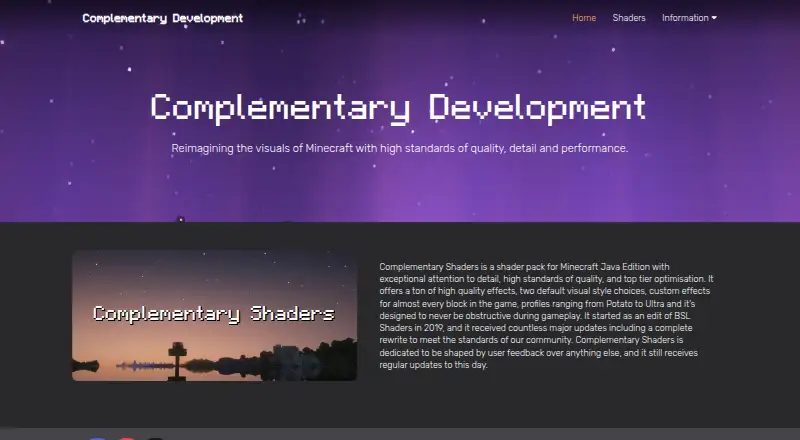
Complementary Shaders is a shader pack for Minecraft Java Edition, offering two visual styles: Unbound for a more realistic appearance and Reimagined for players who want to retain Minecraft’s visual elements. Both styles can be adjusted in Shader Options. The pack adds custom effects for almost every block, with a design intended to keep effects from obscuring gameplay. Performance profiles range from Potato to Ultra. The Complementary Installer can install the shaders with the Iris shader loader, and Java is required to run that installer. Alternatively, users can download the shaderpack file from Modrinth and install a shader loader themselves. The installer also offers Euphoria Patches as an installation option. The maker says the project began as an edit of BSL Shaders in 2019 and receives regular updates shaped by user feedback. It is free and available for Linux, macOS and Windows, but its supported edition is Minecraft Java Edition.
Who it suits
It suits Minecraft Java Edition players who want adjustable shader styles and performance profiles. It may also suit users comfortable installing a shader loader manually or using the installer with Java.
What it does well
- Offers two customizable visual styles.
- Profiles range from Potato to Ultra.
- Custom effects cover almost every game block.
- Free for Linux, macOS and Windows.
What to know first
- For Minecraft Java Edition only.
- Java is required to run the installer.
- Manual downloads require users to install a shader loader.
Limits
The pack is for Minecraft Java Edition. With the manual Modrinth download, users must install a shader loader themselves; the installer requires Java.
Plans
| Plan | Billed and limits | Price |
|---|---|---|
| Complementary Shaders | Shader pack for Minecraft Java Edition | Free |
As complementary.dev lists them, read 3 Oct 2026. The maker's own page has the final word.
Getting started
- Visit https://www.complementary.dev/.
- Choose the Complementary Installer, which requires Java, or download the shaderpack file from Modrinth.
- Use the installer to install the shaders with the Iris shader loader, or install a shader loader yourself for the manual route.
- Optionally select Euphoria Patches in the installer.
- Choose Unbound or Reimagined and adjust settings in Shader Options.
Complementary Shaders suits Minecraft Java Edition players who want a choice between a more realistic look and one closer to the game’s familiar style. Its editable looks and performance profiles make it adaptable, though players need a shader loader and Java is required for the installer.
Overview
Unbound steers Minecraft toward a more realistic appearance, while Reimagined keeps more of the game’s visual character. Both styles can be adjusted in Shader Options, so the choice is a starting point rather than a fixed preset. Custom effects reach almost every block, adding detail across the game world; the pack is designed to keep those effects from obscuring play.
Profiles span Potato to Ultra, giving players a way to favor lighter performance or richer visuals. That range is useful for different priorities, but no profile guarantees a particular result on every system. PBR materials are supported.
Key features
- Two customizable styles: Unbound fits players seeking a more realistic look; Reimagined is the better starting point for those who want Minecraft’s own visual elements to remain prominent.
- Potato-to-Ultra profiles: The range lets players choose a performance or visual-quality priority rather than imposing one profile on everyone.
- Effects across the game: Custom effects for almost every block give the pack broad visual reach, while its gameplay-focused design aims to keep those changes from getting in the way.
- Installer and manual routes: The Complementary Installer installs the shaders with Iris and offers Euphoria Patches as an option. Java is needed to run the installer. Alternatively, players can download the shaderpack from Modrinth and install a shader loader themselves.
Pricing
Complementary Shaders costs nothing. The free plan is the shader pack for Minecraft Java Edition; there is no paid tier to weigh against it. Its price makes it easy to try, but the cost does not remove the setup requirement: use the Java-based installer with Iris or arrange a shader loader for the manual download.
Platforms
The pack is for Minecraft Java Edition, with Java edition support and Iris loader support. It is listed for Linux, macOS, and Windows, but it is not an option for players using other Minecraft editions.
Who it's for
This is a strong fit for Java Edition players who want to tune both appearance and performance, especially those deciding between a realistic presentation and a look closer to Minecraft’s visual identity. Players who prefer to avoid loader setup, or who play a different edition, should look elsewhere.
The project began as an edit of BSL Shaders in 2019. Its maker says it receives regular updates shaped by user feedback and welcomes code contributions through GitHub. Casual questions and support requests go to its Discord community; private questions can be sent by email.
Pros and cons
- Pro — Distinct looks remain adjustable: Unbound and Reimagined offer different starting points without locking players into either style.
- Pro — Broad profile range: Potato through Ultra gives players options for different performance and visual priorities.
- Pro — Free with an installer route: Players can use the Complementary Installer to set up the pack with Iris rather than installing the shader loader separately.
- Con — Java Edition only: Players using another edition of Minecraft cannot use this pack.
- Con — Setup still has prerequisites: The installer requires Java, while manual installation means arranging a shader loader yourself.
Alternatives
Browse Minecraft Shader Packs to compare more options.
- BSL Shaders is a free-plan alternative for Linux, macOS, and Windows players who want another Minecraft Java Edition shaderpack; its pricing model is freemium.
- Bloop Shaders is another free option for Minecraft Java Edition, with Iris and OptiFine support.
- Forget-Me-Not Shaders suits players seeking a free pack under LGPL-3.0-only terms who can use Can-Pipe.
- Sildur’s Vibrant Shaders offers a free set of Lite, Medium, High, High-Motionblur, Extreme, and Extreme-Volumetric lighting options.
- Continuum Shaders offers a free Continuum 2.1 route via Focal Engine that requires an account, as well as a 15.00 USD one-time Early Access plan; it is listed for Windows.
- Vanilla Plus Shader is a free option for Linux and Windows, with downloads through CurseForge or Modrinth.
- DrDesten’s Minecraft Shaders is another free option listed for Linux, macOS, and Windows.
- Super Duper Vanilla is a free option developed by Eldeston and presented by FlameRender Studios.
Verdict
Choose Complementary Shaders if you play Minecraft Java Edition and want two customizable visual directions plus profiles that span light to demanding settings, all for free. Look elsewhere if you need support for another edition or want to avoid installing a shader loader.
Verdict
Complementary Shaders offers two configurable looks and a range of performance profiles for Minecraft Java Edition. Choose the installer route or download the pack and arrange a shader loader yourself.
Questions
How much does Complementary Shaders cost?
It is free; the listed plan costs nothing.
Which Minecraft edition does it support?
It is for Minecraft Java Edition.
Which operating systems are listed?
Linux, macOS, and Windows.
How can I install it?
The Complementary Installer can install the shaders with Iris, and requires Java. Alternatively, download the shaderpack file from Modrinth and install a shader loader yourself.
Can I customize its appearance?
Yes. Unbound and Reimagined can both be customized through Shader Options.
Does the maker collect user information?
The maker says it does not directly collect user information through its products. Its privacy policy says Google services on the website may collect non-personal information, while GitHub and Modrinth collect anonymous information about installer downloads.
Facts from Complementary Shaders's own pages
- Block effects
- The pack offers custom effects for almost every block in the game. · complementary.dev, 3 Oct 2026
- Code contributions
- The maker invites interested users to view its code and submit pull requests on GitHub. · complementary.dev, 3 Oct 2026
- Community contributions
- The maker says interested users can review the code and make pull requests on GitHub. · complementary.dev, 3 Oct 2026
- Compatibility limit
- The product is for Minecraft Java Edition. · complementary.dev, 3 Oct 2026
- Customization
- Both styles can be customized after download through Shader Options. · complementary.dev, 3 Oct 2026
- Development
- The project began as an edit of BSL Shaders in 2019 and the maker says it receives regular updates shaped by user feedback. · complementary.dev, 3 Oct 2026
- Founded
- 2019 · complementary.dev, 23 Sept 2026
- Gameplay
- The shaders are designed to avoid obstructing gameplay. · complementary.dev, 3 Oct 2026
- History
- The project began as an edit of BSL Shaders in 2019. · complementary.dev, 3 Oct 2026
- Installation
- The Complementary Installer can install the shaders with the Iris shader loader; Java is required to run the installer. · complementary.dev, 3 Oct 2026
- Integration
- The installer offers an option to install Euphoria Patches. · complementary.dev, 3 Oct 2026
- Manual download
- Users can download the shaderpack file from Modrinth, but must install a shader loader themselves. · complementary.dev, 3 Oct 2026
- Performance profiles
- Its profiles range from Potato to Ultra. · complementary.dev, 3 Oct 2026
- Privacy
- The maker says it does not directly collect user information through its products. · complementary.dev, 3 Oct 2026
- Product
- Complementary Shaders is a shader pack for Minecraft Java Edition. · complementary.dev, 3 Oct 2026
- Support
- The maker directs casual questions, suggestions, and support requests to its Discord community, and provides email contact for private questions. · complementary.dev, 3 Oct 2026
- Third-party data
- The privacy policy says Google services on the website may collect non-personal information, while GitHub and Modrinth collect anonymous information about installer downloads. · complementary.dev, 3 Oct 2026
- Updates
- The maker says the shaders receive regular updates, and its changelog lists a September 15, 2026 release. · complementary.dev, 3 Oct 2026
- Visual effects
- It offers high quality effects and custom effects for almost every block in the game. · complementary.dev, 3 Oct 2026
- Visual styles
- The two styles are Unbound, designed for a more realistic experience, and Reimagined, designed to preserve Minecraft's distinctive visual elements while reimagining them. · complementary.dev, 3 Oct 2026
Where Complementary Shaders stands on Freedom251
- Minecraft Shader Packs#5 of 38