Freedom251 › Minecraft Shader Packs
I Like Vanilla
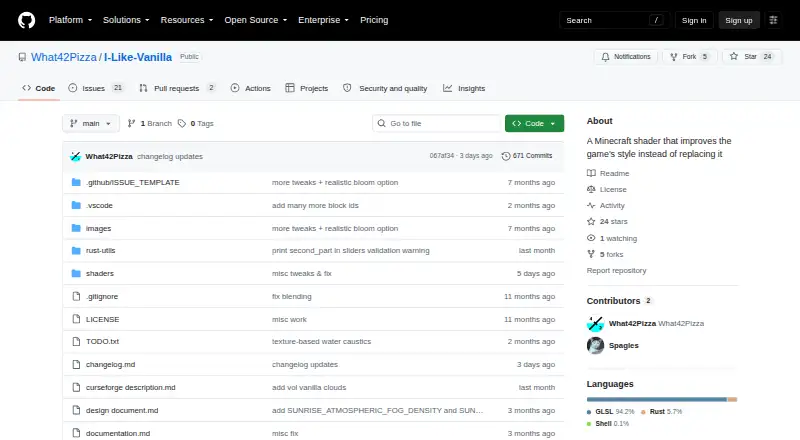
What I Like Vanilla is
I Like Vanilla is a free shader for Minecraft Java Edition that changes the game's graphics while keeping a vanilla-like style. Its settings-based styles system lets players choose an appearance and adjust more than 400 settings. Listed effects include shadows, reflections, screen-space and volumetric sunrays, ambient occlusion, bloom, motion blur, depth of field, and color correction. It also includes colorblindness correction, and volumetric clouds are optional and disabled by default. The project lists support for Voxy, Distant Horizons, and Colorwheel, as well as PBR materials. The Modrinth page lists Minecraft Java Edition versions from 1.12.2 through 26.3. The maker recommends using Fabulously Optimized or installing Iris or Oculus, then placing the shader ZIP in Minecraft's shaderpacks folder. Iris is supported. OptiFine support is partial or discontinued and may not receive fixes. The maker notes that testing has been limited and that the shader may break in niche cases; bug reports can be sent through GitHub. Its license permits gameplay, screenshots, videos, modpacks, modifications, and code reuse, but restricts redistribution with little or no modification.
Who it suits
I Like Vanilla suits Minecraft Java Edition players who want adjustable visual effects while retaining a familiar style. Players using OptiFine should note that its support is partial or discontinued.
What it does well
- Offers more than 400 settings.
- Includes colorblindness correction.
- Volumetric clouds are optional and off by default.
- Lists support for Voxy, Distant Horizons, and Colorwheel.
- Free to download via Modrinth.
What to know first
- OptiFine support is partial or discontinued.
- The maker says testing has been limited.
- Niche cases may cause problems.
Limits
The free plan is the shader download. The maker reports very limited testing and possible breakage in niche cases; OptiFine support is partial or discontinued and may not receive fixes. Redistribution with little or no modification is prohibited.
Plans
| Plan | Billed and limits | Price |
|---|---|---|
| I Like Vanilla | Minecraft Java Edition shader · Download via Modrinth | Free |
| Free | Minecraft shader; use for gameplay, screenshots, videos, and modpacks; redistribution has restrictions | Free |
As github.com lists them, read 4 Oct 2026. The maker's own page has the final word.
Getting started
- Open the I Like Vanilla project website.
- Use Fabulously Optimized or install Iris or Oculus.
- Download the shader ZIP from Modrinth.
- Place the ZIP in Minecraft’s shaderpacks folder.
I Like Vanilla is a free shader for Minecraft Java Edition, suited to players who want more control over the game’s appearance without abandoning its familiar style. Its extensive settings are a strength, but limited testing and discontinued OptiFine support make loader choice important.
Overview
The shader is designed to refine Minecraft’s graphics while keeping the result sharp, unobtrusive, and oriented toward gameplay. That makes it a sensible choice for players after added atmosphere rather than a visual overhaul that changes the game’s character. Its styles system and more than 400 settings offer room to shape the look, though players who prefer a single preset may find that range unnecessary.
Key features
Rendering options include shadows, reflections, screen-space and volumetric sunrays, ambient occlusion, bloom, motion blur, depth of field, and color correction. This is a broad toolkit for adjusting lighting and image effects, rather than a narrowly focused shader. Colorblindness correction adds a useful accessibility option.
Volumetric clouds are optional and off by default, so players can avoid that effect unless it suits their setup. Support for Voxy, Distant Horizons, and Colorwheel may also matter to players using those projects. The maker recommends Fabulously Optimized or installing Iris or Oculus, then placing the shader ZIP in Minecraft’s shaderpacks folder. Iris is the safer loader choice: OptiFine support is partial, discontinued, and may not receive fixes.
The shader is intended for Minecraft Java Edition, with versions listed from 1.12.2 through 26.3. The maker cautions that testing has been very limited and niche cases may break; players who need a dependable setup should be prepared to report problems through GitHub or use the linked Discord for support.
Pricing
I Like Vanilla is free: its plan is free and provides the Minecraft Java Edition shader via Modrinth. There is no paid tier or trial to weigh against it. The free plan permits gameplay, screenshots, videos, and modpacks, but redistribution with little or no modification is prohibited. That makes it suitable for personal play and modpack use, not for republishing the shader unchanged.
Platforms
The directory lists Linux, macOS, and Windows, while the shader itself targets Minecraft Java Edition. Iris is supported; OptiFine is listed as a loader but has only partial, discontinued support. Players choosing a setup should favor the maker’s Iris or Oculus installation guidance over relying on OptiFine fixes.
Who it's for
This is best for Java Edition players who want a vanilla-like visual refresh, value granular control, and are comfortable choosing a supported loader. Colorblindness correction and the option to leave volumetric clouds off let players tailor specific parts of the presentation. It is a weaker fit for anyone seeking a dramatic change in art direction, minimal configuration, or assured OptiFine maintenance.
Pros and cons
- Pros: More than 400 settings and a styles system give players substantial control over the visual result.
- Pros: A broad set of rendering effects, plus colorblindness correction, serves both atmosphere and accessibility needs.
- Pros: The free plan permits gameplay, screenshots, videos, and modpacks.
- Cons: Very limited testing means niche breakage is a stated risk.
- Cons: OptiFine support is partial and discontinued, making it a poor choice for players who depend on that loader.
Alternatives
For a wider set of Minecraft shader packs to compare, browse Minecraft Shader Packs. Choose BSL Shaders if a free shaderpack with a freemium pricing model better suits your preference. Complementary Shaders is another free Minecraft Java shader pack. Consider Bliss Shaders for a free shaderpack distributed as a ZIP from GitHub or distribution pages, or Bloop Shaders if Iris and OptiFine loader support is relevant. Candela Shaders requires Iris Shaders for Minecraft (Fabric), while Forget-Me-Not Shaders is LGPL-3.0-only and requires Can-Pipe. Miniature Shader is MIT-licensed and supports Iris and OptiFine. For a free pack with Lite, Medium, High, High-Motionblur, Extreme, and Extreme-Volumetric lighting variants, consider Sildur's Vibrant Shaders.
Verdict
Choose I Like Vanilla if you play Minecraft Java Edition and want a configurable set of graphics effects that preserves the game’s familiar look. Its free access, extensive settings, and gameplay-friendly visual aim are the main reasons to pick it. Look elsewhere if you rely on OptiFine or need a shader with more assured testing and maintenance.
Verdict
I Like Vanilla offers a broad set of graphics effects and settings while aiming to preserve Minecraft's familiar look. Its maker cautions that testing is limited and OptiFine support may not receive fixes.
Questions
How much does I Like Vanilla cost?
The I Like Vanilla plan is free.
Which Minecraft versions are listed as compatible?
Minecraft Java Edition versions from 1.12.2 through 26.3 are listed.
Which shader loaders does it support?
Iris is supported. OptiFine support is partial or discontinued and may not receive fixes; the maker recommends Iris or Oculus.
What effects does the shader include?
Listed effects include shadows, reflections, sunrays, volumetric clouds, ambient occlusion, bloom, motion blur, depth of field, and color correction.
Can I redistribute or modify it?
The license overview permits modifications and code reuse, but prohibits redistribution with little or no modification.
Where can I report a bug?
The maker directs users to report bugs through GitHub and links a Discord server.
Facts from I Like Vanilla's own pages
- Accessibility
- The shader includes colorblindness correction. · github.com, 5 Oct 2026
- Compatibility
- Modrinth lists compatibility with Minecraft Java Edition versions 1.12.2 through 1.21.x and 26.1.x through 26.3. · modrinth.com, 5 Oct 2026
- Download and installation
- The maker links to a Modrinth download and instructs users to install Iris or Oculus, download the shader, and place its zip in Minecraft's shaderpacks folder. · modrinth.com, 5 Oct 2026
- Installation
- The maker recommends Fabulously Optimized or installing Iris or Oculus, then placing the shader ZIP in Minecraft's shaderpacks folder. · modrinth.com, 4 Oct 2026
- Integrations
- The project lists support for Voxy and Distant Horizons, and Modrinth lists Colorwheel support. · modrinth.com, 5 Oct 2026
- Known limits
- The maker says the shader has limited testing and may break in niche cases, and invites bug reports. · modrinth.com, 4 Oct 2026
- License
- The license overview allows gameplay use, modpacks, modifications, and code reuse, but prohibits redistribution with little to no modification. · modrinth.com, 5 Oct 2026
- Limitations
- The maker says the shader has very limited testing and may break in niche cases. · modrinth.com, 5 Oct 2026
- OptiFine support
- The maker says OptiFine is only partially supported, and the repository says support is discontinued. · github.com, 4 Oct 2026
- Optional effect
- Volumetric clouds are optional and disabled in the default configuration. · github.com, 5 Oct 2026
- Optional effects
- Volumetric clouds are optional and disabled in the default configuration. · github.com, 4 Oct 2026
- Product
- I Like Vanilla is a Minecraft shader intended to improve the game's style while keeping it vanilla-like. · github.com, 5 Oct 2026
- Rendering features
- Listed effects include anti-aliasing, shadows, reflections, sunrays, depth of field, ambient occlusion, bloom, motion blur, and color correction. · github.com, 5 Oct 2026
- Settings
- The repository lists a settings menu with more than 400 settings and a styles system. · github.com, 4 Oct 2026
- Styles and settings
- It has a settings-based styles system and a settings menu with more than 400 settings. · github.com, 5 Oct 2026
- Support
- The maker links to GitHub for bug reports and says they are open to fixing reported bugs. · modrinth.com, 5 Oct 2026
- Supported shader loaders
- Modrinth lists Iris and OptiFine as platforms, while the maker says OptiFine support is partial or discontinued and may not receive fixes. · modrinth.com, 5 Oct 2026
- Visual approach
- The maker describes its target style as beautiful, pleasant, unobtrusive, sharp, gameplay-oriented, interesting, and performant. · modrinth.com, 5 Oct 2026
- Visual style
- The shader aims to overhaul Minecraft's graphics while keeping them feeling like the vanilla style. · modrinth.com, 4 Oct 2026
- What it does
- I Like Vanilla is a Minecraft shader that improves the game's style instead of replacing it. · github.com, 4 Oct 2026
Where I Like Vanilla stands on Freedom251
- Minecraft Shader Packs#7 of 38