Freedom251 › Document Workflow Software

Collavate
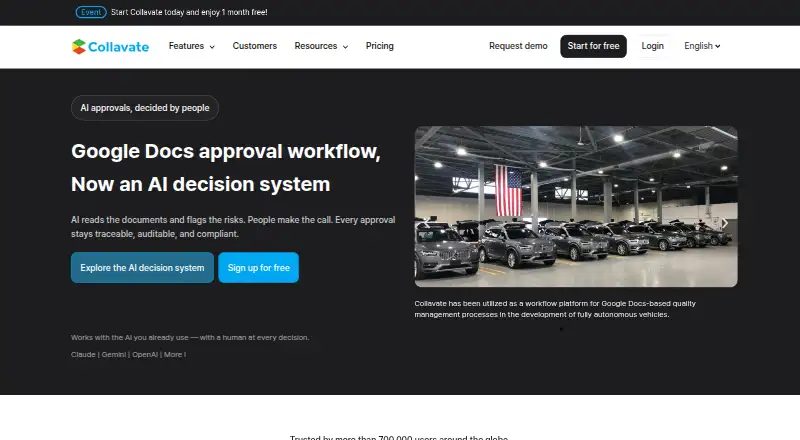
What Collavate is
Collavate is a document review and approval service built on Google Workspace. Teams can request approval on the original document, so a separate copy is not needed. Workflows can route requests sequentially, in parallel, or across teams. For external collaboration, document permissions adjust automatically as an approval moves through its stages. Existing documents can be converted into templates, and a company seal can be appended automatically after approval. Each approval can have a linked post for discussion, with mentions, reactions, and attachments. Workspace administrators can import a directory with one click and move submitted documents to an admin-owned Google Drive folder. Listed integrations include Google Drive, Google Docs, Google Sheets, Google Chat, and Slack. Collavate says its AI uses Google’s Gemini model and does not train on customer data. The service offers a 30-day trial without requiring a credit card. Its Basic plan has no monthly fee, with tokens purchased as needed; Business costs $300 a month with a 12-month commitment. Business includes 6,000 tokens per month and SLA coverage for up to 200 users. Enterprise pricing is flexible and not listed, with dedicated-server or GCP-based deployment available for Enterprise customers and above.
Who it suits
Collavate suits teams that manage document approvals in Google Workspace, including workflows involving several teams or external collaborators. Its directory import, admin-owned Drive storage, and enterprise deployment options may also suit organizations managing Workspace administration centrally.
What it does well
- Approval requests stay on the original document.
- Workflows support sequential, parallel, and cross-team approvals.
- Permissions adjust at each stage for external collaboration.
- Approved documents can receive an automatically appended company seal.
- The 30-day trial does not require a credit card.
What to know first
- Business costs $300 a month with a 12-month commitment.
- The Basic plan requires token purchases as needed.
- Business includes 6,000 tokens per month.
Limits
Basic has no monthly fee, but tokens must be bought as needed. Business includes 6,000 tokens per month and SLA coverage for up to 200 users; token use varies with attachments, reviewer count, and workflow actions.
Plans
| Plan | Billed and limits | Price |
|---|---|---|
| Basic | No monthly fee · buy tokens as needed · Google Docs extension approval · linear or parallel approval · approval deadline | Free |
| Business | Monthly billing with a 12-month commitment. · SLA coverage for up to 200 users · 6,000 tokens per month · online 1:1 onboarding | $300 a month |
| Enterprise | Flexible Enterprise Contract Plan · Premium onboarding · priority support · API integration + full feature access | On request |
As collavate.com lists them, read 7 Oct 2026. The maker's own page has the final word.
Getting started
- Visit the Collavate website.
- Start the 30-day free trial without a credit card.
- Choose Basic and buy tokens as needed, or select Business with its 12-month commitment.
- For Enterprise deployment, consider the listed dedicated-server or GCP-based options.
Collavate is a document approval service built around Google Workspace, with AI and controls for routing work across internal and external reviewers. It is best suited to teams that need structured sign-off on Workspace files rather than a general-purpose document tool. Its approval controls are the draw; its Business plan’s annual commitment and monthly token allowance deserve close attention.
Overview
Approval requests stay attached to the original document, so teams can work from one file instead of creating a separate review copy. Requests can move sequentially, in parallel, or across teams, covering both straightforward sign-off and more involved review chains.
Google Workspace is central to the product. Collavate integrates with Google Drive, Docs, Sheets, and Chat, as well as Slack. It can import a Workspace directory in one click and move submitted documents to an admin-owned Drive folder. That makes it a natural fit for organizations that already manage documents and users through Google; teams built around another document ecosystem should compare alternatives.
Key features
Workflow and collaboration
Collavate adjusts document permissions at each approval stage, which helps support collaboration with external reviewers. Approval-related communication can be kept in a post linked to each request, with mentions, reactions, and attachments. Existing documents can become templates, and a company seal can be appended automatically after approval. These features tie discussion and follow-up to the approval process, rather than treating sign-off as a standalone signature request.
AI and administration
Collavate says its AI uses Google’s Gemini model and does not train on customer data. The homepage displays GDPR, CCPA, and CASA security or privacy badges. Those are useful signals for teams evaluating governance, alongside administrative options such as directory import and an admin-owned Drive destination.
Approval routing, electronic signatures, document generation, automated notifications, and an audit trail are also supported. For Enterprise customers and above, deployment can use a dedicated server or GCP-based setup.
Pricing
The Basic plan is free: it has no monthly fee, but tokens must be bought as needed. It includes approval through the Google Docs extension, linear or parallel approval, and approval deadlines. That is a way to use core workflows without a subscription, but teams should account for token purchases as usage grows; it also does not include the stated SLA coverage, monthly token allocation, or onboarding of Business.
Business costs $300 a month, billed monthly with a 12-month commitment. It includes SLA coverage for up to 200 users, 6,000 tokens per month, and online 1:1 onboarding. The commitment and token cap make this plan better suited to teams with recurring approval volume than occasional users. Token consumption varies with attachments, reviewer count, and workflow actions; a typical request uses around 10 tokens on average, so actual capacity depends on how teams use the workflow.
Enterprise uses a flexible contract with custom pricing. It adds premium onboarding, priority support, API integration, and full feature access. Choose it when those services or a dedicated-server or GCP deployment matter; teams needing a published fixed price should compare other options.
A 30-day free trial requires no credit card. There is no free plan with a monthly token allowance: Basic is free of monthly fees but requires token purchases as needed.
Platforms
Collavate is available on Android, iOS, macOS, Windows, and the web, with an API and extension also listed. Its Google Workspace orientation is the more important platform consideration for teams choosing a workflow system.
Who it's for
Collavate suits organizations that route Google Workspace documents through repeatable approval stages, especially when reviewers span teams or include external collaborators. The company describes it as serving teams of all sizes and says more than 20,000 organizations have used it. Small teams with light or unpredictable approval needs may find Basic’s token purchases or Business’s 12-month commitment hard to justify.
Pros and cons
- Pros: Requests stay on original documents, avoiding a separate approval copy; sequential, parallel, and cross-team routing handle varied sign-off patterns.
- Pros: Stage-based permission changes, linked approval discussion, templates, and automatic seals support a joined-up review process.
- Pros: Workspace directory import and admin-owned Drive storage give administrators control over users and submitted documents.
- Cons: Business is $300 a month with a 12-month commitment, a substantial commitment for teams that only need occasional approvals.
- Cons: Basic relies on buying tokens as needed, while Business usage is capped at 6,000 tokens monthly; variable token consumption makes volume planning important.
- Cons: The product is centered on Google Workspace, which may make it a poor match for teams organized around other document platforms.
Alternatives
For a broader comparison, see Document Workflow Software. Consider PandaDoc instead if a free plan with a yearly 60-document allowance and two recipients per document is a better fit. airSlate WorkFlow (now altaFlow) offers a free plan with 10 credits per month, so it may suit readers who want a free starting point with a stated monthly credit allowance.
Dropbox Sign is worth considering for signature requests: its free plan allows three requests per month, while Essentials costs $15 a month and includes five templates. Choose Jotform if form creation is the priority; its free Starter plan includes five forms and 100 monthly submissions.
Contractbook may suit teams focused on signed contracts, with an Essential plan for one user, 100 signed contracts per year, and five templates. Zoho Sign is another signature-focused option, with a free plan for one user and five envelopes per month. For document management across a wider range of deployment platforms, compare DocuWare. If the need is scanning rather than approval workflows, Adobe Scan is a mobile scanning option.
Verdict
Choose Collavate when your team needs approval workflows built around Google Workspace files, with cross-team routing, external collaboration controls, and administrative oversight. Its strongest advantage is keeping the approval process tied to the source document. Look elsewhere if you need a predictable low-cost option for sporadic work, want to avoid token budgeting, or do not use Google Workspace as your document hub.
Verdict
Choose Collavate if your team wants document approval workflows built around Google Workspace files, with options for external collaboration and administrative controls. Teams should consider the Business commitment and token allowance, or use the 30-day trial to assess the workflow.
Questions
Is there a free plan?
The Basic plan costs nothing and has no monthly fee, but tokens must be purchased as needed.
Does Collavate offer a free trial?
Yes. The trial lasts 30 days and does not require a credit card.
How much does Business cost?
Business costs $300 a month with a 12-month commitment. It includes 6,000 tokens per month and SLA coverage for up to 200 users.
Which platforms are listed?
The listed platforms are Android, API, browser extension, iOS, macOS, web, and Windows.
Which integrations are listed?
Collavate lists Google Drive, Google Docs, Google Sheets, Google Chat, and Slack.
What does Collavate say about its AI and customer data?
Collavate says its AI uses Google’s Gemini model and does not train on customer data.
Facts from Collavate's own pages
- AI
- Collavate says its AI uses Google’s Gemini model and does not train on customer data. · collavate.com, 7 Oct 2026
- Approval options
- Approval workflows support sequential, parallel, and cross-team approvals. · collavate.com, 7 Oct 2026
- Communication
- Approval-related communications can be recorded in a post linked to each approval, with mentions, reactions, and attachments. · collavate.com, 7 Oct 2026
- Enterprise deployment
- The pricing page says dedicated-server or GCP-based deployment is available for Enterprise customers and above. · collavate.com, 7 Oct 2026
- External collaboration
- The service automatically adjusts document permissions at each approval stage for external collaboration. · collavate.com, 7 Oct 2026
- Founded
- 2013 · collavate.com, 28 Sept 2026
- Google Workspace administration
- Collavate can import a Google Workspace directory with one click and move submitted documents to an admin-owned Google Drive folder. · collavate.com, 7 Oct 2026
- Integrations
- The product lists Google Drive, Google Docs, Google Sheets, Google Chat, and Slack integrations. · collavate.com, 7 Oct 2026
- Intended users
- The company describes Collavate as serving teams of all sizes and says more than 20,000 organizations have used it. · collavate.com, 7 Oct 2026
- Product
- Collavate is a document review and approval solution built on Google Workspace, combining approval workflows with AI. · collavate.com, 7 Oct 2026
- Security
- The homepage displays GDPR, CCPA, and CASA security or privacy badges. · collavate.com, 7 Oct 2026
- Templates and seals
- Users can turn existing documents into templates and automatically append a company seal after approval. · collavate.com, 7 Oct 2026
- Token usage
- Token use varies with attachments, reviewer count, and workflow actions; the pricing FAQ says a typical approval request uses around 10 tokens on average. · collavate.com, 7 Oct 2026
- Trial
- The site offers a 30-day free trial without requiring a credit card. · collavate.com, 7 Oct 2026
- Workflow
- Users can request approval directly on the original document without duplicating files. · collavate.com, 7 Oct 2026
Where Collavate stands on Freedom251
- Document Workflow Software#9 of 32