Freedom251 › Employee Coaching Software

Coaching Loft
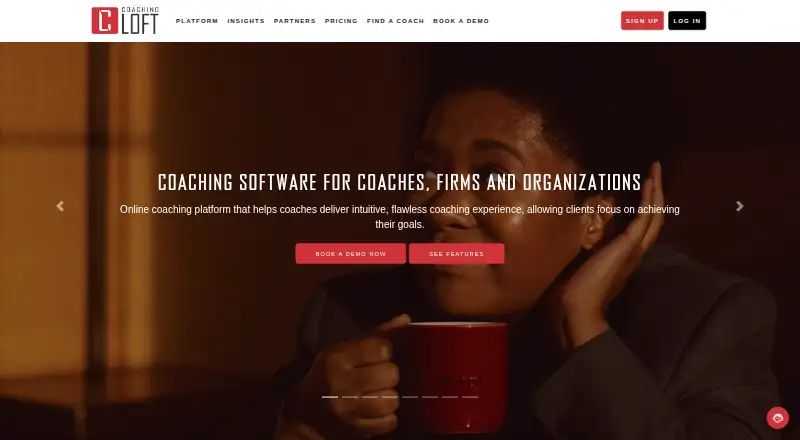
What Coaching Loft is
Coaching Loft is a coaching management platform and app for professional coaches, mentors, coaching firms, enterprise organizations and coachees. Its tools cover session management, coachee dashboards, documents, assessments, goals, notes and a library of coaching questions. Coaches can schedule appointments and use Zoom or Microsoft Teams for sessions. Listed integrations include Zapier, Zoom, Microsoft Teams, PayPal, HubSpot, Mailchimp and Leadfeeder, plus calendar connections and an Open API. Google Calendar is available at every membership level; Outlook, iCalendar and Office 365 are not available on Basic. Native apps are available for Android and iOS, alongside web and API access. The free plan and 14-day trial are available. Basic costs $1 a month, billed annually, and includes two clients or coachees, 50 MB of storage, Google Calendar sync and scheduling pages. Core is $25 a month, Premium is $55 a month, and Master is $95 a month. The company says data is encrypted in transit and at rest, with 256-bit encryption on every plan. Its stated SOC 2 Type 2 and ISO 27001 certifications belong to third-party cloud providers, not Coaching Loft.
Who it suits
It suits independent coaches, mentors and coaching firms, as well as enterprise organizations and coachees. Basic may fit users with no more than two clients or coachees who can work within its calendar limits.
What it does well
- Tools cover sessions, goals, assessments and notes.
- Zoom and Microsoft Teams support coaching sessions.
- Native apps are available for Android and iOS.
- Every plan includes 256-bit encryption, according to the company.
What to know first
- Basic is limited to two clients or coachees.
- Basic does not include Outlook, iCalendar or Office 365.
- Basic includes 50 MB of storage.
Limits
Basic includes two clients or coachees and 50 MB of storage. It supports Google Calendar sync, while Outlook, iCalendar, and Office 365 are unavailable on that membership level.
Plans
| Plan | Billed and limits | Price |
|---|---|---|
| Basic | Billed Annually · 2 Clients/Coachees · 50 MB Storage Capacity · Base Functionality · Public Coach Profile · Calendar Sync (Google) · Scheduling Pages | $1 a month |
| Core | 10 Clients/Coachees · 500 MB Storage Capacity · Base Functionality · Public Coach Profile · Calendar Sync · 2 Scheduling Pages | $25 a month |
| Premium | 30 Clients/Coachees · 1 GB Storage Capacity · Base Functionality · Public Coach Profile · Calendar Sync · 5 Scheduling Pages | $55 a month |
| Master | Unlimited Clients/Coachees · 2 GB Storage Capacity · Base Functionality · Public Coach Profile · Calendar Sync · Unlimited Scheduling Pages | $95 a month |
As coachingloft.com lists them, read 2 Oct 2026. The maker's own page has the final word.
Getting started
- Open the Coaching Loft website.
- Start with the free plan or use the 14-day trial.
- Choose a membership level based on client and storage needs.
- Use the web platform or get the native iOS or Android app from its app store.
- Set up scheduling and connect a calendar or listed session service such as Zoom or Microsoft Teams.
Overview
Coaching Loft combines session administration, coachee records and booking tools for independent coaches and coaching organizations. It is most suitable for practitioners or teams that want a structured place to manage client development as well as appointments. Its entry price is strikingly low, but client, storage and calendar limits make the Basic plan a constrained starting point.
Key features
Client work and development
Session management sits alongside coachee dashboards, documents, assessments, goals and notes, with a library of coaching questions for structuring conversations. This breadth makes the platform more useful than a booking-only tool for coaches who want to track a relationship over time. Coach matching, development tracking and manager tools also make it relevant to workplace programs, rather than only one-to-one independent practice.
Scheduling and connections
Appointment scheduling and scheduling pages support booking, while Zoom and Microsoft Teams integrations accommodate video sessions. Integrations also include Zapier, PayPal, HubSpot, Mailchimp and Leadfeeder; calendar integrations and an Open API provide further connection options. Google Calendar is included at every membership level, but Outlook, iCalendar and Office 365 are unavailable on Basic. Coaches who rely on those calendars need a higher plan.
Security and support
Data is encrypted in transit and at rest, with 256-bit encryption on every plan. The cloud providers used hold SOC 2 Type 2 and ISO 27001 certifications; those certifications belong to the providers, not Coaching Loft. Users retain ownership of their data, and enterprise data-processing agreements are available. Support includes a 24/7 AI chatbot, live human help during working hours, email, and bookable demos or onboarding calls.
Pricing
Coaching Loft has a free plan and paid plans, with a 14-day trial. Basic costs $1 a month, billed annually, and includes two clients or coachees, 50 MB of storage, base functionality, a public coach profile, Google Calendar sync and scheduling pages. It can suit a coach evaluating the workflow or serving only a couple of clients, but its small client and storage allowances and limited calendar sync make it a poor fit for a growing practice.
Core costs $25 a month and raises the limits to 10 clients and 500 MB, with base functionality, a public coach profile, calendar sync and two scheduling pages. Premium costs $55 a month and supports 30 clients, 1 GB and five scheduling pages, with the same listed core inclusions. These tiers offer a clearer path for a growing caseload, though storage and scheduling-page quotas remain relevant constraints.
Master costs $95 a month and removes the client cap, provides 2 GB of storage and unlimited scheduling pages, alongside base functionality, a public coach profile and calendar sync. It is the most suitable tier for a large caseload or many booking pages, but storage is still capped at 2 GB.
Platforms
Coaching Loft is available on web, iOS and Android, and lists an API. Native mobile apps are available through the App Store and Google Play, giving coaches and coachees mobile access alongside the web service.
Who it's for
Independent coaches who need client records, development tools and scheduling in one service are the clearest fit, especially if their calendar works with Google Calendar. Coaching firms and enterprise organizations can also use its manager tools, matching and client-development features. Basic is best treated as a small-scale entry tier; coaches with more than two clients, greater storage needs or non-Google calendars should consider Core or above. Organizations that need enterprise data-processing agreements have that option.
Pros and cons
Pros
- Coaching records and development tools are combined: notes, documents, assessments, goals and dashboards support ongoing client work, not just session booking.
- Plan progression is clear: client, storage and scheduling-page allowances rise through Master, which removes the client and scheduling-page caps.
- Security protections apply across plans: 256-bit encryption is included on every plan, and users retain ownership of their data.
- Broad connection options: Zoom, Microsoft Teams, Zapier, payment and marketing integrations, calendar integrations and an Open API can fit varied workflows.
Cons
- Basic is tightly limited: two clients and 50 MB of storage leave little room for a developing practice.
- Basic calendar support is restricted: Outlook, iCalendar and Office 365 are unavailable at that level.
- Master still has a storage ceiling: its 2 GB may constrain users who keep substantial client documentation in the platform.
- Free-plan allowances are unclear: readers cannot judge its practical capacity from the stated plan limits.
Alternatives
For a broader selection of workplace-focused tools, browse Employee Coaching Software. Consider AceUp if you want an enterprise coaching program with pricing handled through a discovery call, or CoachHub if a demo-led digital coaching platform is a better fit. Sharpist may suit organizations seeking a custom coaching program with a flexible credit model. Together is worth considering for mentoring programs priced around learner numbers, match types and program goals, with charges based on actively matched participants. Nadia, TaskHuman, Bettercoach and EZRA are other paid options to compare.
Verdict
Choose Coaching Loft if you want coaching records, development tracking and scheduling together, with plans that scale from a tiny practice to an unlimited-client tier. Its strongest case is the breadth of coaching tools and integrations; its main drawback is that Basic's client, storage and calendar limits quickly narrow its usefulness. Coaches with larger caseloads or specific calendar needs should price the higher tiers before committing.
Verdict
Coaching Loft brings session administration, scheduling and coachee records together, with plans ranging from a small Basic tier to an unlimited-client Master plan. Check the Basic client, storage and calendar limits against your needs.
Questions
Is Coaching Loft free?
A free plan is listed, and the pricing note also offers a 14-day trial.
What does the Basic plan cost?
Basic is listed at $1 a month, billed annually. It includes two clients or coachees and 50 MB of storage.
Which platforms are available?
The listed platforms are Android, API, iOS, and web. The FAQ says native apps are available through the App Store and Google Play.
Which calendar and video services does it support?
Google Calendar is available on all membership levels. Coaching Loft integrates with Zoom and Microsoft Teams for sessions; Outlook, iCalendar, and Office 365 are unavailable on Basic.
What integrations are listed?
Listed integrations include Zapier, Zoom, Microsoft Teams, PayPal, HubSpot, Mailchimp, and Leadfeeder, along with calendar integrations and an Open API.
Where is Coaching Loft based?
The company location listed is Dubai South, Dubai, United Arab Emirates.
Facts from Coaching Loft's own pages
- Audience
- The platform is designed for independent coaches, coaching firms, enterprise organizations, and coachees. · coachingloft.com, 2 Oct 2026
- Calendar limits
- Google Calendar is available on all membership levels, while Outlook, iCalendar, and Office 365 are unavailable on Basic membership. · coachingloft.com, 2 Oct 2026
- Coaching tools
- Features include session management, coachee dashboards, documents, assessments, goals, notes, and a library of coaching questions. · coachingloft.com, 2 Oct 2026
- Company location
- The site footer lists Dubai South, Dubai, UAE. · coachingloft.com, 2 Oct 2026
- Data handling
- The security page says users own their data, Coaching Loft does not sell it, and enterprise data processing agreements are available. · coachingloft.com, 2 Oct 2026
- Headquarters
- Dubai South, Dubai, United Arab Emirates · coachingloft.com, 28 Sept 2026
- Hosting certifications
- The security page says third-party cloud providers hold SOC 2 Type 2 and ISO 27001 certifications and clarifies that the certifications belong to the providers, not Coaching Loft. · coachingloft.com, 2 Oct 2026
- Integrations
- Listed integrations include Zapier, Zoom, Microsoft Teams, PayPal, HubSpot, Mailchimp, and Leadfeeder, with calendar integrations and an Open API also available. · coachingloft.com, 2 Oct 2026
- Mobile apps
- The FAQ says Coaching Loft has native apps for Apple iOS and Android, available through the App Store and Google Play. · coachingloft.com, 2 Oct 2026
- Product
- Coaching Loft is a coaching management SaaS platform and app for professional coaches, mentors, and coaching firms. · coachingloft.com, 2 Oct 2026
- Scheduling and video
- The platform supports appointment scheduling and integrates with Zoom and Microsoft Teams for coaching sessions. · coachingloft.com, 2 Oct 2026
- Security
- The security page states that data is encrypted in transit and at rest, and that 256-bit encryption is included on every plan. · coachingloft.com, 2 Oct 2026
- Support
- The FAQ describes 24/7 AI chatbot support, live human support during working hours, email support, and bookable demos or onboarding calls. · coachingloft.com, 2 Oct 2026
Where Coaching Loft stands on Freedom251
- Employee Coaching Software#1 of 28