CKAN
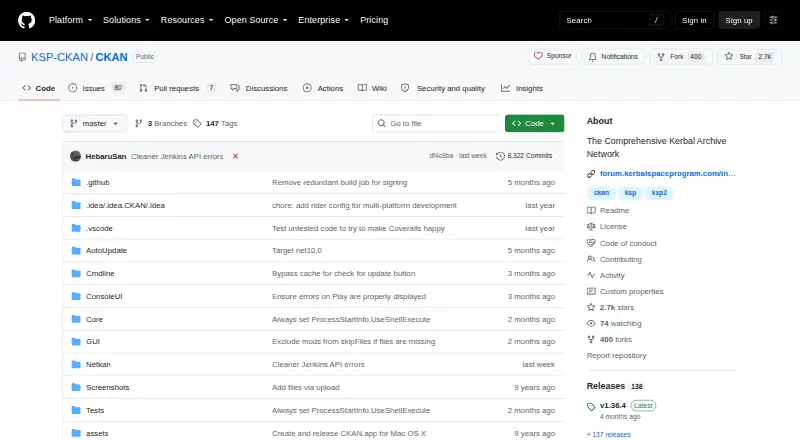
What CKAN is
CKAN is a free, open-source tool for finding, installing, and managing Kerbal Space Program mods. Players can refresh an online registry and search by mod name, identifier, author, or relationship, then download, install, and update mods. CKAN uses mod metadata to check game-version compatibility, install dependencies, and flag conflicts. By default, a mod must be marked compatible with the exact game version; users can opt to include additional compatible versions or view incompatible mods. The client offers graphical, console, and command-line interfaces. It runs on Windows, macOS, and Linux, with installation options for several Linux distributions. CKAN can manage game installations from any folder, and keeping the executable in the game folder enables portable use. Mod authors can contribute or correct metadata. One platform caveat: macOS 10.15 and later default to the console interface because the GUI depends on Mono's 32-bit WinForms support.
Who it suits
CKAN suits Kerbal Space Program players who want to find and manage mods while checking dependencies and compatibility. Mod authors can also contribute or correct metadata.
What it does well
- Search the registry by name, identifier, author, or relationship
- Installs dependencies and checks conflicts
- Supports Windows, macOS, and Linux
- Offers graphical, console, and command-line interfaces
- Can manage portable game installations
What to know first
- macOS 10.15 and later default to the console interface
- Mods need exact game-version compatibility by default
Plans
| Plan | Billed and limits | Price |
|---|---|---|
| CKAN | Open source · MIT-licensed | Free |
As github.com lists them, read 10 Oct 2026. The maker's own page has the final word.
Getting started
- Visit the CKAN project on GitHub.
- Choose the release package for Windows, macOS, or your Linux distribution.
- Run the executable and select or manage a game installation.
- Refresh the online registry and search for mods.
- Review compatibility and dependencies, then install or update selected mods.
Overview
CKAN is a free, open-source mod manager built for Kerbal Space Program, with a metadata repository and tools for finding and maintaining mods. Players can browse and update mods in a graphical client, console, or command line; mod authors can help keep the metadata those tools rely on accurate.
Its main practical advantage is that installation is not just a download: CKAN handles dependencies, checks conflicts and game-version compatibility, and can restore the GameData directory if an installation goes wrong. That reduces several common sources of mod setup trouble, but the checks depend on metadata being accurate. By default, a mod must be marked compatible with the exact game version; users can opt to include additional compatible versions, and the All filter can show mods identified as incompatible.
Key features
- Registry search and updates: Refresh the online registry, search by mod name, identifier, author, or relationships, then download, install, and update mods from the client. This suits players who want discovery and upkeep in one place rather than handling each mod separately.
- Dependency and conflict checks: CKAN installs dependencies alongside a selected mod and checks for conflicts and game-version compatibility. It can make a larger mod setup easier to manage, though its safeguards are only as reliable as the metadata.
- Recovery: If an installation goes wrong, CKAN reverts the GameData directory to its previous state. That offers a useful fallback for a failed change, rather than leaving the game directory in the altered state.
- Multiple interfaces: The project offers graphical, console, and command-line interfaces. The command line gives advanced users another way to work; on macOS 10.15 and later, however, the console UI is the default because the graphical interface relies on a 32-bit WinForms application in Mono, a format Apple sunset.
- Metadata contributions and validation: Mod authors can contribute or correct metadata, and CKAN provides a JSON Schema and validator for metadata files. This gives authors tools to help improve the information behind compatibility and installation checks.
Pricing
CKAN is free: its CKAN plan costs nothing. The project describes the software as open source under the MIT license, with no paid tier or trial to weigh against the free option. There are no stated seat or usage caps.
Because there is only one plan, there is no cheaper version that gives up features. The trade-off is practical rather than financial: players need to work within a metadata-based system, and newer macOS users should expect a console interface by default.
Platforms
CKAN runs on Windows, macOS, and Linux. Its latest release includes installation options for Windows, macOS, Debian and Ubuntu derivatives, Fedora and openSUSE, and Arch-based systems; specialized packages are available for some platforms. The executable can manage game installations from any folder. Put it in the game folder to create a portable instance suitable for use from a thumb drive.
The macOS caveat is specific to macOS 10.15 and later: the console UI is the default because the GUI depends on the 32-bit WinForms application in Mono. Players who prefer a graphical client should take that limitation into account.
Who it's for
CKAN is a strong fit for Kerbal Space Program players who install multiple mods and want dependency handling, conflict checks, game-version compatibility, updates, and recovery grouped in one manager. It also suits mod authors willing to contribute or correct metadata, since the project asks authors to help keep it accurate.
It is less suited to players who want a graphical interface on macOS 10.15 or later, or who would rather manage mods without relying on metadata. The platform checks can reduce manual work, but they cannot compensate for incorrect mod metadata.
Pros and cons
- Pro — Installation checks work together: CKAN handles dependencies while checking conflicts and game-version compatibility, which helps when assembling a multi-mod setup.
- Pro — A failed install can be undone: Reverting the GameData directory to its previous state gives players a recovery path if an installation goes wrong.
- Pro — Flexible use: Windows, macOS, and Linux support, three interface options, and portable use from a game folder accommodate different setups.
- Con — macOS graphical access is limited: On macOS 10.15 and later, the console interface is the default because the GUI depends on a 32-bit Mono WinForms application.
- Con — Checks rely on metadata: Compatibility and installation safeguards depend on accurate metadata, so authors are asked to contribute or correct it.
Alternatives
For Kerbal Space Program mod management, CKAN's specific combination of registry search, dependency handling, compatibility checks, and recovery is the fit. The alternatives linked here are focus-stacking software rather than substitutes for managing game mods:
- Focus Stacking Online is a free online focus-stacking option for readers looking for that task across Android, iOS, Linux, macOS, web, or Windows.
- ImageFocus Alpha is free and designed for compatible Euromex camera models.
- PlaneFuse is free for personal and commercial use, with no tiers, and is MIT licensed.
- ChimpStackr is free, multi-platform focus-stacking software under GPL-3.0.
- focus-stack is free focus-stacking software for Linux, macOS, and Windows.
- ForgePix is free software under the MIT license.
- OpenFocus is MIT-licensed, with a GUI for Windows and macOS and a CLI for Windows, macOS, and Linux.
- Shine Stacker is a free download for Windows, Mac OS, and Linux, described as open source under LGPL-3.0.
For a broader category browse, see Game Mod Managers or Focus Stacking Software.
Verdict
Choose CKAN if you play Kerbal Space Program and want a free manager that combines mod discovery with dependency, conflict, and game-version checks, plus a way to roll back a failed installation. Look elsewhere if a graphical interface on macOS 10.15 or later is essential, or if you do not want installation decisions to depend on mod metadata.
Verdict
CKAN combines mod discovery with installation checks for dependencies, conflicts, and game versions. Its macOS interface limitation is worth noting if you prefer a graphical client.
Questions
Is CKAN free?
Yes. CKAN is open source and MIT-licensed; its listed plan is free.
Which operating systems does CKAN support?
CKAN runs on Windows, macOS, and Linux. Release options include Windows, macOS, and packages for Debian and Ubuntu derivatives, Fedora and openSUSE, and Arch-based systems.
Does CKAN install mod dependencies and detect conflicts?
Yes. CKAN uses metadata to install dependencies and identify conflicts and compatibility issues with the game version.
Is CKAN open source?
Yes. The project describes CKAN as open source and MIT-licensed.
What interfaces does CKAN provide?
It offers a graphical interface, a console interface, and a command line interface. On macOS 10.15 and later, the console interface is the default.
Where can users get help with CKAN?
The project directs users to its troubleshooting documentation, GitHub issues, and Discord server.
Facts from CKAN's own pages
- Automatic updates
- Yes · github.com, 20 Sept 2026
- Code signing
- The project credits SignPath.io and the SignPath Foundation for providing free code signing service and a code signing certificate. · github.com, 9 Oct 2026
- Compatibility
- CKAN identifies incompatible mods, and users can choose to display them using the All filter. · github.com, 9 Oct 2026
- Conflict detection
- Yes · github.com, 20 Sept 2026
- Dependency handling
- CKAN installs mods with their dependencies and checks for conflicts and compatibility with the game version. · github.com, 10 Oct 2026
- Deployment method
- copy · github.com, 20 Sept 2026
- Download formats
- The latest release includes installation options for Windows, macOS, Debian and Ubuntu derivatives, Fedora and openSUSE, and Arch-based systems. · github.com, 9 Oct 2026
- Game version handling
- By default, CKAN requires a mod to be marked compatible with the exact game version, and users can choose additional compatible versions. · github.com, 10 Oct 2026
- Help
- Users can seek help through troubleshooting documentation, GitHub issues, and the project Discord server. · github.com, 9 Oct 2026
- Installation recovery
- If an installation goes wrong, CKAN reverts the GameData directory to its previous state. · github.com, 10 Oct 2026
- Install safety
- CKAN uses mod metadata to install mods for the correct game version, include dependencies, and avoid conflicts. · github.com, 9 Oct 2026
- Integrations
- The project lists connections on Internet Archive, Coveralls, NuGet, Crowdin, and Docker Hub. · github.com, 10 Oct 2026
- Intended users
- The project describes CKAN as useful to players seeking mods and modders seeking to avoid installation problems and outdated versions. · github.com, 10 Oct 2026
- Interfaces
- The client offers a graphical interface, a console interface, and a command line. · github.com, 10 Oct 2026
- License
- The project describes CKAN as open source and MIT-licensed. · github.com, 9 Oct 2026
- macOS interface limitation
- On macOS 10.15 and later, the console UI is the default because the GUI relies on WinForms apps in Mono, whose 32-bit support Apple sunset. · github.com, 9 Oct 2026
- Metadata validation
- The project provides a JSON Schema and a validator for CKAN metadata files. · github.com, 10 Oct 2026
- Mod author support
- Mod authors can contribute or correct metadata, and the project asks authors to help ensure it is accurate. · github.com, 9 Oct 2026
- Mod discovery
- Users can search the mod list by identifiers and names, with additional search options including relationships and authors. · github.com, 10 Oct 2026
- Mod source access
- built-in · github.com, 20 Sept 2026
- Notable limitation
- On macOS 10.15 and later, the console interface is the default because the Mono GUI depends on a 32-bit WinForms application. · github.com, 10 Oct 2026
- Platforms
- The CKAN client is built for .NET using Mono and runs on Windows, macOS, and Linux. · github.com, 10 Oct 2026
- Player features
- Players can download, install, and update mods, and discover content through the client. · github.com, 9 Oct 2026
- Portable use
- The executable can manage KSP installations from any folder and defaults to the game folder when placed there. · github.com, 10 Oct 2026
Where CKAN stands on Freedom251
- Mod managers#8 of 78
- Game Mod Managers#10 of 79
- Focus Stacking Software#4 of 24