Freedom251 › Focus Stacking Software
PlaneFuse
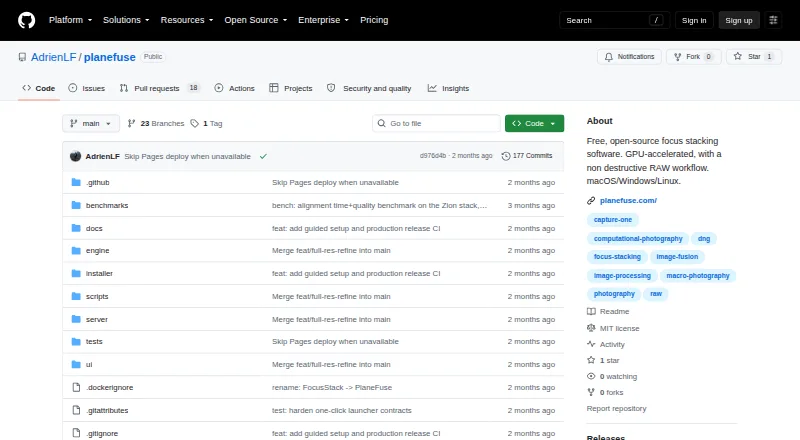
What PlaneFuse is
PlaneFuse is focus-stacking software for combining differently focused photographs, with workflows aimed at macro, product, and landscape photography. It offers PMax, DMap, weighted average, and Slab methods, plus translation, similarity, and perspective alignment. It can reject poorly aligned frames and thin redundant brackets. For RAW stacks, it fuses frames from the same camera in scene-linear RGB and can export a re-editable Linear DNG. Every frame in a RAW stack must use the same camera and sensor mode, and demosaicing cannot be reversed.
Its local browser workspace includes deep zoom, source/result comparisons, a live histogram, and a reorderable queue. Non-destructive retouching can use source frames or results; exports include TIFF, PNG, JPEG, Linear DNG, and depth maps. NVIDIA CUDA and Apple MPS acceleration are supported, with CPU fallback and tiled processing if GPU memory runs out. Command-line and local HTTP and WebSocket interfaces support scripting and batch stacking. Processing stays on the computer and does not upload photos. PlaneFuse is free for personal and commercial use, with no tiers; initial setup requires Node.js and uv.
Who it suits
It suits photographers who want to combine focus brackets for macro, product, or landscape images, including people who need scripting or batch workflows. It is available for Linux, macOS, Windows, web, API, and self-hosted use.
What it does well
- Four focus-stacking methods are available.
- Can reject misaligned frames and thin redundant brackets.
- Retouching is non-destructive.
- Free for personal and commercial use.
- Local API and command-line tools support automation.
What to know first
- Initial setup requires Node.js and uv.
- RAW stacks require the same camera and sensor mode.
- RAW demosaicing is irreversible.
- No camera tethering, panorama stitching, or mobile app.
Limits
RAW stacks require every frame to come from the same camera and sensor mode, and the required demosaicing is irreversible. PlaneFuse does not provide camera tethering or capture control, panorama stitching, cloud processing, accounts, or a mobile app.
Plans
| Plan | Billed and limits | Price |
|---|---|---|
| Free | Free for personal and commercial use · no tiers · MIT licensed | Free |
As github.com lists them, read 29 Sept 2026. The maker's own page has the final word.
Getting started
- Visit the PlaneFuse GitHub website.
- Install Node.js and uv for the initial setup.
- Run PlaneFuse on a supported computer.
- Open its local browser workspace to queue, compare, and process images.
- Choose a stacking method and export in a supported format.
Overview
PlaneFuse is a focus-stacking app for photographers combining frames shot at different focus distances, particularly in macro, product, and landscape work. Its range of blending, alignment, and retouching tools makes it a strong fit for a computer-based workflow; the initial setup and strict RAW-stack requirements are real considerations.
Processing stays on the user's computer: PlaneFuse binds to 127.0.0.1 and does not upload photos. That suits photographers who want local processing, though local-only operation also means there is no authentication. The browser workspace offers deep zoom, source-to-result comparisons, a live histogram, and a reorderable job queue. Searchable in-app help covers shooting technique, settings, and troubleshooting, but first setup requires Node.js and uv.
Key features
Stacking and frame control
Four methods — PMax, DMap, weighted average, and Slab — give photographers options for combining a focus bracket. Translation, similarity, and perspective alignment help account for frame shifts, while rejection of poorly aligned frames and thinning of redundant brackets can reduce problems before a stack is made. This is a useful level of control for deliberate bracket workflows, rather than a substitute for capture tools: PlaneFuse does not control or tether a camera.
RAW workflow and retouching
PlaneFuse fuses same-camera RAW frames in scene-linear RGB and can export a re-editable Linear DNG. The constraint is consequential: every frame in a RAW stack must use the same camera and sensor mode, and the required demosaicing is irreversible. Linear DNGs can be opened in Capture One or another RAW developer, but photographers who need mixed-camera or mixed-mode RAW stacks should look elsewhere.
Non-destructive retouching can use either source frames or the result, and exports include TIFF, PNG, JPEG, and Linear DNG for RAW stacks; the supported output formats also include depth maps. NVIDIA CUDA and Apple MPS acceleration are supported, with CPU fallback and tiled processing if GPU memory runs out. Command-line, local HTTP, and WebSocket interfaces support scripting and batch stacking, making the app more suitable for repeatable local jobs than a purely manual workflow.
Scope and platforms
PlaneFuse is listed for API, Linux, macOS, self-hosted, web, and Windows use. Despite that breadth, it has no mobile app or cloud processing. It also does not provide panorama stitching or accounts, so it is focused on stacking rather than a broader photo-management or capture suite.
Pricing
PlaneFuse's Free plan costs nothing and is free for personal and commercial use, with no tiers, under the MIT license. There is no free trial because the plan is free. It is a straightforward fit for an individual or commercial photographer who wants the complete stated workflow without a paid tier; the tradeoff is that it remains a locally set-up tool, rather than a cloud service or camera-control package.
Who it's for
PlaneFuse is best suited to photographers who already make focus brackets and want options for alignment, stack method, retouching, and batch automation on their own computer. Macro, product, and landscape photographers who work with compatible same-camera RAW sequences stand to get the most from its Linear DNG path. It is a poorer fit for anyone seeking tethered capture, cloud-based collaboration, panorama stitching, mobile editing, or flexibility across cameras and sensor modes in one RAW stack.
Pros and cons
- Pros: Four stacking methods and three alignment modes let photographers choose how to combine and register a bracket.
- Pros: Non-destructive retouching, multiple image exports, and Linear DNG output cover both correction and further RAW development.
- Pros: Local processing, GPU acceleration with CPU fallback, and scripting interfaces support private and repeatable batch workflows.
- Cons: RAW stacks require one camera and sensor mode, and demosaicing cannot be reversed.
- Cons: First setup requires Node.js and uv, adding preparation before image work can begin.
- Cons: No tethering, capture control, panorama stitching, cloud processing, accounts, or mobile app limits its role to local focus stacking.
Alternatives
Focus Stacking Software is the broader category to explore when comparing stacking tools. For another free MIT-licensed option, ForgePix is available for Linux, macOS, and Windows; choose it if those platforms and its stated free-software license are the relevant criteria. Shine Stacker is another free option, described by its maker as open source under LGPL-3.0 and available for API, Linux, macOS, and Windows.
Aduku Stacker is a free macOS and Windows alternative; its publisher is identified as Suriyanarayanan R Srinivasan of Aduku Labs, and the site says it is made in India. ChimpStackr, Enfuse, and OpenFocus are also free options for Windows, macOS, and Linux. ImageFocus Alpha adds iOS and Android to those desktop platforms. focus-stack is another free option for Windows, macOS, and Linux.
Verdict
Choose PlaneFuse if you want a free, locally processed focus-stacking workflow with several blending methods, retouching, batch automation, and a Linear DNG route for compatible RAW brackets. Its most important limitation is the same-camera, same-sensor-mode RAW rule, compounded by irreversible demosaicing. Photographers who need broader capture, cloud, or mobile capabilities — or more flexible RAW inputs — should look elsewhere.
Verdict
PlaneFuse brings several stacking methods, retouching, and batch tools into a local workflow. Its RAW constraints and required setup are worth considering before choosing it.
Questions
How much does PlaneFuse cost?
It is free for personal and commercial use under the MIT license, with no tiers.
Does PlaneFuse support RAW files?
Yes. RAW stacks use frames from the same camera and sensor mode, and export can produce a re-editable Linear DNG. Demosaicing is irreversible.
What formats can PlaneFuse export?
Exports include TIFF, PNG, JPEG, Linear DNG for RAW stacks, and depth maps.
Does PlaneFuse upload photos?
No. Processing runs on the user’s computer, and the application binds to 127.0.0.1. It has no authentication because it is local-only.
What does initial setup require?
The maker’s site says the first setup requires Node.js and uv.
Does PlaneFuse work with Capture One?
The maker says Linear DNG exports can be opened in Capture One or another RAW developer.
Facts from PlaneFuse's own pages
- Alignment and selection
- It supports translation, similarity, and perspective alignment, can reject poorly aligned frames, and can thin redundant brackets. · planefuse.com, 29 Sept 2026
- Automation
- PlaneFuse includes a command-line interface and a local HTTP and WebSocket API for scripting and batch stacking. · github.com, 29 Sept 2026
- GPU and CPU
- It supports NVIDIA CUDA and Apple MPS GPU acceleration with CPU fallback and tiled processing when GPU memory runs out. · github.com, 29 Sept 2026
- Image workspace
- The local browser workspace provides deep zoom, source and result comparisons, a live histogram, and a reorderable job queue. · github.com, 29 Sept 2026
- Integrations
- The maker says Linear DNG exports can be opened in Capture One or another RAW developer; no other product integrations are listed on the pages reviewed. · planefuse.com, 29 Sept 2026
- Intended users
- The maker describes PlaneFuse as software built by a photographer for photographers, with workflows for landscape, macro, and product photography. · planefuse.com, 29 Sept 2026
- Notable RAW limit
- Every frame in a RAW stack must use the same camera and sensor mode, and the required demosaicing is irreversible. · github.com, 29 Sept 2026
- Privacy and security
- Processing runs on the user's computer, binds to 127.0.0.1, and does not upload photos; the app has no authentication because it is local-only. · github.com, 29 Sept 2026
- Purpose
- PlaneFuse is focus stacking software for macro, product, and landscape photography. · github.com, 29 Sept 2026
- RAW workflow
- It fuses same-camera RAW frames in scene-linear RGB and exports a re-editable Linear DNG. · github.com, 29 Sept 2026
- Retouching and export
- Built-in non-destructive retouching works with source frames or results, and exports include TIFF, PNG, JPEG, and Linear DNG for RAW stacks. · github.com, 29 Sept 2026
- Scope limits
- PlaneFuse does not provide camera tethering or capture control, panorama stitching, cloud processing, accounts, or a mobile app. · github.com, 29 Sept 2026
- Setup and support
- The maker provides searchable in-app help for shooting technique, settings, and troubleshooting; the maker's site says the first setup requires Node.js and uv. · planefuse.com, 29 Sept 2026
- Stacking methods
- It offers PMax, DMap, weighted average, and Slab focus stacking methods. · github.com, 29 Sept 2026
Where PlaneFuse stands on Freedom251
- Focus Stacking Software#11 of 24