Freedom251 › Focus Stacking Software
Enfuse
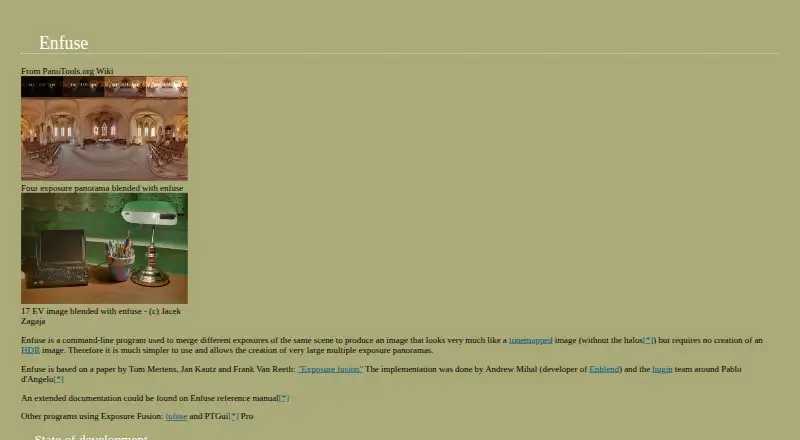
What Enfuse is
Enfuse is a command-line program for combining multiple exposures of the same scene into one image, without first making an HDR image. It uses the Mertens-Kautz-Van-Reeth exposure fusion algorithm and evaluates pixels by exposure, saturation, and contrast. Command-line weights let users change the relative influence of those criteria. Enfuse can also blend focus stacks to create images with extended depth of field. Input images may use zero-valued alpha pixels to keep selected areas out of the blend; without an alpha channel, all pixels are processed. Documented output options include compressed TIFF and JPEG, with JPEG compression values from 0 to 100. An image cache, set to 1024 MB by default, can move image data between memory and disk. Hugin uses Enfuse for exposure fusion of bracketed image stacks, and the documentation also names LR/Enfuse and digiKam as related workflows. Enfuse is free, runs on Linux, macOS, and Windows, and is included in the Enblend project, which is licensed under GPLv2. Contrast-heavy structures near the zenith or nadir of an equirectangular image can create a vortex artifact.
Who it suits
Enfuse suits photographers who want command-line control over blending bracketed exposures or focus stacks. It may also fit people working with Hugin, Lightroom through LR/Enfuse, or digiKam workflows.
What it does well
- Free software for Linux, macOS, and Windows.
- Blends exposures without first creating an HDR image.
- Can extend depth of field by blending focus stacks.
- Weights exposure, saturation, and contrast separately.
- Alpha values can exclude selected pixels from blending.
What to know first
- Uses a command-line interface.
- Contrast near equirectangular image zeniths or nadirs can cause a vortex artifact.
Getting started
- Open the Enfuse manual at https://hugin.sourceforge.io/docs/manual/Enfuse.html.
- Use Enfuse on Linux, macOS, or Windows.
- Prepare the overlapping exposure images or focus stack to blend.
- Adjust exposure, saturation, and contrast weights with command-line options.
- Choose compressed TIFF or JPEG output options.
Verdict
Choose Enfuse if you want a free command-line tool for exposure fusion or focus stacking, with adjustable blending criteria and TIFF or JPEG output. Look elsewhere if you need automatic image alignment or prefer not to work from the command line.
Questions
How much does Enfuse cost?
Enfuse is free, and the listed pricing model is a free plan.
Does Enfuse have a free trial?
No. It is listed as free, with no free trial.
Which platforms does Enfuse support?
The listed platforms are Linux, macOS, and Windows.
Is Enfuse open source?
The Enblend project, which includes Enfuse, is listed under the GNU General Public License version 2.0 (GPLv2).
What can Enfuse blend?
It merges different exposures of the same scene and can blend focus stacks for extended depth of field.
Does Enfuse align images automatically?
No; automatic alignment is listed as unavailable.
Facts from Enfuse's own pages
- Adjustable blending
- Command-line options let users adjust the relative weights for exposure, saturation, and contrast. · hugin.sourceforge.io, 8 Oct 2026
- Algorithm
- It merges overlapping images using the Mertens-Kautz-Van-Reeth exposure fusion algorithm. · hugin.sourceforge.io, 8 Oct 2026
- Alpha channel
- Input images can use zero-valued alpha pixels to exclude those pixels from blending. · hugin.sourceforge.io, 8 Oct 2026
- Alpha channels
- Input images can use alpha values of zero to exclude pixels from blending; without an alpha channel, Enfuse processes all pixels. · hugin.sourceforge.io, 8 Oct 2026
- Blending criteria
- It evaluates pixels by exposure, saturation, and contrast, with command-line weights to adjust each criterion. · hugin.sourceforge.io, 8 Oct 2026
- Distribution
- The Enblend project page lists Linux and Windows, and its files page offers an Enblend-Enfuse 4.2 Windows 64-bit archive. · sourceforge.net, 8 Oct 2026
- Exposure fusion
- It weights pixels using exposure, saturation, and contrast criteria to produce the blended image. · hugin.sourceforge.io, 8 Oct 2026
- Focus stacking
- Enfuse can blend a focus stack to build images with extended depth of field. · hugin.sourceforge.io, 8 Oct 2026
- Focus stacks
- Enfuse can blend a focus stack to build images with extended depth of field. · hugin.sourceforge.io, 8 Oct 2026
- Founded
- 2008 · hugin.sourceforge.io, 28 Sept 2026
- Image cache
- The manual gives a default image cache size of 1024 MB and describes moving image data between memory and disk. · hugin.sourceforge.io, 8 Oct 2026
- Integration
- The Hugin site says Hugin uses Enfuse for exposure fusion of bracketed stacks. · hugin.sourceforge.io, 8 Oct 2026
- Known limitation
- The documentation notes that contrasty structures near the zenith or nadir of an equirectangular image can produce a vortex artifact. · hugin.sourceforge.io, 8 Oct 2026
- License
- SourceForge lists the Enblend project, which includes Enfuse, as GNU General Public License version 2.0 (GPLv2). · sourceforge.net, 8 Oct 2026
- License and price
- The Enblend project page lists GNU GPL version 2.0; Hugin's download page describes the software as free to use, modify, and share. · sourceforge.net, 8 Oct 2026
- Other software
- The documentation lists Lightroom plugin LR/Enfuse and says digiKam can use Enfuse to blend bracketed images. · hugin.sourceforge.io, 8 Oct 2026
- Output and resources
- The documented options include compressed TIFF or JPEG output and an image cache that can swap data to disk. · hugin.sourceforge.io, 8 Oct 2026
- Output formats
- The manual documents compressed TIFF output options and JPEG compression values from 0 to 100. · hugin.sourceforge.io, 8 Oct 2026
- Panorama workflow
- Hugin integrates Enfuse for exposure fusion of bracketed image stacks. · hugin.sourceforge.io, 8 Oct 2026
- Platforms
- The documentation says the project offers precompiled Windows binaries, Mac OS X development builds, and links to downloads; SourceForge lists Linux and Windows. · hugin.sourceforge.io, 8 Oct 2026
- Purpose
- Enfuse is a command-line program that merges different exposures of the same scene into an image without first creating an HDR image. · hugin.sourceforge.io, 8 Oct 2026
- Support
- The project support page says it has not indicated a best way to get help and lists mailing lists and discussion forums as other support options. · sourceforge.net, 8 Oct 2026
Where Enfuse stands on Freedom251
- Focus Stacking Software#10 of 24