Freedom251 › Game Mod Managers
Modrix
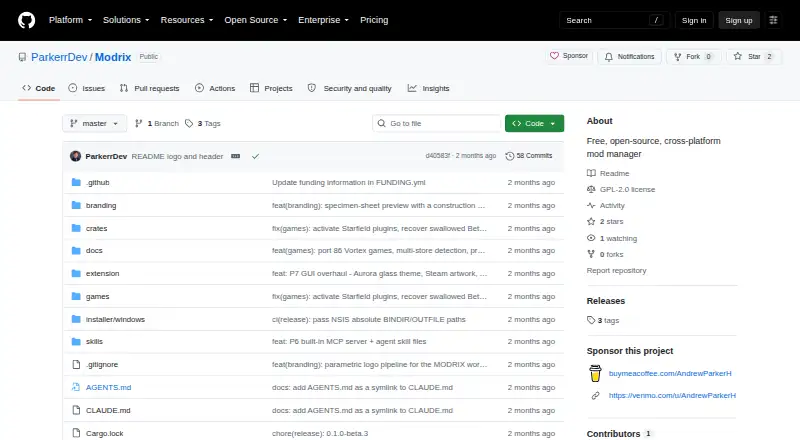
What Modrix is
Modrix is a free, open-source game mod manager with graphical, terminal and command-line controls over a shared engine. It is presented as a replacement for Vortex and supports mod profiles, conflict detection and automatic updates. The project lists built-in support for 86 games, with additional games available through a community plugin registry. A browser extension passes Nexus Mods links and session cookies to Modrix so it can download and stage files without a Nexus API key. On Linux, the project describes Steam and Proton as first-class platforms; it usually detects Steam-installed games and offers a one-click add-and-switch action. Deployment uses hardlinks where possible, backs up files before overwriting them, records changes for crash recovery and supports reversing deployment. Users can address conflicts with rules and per-file overrides. The CLI supports scripts and JSON output, and an MCP server exposes engine functions as agent tools. The project states that Modrix has no telemetry and that Lua game plugins are sandboxed. It is GPL-2.0-only. macOS has no prebuilt binary and requires installation from source; Linux and macOS do not update automatically in-app. Listed releases are pre-releases.
Who it suits
Modrix suits people managing game mods who want graphical, terminal or command-line controls, especially Linux users with Steam or Proton games. It may also suit users who want to script mod-management tasks.
What it does well
- Built-in support for 86 games.
- Supports mod profiles and conflict detection.
- Can reverse mod deployments.
- CLI supports scripting and JSON output.
- Project states it has zero telemetry.
What to know first
- macOS requires installation from source.
- Linux and macOS lack in-app automatic updates.
- Listed releases are pre-releases.
Plans
| Plan | Billed and limits | Price |
|---|---|---|
| Free | Open-source mod manager | Free |
As github.com lists them, read 7 Oct 2026. The maker's own page has the final word.
Getting started
- Open the Modrix project website on GitHub.
- Choose a listed platform: extension, Linux, macOS, or Windows.
- On macOS, install from source because there is no prebuilt binary.
- Use the browser extension to pass Nexus Mods download links and session cookies to Modrix.
- Choose a built-in game or install an additional game through the community plugin registry.
Modrix is a free, open-source manager for organizing game modifications through graphical, terminal, or command-line interfaces. It is best suited to players with large or multi-game libraries, especially Linux users running Steam and Proton. Its protective deployment design and detailed conflict controls make it promising, but pre-release software and a source-only macOS installation reduce its appeal for users seeking a settled, turnkey tool.
Overview
One shared engine powers Modrix's GUI, TUI, and CLI frontends, so a mod setup remains consistent whichever interface you use. The project positions itself as an open-source replacement for Vortex. Built-in support covers 86 games, while a community plugin registry can add more; that gives broad reach without limiting the manager to a fixed catalog.
A browser extension hands Nexus Mods download URLs and session cookies to Modrix. The manager then downloads and stages the files without the Nexus API or an API key. This simplifies Nexus setup, although browser-based downloading depends on installing and using the extension.
Key features
Modrix offers profiles for separating configurations, automatic updates, and external links for accessing mod sources. Its link-based deployment is strengthened by hardlinks where possible, backups before overwriting existing files, and a change journal for crash recovery. Deployments can be reversed, giving users a practical recovery path when an installation goes wrong.
Conflict detection identifies clashes between enabled mods. Rules and per-file overrides let you choose which content wins, rather than forcing a blanket load order. That level of control is valuable for complex collections, but it also suits users willing to make decisions about overlapping files.
The CLI supports scripting and JSON output, making repeatable workflows possible for technically minded players. An included MCP server exposes engine functions as tools for agents. Linux users get particularly strong integration: Steam and Proton are treated as first-class environments, and Modrix usually detects Steam-installed games and offers a one-click add-and-switch action.
Security choices are clear. The project states that it collects zero telemetry, while Lua game plugins are sandboxed and their file changes are mediated by the core engine. Modrix is licensed under GPL-2.0-only.
Pricing
Modrix has one plan: Free at free. It is an open-source mod manager with no paid tier or seat charge stated. That makes it suitable for individual players and anyone who wants the full feature set without a subscription; there is no cheaper plan that trades away capabilities because no paid alternatives are offered.
Platforms
Modrix is offered as an extension for Linux, macOS, and Windows, with multi-platform game support. Steam and Proton support makes Linux a strong fit. macOS is the exception to the otherwise straightforward platform story: there is no prebuilt binary, so installation must be done from source. Linux and macOS also do not update automatically in the app. Releases currently run from 0.1.0-beta.1 through 0.1.0-beta.3 and are marked pre-release, so users who need production-level stability should factor that into their choice.
Who it's for
Choose Modrix if you manage mods across several supported games, want separate profiles, or need to inspect and resolve file conflicts precisely. It is especially compelling for Linux players using Steam or Proton, command-line users who automate setup, and privacy-conscious users who prefer zero telemetry. It is less suitable for someone who expects a polished stable release, a ready-made macOS installer, or automatic updating on every desktop platform.
Pros and cons
Pros
- One engine, three interfaces: GUI, TUI, and CLI access the same configurations.
- Safer deployments: hardlinks, backups, journaling, and reversal reduce the damage from failed changes.
- Useful conflict controls: rules and per-file overrides handle overlapping mods at file level.
- Broad game reach: 86 built-in games plus community plugins.
- Linux-aware workflow: Steam and Proton detection with a one-click add-and-switch path.
- Automation and privacy: scripting, JSON output, an MCP server, and zero telemetry.
Cons
- Pre-release status: beta releases are a concern for users who require mature, settled software.
- macOS friction: source installation and no in-app auto-update demand more maintenance.
- Extension-dependent Nexus downloads: browser handoff is required even though an API key is not.
- Conflict resolution takes involvement: granular controls reward knowledgeable users but are not a hands-off solution.
Alternatives
Mod Organizer 2 is the better pick for a Windows-only setup that favors an established free, open-source manager; Windows Store and Gamepass versions are unsupported.
Limo is a Linux-focused free, open-source alternative when you do not need Modrix's stated cross-platform reach.
Modrinth suits users who want a web and API ecosystem across Linux, macOS, and Windows, with an optional Modrinth+ plan at $4.99 a month for ad-free browsing, creator support, and a profile badge.
CurseForge is a web catalog for free Minecraft mods and modpacks, with a separate premium experience.
Vortex is the direct free, open-source Windows alternative from Nexus Mods.
G3M is a free GPL-3.0 desktop manager for Linux, macOS, and Windows.
FlairX Mod Manager is a free, open-source Windows-only option.
HFW Mod Manager is a free downloadable manager for supported Decima-engine games on Linux and Windows.
For a broader comparison, see Game Mod Managers.
Verdict
Modrix is a strong choice for technical players who want open-source, multi-interface mod management with reversible deployments and fine-grained conflict handling, particularly on Linux with Steam or Proton. Look elsewhere if you need a stable release, an installable macOS build, or a more established Windows-first workflow.
Verdict
Modrix offers several ways to manage mods, with deployment safeguards and conflict tools. Its pre-release status and macOS installation requirement are worth weighing before use.
Questions
How much does Modrix cost?
The listed Free plan costs nothing. Modrix is open source under the GPL-2.0-only license.
Which platforms does Modrix support?
The listed platforms are extension, Linux, macOS, and Windows. The project describes Steam and Proton support on Linux.
Does Modrix work with Nexus Mods?
Its browser extension passes Nexus Mods download links and session cookies to Modrix. Modrix downloads and stages the files without using the Nexus API or requiring an API key.
How many games does Modrix support?
The project says 86 games have built-in support. Additional games can be installed through its community plugin registry.
Is Modrix open source?
Yes. It is released under the GPL-2.0-only license.
Does Modrix update automatically?
Automatic updates are listed as a feature, but the README says Linux and macOS do not auto-update in-app.
Facts from Modrix's own pages
- Automatic updates
- Yes · github.com, 20 Sept 2026
- Automation
- The CLI supports scripting and JSON output, and the project includes an MCP server exposing engine functions as tools for agents. · github.com, 7 Oct 2026
- Conflict detection
- Yes · github.com, 20 Sept 2026
- Conflict handling
- Modrix surfaces conflicts between enabled mods and provides rules and per-file overrides to resolve them. · github.com, 7 Oct 2026
- Deployment method
- link · github.com, 20 Sept 2026
- Free plan
- Yes · github.com, 20 Sept 2026
- Game support
- The project says 86 games have built-in support and additional games can be installed through a community plugin registry. · github.com, 7 Oct 2026
- License
- Modrix is released under the GPL-2.0-only license. · github.com, 7 Oct 2026
- Mod deployment
- Deployment uses hardlinks where possible, backs up existing files before overwriting them, journals changes for crash recovery, and supports reversing deployment. · github.com, 7 Oct 2026
- Mod profiles
- Yes · github.com, 20 Sept 2026
- Mod source access
- external links · github.com, 20 Sept 2026
- Nexus Mods integration
- A browser extension hands Nexus Mods download URLs and session cookies to Modrix, which downloads and stages the files without using the Nexus API or requiring an API key. · github.com, 7 Oct 2026
- Platform limitation
- The README says macOS has no prebuilt binary and must be installed from source; Linux and macOS do not auto-update in-app. · github.com, 7 Oct 2026
- Product
- Modrix is a native mod manager with GUI, TUI, and CLI frontends over one shared engine. · github.com, 7 Oct 2026
- Security and telemetry
- The README states that Modrix has zero telemetry and describes Lua game plugins as sandboxed with file changes mediated by the core engine. · github.com, 7 Oct 2026
- Steam and Proton
- The README describes Steam and Proton as first-class on Linux, and says Modrix usually detects Steam-installed games and offers a one-click add-and-switch action. · github.com, 7 Oct 2026
- Supported platforms
- multi-platform · github.com, 20 Sept 2026
- Support status
- The releases page lists versions 0.1.0-beta.1 through 0.1.0-beta.3, each marked as a pre-release. · github.com, 7 Oct 2026
- Target users
- It is presented as an open-source replacement for Vortex for people managing game mods. · github.com, 7 Oct 2026
Where Modrix stands on Freedom251
- Game Mod Managers#4 of 79
- Mod managers#4 of 78