Freedom251 › Nonprofit Accounting Software
Churchsoft Assist 2026
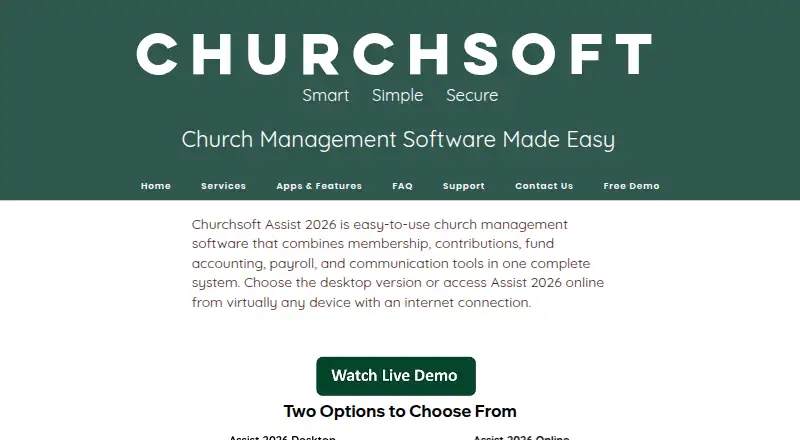
What Churchsoft Assist 2026 is
Churchsoft Assist 2026 combines church membership, contributions, fund accounting, payroll, and communication tools. It is available as desktop software and as an online version. Churches can add unlimited people and groups for the same price, whether they have 10 or 10,000 people. Users can send SMS and email to individuals or groups, and Churchsoft says its support staff can transfer records from another system or Excel at no additional cost. Giving tools cover gift entry, donor reports, and year-end statements. Accounting includes budgeting and income and expense reports by account, account group, or fund. Payroll supports employees, self-employed contractors, and nonemployees, with reports including 941, W-2, W-3, and 1099 forms. The desktop edition runs on Windows 8 and later, with Windows 10 and later recommended. Assist Online works on internet-connected devices, including Mac, PC, Android, and iOS. The FAQ describes triple-redundant online backups, module-level data protection, and full or restricted user rights. A purchase includes 60 days of free unlimited support; the online subscription includes unlimited toll-free support, backup, and updates.
Who it suits
Assist 2026 is for churches that want membership, giving, accounting, payroll, and communication functions together. Its desktop version suits Windows users, while Assist Online is listed for Mac, PC, Android, and iOS devices with internet access.
What it does well
- Unlimited people and groups at the same price.
- Supports gifts, donor reports, and year-end statements.
- Includes fund accounting, budgeting, and financial reports.
- Churchsoft offers record transfer from another system or Excel at no additional cost.
- Purchase includes 60 days of free unlimited support.
What to know first
- Desktop version requires Windows 8 or later.
- Windows 10 or later is recommended for desktop use.
- Onsite training costs $400 per day plus travel expenses.
Limits
A purchase includes 60 days of free unlimited support. Onsite training is $400 per day plus travel expenses.
Plans
| Plan | Billed and limits | Price |
|---|---|---|
| Premier Support Plan | Unlimited email support · Unlimited toll-free sessions · Database table service · Free updates · Remote desktop assistance | $30 a month |
| Premier Support Plan | Unlimited email support · Unlimited toll-free sessions · Database table service · Free updates · Remote desktop assistance | $349 a year |
| Premium Support Plan | Premier support features · Network support · Priority callback | $35 a month |
| Premium Support Plan | Premier support features · Network support · Priority callback | $399 a year |
| Platinum Support Plan | Unlimited email support · Unlimited toll-free sessions · Database table service · Free updates · Remote desktop assistance · Assist network support · Immediate callback · After-hours support by appointment | $45 a month |
| Platinum Support Plan | Unlimited email support · Unlimited toll-free sessions · Database table service · Free updates · Remote desktop assistance · Assist network support · Immediate callback · After-hours support by appointment | $499 a year |
As churchsoft.biz lists them, read 9 Oct 2026. The maker's own page has the final word.
Getting started
- Visit the Churchsoft website.
- Choose the desktop or online version.
- For desktop use, run Windows 8 or later; Windows 10 or later is recommended.
- For online use, connect from a Mac, PC, Android, or iOS device.
- Ask Churchsoft support about transferring people from a previous system or Excel.
Overview
Churchsoft Assist 2026 brings church administration and ministry tools together for congregations that want to manage membership, finances, payroll, and communications in one system. Its breadth is the main draw; churches looking only for accounting or donor management may find the wider package unnecessary.
Key features
Assist combines membership records with contributions, fund accounting, budgeting, payroll, and communication tools. It also includes tools for counseling, Sunday school, visitor tracking, facility scheduling, library and media, prayer, outreach, volunteers, and a church directory. That range can reduce the need to coordinate separate tools, especially for churches with varied administrative needs.
Churchsoft says people and groups can be added without limits at the same price, whether a congregation has 10 people or 10,000. Registered software can also hold unlimited records, and the desktop version supports networked concurrent use. Support staff will transfer people from another system or Excel at no additional cost, which eases one common burden of switching systems.
For giving, Assist supports gift entry, donor reports, and year-end donor statements. Financial tools include fund accounting, budgets, and income and expense reports organized by account, account group, or fund. Churches that need fund-level reporting will find that scope relevant; those seeking only basic bookkeeping may not need the larger system.
Payroll covers employees, self-employed contractors, and nonemployees, with reports including Forms 941, W-2, W-3, and 1099. Communications can be sent by SMS and email to individuals or groups, a useful pairing with the membership records.
Pricing
Churchsoft describes Assist 2026 as having one low price, but does not give a numeric price for the software. The return policy is a 30-day money-back guarantee. A purchase includes 60 days of free unlimited support; this is distinct from support included with the online subscription.
Three paid support plans have published monthly prices:
| Plan | Price | Includes |
|---|---|---|
| Premier Support Plan | $30 a month | Unlimited email support, unlimited toll-free sessions, database table service, free updates, and remote desktop assistance. |
| Premium Support Plan | $35 a month | Premier features, plus network support and priority callback. |
| Platinum Support Plan | $45 a month | Unlimited email support, unlimited toll-free sessions, database table service, free updates, remote desktop assistance, Assist network support, immediate callback, and after-hours support by appointment. |
Premier covers the core support services, while Premium is the step up for network help and a priority callback. Platinum is aimed at churches that need the fastest response and after-hours assistance. These are support-plan prices, not a stated price for the software itself.
Platforms
Assist is offered as desktop software and as an online version. The desktop runs on Windows 8 and later, with Windows 10 and later recommended, so it is not a fit for a Mac-only desktop environment. Assist Online works from any internet-connected device; Churchsoft identifies Mac, PC, Android, and iOS as ready.
For the online version, Churchsoft says data is backed up with triple redundancy and stored in a military-grade data center. It also describes module-level data protection and user rights that can be full or restricted. Online subscriptions include unlimited toll-free support, backups, and software updates.
Who it's for
Assist is best suited to churches that want membership, giving, fund accounting, payroll, and communications under one roof, with additional ministry tools available. Unlimited people and groups at the same price can suit congregations of different sizes. Churches that prefer a desktop installation should be comfortable with the Windows requirements; those who need access across Mac and mobile devices should consider the online version.
Churchsoft also offers phone, conference-call, PC-to-PC, and onsite training. Onsite training costs $400 per day plus travel expenses, so it is a more substantial commitment than remote instruction.
Pros and cons
- Pros: Broad church-management scope combines membership, contributions, accounting, payroll, communications, and ministry tools.
- Pros: Unlimited people and groups at the same price, plus free transfer of people from a previous system or Excel, can make growth and migration more manageable.
- Pros: Fund-based financial reports and payroll forms for employees, contractors, and nonemployees support more than simple contribution tracking.
- Cons: The desktop version requires Windows, limiting its suitability for churches that want to run locally on Mac.
- Cons: The published purchase support period is 60 days; ongoing support arrangements differ between desktop purchase and online subscription.
Alternatives
For a wider look at finance-focused tools, browse Nonprofit Accounting Software. MoneyMinder is a better fit for organizations seeking a free budgeting option: its Free Edition includes budgeting tools, a custom chart of accounts, budget forecasting, and Excel export, and it also offers a free trial.
Grain Ledger suits web-based expense tracking where its Starter limits—$20k in monthly expenses, one bank connection, three users, and one active budget—are sufficient; its free plan also allows unlimited funds. LineLedger is worth considering for organizations that want a free web, API, or self-hosted accounting tool with unlimited companies, users, transactions, invoices, bills, customers, and vendors.
Sevastack may suit a small nonprofit looking for a free donor tool: its Free plan caps donors at 50 and projects at two, while including unlimited 80G receipts, a public donation page, and an NGO directory listing. NonProfit+ is another paid option, with pricing by quote and unlimited users.
For facility scheduling, consider ACS Facility Scheduler. Clubtreasurer may fit smaller membership organizations seeking a low-cost Essentials plan at £7 a year, with three user accounts included; membership management is sold separately. Fund EZ is an alternative for organizations that want Windows-based fund accounting and paid training.
Verdict
Churchsoft Assist 2026 is a strong candidate for churches that want membership, giving, fund accounting, payroll, and communications consolidated, especially when unlimited people and groups matter. Its chief trade-off is that buyers cannot see the software price, and desktop users must meet Windows requirements. Choose it for breadth and church-specific administration; look elsewhere if you need a clearly priced accounting-only tool or a Mac desktop application.
Verdict
Assist 2026 covers several administrative needs, from contributions and payroll to group communications. Consider the desktop requirements and the distinction between purchase support and online subscription support when deciding which version fits.
Questions
What does Assist 2026 include?
It combines church membership, contributions, fund accounting, payroll, and communication tools.
Does it support fund accounting and budgeting?
Yes. It supports fund accounting, budgeting, and income and expense reports by account, account group, or fund.
Which devices can run Assist?
The desktop edition runs on Windows 8 and later, with Windows 10 and later recommended. Assist Online is available on internet-connected Mac, PC, Android, and iOS devices.
What support comes with the product?
A purchase includes 60 days of free unlimited support. The online subscription includes unlimited toll-free support, data backup, and software updates.
Can Churchsoft move existing people records?
Churchsoft says its support staff can transfer people from a previous system or Excel at no additional cost.
Facts from Churchsoft Assist 2026's own pages
- Accounting
- The software supports fund accounting, budgets, financial reports, multiple bank accounts, and integrated financial modules including general ledger and accounts payable. · churchsoft.biz, 9 Oct 2026
- Communication
- The product supports sending SMS and email to individuals or groups. · churchsoft.biz, 4 Oct 2026
- Company
- The maker identifies itself as Churchsoft, Inc. and lists its address as 402 Regency Cir, Anderson, SC 29625; its FAQ says it has provided solutions for over 25 years. · churchsoft.biz, 4 Oct 2026
- Data transfer
- Churchsoft says its support staff can transfer people from a previous system or Excel at no additional cost. · churchsoft.biz, 9 Oct 2026
- Deployment
- Assist 2026 is offered as a desktop version and an online version accessible from devices with an internet connection. · churchsoft.biz, 9 Oct 2026
- Desktop compatibility
- The FAQ says Assist desktop runs on Windows 8 and later, with Windows 10 and later recommended. · churchsoft.biz, 4 Oct 2026
- Giving
- Giving features include entering gifts, donor reports, and year-end donor statements. · churchsoft.biz, 4 Oct 2026
- Headquarters
- Anderson, South Carolina, United States · churchsoft.biz, 28 Sept 2026
- Ministry tools
- Listed tools include counseling, Sunday school, visitor tracking, facility scheduling, library and media, prayer, outreach, volunteers, and a church directory. · churchsoft.biz, 9 Oct 2026
- Online access
- The maker says Assist Online can be accessed from any device with an internet connection and identifies Mac, PC, Android, and iOS as ready. · churchsoft.biz, 4 Oct 2026
- Payroll
- The product handles payroll for employees, contractors, and non-employees and can produce 941, W-2, W-3, and 1099 reports. · churchsoft.biz, 9 Oct 2026
- People and groups
- The product allows unlimited people and groups and supports communication with individuals and groups by SMS and email. · churchsoft.biz, 9 Oct 2026
- Platform requirements
- The FAQ says the desktop software runs on Windows 8 and higher, with Windows 10 and higher recommended; it describes the SaaS version as multi-platform. · churchsoft.biz, 9 Oct 2026
- Price limitation
- The current Assist 2026 homepage describes one low price but does not state a numeric product price. · churchsoft.biz, 9 Oct 2026
- Product
- Assist 2026 combines church membership, contributions, fund accounting, payroll, and communication tools in one system. · churchsoft.biz, 9 Oct 2026
- Product scope
- Assist 2026 combines church membership, contributions, fund accounting, payroll, and communication tools. · churchsoft.biz, 4 Oct 2026
- Records and users
- The FAQ says registered software can hold unlimited records and that the desktop system is networkable for concurrent use. · churchsoft.biz, 9 Oct 2026
- Return policy
- The FAQ states that the church management software has a 30-day money-back guarantee. · churchsoft.biz, 9 Oct 2026
- Security and backup
- The FAQ says user data is protected at the module level with logins and unique passwords, and online data has triple-redundant backups in a data center. · churchsoft.biz, 9 Oct 2026
- Support
- The FAQ says each software purchase includes 60 days of free unlimited support; the support page lists paid desktop support plans. · churchsoft.biz, 9 Oct 2026
- Training
- Churchsoft offers phone, conference-call, PC-to-PC, and onsite training; the FAQ lists onsite training at $400 per day plus travel expenses. · churchsoft.biz, 4 Oct 2026
- Versions
- The maker offers Assist 2026 as a desktop version and an online version. · churchsoft.biz, 4 Oct 2026
Where Churchsoft Assist 2026 stands on Freedom251
- Nonprofit Accounting Software#9 of 25