Freedom251 › Game Streaming Software

ChatScream
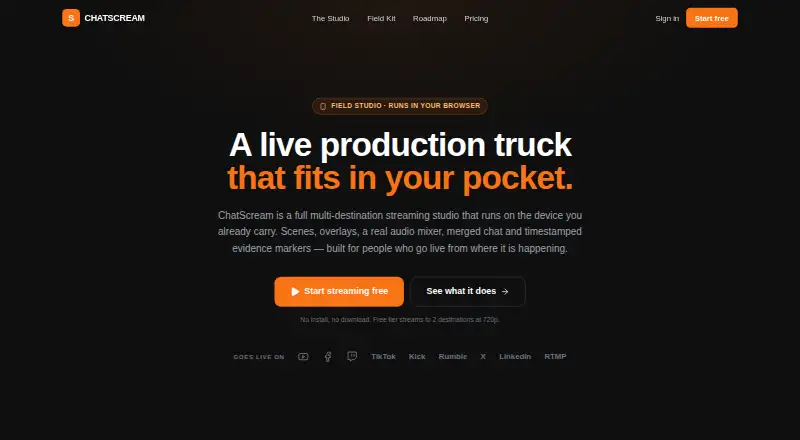
What ChatScream is
ChatScream is a streaming studio for sending broadcasts to multiple destinations from a device you already carry. It lists YouTube, Facebook, Twitch, TikTok, Kick, X, Rumble, LinkedIn, and custom RTMP as destinations. Its scene engine has six layouts: full camera, full screen, picture-in-picture, split, newsroom, and portrait. Production tools include program and preview switching, a media bin, audio mixer, broadcast graphics, and automatic captions with a running transcript. ChatScream records locally in chunks while streaming and saves recordings to a library on the device. Comments from connected destinations merge into one stream for reading or display, with an AI moderator users configure. Remote guests can join by WebRTC without installing anything. For field reporting, timestamped evidence markers can be exported with a recording. The phone layout is designed for one-thumb use and installs as a PWA. Stream keys are handled server-side and are not exposed to the browser; users can connect with OAuth or paste a key. Cloud broadcasting is in development and not yet available. The free plan has two destinations, 720p, a watermark, and 1 GB DVR storage; paid plans begin at $19 a month.
Who it suits
ChatScream suits streamers and field reporters who want to broadcast to several destinations, manage comments, or include remote guests. Its on-device recording and evidence markers may fit reporting workflows.
What it does well
- Lists nine destinations, including custom RTMP
- Offers six scene layouts
- Records locally while streaming
- Remote guests join over WebRTC without installing anything
- Phone layout is designed for one-thumb use
What to know first
- Cloud broadcasting is not yet available
- Free plan includes a watermark
- Free plan is limited to 720p and 1 GB DVR storage
Limits
The Free plan allows two streaming destinations, 720p output, basic overlays, a watermark, 1 GB DVR storage, and no cloud broadcast hours. Paid plans add cloud hours, with 2 hours on Starter, 8 on Creator, and 20 on Pro.
Plans
| Plan | Billed and limits | Price |
|---|---|---|
| Starter | 3 simultaneous destinations · unlimited local device streaming · 2 cloud broadcast hours · 1080p · no watermark · 25 GB DVR storage · 500 AI Co-Host decisions/month · email support | $19 a month |
| Creator | 5 simultaneous destinations · unlimited local device streaming · 8 cloud broadcast hours · 1080p/60fps · no watermark · 100 GB DVR storage · 3,000 AI Co-Host decisions/month · priority support | $39 a month |
| Pro | 8 simultaneous destinations · unlimited local device streaming · 20 cloud broadcast hours · 1080p/60fps · no watermark · 250 GB DVR storage · 12,000 AI Co-Host decisions/month · API access · priority support | $79 a month |
| Free | 2 streaming destinations · unlimited local device streaming · 0 cloud broadcast hours · 720p · basic overlays · watermark · 1 GB DVR storage | On request |
As chatscream.live lists them, read 8 Oct 2026. The maker's own page has the final word.
Getting started
- Open https://chatscream.live/ in a web browser
- Use the phone layout and install ChatScream as a PWA if desired
- Choose the Free, Starter, Creator, or Pro plan
- Connect destinations with OAuth or a pasted stream key
- Select a scene layout and begin streaming
Verdict
ChatScream combines multistream production, local recording, merged comments, and remote guests in a browser-oriented studio. Cloud broadcasting remains unavailable, and the free plan has lower listed resolution and storage than the paid plans.
Questions
Is ChatScream free?
Yes. A Free plan is available, alongside paid Starter, Creator, and Pro plans.
What does Starter cost?
Starter costs $19 a month.
Which platforms does ChatScream support?
It supports the web and installs as a PWA for phone use.
Which destinations can it stream to?
Listed destinations are YouTube, Facebook, Twitch, TikTok, Kick, X, Rumble, LinkedIn, and custom RTMP.
Does it support remote guests?
Yes. Guests can send a camera through WebRTC without installing anything.
Is cloud broadcasting available?
Cloud broadcasting is described as in development and not yet available.
Facts from ChatScream's own pages
- Cloud broadcasting
- Cloud broadcasting is described as in development and not yet available; included cloud hours begin counting when it ships. · chatscream.live, 8 Oct 2026
- Destinations
- The site lists YouTube, Facebook, Twitch, TikTok, Kick, X, Rumble, LinkedIn, and custom RTMP as streaming destinations. · chatscream.live, 8 Oct 2026
- Field reporting
- The site describes the product as made for accountability work and offers timestamped evidence markers that can be exported with the recording. · chatscream.live, 8 Oct 2026
- Headquarters
- The site describes ChatScream as a live production studio for the field and lists Houston, TX. · chatscream.live, 8 Oct 2026
- Merged chat
- Comments from connected destinations merge into one stream that users can read and put on screen, with an AI moderator they configure. · chatscream.live, 8 Oct 2026
- Mobile use
- ChatScream says its phone layout is designed for one-thumb use and installs as a PWA. · chatscream.live, 8 Oct 2026
- Product
- ChatScream describes itself as a multi-destination streaming studio that runs on the device you already carry. · chatscream.live, 8 Oct 2026
- Production tools
- The studio includes program and preview switching, a media bin, an audio mixer, broadcast graphics, and automatic captions with a running transcript. · chatscream.live, 8 Oct 2026
- Recording
- ChatScream records locally in chunks while streaming and saves recordings to a library on the device. · chatscream.live, 8 Oct 2026
- Remote guests
- Users can invite a remote guest camera over WebRTC, and the guest does not need to install anything. · chatscream.live, 8 Oct 2026
- Scenes
- The scene engine offers six layouts: full camera, full screen, picture-in-picture, split, newsroom, and portrait. · chatscream.live, 8 Oct 2026
- Stream-key handling
- The site says stream keys are handled server-side and never exposed to the browser, and users can connect with OAuth or paste a key. · chatscream.live, 8 Oct 2026
Where ChatScream stands on Freedom251
- Game Streaming Software#4 of 45