Freedom251 › Twitch Streaming Software

CameraFi Live
What CameraFi Live is
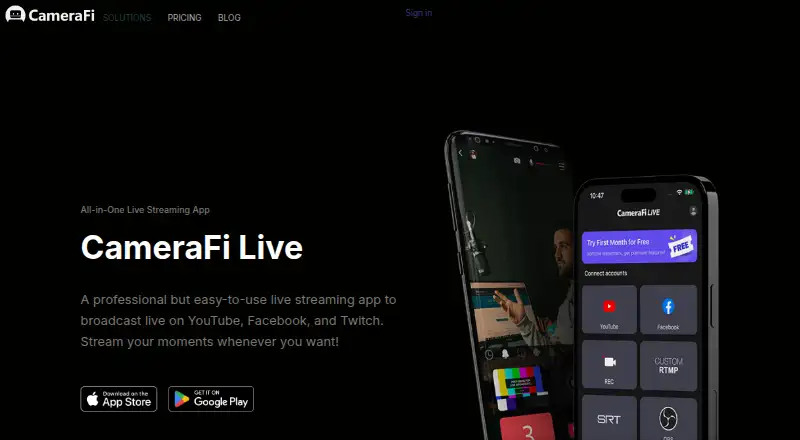
CameraFi Live is a smartphone app for recording and broadcasting video on Android and iOS. It can stream to YouTube, Facebook, Twitch, Restream, RTMP, and SRT. Restream supports multi-streaming to more than 30 platforms. On Android, you can use the built-in camera, USB cameras, capture cards, and video files as video sources. The app also supports connecting DSLRs, camcorders, drones, and other devices; the maker says Accsoon SeeMo enables pro-camera use on iOS.
Production tools include image, text, video, and audio overlays, video filters, motion effects, presets, picture-in-picture, instant replay, chat overlays, audio mixing, multiple shots, and saving live video to the smartphone. Web source overlays can connect donation and subscription alert platforms such as Streamlabs. Supported video sizes range from SD through UHD 4K, with maximum resolution and output depending on the streaming platform and smartphone model.
The iOS app supports YouTube, Facebook, OBS, vMix, RTMP, SRT, and recording, with image and text overlays, chat, and web overlays. CameraFi Live has a free plan and premium features available through monthly or annual subscriptions. Google Play lists ads and in-app purchases. Its privacy policy says Vault Micro collects broadcasting information and Google advertising IDs, and obtains broadcasting information through YouTube, Facebook, and Twitch APIs.
Who it suits
CameraFi Live suits smartphone users who want to record or livestream with overlays and production tools. It may also fit creators who use external cameras, stream to several destinations, or want to connect web-based donation and subscription alerts.
What it does well
- Streams to YouTube, Facebook, Twitch, Restream, RTMP, and SRT.
- Restream supports multi-streaming to more than 30 platforms.
- Android sources include USB cameras, capture cards, and video files.
- Production tools include instant replay, audio mixing, and picture-in-picture.
- Supports video sizes through UHD 4K, depending on platform and phone.
What to know first
- The free app includes ads and in-app purchases.
- Maximum resolution and output vary by streaming platform and smartphone model.
- Premium features use monthly or annual subscriptions.
Limits
The free app includes ads and in-app purchases. Maximum resolution and supported output depend on the streaming platform and smartphone model; premium features are available through monthly or annual subscriptions.
Plans
| Plan | Billed and limits | Price |
|---|---|---|
| All-In-One Package | Premium CameraFi Live features | On request |
| CameraFi Live | Free app with ads and in-app purchases; premium subscription available monthly or annually, but prices are not stated on the pages opened | Free |
As camerafi.com lists them, read 20 Sept 2026. The maker's own page has the final word.
Getting started
- Visit the CameraFi Live website.
- Install the app on an Android or iOS device.
- Choose a video source, such as the built-in camera or an available external source.
- Select a supported streaming destination or recording option.
- Add overlays or production tools as needed, then choose an output supported by your platform and smartphone.
Verdict
Choose CameraFi Live if you want a smartphone recording and streaming app with overlays, production tools, and several output destinations. Check that your streaming platform and smartphone support the output quality you need; premium features are subscription based.
Questions
Which platforms does CameraFi Live support?
CameraFi Live is listed for Android and iOS.
Where can it stream?
Destinations include YouTube, Facebook, Twitch, Restream, RTMP, and SRT. The iOS app also supports OBS and vMix.
Does CameraFi Live have a free plan?
Yes. The CameraFi Live plan is listed as free, and Google Play lists ads and in-app purchases.
What video quality can it output?
Supported video sizes range from SD through UHD 4K. Maximum resolution and output vary by streaming platform and smartphone model.
Are premium features available?
Yes. The terms describe monthly and annual subscriptions for premium features.
What information does the privacy policy say is collected?
It says Vault Micro collects broadcasting information and Google advertising IDs, and obtains broadcasting information through YouTube, Facebook, and Twitch APIs.
Facts from CameraFi Live's own pages
- External camera compatibility
- The maker describes connecting DSLRs, camcorders, drones, and other devices, and says Accsoon SeeMo enables pro-camera use on iOS. · camerafi.com, 11 Oct 2026
- Free plan
- Yes · camerafi.com, 20 Sept 2026
- Headquarters
- Seoul, South Korea · camerafi.com, 28 Sept 2026
- Integrations
- The app can use web source overlays to connect donation and subscription alert platforms such as Streamlabs. · play.google.com, 11 Oct 2026
- iOS support
- The iOS app supports YouTube, Facebook, OBS, vMix, RTMP, SRT, and recording, with image and text overlays, chat, and web overlays. · blog.camerafi.com, 11 Oct 2026
- Live production
- The app offers instant replay, chat overlay, audio mixing, multiple shots, and saving live video to the smartphone. · play.google.com, 11 Oct 2026
- Notable limitation
- The maker says maximum resolution and supported output vary by streaming platform and smartphone model. · play.google.com, 11 Oct 2026
- Overlays and effects
- Features include image, text, video, and audio overlays, video filters, motion effects, presets, and picture-in-picture. · play.google.com, 11 Oct 2026
- Premium and ads
- Google Play lists ads and in-app purchases; the terms describe monthly and annual subscriptions for premium features. · camerafi.com, 11 Oct 2026
- Privacy practices
- The privacy policy says Vault Micro collects broadcasting information and Google advertising IDs, and obtains broadcasting information through YouTube, Facebook, and Twitch APIs. · camerafi.com, 11 Oct 2026
- Purpose
- CameraFi Live is a smartphone app for recording and live broadcasting video. · play.google.com, 11 Oct 2026
- Resolution
- Supported video sizes range from SD through UHD 4K, depending on the streaming platform and smartphone model. · play.google.com, 11 Oct 2026
- Security statement
- Google Play says data is encrypted in transit and users can request data deletion. · play.google.com, 11 Oct 2026
- Streaming destinations
- It supports streaming to YouTube, Facebook, Twitch, Restream, RTMP, and SRT; Restream enables multi-streaming to more than 30 platforms. · play.google.com, 11 Oct 2026
- Support
- The app listing provides [email protected] for support and feedback. · play.google.com, 11 Oct 2026
- Video sources
- On Android, video sources include the built-in camera, USB cameras, capture cards, and video files. · play.google.com, 11 Oct 2026
Where CameraFi Live stands on Freedom251
- Twitch Streaming Software#1 of 26
- Live Streaming Encoders#3 of 69
- Game Streaming Software#3 of 45
- Live TV streaming services#45 of 169
- Live streaming software#39 of 134
- Live Streaming Software#40 of 137