Freedom251 › CRM Data Migration Software
CDS Data Migrator
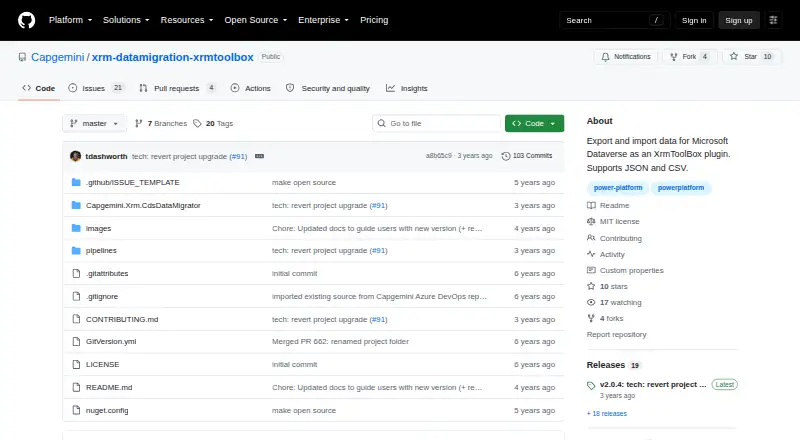
What CDS Data Migrator is
CDS Data Migrator is an XrmToolBox plugin for exporting and importing Microsoft Dataverse data between environments. It works with JSON and CSV, and generates schemas for choosing entities, attributes, and relationships. Schemas can include filters and GUID mappings saved in JSON files. During import, selected string fields can be replaced with same-length random alphanumeric strings, and selected numeric fields with random numbers. The guide describes transferring sample production data to test or UAT environments, as well as moving configuration data such as Calendars, Business Units, Teams, and Organisation Settings. To use it, connect to a Dynamics 365 organization and install XrmToolBox first. XrmToolBox is a Windows application, and the plugin's listed deployment is desktop. The software is free under the MIT License, subject to its conditions; that license provides the software without warranty. The maker, Capgemini, lists its head office in Paris, France. The plugin listing identifies version 2.0.4 as the latest version.
Who it suits
It suits teams moving Dataverse records or configuration data between environments, including transfers to test or UAT. Users need a Windows system with XrmToolBox installed and a connection to a Dynamics 365 organization.
What it does well
- Imports and exports JSON and CSV data.
- Schemas select entities, attributes, and relationships.
- Supports filters and GUID mappings.
- Can obfuscate selected strings and numbers during import.
- Free under the MIT License.
What to know first
- Requires XrmToolBox to be installed first.
- XrmToolBox is a Windows application.
- MIT License provides the software without warranty.
Plans
| Plan | Billed and limits | Price |
|---|---|---|
| MIT-licensed software | MIT License | Free |
As github.com lists them, read 5 Oct 2026. The maker's own page has the final word.
Getting started
- Open the CDS Data Migrator project website.
- Install XrmToolBox on Windows.
- Open the plugin in XrmToolBox.
- Connect to a Dynamics 365 organization.
- Create or use a schema to choose entities, attributes, relationships, filters, and GUID mappings.
- Import or export data in JSON or CSV.
CDS Data Migrator is a free, open-source XrmToolBox plugin for moving Microsoft Dataverse records and configuration between environments. It is best suited to Windows-based Dataverse teams that need selective, file-based transfers rather than a hosted integration service. Its focused controls are useful, but the XrmToolBox prerequisite and license disclaimer narrow its appeal.
Overview
The plugin exports and imports Dataverse data in JSON and CSV. Its schema-driven approach lets you choose the entities, attributes, and relationships involved in a transfer, then save that definition as a JSON file. Filters and GUID mappings make the same schema more practical when the destination does not match the source exactly.
Typical uses include moving sample production data into test or UAT environments and carrying configuration data between environments. The migration guide specifically names Calendars, Business Units, Teams, and Organisation Settings. To use the migrator, you connect it to a Dynamics 365 organization. It is therefore a targeted Dataverse utility, not a standalone migration application.
Key features
- Schema-based selection: Select entities, fields, and relationships instead of exporting an entire organization. This suits controlled migrations and reduces irrelevant data in a transfer.
- Filters and GUID mappings: Filters limit what moves, while GUID mappings help reconcile identifiers between environments. Both are retained in JSON schema files, supporting repeatable jobs.
- JSON and CSV files: Two common formats provide a straightforward file-based workflow for import and export. Teams can keep schemas and transfer files alongside their other deployment materials.
- Import-time obfuscation: Selected string fields can be replaced with same-length random alphanumeric values, and selected numbers with random numbers. That is useful when production samples must be placed in test or UAT without retaining the original values.
- Relationship migration: Relationships are part of schema selection, so the tool is more suitable for connected Dataverse data than a flat-row exporter.
- Open-source distribution: The XrmToolBox listing identifies the plugin as open source and gives version 2.0.4 as the latest version.
Pricing
CDS Data Migrator costs nothing under the MIT License. There are no paid tiers, seat charges, usage quotas, renewal terms, or trial period to weigh. That makes it a practical choice for teams that can operate a desktop utility and want to avoid subscription costs.
The trade-off is operational rather than financial. The software is licensed without warranty, so organizations remain responsible for validating transfers and deciding whether an unsupported failure mode is acceptable. The MIT license grants free use subject to its stated conditions; it does not provide a service commitment.
Platforms
The deployment is desktop on Windows. XrmToolBox must be installed first, and XrmToolBox itself is a Windows application that connects to Microsoft Dataverse. There is no stated web, macOS, Linux, Android, or iOS version, so this is unsuitable for teams that require browser-only or cross-platform administration.
Who it's for
Choose CDS Data Migrator when your work centers on Microsoft Dataverse and you need to move selected records or configuration between Dynamics 365 environments. It fits administrators and developers who are comfortable defining schemas, managing JSON or CSV files, and running a Windows tool through XrmToolBox. The obfuscation controls are particularly relevant to teams preparing realistic test data from production samples.
Look elsewhere if you need a hosted service, broad connector coverage, a non-Windows workflow, or a vendor-backed warranty. Its value depends on already using the Microsoft/XrmToolBox ecosystem.
Pros and cons
Pros
- Free MIT-licensed software: There is no subscription, seat fee, quota, or renewal cost.
- Selective migrations: Entity, attribute, relationship, filter, and GUID controls support focused transfers rather than all-or-nothing exports.
- Useful test-data protection: Import-time replacement of selected strings and numbers helps reduce exposure of production values.
- Configuration coverage: Calendars, Business Units, Teams, and Organisation Settings are named migration targets.
Cons
- Windows and XrmToolBox dependency: Setup requires a separate Windows application and a Dynamics 365 organization connection.
- Desktop-only workflow: It does not suit teams seeking a browser-based or cross-platform service.
- No warranty: The MIT license disclaims warranty, leaving validation and operational risk with the user.
Alternatives
For a broader CRM data-migration shortlist, see CRM Data Migration Software.
Freshsales is a freemium CRM with web, mobile, API, and extension platforms; choose it instead when you need a CRM product rather than a Dataverse migration utility. Zoho CRM likewise provides a freemium CRM across web, mobile, and API platforms, making it the better fit when the destination is CRM operation itself.
Skyvia is a web/API integration service with a free tier capped at 10,000 records per month and two scheduled integrations, so it is preferable when you want hosted scheduling. Workbench is free across web, Windows, macOS, Linux, API, and self-hosted deployments, making it the more flexible platform choice.
Airbyte Data Replication suits teams seeking a hosted or self-hosted replication service with a Standard plan starting at $20 per month and a 30-day trial. Celigo is a web integration platform whose free plan allows two endpoints, one flow, and one production environment. Dataimporter offers a web free plan with 20,000 records, a 1 GB backup, one production instance, and one integration. dataloader.io is a web service with a Professional plan at $99 a month, including 100,000 records per month and unlimited tasks.
Verdict
CDS Data Migrator is a strong choice for Windows-based Dataverse practitioners who need free, schema-controlled transfers with relationship handling, GUID mapping, and selective obfuscation. Choose it for focused environment migration and configuration movement; look elsewhere if you need a hosted, cross-platform service, wider integration scope, or warranty-backed support.
Verdict
CDS Data Migrator offers schema-based Dataverse transfers with filtering, GUID mapping, and import-time obfuscation. It depends on XrmToolBox and a Dynamics 365 organization connection, and its license disclaims warranty.
Questions
How much does CDS Data Migrator cost?
The listed MIT-licensed software plan is free (MIT License).
Is there a free plan?
Yes. It is listed as free and provided under the MIT License, subject to that license's conditions.
Which platforms does it support?
It is listed for Windows as a desktop plugin. It requires XrmToolBox, which is a Windows application.
What data formats does it support?
It imports and exports data in JSON and CSV formats.
What can it migrate?
It can transfer Dataverse entities, attributes, and relationships. The guide describes sample production data and configuration data such as Calendars, Business Units, Teams, and Organisation Settings.
Who makes CDS Data Migrator?
Capgemini is the maker, and its head office is listed in Paris, France.
Facts from CDS Data Migrator's own pages
- Calendar migration
- The XrmToolBox listing names the ability to migrate Calendars as a feature. · xrmtoolbox.com, 5 Oct 2026
- Configuration data
- The guide describes migrating configuration data such as Calendars, Business Units, Teams, and Organisation Settings between environments. · github.com, 5 Oct 2026
- Data formats
- The plugin supports data import and export in JSON and CSV formats. · github.com, 5 Oct 2026
- Data obfuscation
- The tool can replace selected string fields with same-length random alphanumeric strings and selected numbers with random numbers during import. · github.com, 5 Oct 2026
- Distribution
- The plugin listing identifies it as open source and lists version 2.0.4 as the latest version. · xrmtoolbox.com, 5 Oct 2026
- Environment connection
- The guide says users connect to a Dynamics 365 organization to use the migrator. · github.com, 5 Oct 2026
- Filters and mappings
- Schemas can use filters and GUID mappings, which are stored in JSON file formats. · github.com, 5 Oct 2026
- Formats
- It supports importing and exporting data in JSON and CSV formats. · github.com, 5 Oct 2026
- Headquarters
- Paris, France · github.com, 28 Sept 2026
- License
- The repository provides the software under the MIT License, which grants free use subject to its stated conditions. · github.com, 5 Oct 2026
- License limitation
- The MIT license states that the software is provided without warranty. · github.com, 5 Oct 2026
- Maker headquarters
- Capgemini lists its head office in Paris, France. · capgemini.com, 5 Oct 2026
- Migration examples
- The guide names Calendars, Business Units, Teams, and Organisation Settings as reference or configuration data that can be moved between environments. · github.com, 5 Oct 2026
- Platform
- XrmToolBox is a Windows application that connects to Microsoft Dataverse. · xrmtoolbox.com, 5 Oct 2026
- Prerequisite
- Using the plugin requires installing XrmToolBox first. · github.com, 5 Oct 2026
- Purpose
- CDS Data Migrator is an XrmToolBox plugin for exporting and importing Microsoft Dataverse data. · github.com, 5 Oct 2026
- Schemas
- It generates schemas for selecting entities, attributes, and relationships to import or export. · github.com, 5 Oct 2026
- Who it serves
- The guide describes using the tool to transfer sample production data into test or UAT environments and configuration data into other environments. · github.com, 5 Oct 2026
Where CDS Data Migrator stands on Freedom251
- CRM Data Migration Software#5 of 41