Freedom251 › Event Lead Capture Software
Capture Show Leads
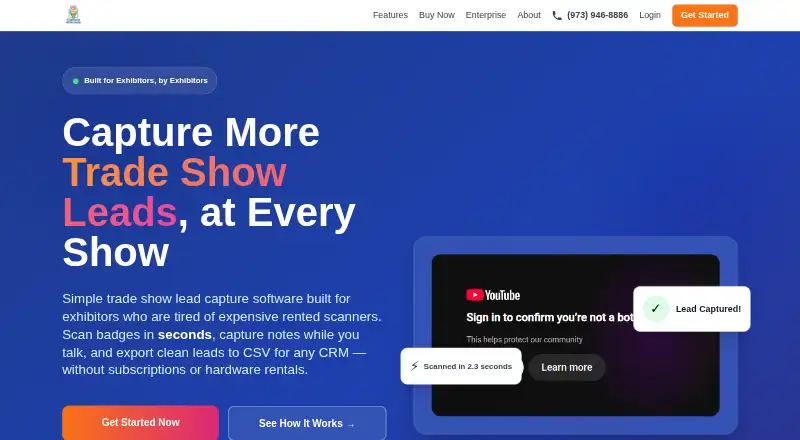
What Capture Show Leads is
Capture Show Leads helps exhibitors and booth teams collect attendee details at trade shows and prepare them for follow-up. Staff can use a phone camera to scan badges without separate scanner hardware, or record business card details, then enrich each lead with notes, interest tags, a hot, warm, or cold rating, photos, and voice memos. From the booth, users can email prospects catalogs, sell sheets, and PDFs. Reports show lead totals by show and representative.
The service runs in a browser on phones, tablets, and laptops, including iPhone and Android devices; no app download is needed. Leads export as CSV for import into Salesforce, HubSpot, Zoho, Pipedrive, Microsoft Dynamics, or another system that accepts CSV, but direct CRM sync is not available. Offline capture and automatic sync are beta functionality, which the site advises testing before relying on them for critical work. A free test run requires no credit card and ends the day before the show starts. Paid packages are one-time purchases, with data entry available only while a trade show is active.
Who it suits
It suits exhibitors and booth teams that want to collect and qualify leads using devices they already own. Teams that need direct CRM synchronization should account for the CSV export workflow instead.
What it does well
- Scan attendee badges with a phone camera, without separate scanner hardware.
- Add notes, tags, ratings, photos, and voice memos to lead records.
- Email catalogs, sell sheets, and PDFs to prospects at the booth.
- See lead counts by show and representative.
- Use it in a browser on phones, tablets, and laptops.
What to know first
- Data entry is available only during active trade shows.
- Direct CRM sync is unavailable; leads export as CSV.
- Offline capture and automatic sync are beta functionality.
Limits
Data entry is available only during active trade shows. Offline capture and automatic sync are beta functionality, and the free test run ends the day before the show starts.
Plans
| Plan | Billed and limits | Price |
|---|---|---|
| 1 Show / 5 Seats | Regular price before discounts; with coupon $199 · 1 show · 5 seats · $39.80 per user | $399, paid once |
| 1 Show / 10 Seats | Regular price before discounts; with coupon $349 · 1 show · 10 seats · $34.90 per user | $699, paid once |
| 1 Show / 1 Seat | Regular price before discounts; with coupon $49 · 1 show · 1 seat · data entry only during active trade show | $99, paid once |
As captureshowleads.com lists them, read 15 Oct 2026. The maker's own page has the final word.
Getting started
- Open https://www.captureshowleads.com/.
- Start the free test run without a credit card; it ends the day before the show starts.
- Choose a one-time package for one show and the required number of seats.
- Use the browser on a phone, tablet, or laptop; no app download is needed.
- During the active show, scan badges or record business card details, then export leads as CSV for follow-up.
Verdict
Choose Capture Show Leads if your booth team needs badge scanning, lead qualification, and follow-up materials on devices it already owns. Look elsewhere if you require direct CRM sync or need to enter data outside active trade shows.
Questions
How much does Capture Show Leads cost?
The listed one-time plans are 1 Show / 1 Seat for $99, paid once, 1 Show / 5 Seats for $399, paid once, and 1 Show / 10 Seats for $699, paid once. Listed coupon prices are $49, $199, and $349 respectively.
Is there a free plan or trial?
There is no free plan. A free test run is available without a credit card and ends the day before the show starts.
What devices can I use?
It runs in a browser on phones, tablets, and laptops, including iPhone and Android devices. No app download is needed.
Can it send leads directly to my CRM?
Direct CRM sync is not available. Leads export as CSV for import into Salesforce, HubSpot, Zoho, Pipedrive, Microsoft Dynamics, or other systems that accept CSV.
Does it work offline?
Offline capture and automatic sync are described as beta functionality. The site recommends testing them before relying on them for mission-critical use.
How can I contact support?
The pricing page lists email support at [email protected] and phone support at (973) 946-8886.
Facts from Capture Show Leads's own pages
- Active-show restriction
- New data entry is available only while a trade show is active. · captureshowleads.com, 15 Oct 2026
- Android app function
- Google Play describes Capture Leads as an Android app that stores multiple events, scans badges, records notes, and synchronizes offline data. · play.google.com, 15 Oct 2026
- Android app update
- Google Play lists the Android app as updated on October 31, 2025. · play.google.com, 15 Oct 2026
- Android data disclosure
- Google Play lists no data shared with third parties and no data collected for the app. · play.google.com, 15 Oct 2026
- Android developer
- Google Play identifies the developer as Capture Technologies, LLC at 1500 W Blancke St, Linden, New Jersey. · play.google.com, 15 Oct 2026
- API and SDKs
- The published developer-facing workflow explains CSV export and import; the cited product pages do not document a public API or SDK. · captureshowleads.com, 15 Oct 2026
- Badge scanning
- The product scans attendee badges with a phone or tablet camera. · captureshowleads.com, 15 Oct 2026
- Booth follow-up
- Users can email catalogs, sell sheets, and PDFs to prospects from the booth. · captureshowleads.com, 3 Oct 2026
- Business-card scanning
- The workflow supports scanning business cards when badges are unavailable. · captureshowleads.com, 15 Oct 2026
- Company founding
- LinkedIn lists Capture Technologies as founded in 2000. · linkedin.com, 15 Oct 2026
- Company headquarters
- LinkedIn lists Capture Technologies headquarters in Linden, New Jersey. · linkedin.com, 15 Oct 2026
- Company legal name
- The app stores identify the seller and developer as Capture Technologies, LLC. · play.google.com, 15 Oct 2026
- Company ownership
- LinkedIn describes Capture Technologies as privately held. · linkedin.com, 15 Oct 2026
- Company size
- LinkedIn lists the company size as 11–50 employees. · linkedin.com, 15 Oct 2026
- Company specialties
- LinkedIn lists lead retrieval, API integration specialists, event analytics, badge printing, and custom development among the company specialties. · linkedin.com, 15 Oct 2026
- Contract model
- The pricing page says packages have no long-term contracts or subscriptions. · captureshowleads.com, 15 Oct 2026
- CRM integration method
- The documented CRM workflow exports a CSV that users import into Salesforce, HubSpot, Zoho, Pipedrive, or Microsoft Dynamics. · captureshowleads.com, 15 Oct 2026
- CRM workflow
- Leads can be exported as CSV for import into Salesforce, HubSpot, Zoho, Pipedrive, Microsoft Dynamics, or other systems that accept CSV. · captureshowleads.com, 3 Oct 2026
- Deployment
- The site says the product runs in a browser and uses PWA technology, with installation optional. · captureshowleads.com, 15 Oct 2026
- Device support
- The product runs in a browser on phones, tablets, and laptops, including iPhone and Android devices, and the site says no app download is needed. · captureshowleads.com, 3 Oct 2026
- Email follow-up
- Booth staff can email catalogs, sell sheets, and PDFs to prospects from the booth. · captureshowleads.com, 15 Oct 2026
- Hardware requirement
- The maker says no dedicated scanner hardware is required and existing phones, tablets, or laptops can be used. · captureshowleads.com, 15 Oct 2026
- Intended users
- The maker says the product is built for exhibitors and booth teams who want to capture leads at trade shows using devices they already own. · captureshowleads.com, 3 Oct 2026
- iOS app rating availability
- Apple’s Canadian listing says the app has not received enough ratings or reviews to display an overview. · apps.apple.com, 15 Oct 2026
Where Capture Show Leads stands on Freedom251
- Event Lead Capture Software#10 of 27