Freedom251 › Contact Management Software
CamCard
What CamCard is
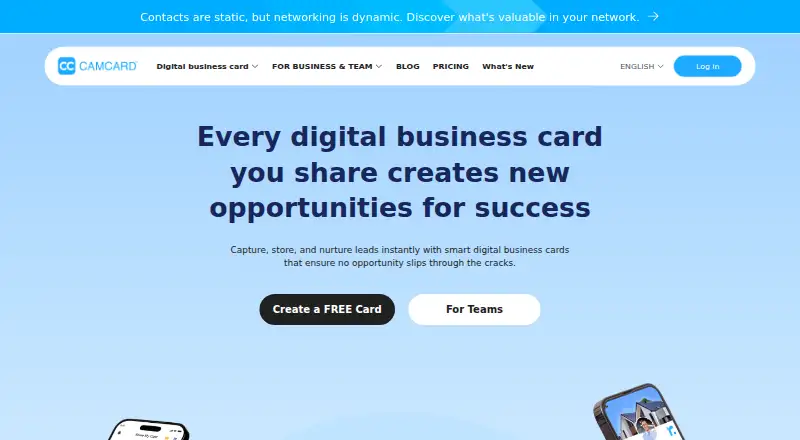
CamCard captures and manages contacts and leads using digital business cards and card scanning. Contact details can come from QR codes, paper cards, email signatures, contact imports, and scanners, with multilingual support. Users can personalize digital cards with a headshot, logo, and design templates, then share them by QR code, SMS, email, URL, or social media. Recipients can view shared cards without the app, and card information can be updated instantly. The team product supports creating, editing, and assigning cards, with roles and permissions for an organization's brand presence; it also describes lead capture and data analysis tools. CamCard Business lists AI contact insights, voice notes, transcription and summaries, and AI email writing. CRM sync includes Salesforce, Microsoft Dynamics, SugarCRM, Google Contacts, and Outlook Contacts, with Excel import/export and open API integration also listed. The free membership includes 20 cards. Business plans have pricing on request, and CamCard Business includes a 10-day trial and unlimited business card scanning.
Who it suits
CamCard suits individuals organizing contacts from business cards and teams handling trade shows or client visits. Teams can also use its CRM connections, card controls, and listed AI assistance.
What it does well
- Captures contacts from cards, QR codes, signatures, and imports.
- Recipients can view shared digital cards without the app.
- Lists CRM sync and Excel import/export.
- Business features include transcription, summaries, and AI email writing.
What to know first
- Free membership is limited to 20 cards.
- Business plan pricing is on request.
- CamCard Business trial lasts 10 days.
Limits
The free membership includes 20 cards, and the stated contact limit is 100 contacts. CamCard Business has a 10-day trial; its plan listing says business-card scanning is unlimited.
Plans
| Plan | Billed and limits | Price |
|---|---|---|
| CamCard free membership | 20 cards | Free |
| CamCard Business | Request pricing · 10-day business free trial · team plan · unlimited business card scanning | On request |
| CamCard Digital Business Card for Teams | Request pricing · Team plan · branded digital cards and engagement measurement · free trial offered | On request |
As camcard.com lists them, read 7 Oct 2026. The maker's own page has the final word.
Getting started
- Open the CamCard website.
- Choose Android, iOS, or web access, or use the listed API.
- Start with the free membership, or request pricing for a team plan.
- For CamCard Business, use the offered 10-day business trial.
CamCard combines business-card scanning with digital cards and contact management. It is best for professionals who collect contacts across meetings and teams that need branded sharing, collaboration and CRM connections. Broad capture and sharing are its strengths; the free allowance is modest, and team plans require custom pricing.
Overview
CamCard brings together contact capture, digital cards and lead management. It can collect details from paper cards, QR codes, email signatures, contact imports and scanners, with multilingual support. That range suits people whose contacts arrive in different formats, while imports from Google Contacts, Outlook and Excel help bring existing records into the same workflow.
Digital cards can be shared by QR code, SMS, email, URL or social media, and recipients do not need CamCard to view them. Cardholders can update information instantly. These options make digital sharing practical beyond in-person exchanges, but the free membership is capped at 20 cards, so it is a limited choice for regular card collectors.
Key features
- Capture and contact management: Multiple capture routes and multilingual support accommodate varied business settings. A 100-contact limit still constrains the free offer for anyone building a substantial address book.
- Personalized digital cards: Headshots, logos and templates let individuals or organizations present a consistent identity. Instant updates reduce the need to circulate revised printed details.
- Team coordination: Business teams can create, edit and assign cards, using roles and permissions to manage organizational branding. Lead capture and analysis add a way to review captured leads, making these features more relevant to teams than to solo users.
- CRM and data connections: CRM sync covers Salesforce, Microsoft Dynamics and SugarCRM, with Google Contacts and Outlook Contacts also supported. Excel import/export and an open API provide additional ways to move data.
- Business tools and security: CamCard Business includes AI contact insights, voice notes, transcription and summaries, and AI email writing. Its advanced login controls include SSO, IP restrictions, device control and multi-factor authentication. The maker states that stored data is encrypted with AES-256 and transfers use 256-bit TLS with 2048-bit RSA keys; it also cites DJCP, ISO/IEC 27001, ISO/IEC 20000, ISO/IEC 9001, CMMI V3.0 Level 5 and ISO/IEC 27701 certifications.
Pricing
CamCard is freemium, but the free tier’s 20-card allowance and 100-contact limit make it better for occasional use than ongoing prospecting. The free membership costs nothing. It offers a way to try core contact capture and card sharing without a subscription, but the small card quota is a meaningful ceiling.
CamCard Business has custom pricing, billed by request, and a 10-day business free trial. It is a team plan with unlimited business-card scanning, team collaboration and AI assistance. Teams handling trade shows or client visits may find the shared controls, CRM connections and lead tools more useful than the free tier; the trial is short, and the price requires a request. The plan comparison also includes a dedicated account manager and priority support.
CamCard Digital Business Card for Teams also has custom pricing, billed by request, with a free trial offered. It focuses on branded digital cards and engagement measurement, making it a more targeted fit for organizations that prioritize their outward-facing cards over the broader scanning and lead workflow.
Platforms
CamCard is available on Android, iOS and the web, with an API platform. Mobile apps on both major phone platforms support collection and sharing across devices, while web and API access can suit broader contact workflows.
Who it's for
CamCard suits professionals who regularly exchange cards and want digital sharing alongside contact capture, as well as teams managing cards and leads across trade shows and client visits. CRM sync, role-based controls and lead analysis give it a stronger case for organized sales or client-facing groups. It is less compelling for occasional users with few contacts who would fit within the free caps, or for budget-conscious teams that need a published team price before evaluating a purchase.
Pros and cons
- Pro: Contacts can be captured from cards, QR codes, email signatures and imports, reducing reliance on a single collection method.
- Pro: Recipients can view digital cards without installing the app, and cardholders can revise details instantly.
- Pro: Team permissions, CRM sync and lead analysis support coordinated contact handling rather than just individual storage.
- Con: The free membership allows only 20 cards, and the 100-contact limit restricts its usefulness as a long-term free contact system.
- Con: Both team offerings use custom pricing, so their cost cannot be assessed without requesting a quote.
Alternatives
For a wider comparison of scanning tools, see Business Card Scanner Software; for broader contact platforms, browse Contact Management Software.
- Bizarc is a free option with unlimited contacts, unlimited campaigns and stated AI-message allowances, suited to readers prioritizing those capacities over CamCard’s card scanning and team card controls.
- NexaLink offers a free plan with one scan, CRM sync, CSV export and seven-day analytics; consider it if a defined low-cost Pro price of $1.99 a month matters more than CamCard’s wider capture routes.
- BizConnect provides up to 50 cards per day and export on its free plan, making it worth considering for readers who need a higher stated free scanning allowance.
- BusinessCardScanner.app gives free users up to 25 monthly scans, AI-powered extraction, duplicate detection and CSV export, a fit for modest scanning needs with those export tools.
- ContactsPlus focuses on synced contacts, with a free allowance of one synced account and 1,000 contacts; choose it when contact synchronization is the priority rather than card capture.
- Kauntech offers a free 49 scans per month, QR scanning, CSV export and offline-first mode, an alternative for readers who value those stated free-plan terms.
- ScanBizAI starts with 10 free scan credits, front-and-back capture, contact management and basic export, which may suit users who want a defined starter allowance.
- ScanBizCards is another business-card scanning alternative.
Verdict
CamCard is a strong fit for professionals and client-facing teams who need several ways to capture contacts, share current digital cards and connect team workflows to CRM systems. Its main reason to choose it is the combination of broad capture with team controls and lead tools. Look elsewhere if the 20-card free cap is too small or if a team needs a published price before committing to an evaluation.
Verdict
CamCard combines card capture with digital sharing and team contact tools. The free tier is small, while team pricing requires a request.
Questions
Does CamCard have a free plan?
Yes. CamCard free membership is listed as free and includes 20 cards.
How much does CamCard Business cost?
Its price is listed as available on request. A 10-day business free trial is offered.
Which platforms does CamCard support?
Android, iOS, and web are listed, along with an API.
Which services can CamCard connect to?
CRM sync is listed for Salesforce, Microsoft Dynamics, and SugarCRM, as well as Google Contacts and Outlook Contacts. Excel import and export and open API integration are also listed.
What security measures does CamCard list?
CamCard says stored data is encrypted with AES-256 and data transfers use 256-bit TLS with 2048-bit RSA keys. CamCard Business lists SSO, IP restrictions, device control, and multi-factor authentication.
Facts from CamCard's own pages
- AI assistance
- CamCard Business lists AI contact insights, voice notes, transcription and summaries, and AI email writing. · b.camcard.com, 7 Oct 2026
- Capture
- It can capture contacts from QR codes, paper business cards, email signatures, contact imports, and scanners, with multilingual support. · camcard.com, 7 Oct 2026
- Data protection
- The security overview says stored data is encrypted with AES-256 and transfers use 256-bit TLS with 2048-bit RSA keys. · camcard.com, 7 Oct 2026
- Digital card
- Users can personalize cards with a headshot, logo, and design templates, and update card information instantly. · camcard.com, 7 Oct 2026
- Headquarters
- Shanghai, China · camcard.com, 23 Sept 2026
- Integrations
- The pricing page lists CRM sync with Salesforce, Microsoft Dynamics, SugarCRM, Google Contacts, and Outlook Contacts, plus Excel import/export and open API integration. · camcard.com, 7 Oct 2026
- Lead analytics
- The team product describes lead capture and data analysis tools for gaining insights from captured leads. · camcard.com, 7 Oct 2026
- Purpose
- CamCard captures, stores, and helps users manage contacts and leads with digital business cards and card scanning. · camcard.com, 7 Oct 2026
- Security certifications
- The maker says CamCard is certified to DJCP, ISO/IEC 27001, ISO/IEC 20000, ISO/IEC 9001, CMMI V3.0 Level 5, and ISO/IEC 27701. · camcard.com, 7 Oct 2026
- Security controls
- CamCard Business lists SSO, IP restrictions, device control, and multi-factor authentication among its advanced login security features. · b.camcard.com, 7 Oct 2026
- Sharing
- Digital business cards can be shared by QR code, SMS, email, URL, or social media, and recipients do not need the app to view them. · camcard.com, 7 Oct 2026
- Support
- The CamCard Business plan comparison lists a dedicated account manager and priority support. · b.camcard.com, 7 Oct 2026
- Team controls
- The team product supports creating, editing, and assigning cards, with roles and permissions to manage an organization’s brand presence. · camcard.com, 7 Oct 2026
- Who it is for
- CamCard Business describes its product for teams handling trade shows and client visits, with scanning, team collaboration, CRM sync, and AI assistance. · b.camcard.com, 7 Oct 2026
Where CamCard stands on Freedom251
- Contact Management Software#2 of 39
- Business Card Scanner Software#3 of 24
- Business Card Scanning Software#3 of 22