Freedom251 › Contact Management Software

Blinq Email Signatures
What Blinq Email Signatures is
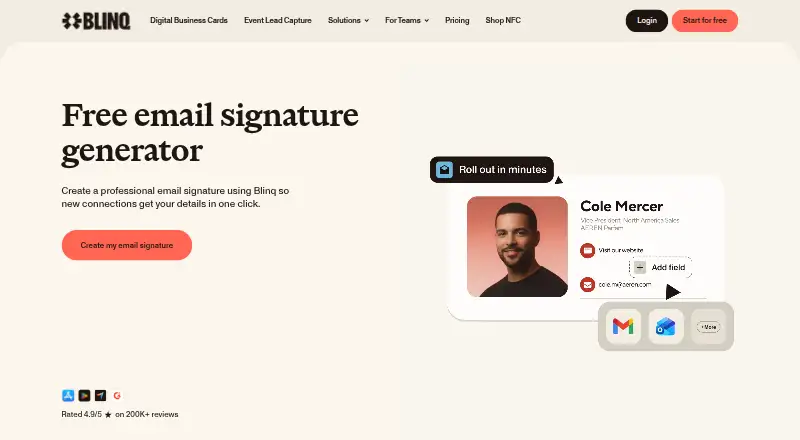
Blinq Email Signatures creates email signatures that link to a Blinq Signature Card, where recipients can save the sender’s contact details. Users can customize fields, images, links, fonts, colors, icons, and the Save contact button. Changes made in Blinq apply to signatures automatically, so users do not need to paste an updated version. Business owners and admins can create team signatures and assign them to team members from a dashboard. Blinq lists Gmail web, Outlook web, Apple Mail for Mac, and Apple Mail for iPhone as supported clients. The mobile experience differs by app: Outlook and Gmail mobile apps support plain-text signatures, while Apple Mail for iPhone supports image-based signatures. HTML signatures are available on Business plans, and teams must contact Blinq Support to enable them. Teams can centrally manage branded signatures across Gmail and sync signatures with Google Workspace. Blinq offers a free plan and a 7-day trial; paid plans start at $4.99 per user per month billed annually. Blinq says it is SOC 2 Type II certified and does not sell user data to third parties.
Who it suits
Blinq suits individuals who want a customizable email signature and teams that need centrally managed signatures. Teams using Gmail can manage branded signatures centrally and sync with Google Workspace.
What it does well
- Signature edits update automatically without pasting again.
- Customizes fields, images, links, fonts, colors, and icons.
- Admins can assign team signatures from a dashboard.
- Supports Gmail web, Outlook web, and Apple Mail clients.
- Offers a free plan and a 7-day trial.
What to know first
- Outlook and Gmail mobile apps support plain-text signatures only.
- HTML signatures require a Business plan and support enablement.
- Business plans require a minimum of five cards.
Limits
The free plan includes one personal email signature and two digital business cards. Business plans require at least five cards; HTML signatures require a Business plan and support enablement. Outlook and Gmail mobile apps only support plain-text signatures.
Plans
| Plan | Billed and limits | Price |
|---|---|---|
| Free | forever · up to 2 digital business cards · unlimited QR/widget/email/SMS sharing · personal email signature · virtual backgrounds | Free |
| Business (annual) | Billed annually, per user · For teams · admin controlled email signatures · minimum five cards | $4.99 a year |
| Business | monthly; $4.99/card/month billed annually ($59.88/year) · team cards · admin management · branding control · managed email signatures · AI scanner/enrichment · CRM integrations | $6.99 a month |
| Business (monthly) | Billed monthly, per user · For teams · admin controlled email signatures · minimum five cards | $6.99 a month |
| Premium (annual) | Billed annually · For individuals · personal email signature · up to five digital business cards | $7.33 a year |
| Premium | monthly; $7.33/month billed annually · up to 5 cards · universal scanner · AI notetaker · advanced enrichment · branded QR · CSV export · 7-day trial | $9.99 a month |
| Premium (monthly) | Billed monthly · For individuals · personal email signature · up to five digital business cards | $9.99 a month |
| Enterprise | custom contract and volume pricing · enforced SSO · SCIM provisioning · dedicated CSM · priority support · custom reporting | On request |
As blinq.me lists them, read 14 Oct 2026. The maker's own page has the final word.
Getting started
- Open the Blinq Email Signatures website.
- Choose the free plan or review paid plans; a 7-day trial is available.
- Create a personal signature, or use a Business plan for admin-controlled team signatures.
- Customize the signature fields, images, links, fonts, colors, icons and Save contact button.
- Use a supported email client: Gmail web, Outlook web, Apple Mail for Mac or Apple Mail for iPhone.
- For HTML signatures on Business, contact Blinq Support to enable the feature.
Blinq Email Signatures is a personal and team signature tool that links recipients to a saveable contact card. It suits individuals who want a customizable signature and organizations that need centralized administration; its main trade-offs are mobile-client restrictions and a five-card minimum for Business.
Overview
Each signature links to a Blinq Signature Card, where recipients can save the sender’s contact details. Users can tailor fields, images, links, fonts, colors, icons and the Save contact button. Edits in Blinq flow through to signatures automatically, so users do not have to paste an updated version into their email client.
That live updating is useful when contact details or branding change. The approach is less direct than a static contact block: recipients need to open the linked card to save its details.
Key features
Business owners and admins can create signatures in a dashboard and assign them to team members. Blinq also supports centrally managing branded Gmail signatures and syncing signatures with Google Workspace, making it more compelling for teams seeking consistency than for organizations that only need a one-off personal signature.
HTML signatures are available on Business plans, but teams must contact Blinq Support to enable them. That requirement adds a step for teams that need HTML output. Blinq says it is SOC 2 Type II certified, encrypts data in transit with TLS 1.2 or higher and at rest with AES-256, and does not sell user data. Email-signature help is available through the Help Center chat widget or [email protected].
Pricing
The free plan costs nothing and lasts forever. It includes one personal email signature, two digital business cards, unlimited sharing and contact creation. That is a useful starting point for an individual, but it does not include the team administration associated with Business.
Premium is for individuals and includes a personal email signature and up to five digital business cards. Premium (annual) costs $7.33 a year, billed annually; Premium (monthly) costs $9.99 a month, billed monthly. Choose annual billing for the lower stated rate, or monthly billing if you prefer not to commit to an annual term.
Business is for teams, with admin-controlled email signatures and a minimum of five cards. Business (annual) costs $4.99 a year per user, billed annually; Business (monthly) costs $6.99 a month per user, billed monthly. The five-card minimum makes it a poor fit for a smaller team that only needs a few signatures, even though administration and Google Workspace syncing are useful for centrally managed deployments. HTML signatures also require contacting support to enable them.
Enterprise has custom pricing and offers volume-based pricing and invoice billing for organizations. Blinq offers a 7-day trial. Compare the plan’s card minimum and billing term with your team’s size before choosing Business.
Platforms
Blinq is available on Android, iOS, macOS and the web. It lists Gmail web, Outlook web, Apple Mail for Mac and Apple Mail for iPhone as supported clients. The mobile distinction matters: Outlook and Gmail mobile apps support only plain-text signatures, while Apple Mail for iPhone supports Blinq’s image-based signatures. If image-based signatures are essential on Gmail or Outlook mobile, Blinq is not the right fit.
Who it's for
Blinq fits individuals who want a customizable signature linked to a saveable contact card, and teams that value central assignment, consistent branding and Google Workspace syncing. It is less suitable for users who need image-based signatures in the Gmail or Outlook mobile apps, or small teams that cannot use a five-card minimum.
Pros and cons
- Pro: Automatic updates keep signatures current without asking users to paste them again.
- Pro: Admin assignment and Google Workspace syncing support centrally managed team branding.
- Pro: The free plan includes a personal signature, two cards and unlimited sharing and contact creation.
- Con: Gmail and Outlook mobile apps allow only plain-text signatures, limiting image-based designs on those clients.
- Con: Business requires at least five cards, which may be more than a small team needs.
- Con: Business HTML signatures require contacting support to enable them.
Alternatives
For a broader comparison of email signature management software, consider whether centralized signature controls or a wider digital-card focus matters more. Browse digital business card software if the card itself is the main priority, or contact management software if managing contacts is the primary need.
HiHello Email Signature Manager is a direct alternative with a free Personal plan for one user, four cards, a personal signature and five card and badge scans per month; choose it if that specific free allowance better suits you.
IdentiQ, One Good Card, AntCards, Dot, Haystack, KADO and Linq are other alternatives to compare.
Verdict
Choose Blinq if you want a signature that stays updated and a team setup with admin assignment and Google Workspace syncing. Look elsewhere if image-based signatures must work in Gmail or Outlook mobile, or if a five-card Business minimum is too much for your team.
Verdict
Blinq combines editable signatures with a contact-saving card and team controls. Check email-client behavior and the Business plan requirements if you need image-based or HTML signatures.
Questions
Is there a free plan?
Yes. The free plan includes a personal email signature, two digital business cards, unlimited sharing and contact creation.
What does Blinq cost?
Blinq lists paid plans from $4.99/user/mo (annual). It also lists a 7-day trial.
Which email clients are supported?
Blinq lists Gmail web, Outlook web, Apple Mail for Mac and Apple Mail for iPhone. Outlook and Gmail mobile apps support plain-text signatures, while Apple Mail for iPhone supports image-based signatures.
Can teams manage signatures centrally?
Yes. Business owners and admins can create and assign team signatures from a dashboard. Blinq also says teams can manage branded Gmail signatures centrally and sync with Google Workspace.
Does Blinq provide HTML email signatures?
HTML signatures are available on Business plans. Teams are instructed to contact Blinq Support to enable them.
What does Blinq say about data security and privacy?
Blinq says it is SOC 2 Type II certified, encrypts data in transit with TLS 1.2 or higher and at rest with AES-256, and does not sell user data.
Facts from Blinq Email Signatures's own pages
- API access
- Blinq pricing lists API access, bulk card creation by API and API provisioning through Active Directory or Okta. · blinq.me, 14 Oct 2026
- App-store complaint
- A Google Play reviewer reported that an update removed a previously available 4x2 widget option. · play.google.com, 14 Oct 2026
- Audience
- The product page presents email signatures for individuals and teams, with team signatures managed centrally. · blinq.me, 8 Oct 2026
- Company headquarters
- LinkedIn lists Melbourne, Victoria, Australia as headquarters. · linkedin.com, 14 Oct 2026
- Company legal name
- The legal entity is Blinq Technologies Pty Ltd. · crunchbase.com, 14 Oct 2026
- Company size
- LinkedIn lists 51-200 employees. · linkedin.com, 14 Oct 2026
- Customization
- Users can customize their signature’s fields, images, links, fonts, colors, icons, and Save contact button. · support.blinq.me, 8 Oct 2026
- Data policy
- Blinq says it does not sell customer data to third parties. · blinq.me, 14 Oct 2026
- Developer documentation
- Blinq publishes technical documentation for integrations, CRM synchronization, user provisioning and event lead-capture workflows. · docs.blinq.me, 14 Oct 2026
- Documentation depth
- The help center includes dedicated guides for individual and team email signatures, Google Workspace synchronization, CRM exports, SSO, SCIM and many integration setups. · support.blinq.me, 14 Oct 2026
- Dynamic updates
- Changes made in Blinq apply to signatures automatically without requiring users to paste the signature again. · support.blinq.me, 8 Oct 2026
- Email clients
- Blinq provides paste-in instructions for Gmail, Outlook and Apple Mail on desktop, plus an iPhone Apple Mail workflow. · support.blinq.me, 14 Oct 2026
- Email-signature creation
- Users choose a layout, fill contact and social fields, customize fonts, colors and logos, then copy the signature into an email provider. · blinq.me, 14 Oct 2026
- Encryption and hosting
- Blinq says it hosts on Google Cloud, encrypts traffic with TLS 1.2 or higher and data at rest with AES-256. · blinq.me, 14 Oct 2026
- Founded
- G2 lists Blinq as serving customers since 2017. · g2.com, 14 Oct 2026
- Funding news
- Forbes Australia reports a $38 million Series A led by Touring Capital and total funding above $43 million, with Blackbird, Square Peg and HubSpot Ventures also backing the company. · forbes.com.au, 14 Oct 2026
- Google Workspace
- Blinq says teams can manage branded email signatures across Gmail centrally and sync signatures with Google Workspace. · blinq.me, 8 Oct 2026
- HTML limit
- HTML email signatures are available on Blinq Business plans, and teams are instructed to contact Blinq Support to enable the feature. · support.blinq.me, 8 Oct 2026
- Integrations
- Official integrations include Salesforce, HubSpot, Microsoft Dynamics, Pipedrive, Zoho CRM, GoHighLevel, Microsoft Entra ID, Okta, Google Workspace, Outlook Contacts and Zapier. · blinq.me, 14 Oct 2026
- Licence
- Blinq's terms grant a limited, non-exclusive, non-transferable licence to use the platform and prohibit copying, derivative works and reverse engineering, indicating proprietary software rather than open source. · blinq.me, 14 Oct 2026
- Limit: contact saving
- Capterra and GetApp summaries report that recipients can find saving contacts confusing, especially on Android or without familiarity with digital cards. · getapp.com, 14 Oct 2026
- Limit: integrations
- A Capterra reviewer requested more contact fields and easier integrations such as HubSpot, describing the contact database as an incomplete CRM. · capterra.com, 14 Oct 2026
- Limit: recipient friction
- Reviewers report that people without Blinq may need several steps and guidance to save the sender's information. · getapp.com, 14 Oct 2026
- Limit: technical glitches
- Trustpilot's review summary mentions occasional error messages, loops when adding contacts and unreliable contact saving. · trustpilot.com, 14 Oct 2026
Where Blinq Email Signatures stands on Freedom251
- Contact Management Software#1 of 39
- Email Signature Management Software#2 of 41
- Digital Business Card Software#2 of 27