Freedom251 › Business Card Scanner Software

BusinessCardScanner.app
What BusinessCardScanner.app is
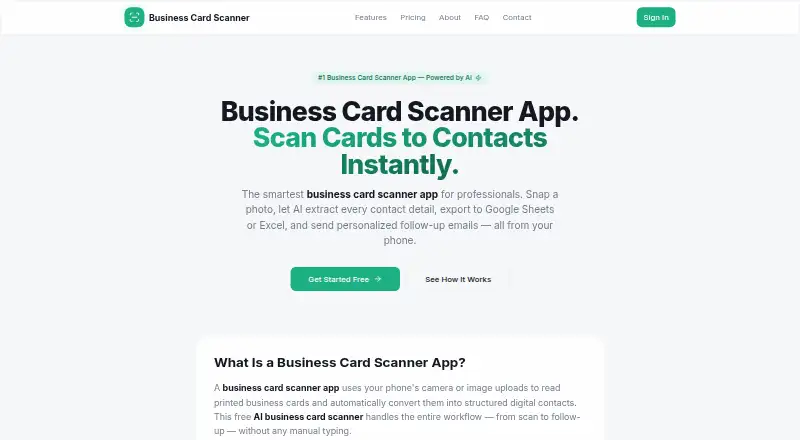
BusinessCardScanner.app turns business card photos and uploaded images into structured digital contacts. Google Gemini extracts contact fields and gives confidence scores for review; users can edit the fields before saving. The app accepts JPG, PNG, WebP, and HEIC images and can process multiple cards in a batch. Matching across names, email addresses, and phone numbers flags possible duplicates. Contacts can be exported as CSV for spreadsheet tools, saved to a phone, or used for personalized follow-up emails with customizable templates. It runs on Android, iOS, and the web, and its progressive web app can be installed from a browser and supports offline viewing of saved contacts. The free plan costs nothing, billed forever, and allows up to 25 scans per month. Pro costs $9 a month; Team costs $29 a month and includes up to five members and a shared contact database. The service says data is encrypted in transit and at rest.
Who it suits
It suits sales teams, recruiters, founders, agencies, and other professionals who collect business cards. The Team plan adds shared contacts and up to five members.
What it does well
- Reviews and edits extracted contact fields
- Scans multiple cards in one batch
- Flags possible duplicate contacts
- Supports offline viewing of saved contacts
- Free plan includes CSV export
What to know first
- Free plan is limited to 25 scans per month
- Pro costs $9 a month
- Team costs $29 a month
Limits
The Free plan costs nothing, billed forever, and allows up to 25 card scans per month. Pro costs $9 a month for unlimited scans. Team costs $29 a month and supports up to five members.
Plans
| Plan | Billed and limits | Price |
|---|---|---|
| Free | forever · Up to 25 card scans per month · AI-powered contact extraction · CSV export · Duplicate detection · Save contacts to phone (vCard) · Bulk email sending · Priority support | Free |
| Team | per month · Everything in Pro · Up to 5 team members · Shared contact database · Event tagging and organization · Advanced analytics · Dedicated support · Custom email templates | $29 a month |
| Pro | per month · Unlimited card scans · AI-powered contact extraction · CSV export · Duplicate detection · Save contacts to phone (vCard) · Bulk email sending with templates · Priority email support | $9 a month |
As businesscardscanner.app lists them, read 2 Oct 2026. The maker's own page has the final word.
Getting started
- Visit the BusinessCardScanner.app website.
- Open the app on Android, iOS, or the web, or install the progressive web app from a browser.
- Choose the Free, Pro, or Team plan.
- Photograph or upload cards in JPG, PNG, WebP, or HEIC format.
- Review and edit the extracted contact fields before saving.
Overview
BusinessCardScanner.app turns photos and uploaded images of business cards into digital contacts that can be reviewed, organized and used for follow-up. It is a strong fit for professionals who want scanning, contact cleanup and outreach in one workflow. Its main trade-off is that regular scanning requires a paid plan: Free allows up to 25 scans per month.
Key features
Google Gemini extracts contact fields and supplies confidence scores, while users can edit details before saving. That review step helps catch uncertain results rather than treating every extraction as final. Batch capture can speed up processing after networking events, and support for JPG, PNG, WebP and HEIC gives users several ways to supply card images.
Fuzzy matching checks names, email addresses and phone numbers for potential duplicates, a useful safeguard as a contact list grows. CSV export suits spreadsheet workflows, and vCard saving puts contacts in a phone address book. CRM export is supported, although no particular integrations are identified.
Follow-up email tools let users send personalized messages with templates. The app says data is encrypted in transit and at rest, with row-level security limiting each user to their own contacts. Users can delete individual contacts or request permanent account-data removal. As a progressive web app, it can be installed from a browser and saved contacts can be viewed offline; that is useful when connectivity is limited, but offline use is described for viewing rather than scanning or sending email.
Pricing
Free costs nothing, billed forever, and caps scanning at 25 cards per month. It includes AI extraction, CSV export, duplicate detection, phone saving, bulk email and priority support. That is a workable starting point for occasional card collection, but the quota is a meaningful constraint for frequent event networking.
Pro costs $9 a month, billed per month. It removes the scan limit and includes the Free features, with bulk email templates and priority email support. Pro is the sensible choice for an individual who regularly processes cards and wants an ongoing follow-up workflow without a shared team database.
Team costs $29 a month, billed per month, and includes everything in Pro for up to five members. A shared contact database, event tagging and organization, advanced analytics, dedicated support and custom email templates make the higher price relevant to small teams that need common records and coordination. Solo users who do not need these shared tools can stay with Pro.
Platforms
BusinessCardScanner.app is available on Android, iOS and the web. Its installable progressive web app and offline viewing of saved contacts add flexibility for mobile use.
Who it's for
Sales teams, recruiters, startup founders, agencies and other professionals who collect business cards are the intended audience. The Free plan suits light use; Pro is better for an individual with a steady stream of cards, while Team is aimed at groups that need shared contacts and event organization. Support hours are Monday through Friday, 10:00 AM to 6:00 PM IST, with a typical response time of 24–48 business hours.
Pros and cons
- Pros: Batch capture, editable AI extraction and confidence scores combine speed with a review step.
- Pros: CSV, vCard and CRM export, duplicate detection and email follow-up support several stages of contact management.
- Pros: Team includes shared contacts and event tools for up to five members.
- Cons: Free permits only 25 scans per month, so regular users will likely need Pro.
- Cons: No specific CRM integrations are identified, which may matter to teams evaluating a particular system.
Alternatives
Business Card Scanner Software is a useful starting point for comparing this category. Choose Bizarc instead if its free plan’s unlimited contacts, campaigns and CSV and vCard exports better fit your workflow. NexaLink may suit someone seeking a lower-cost paid option: its Pro plan is $1.99 a month, while its free plan allows one scan. BizConnect is worth considering for a larger free daily allowance, with up to 50 cards per day and export. CamCard offers a free membership with 20 cards and a business plan with a 10-day trial. ContactsPlus may fit users focused on synced contacts, with a free plan for one synced account and up to 1,000 contacts. Kauntech offers 49 scans per month on its free plan, compared with BusinessCardScanner.app’s 25. ScanBizAI starts with 10 free scan credits and includes front-and-back card capture. ScanBizCards is another option for those interested in an app with limited address-book adds and two one-time human transcriptions on its free plan.
Verdict
BusinessCardScanner.app is a good choice for professionals who want to move from card capture to reviewed contacts, exports and personalized follow-up without juggling separate tools. Pro is the clearest fit for a frequent individual user, and Team earns its place when shared contacts and event organization matter. Look elsewhere if 25 monthly scans are not enough and a subscription is not appealing, or if you need a named CRM integration.
Verdict
BusinessCardScanner.app combines batch card capture, contact review, duplicate detection, exports, and follow-up email tools. The free plan has a monthly scan limit, while Team adds shared contacts for up to five members.
Questions
What does BusinessCardScanner.app cost?
Free costs nothing, billed forever. Pro costs $9 a month, and Team costs $29 a month.
How many cards can I scan on the Free plan?
The Free plan allows up to 25 card scans per month. Pro includes unlimited scans.
Which platforms does it support?
It supports Android, iOS, and the web. Its progressive web app can be installed from a browser and supports offline viewing of saved contacts.
Can contacts be exported?
Yes. Contacts can be exported as CSV for spreadsheets and saved to a phone.
What does Team add?
Team includes up to five members, a shared contact database, event tagging and organization, advanced analytics, dedicated support, and custom email templates.
Can I remove my contact data?
Users can delete individual contacts or request permanent removal of account data.
Facts from BusinessCardScanner.app's own pages
- AI extraction
- Google Gemini extracts contact fields and provides confidence scores for review. · businesscardscanner.app, 2 Oct 2026
- Batch scanning
- Users can scan multiple business cards at once by uploading or photographing a batch. · businesscardscanner.app, 2 Oct 2026
- Contact review
- Users can review and edit extracted fields before saving them. · businesscardscanner.app, 2 Oct 2026
- Data deletion
- Users can delete individual contacts or request permanent removal of their account data. · businesscardscanner.app, 2 Oct 2026
- Data security
- The site says data is encrypted in transit and at rest, with row-level security limiting each user to their own contacts. · businesscardscanner.app, 2 Oct 2026
- Duplicate detection
- Fuzzy matching on names, email addresses, and phone numbers identifies potential duplicate contacts. · businesscardscanner.app, 2 Oct 2026
- Email follow-up
- Users can send personalized follow-up emails to scanned contacts using customizable templates. · businesscardscanner.app, 2 Oct 2026
- Exports
- Contacts can be exported as CSV for use with Google Sheets, Excel, Apple Numbers, or other spreadsheets. · businesscardscanner.app, 2 Oct 2026
- Headquarters
- Ahmedabad, Gujarat, India · businesscardscanner.app, 28 Sept 2026
- Image formats
- The app accepts JPG, PNG, WebP, and HEIC images. · businesscardscanner.app, 2 Oct 2026
- Intended users
- The maker identifies sales teams, recruiters, startup founders, agencies, and other professionals who network with business cards as users. · businesscardscanner.app, 2 Oct 2026
- Purpose
- The app uses AI to turn business card photos or uploaded images into structured digital contacts. · businesscardscanner.app, 2 Oct 2026
- PWA and offline use
- The app is a progressive web app that can be installed from a browser and supports offline viewing of saved contacts. · businesscardscanner.app, 2 Oct 2026
- Support
- The contact page lists support hours as Monday through Friday, 10:00 AM to 6:00 PM IST, and a typical response time of 24–48 business hours. · businesscardscanner.app, 2 Oct 2026
Where BusinessCardScanner.app stands on Freedom251
- Business Card Scanner Software#4 of 24