Freedom251 › Minecraft World Converters
Bridger
What Bridger is
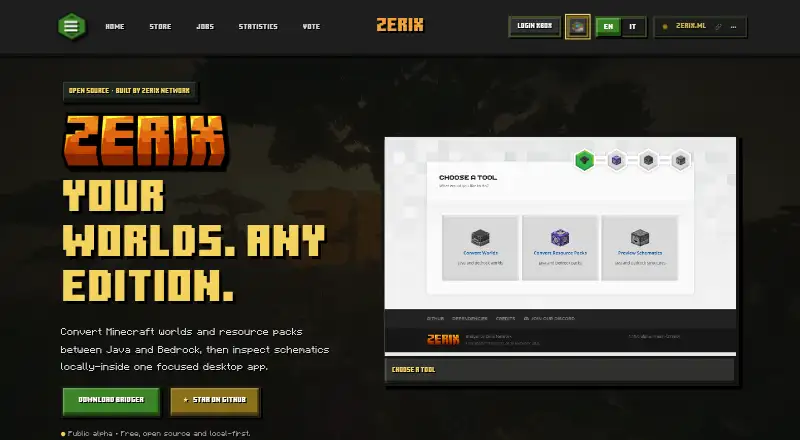
Bridger is a free desktop app for converting Minecraft worlds and resource packs between Java Edition and Bedrock Edition, and for viewing schematics. It handles complete worlds across supported Java and Bedrock versions, including upgrades and downgrades. To work with a file, choose a world, resource pack, or schematic, set the target edition and Minecraft version, then export or preview it. The viewer displays .schematic, .schem, .nbt, and .mcstructure files as textured 3D views, top views, or individual layers. Resource pack tools translate common block and item textures between editions while retaining files that need manual attention. The site describes conversions and previews as local-first, with files staying on your machine. Bridger is open source and builds on Chunker’s foundation, adding previews, Bedrock and PocketMine workflows, resource pack tools, and other utilities. It is in active alpha development, so the site advises backing up important worlds before converting. The app is available for Linux, macOS, and Windows.
Who it suits
Bridger suits Minecraft players and map makers who need to move worlds or resource packs between Java and Bedrock editions, or inspect schematic files before importing them. It is also relevant to users who prefer open-source software and local processing.
What it does well
- Converts complete worlds between Java and Bedrock editions.
- Supports version upgrades and downgrades.
- Previews four listed schematic file types.
- Resource pack tools preserve files needing manual work.
- Available on Linux, macOS, and Windows.
What to know first
- Active alpha development; back up worlds before conversion.
- Some resource pack files still need manual work.
Limits
The public alpha is free, but it is in active development. The site advises backing up important worlds before converting them.
Plans
| Plan | Billed and limits | Price |
|---|---|---|
| Public alpha | Free · open source · local-first · active alpha development | Free |
As zerix.ml lists them, read 4 Oct 2026. The maker's own page has the final word.
Getting started
- Open https://zerix.ml/bridger.
- Use Bridger on Linux, macOS, or Windows.
- Select a world, resource pack, or schematic file.
- Choose a target edition and Minecraft version for conversions.
- Export a conversion or preview a schematic.
Bridger is a desktop utility for moving Minecraft worlds and resource packs between Java and Bedrock, with schematic previews in the same app. It is best suited to players and map makers who need both conversion and file inspection without uploading their projects. The trade-off is its active alpha status, so important worlds deserve a backup before conversion.
Overview
Bridger combines complete-world conversion, resource-pack tools and schematic viewing in one workflow: select a file, choose a target edition and Minecraft version, then export or preview. It supports Java and Bedrock in either direction, including version upgrades and downgrades. Local processing is a useful fit for private or large projects because files stay on the user's machine during conversion and previews.
The project grew from a Zerix Network need to inspect schematic map files before bringing them into Minecraft. It builds on Chunker's open-source foundation, adding previews, Bedrock and PocketMine workflows, resource-pack tools and other utilities. Its code, issue reporting and development are hosted through GitHub.
Key features
World conversion
Bridger converts complete worlds between supported Java and Bedrock versions, and can move them forward or backward across versions. That makes it a stronger fit for cross-edition migration than a tool limited to changing versions within Java. The active alpha label matters here: keep a separate backup of any world that would be costly to lose.
Schematic previews
It opens .schematic, .schem, .nbt and .mcstructure files in textured 3D, top-view and layer-by-layer views. Map makers can inspect a build before importing it, while individual layers offer a more focused way to examine its structure.
Resource-pack tools
Bridger maps common block and item textures between editions and preserves files that require manual work. This can reduce repetitive mapping when moving a pack, but it does not remove the need to handle those exceptions yourself.
Pricing
Bridger's Public alpha plan costs nothing and is open source and local-first. There is no paid tier or free trial described; the app is available as a free plan. The main cost to weigh is operational rather than financial: active alpha development makes backups prudent when converting important worlds.
Platforms
Bridger is available for Linux, macOS and Windows. Its desktop format suits people working with local world, pack and schematic files; readers looking specifically for a browser-based workflow should consider a web alternative instead.
Who it's for
Choose Bridger if you need cross-edition world conversion alongside schematic inspection and resource-pack mapping, especially if keeping files on your own machine is important. It is also a practical option for map makers who want to inspect supported schematic formats before importing them. It is a less suitable choice for anyone unwilling to use alpha software for valuable worlds without a backup, or who only needs a narrowly focused Java version converter.
Pros and cons
- Pros: Java-to-Bedrock and Bedrock-to-Java conversion covers complete worlds and version upgrades or downgrades, giving it broader stated conversion scope than a Java-only version tool.
- Pros: Textured 3D, top-view and layer previews cover four schematic file formats, useful for checking builds before import.
- Pros: Local-first processing and open-source development suit users who want files to remain on their computer and code they can inspect.
- Cons: Active alpha development makes backing up important worlds a necessary precaution.
- Cons: Resource-pack conversion preserves files needing manual work, so not every texture-mapping task is automatic.
Alternatives
Minecraft World Converters is a useful starting point if you want to compare tools by conversion workflow.
- Chunker is worth considering if you want an open-source converter with Linux, macOS, Windows and web availability.
- MC Version Converter is a better fit for Java-only version changes: it converts Java Edition 26.x worlds to versions 1.18.2–1.21.11 and requires building from Rust source.
- Java2Nukkit World Converter suits Java Edition 1.15.2 worlds when the optimized-world requirement and Java 1.8+ fit your setup.
- Chunkoid is the Android option, with Android 8.0+ and recommendations of 2 GB+ free storage and 6–8 GB+ RAM.
- je2be may suit users seeking a free web or Windows option; its web repository is AGPL-3.0 licensed.
- LCEStudio is a Windows-only alternative distributed as MIT-licensed software.
- Server to Singleplayer World Converter is a browser-based option for Java and Bedrock world conversion.
- WorldSwitch offers a browser-based free conversion for uploaded files up to 70 MB, with paid per-conversion tiers for larger files.
Verdict
Bridger is a strong choice for Minecraft players and map makers who want cross-edition world conversion, schematic previews and resource-pack tools in one free, local-first desktop app. Its breadth and open-source footing are the main reasons to choose it; the active alpha status is the main reason to look elsewhere if you need a more settled workflow for irreplaceable worlds.
Verdict
Bridger combines cross-edition world conversion with schematic previews and resource pack tools in a free, open-source desktop app. Its active alpha status makes backing up important worlds a sensible precaution.
Questions
How much does Bridger cost?
The Public alpha plan is free.
Is Bridger open source?
Yes. Its code, issue reporting, and development are hosted through GitHub.
Which platforms does it support?
Bridger is available for Linux, macOS, and Windows.
Can it convert worlds between Java and Bedrock?
Yes. It supports complete world transfers between supported Java and Bedrock versions, including upgrades and downgrades.
Which schematic files can it open?
It opens .schematic, .schem, .nbt, and .mcstructure files.
Who makes Bridger?
The project page attributes Bridger to Zerix Network. SuperDoduos started it to inspect schematic map files before importing them into Minecraft.
Facts from Bridger's own pages
- Foundation
- The project is built on the open-source foundation of Chunker and adds previews, Bedrock and PocketMine workflows, resource pack tools, and other utilities. · zerix.ml, 4 Oct 2026
- Local processing
- The site describes Bridger as local-first and says files stay on the user's machine during conversions and previews. · zerix.ml, 4 Oct 2026
- Maker
- The page attributes the project to Zerix Network and says Zerix has been building since 2018. · zerix.ml, 4 Oct 2026
- Open source
- Bridger is open source, with code, issue reporting, and development hosted through GitHub. · zerix.ml, 4 Oct 2026
- Operational caution
- The site says Bridger is in active alpha development and advises backing up important worlds before converting them. · zerix.ml, 4 Oct 2026
- Origin
- SuperDoduos started Bridger for Zerix Network to inspect schematic map files faster before importing them into Minecraft. · zerix.ml, 4 Oct 2026
- Purpose
- Bridger converts Minecraft worlds and resource packs between Java and Bedrock and previews schematics in a desktop app. · zerix.ml, 4 Oct 2026
- Resource packs
- Its resource pack tools map common block and item textures between editions and preserve files that need manual work. · zerix.ml, 4 Oct 2026
- Schematic viewer
- It opens .schematic, .schem, .nbt, and .mcstructure files in textured 3D, top view, or individual layers. · zerix.ml, 4 Oct 2026
- Support
- The Zerix site lists [email protected] as its support email. · zerix.ml, 4 Oct 2026
- Workflow
- Users select a world, resource pack, or schematic, choose a target edition and Minecraft version, then export or preview. · zerix.ml, 4 Oct 2026
- World conversion
- It supports moving complete worlds between supported Java and Bedrock versions, including upgrades and downgrades. · zerix.ml, 4 Oct 2026
Where Bridger stands on Freedom251
- Minecraft World Converters#4 of 18