Freedom251 › Email Tracking Software
Boomerang
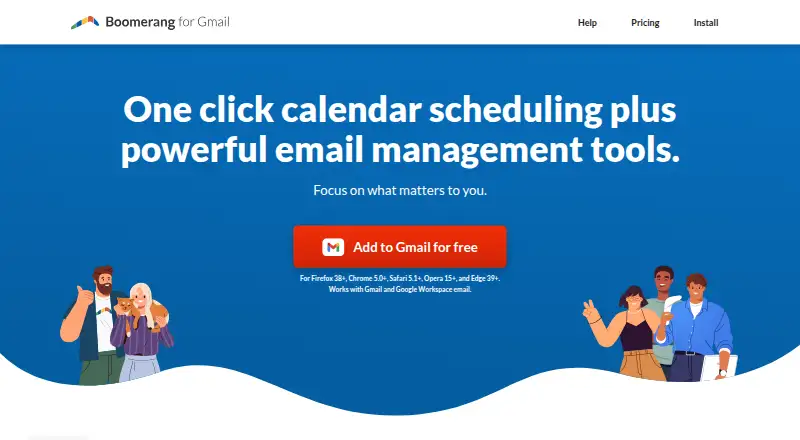
What Boomerang is
Boomerang helps users manage email timing, follow-ups, and meeting scheduling. Its email tools can schedule delivery, snooze messages, and remind users to follow up. Inbox Pause holds new messages until the user is ready and can be scheduled to activate automatically. Magic Live Calendar supports bookable schedules, suggested times, free/busy sharing, and team scheduling; team scheduling integrates with Zoom and Google Meet and supports multiple calendars. Respondable uses artificial intelligence to offer real-time help with email effectiveness and tone. Boomerang for Gmail is available as a browser extension for Chrome, Firefox, Safari, Edge, and Opera, as well as Android and iOS apps. The free Basic plan includes 10 message credits per month. Paid plans start at $4.98 a month billed annually, and a 30-day trial is listed. Boomerang says it does not store message bodies, using message headers to identify messages for sending or returning. Its Gmail product uses Google OAuth 2.0 and says it does not access user passwords.
Who it suits
Boomerang suits people who want to schedule messages, manage follow-ups, or pause incoming email. Its calendar tools also suit teams that schedule meetings across multiple calendars.
What it does well
- Schedule delivery, snooze messages, and set reminders
- Inbox Pause can be scheduled
- Team scheduling integrates with Zoom and Google Meet
- Free plan includes 10 message credits per month
- Gmail product uses Google OAuth 2.0
What to know first
- Basic plan has 10 monthly message credits
- Paid plans start at $4.98 a month billed annually
- Mobile access is included in paid plans beginning with Personal
Limits
Basic includes 10 message credits per month. Personal and higher plans include unlimited message credits; mobile access begins with Personal.
Plans
| Plan | Billed and limits | Price |
|---|---|---|
| Basic | 10 message credits/month · Gmail and Google Workspace · core email features | Free |
| Pro | billed annually · Unlimited credits · advanced Inbox Pause · Respondable machine learning · recurring messages · unlimited meetings | $14.98 a month |
| Personal | billed annually · Unlimited message credits · Gmail accounts · mobile apps | $4.98 a month |
| Premium | billed annually · Unlimited credits · track by default · CRM integration · Toolbox · premium support | $49.98 a month |
As boomeranggmail.com lists them, read 15 Oct 2026. The maker's own page has the final word.
Getting started
- Visit boomeranggmail.com.
- Choose the free Basic plan or review the paid plans and 30-day trial.
- Install the browser extension for Chrome, Firefox, Safari, Edge, or Opera, or use the iOS or Android app.
- Use Google OAuth 2.0 to connect Boomerang for Gmail.
Boomerang is an email productivity tool for controlling when messages are sent, resurfaced, or allowed into the inbox. It best suits Gmail users who regularly manage follow-ups and meetings; its strongest appeal is bringing those jobs into one tool, while the free plan’s 10 monthly message credits are restrictive for ongoing use.
Overview
Boomerang combines email timing and follow-up tools with meeting scheduling and real-time writing guidance. It also supports email tracking and CRM synchronization, with higher-tier features aimed at teams and sales-oriented work. Gmail is central to its plans, though Boomerang for Gmail is offered as an extension for Chrome, Firefox, Safari, Edge, and Opera, and Outlook appears among its supported email clients.
Key features
Email timing and follow-up
Send Later schedules outgoing messages, while snoozing and reminders bring messages back when they need attention. Inbox Pause holds new mail until the user is ready and can be scheduled to pause automatically. Together, these tools cover both sides of inbox timing; the Basic plan’s 10 message credits per month, however, make it better for occasional use than for a busy inbox.
Meeting scheduling and writing
Magic Live Calendar supports bookable schedules, suggested meeting times, free/busy sharing, and team scheduling. Team scheduling works with Zoom and Google Meet and supports multiple calendars, a useful combination for groups coordinating across calendars. Respondable uses AI to suggest improvements to email effectiveness and tone in real time. Pro includes Advanced Respondable, so users who specifically want its advanced capabilities need to pay more than the entry-level plan.
Tracking, integration, and security
Boomerang supports open, reply, and click tracking, along with real-time alerts and CRM synchronization. Premium adds Track by Default and Salesforce/CRM Integration, making it the clearest fit for users who want tracking built into their regular workflow. Baydin says it completes SOC 2 Type II audits annually. For Gmail, Boomerang uses Google OAuth 2.0 and says it does not access passwords; it says it stores message headers to identify messages for sending or returning, not message bodies.
Pricing
Boomerang is freemium, with a 30-day trial and paid plans starting at $4.98 a month billed annually. The Basic plan is free and includes 10 message credits per month, Gmail/G Suite, Send Later, and Boomerang Reminders. That cap makes it a sensible way to try the core scheduling and reminder functions, but a poor fit for frequent use.
Personal costs $4.98 a month billed annually and adds unlimited message credits, Gmail, iPhone and Android apps, and Notes. It is the practical step up for an individual who wants regular use and mobile access, but it does not include the advanced Respondable and Inbox Pause features found in Pro. Pro costs $14.98 a month billed annually; it includes unlimited message credits, Gmail/G Suite, Advanced Respondable, Advanced Inbox Pause, and Recurring Messages. It is better suited to users who need those deeper writing and inbox controls.
Premium costs $49.98 a month billed annually and includes unlimited message credits, Gmail/G Suite, Track by Default, Premium Support, and Salesforce/CRM Integration. It targets users for whom default tracking, CRM connection, and premium support justify the higher price. Teams is presented for organizations and identifies sales, customer success, recruiting, and education as use cases; its listed benefits include priority email support, while its price is custom pricing.
Platforms
Boomerang is available on Android, iOS, macOS, Windows, and as a browser extension. The maker lists iOS and Android apps, with mobile access included in paid plans beginning with Personal. Gmail extensions are available for Chrome, Firefox, Safari, Edge, and Opera.
Who it's for
Boomerang is a strong fit for Gmail users who need more than send-later scheduling: it combines reminders, inbox pausing, meeting coordination, and tracking. Teams coordinating meetings across calendars may benefit from the shared scheduling options and video-meeting integrations. It is less compelling for someone who only needs light email scheduling and can stay within a strict monthly cap, or for a user unwilling to pay annually for unlimited credits and mobile access.
Pros and cons
- Pros: Email scheduling, snoozing, reminders, and scheduled inbox pauses cover several common timing needs in one product.
- Pros: Meeting scheduling includes bookable times, free/busy sharing, team scheduling, multiple calendars, Zoom, and Google Meet.
- Pros: Open, reply, and click tracking plus real-time alerts and CRM synchronization support follow-up workflows.
- Cons: Basic allows only 10 message credits per month, limiting its usefulness as a lasting free option for regular users.
- Cons: The stated paid plan prices are billed annually, and mobile apps are included only in paid plans beginning with Personal.
- Cons: Advanced writing and inbox controls, default tracking, and Salesforce/CRM integration are reserved for higher-priced plans.
Alternatives
For a wider range of email-tracking options, browse Email Tracking Software; for sales-focused tracking choices, see Sales Email Tracking Software.
Mailbutler Smart Assistant is another freemium option with a free Starter plan and support across mobile, desktop, web, and browser extension platforms. Choose it if that broader platform range matters more than Boomerang’s described meeting and inbox-pause combination.
Mixmax offers 20 tracked emails per month and up to 50 sequence recipients per month on its free plan. It is worth considering if those stated free tracking and sequence allowances suit your needs better than Boomerang’s 10 monthly message credits.
Mailsuite offers a freemium email-tracking option, with its Mailtrack plan priced at $6.99 a month. Consider it when a dedicated tracking option is a better match than Boomerang’s mix of email timing and meeting tools.
Right Inbox has a free Limited plan for solo use capped at five emails per month. It may suit someone who wants a tighter solo option and needs neither more monthly capacity nor the excluded mail merge, sequences, and CRM integration.
Streak has a free plan with 50 mail merge sends per day and a Pro plan at $59 a month billed monthly. Choose it if those mail-merge terms are more relevant to your work than Boomerang’s email timing and meeting coordination.
Yesware offers basic email open and attachment tracking, 10 campaign recipients per month, and a Meeting Scheduler on its free plan. It is a reasonable alternative when those tracking and campaign provisions are the priority.
LeadBoxer is a freemium alternative with free app and platform plans. Consider it if you want to compare a separate freemium option rather than Boomerang’s email productivity tools.
Salesloft is a paid alternative with custom pricing. Choose it if you prefer to explore a paid offering with package details arranged directly with the provider.
Verdict
Boomerang is best for Gmail users who want scheduling, follow-up, inbox control, and meeting coordination together, with tracking and CRM options for more demanding workflows. Its free plan is sharply limited, and the paid starting price is tied to annual billing; look elsewhere if you need a generous free allowance or want to avoid an annual commitment.
Verdict
Boomerang brings email timing, follow-up, inbox pause, and meeting scheduling tools together. The free plan has a monthly message-credit limit, while paid plans start at $4.98 a month billed annually.
Questions
Is Boomerang free?
Yes. Basic is free and includes 10 message credits per month.
How much do paid plans cost?
Personal starts at $4.98/user/mo billed annually. Pro is $14.98 per month and Premium is $49.98 per month, each billed annually.
Is there a free trial?
Yes, a 30-day trial is listed.
Which platforms does Boomerang support?
It lists browser extensions for Chrome, Firefox, Safari, Edge, and Opera, plus iOS and Android apps. Its platform listing also includes macOS and Windows.
Does Boomerang integrate with meeting tools?
Team scheduling integrates with Zoom and Google Meet and supports multiple calendars.
What does Boomerang say about message storage and account access?
It says it stores message headers to identify messages for sending or returning, but not message bodies. Boomerang for Gmail uses Google OAuth 2.0 and says it does not have access to passwords.
Facts from Boomerang's own pages
- API and SDK availability
- Official Gmail pages document Gmail API permissions but do not provide a public Boomerang API or SDK for extending the product. · help.boomeranggmail.com, 15 Oct 2026
- Authentication
- Boomerang for Gmail relies on Google OAuth 2.0 and says it does not have access to user passwords. · help.boomeranggmail.com, 30 Sept 2026
- Calendar integrations
- Bookable Schedule supports multiple calendars, Zoom, Google Meet and dual time zones. · boomeranggmail.com, 15 Oct 2026
- Company facts
- LinkedIn lists Boomerang as privately held, founded in 2010, headquartered in Mountain View, California, with 11–50 employees. · linkedin.com, 15 Oct 2026
- Company ownership and founders
- Crunchbase identifies the legal name as Boomerang and lists founders Alex Moore, Aye Moah and Mike Chin; it also records acquisition of GQueues. · crunchbase.com, 15 Oct 2026
- CRM integrations
- Premium documentation lists Salesforce, SugarCRM, Zoho, Highrise, Pipedrive, Capsule and Insightly integrations. · boomeranggmail.com, 15 Oct 2026
- Data handling
- The company says it stores message headers for identification but not message bodies, uses Google OAuth 2.0 and does not sell data. · help.boomeranggmail.com, 15 Oct 2026
- Documentation
- The help center covers installation, billing, troubleshooting, security, privacy, recurring mail, tracking and scheduling workflows. · help.boomeranggmail.com, 15 Oct 2026
- Email snooze
- Messages can be archived and returned later as unread, starred or at the top of the inbox. · help.boomeranggmail.com, 15 Oct 2026
- Email tools
- Boomerang lets users schedule email delivery, snooze messages, and get reminders to follow up. · boomeranggmail.com, 30 Sept 2026
- Follow-up reminders
- The service can return a message only when nobody replies or according to a selected reminder condition. · boomeranggmail.com, 15 Oct 2026
- Funding
- Wellfound lists Boomerang (Baydin) with $412,000 raised across two rounds and 11–50 employees. · wellfound.com, 15 Oct 2026
- GDPR
- Boomerang describes itself as GDPR ready, hosts data in the United States and offers a data-processing agreement on request. · help.boomeranggmail.com, 15 Oct 2026
- Headquarters
- Santa Clara, California, USA · boomeranggmail.com, 23 Sept 2026
- Inbox Pause
- Inbox Pause hides incoming mail with Gmail filters while leaving messages stored in Gmail. · boomeranggmail.com, 15 Oct 2026
- Integrations
- Team scheduling integrates with Zoom and Google Meet and supports multiple calendars. · boomeranggmail.com, 30 Sept 2026
- Licence
- The official pages do not identify an open-source licence for the Gmail product. · boomeranggmail.com, 15 Oct 2026
- Limit: Apple reviewers
- App Store reviewers report confusing conversation threading, missed notifications requiring manual refresh and complaints about high subscription pricing. · apps.apple.com, 15 Oct 2026
- Limit: Capterra complaints
- Some reviewers consider paid access expensive, want more free capacity and report occasional scheduled-message failures. · capterra.com, 15 Oct 2026
- Limit: G2 complaints
- Reviewers mention cluttered controls, limited free usage, occasional sync or scheduled-send failures and overlap with Gmail’s native tools. · g2.com, 15 Oct 2026
- Limit: GetApp complaints
- GetApp reviewers report unexpected reloads or updates, slow loading and delays in documentation workflows. · getapp.com, 15 Oct 2026
- Limit: Google Play reviewers
- Google Play reviewers report poor email sizing that requires zooming, inefficient search and errors sending saved drafts. · play.google.com, 15 Oct 2026
- Limit: Software Advice complaints
- Reviewers cite message caps, occasional missing returned mail, login-verification bugs and limited analytics grouping. · softwareadvice.com, 15 Oct 2026
- Meeting scheduling
- Meeting tools include Bookable Schedule, Suggest Times, Free/Busy sharing, Meeting Poll and team round-robin scheduling. · boomeranggmail.com, 15 Oct 2026
Where Boomerang stands on Freedom251
- Email Tracking Software#1 of 43
- Sales Email Tracking Software#1 of 27