Freedom251 › Minecraft Schematic Tools

AutoBuild
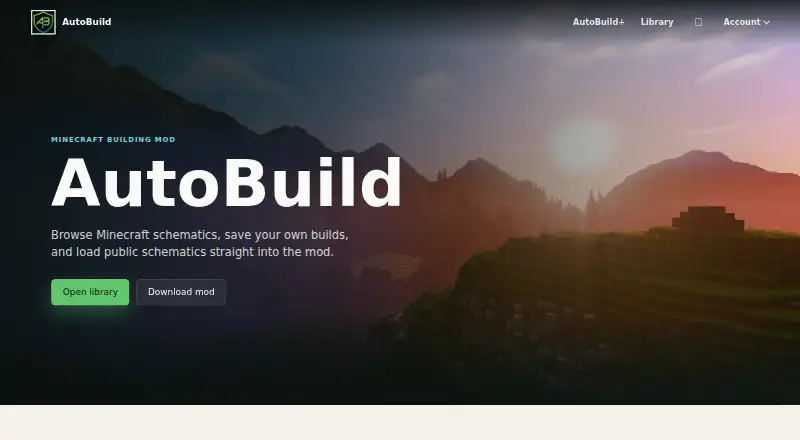
What AutoBuild is
AutoBuild is a free Minecraft building mod for browsing schematics, saving builds, and loading public designs into the game. Its community library is intended for exploring builds shared by AutoBuild creators. Users can submit .schem files with screenshots, categories, and visibility settings; staff may review submissions before they appear in the public library. Public schematics can also be announced through Discord updates. The listed file formats are .schem and .litematic, and the mod includes a 3D preview and in-game placement workflow. To send a schematic to the mod, install it and link a website account through the in-game Account tab. The site links to downloads on Modrinth and CurseForge and supports linking an AutoBuild account to Discord. AutoBuild+ access is currently available only through official giveaways, for the duration stated in each giveaway. While access is active, it includes profile customization, premium schematics, premium tools, and future features; payment and billing details are not required. AutoBuild says it is not an official Minecraft product and is not approved by or associated with Mojang or Microsoft.
Who it suits
AutoBuild suits Minecraft players who want to browse, save, share, and load schematics through a mod. Its upload and review workflow may also suit creators sharing builds with the community.
What it does well
- Free public library, uploads, and in-game loading.
- Supports .schem and .litematic files.
- Includes a 3D preview.
- Submissions can receive staff review before public listing.
- Downloads are linked through Modrinth and CurseForge.
What to know first
- AutoBuild+ is available only through official giveaways.
- Paid plans are not available yet.
- The library page says schematics are loading and shows no results.
Limits
The free AutoBuild plan includes the public library, account uploads, and in-game schematic loading. AutoBuild+ is also listed as free, but access is only through official giveaways and lasts for the duration stated by each giveaway.
Plans
| Plan | Billed and limits | Price |
|---|---|---|
| AutoBuild+ | Giveaway access only; paid plans unavailable; access duration is stated per giveaway | Free |
| AutoBuild | Public library, account uploads, and in-game schematic loading | Free |
As autobuildmc.com lists them, read 9 Oct 2026. The maker's own page has the final word.
Getting started
- Visit the AutoBuild website.
- Download the mod through Modrinth or CurseForge.
- Install the mod and link your website account from its in-game Account tab.
- Browse schematics or upload a .schem file with screenshots, category, and visibility settings.
- Optionally link your AutoBuild account to Discord with a one-time code and the /link command.
Overview
AutoBuild pairs a Minecraft building mod with a community library for browsing, saving, and loading schematics. It suits players who want to move shared builds into an in-game workflow, rather than only view or convert files. Its core features cost nothing, but account linking is required for in-game loading and the optional AutoBuild+ tier cannot currently be purchased.
Key features
The library lets creators upload .schem files with screenshots, a category, and visibility settings. Staff may review submissions before they reach the public library, and public schematics also appear in Discord updates. These tools give creators a route to share builds and set their visibility; the library page currently shows schematics loading without listing results, which makes its value as a dependable place to find builds uncertain.
AutoBuild supports .schem and .litematic files, offers a 3D preview, and centers placement on an in-game workflow. Users install the mod, link their website account from the mod’s Account tab, and can then send a schematic to AutoBuild for loading. That connection is its clearest advantage for players already building with the mod, but the account-linking step is extra friction for anyone seeking a standalone viewer or converter.
Users can also link an AutoBuild account to Discord with a one-time code and the /link command. Account settings allow email verification and password changes; a verified email is recommended for password resets and future account-safety features. Support is available through Discord and [email protected]. The maker states that AutoBuild is not an official Minecraft product and is not approved by or associated with Mojang or Microsoft.
Pricing
AutoBuild: free. The free plan includes the public library, account uploads, and in-game schematic loading. It is the natural choice for players who want the core sharing and placement workflow without paying; the stated pricing gives no paid upgrade to weigh against it.
AutoBuild+: free through giveaway access only. It adds profile customization, premium schematics, premium tools, and future features while access remains active. Each giveaway states its access duration, and no payment or billing details are required. Because paid plans are unavailable, readers cannot buy ongoing access or choose a paid term; the free core plan is the only predictable option.
Platforms
AutoBuild is described as a desktop mod, with Linux, macOS, Windows, and web platforms listed. The maker links to mod downloads on Modrinth and CurseForge. The supported schematic formats are .schem and .litematic.
Who it's for
Choose AutoBuild if you want a free route from community schematic sharing to in-game placement and are willing to link an account. It is a weaker fit if you need a proven populated library, only want to inspect or convert schematics, or require a purchasable premium tier.
Pros and cons
- Pro: The free plan combines public browsing, uploads, and in-game loading, so the core workflow does not depend on a paid subscription.
- Pro: .schem and .litematic support plus a 3D preview serve both common schematic formats named for the product.
- Con: In-game loading requires installing the mod and linking a website account, adding setup steps beyond opening a file.
- Con: The library page shows no listing results, limiting confidence that users can currently find public builds there.
- Con: AutoBuild+ access is restricted to giveaways, so its premium tools and schematics are not available through a paid plan.
Alternatives
Minecraft Schematic Tools is a useful broader starting point for comparing options in this category.
For a mobile-friendly toolkit, Bloxelizer has Android, iOS, and web support, a free core toolkit with no account required, and multi-format import and export; its Plus monthly plan is priced at 2.5. Choose it when conversion and build guides matter more than AutoBuild’s mod-linked placement.
SchemViewer is a free alternative with Linux, macOS, web, and Windows support and core viewer features. It is a better match when viewing is the priority and in-game loading is not needed.
Litematic Converter is free and open source for Linux, macOS, and Windows, and requires Python 3.7 or newer. Choose it when you want a converter rather than a community library and mod workflow.
ObjToSchematic is another free-plan option; its free tier needs no account or payment and has no cap on build size or usage. It may suit users focused on uncapped builds rather than shared in-game schematics.
SchemConvert is a free option for Linux, macOS, and Windows. Structurize is a free GPLv3 Minecraft mod made by the team behind MineColonies. BuildSchematics Converter is a free browser-based converter with no account required. CurseForge offers a web catalog for free Minecraft mods and modpacks, with a freemium model.
Verdict
AutoBuild is the right choice for Minecraft players who want a free, mod-centered way to share and load .schem or .litematic builds, with a 3D preview along the way. Its main draw is connecting community schematics to in-game placement; look elsewhere if you need a populated library today, a standalone conversion tool, or premium access you can purchase.
Verdict
AutoBuild offers a free path to share and load schematics, with optional AutoBuild+ features limited to giveaway access. Account linking is required to send a schematic into the mod.
Questions
Is AutoBuild free?
Yes. AutoBuild is listed as free and includes the public library, account uploads, and in-game schematic loading.
Are paid plans available?
No paid plans are available yet. AutoBuild+ access is currently offered only through official giveaways.
What does AutoBuild+ include?
While access is active, it includes profile customization, premium schematics, premium tools, and future features. Giveaway access requires no payment or billing details.
Which platforms and file formats does AutoBuild support?
The listed platforms are Linux, macOS, web, and Windows, with desktop also listed as an available platform. Supported file formats are .schem and .litematic.
How do I load a schematic in-game?
Install the mod and link your website account from the mod’s Account tab. Then send a schematic to AutoBuild.
Is AutoBuild affiliated with Minecraft or Mojang?
AutoBuild says it is not an official Minecraft product and is not approved by or associated with Mojang or Microsoft.
Facts from AutoBuild's own pages
- Account linking
- Users link the website account to the Minecraft mod using a one-time code created in account settings. · autobuildmc.com, 9 Oct 2026
- Affiliation
- AutoBuild states it is not an official Minecraft product and is not approved by or associated with Mojang or Microsoft. · autobuildmc.com, 9 Oct 2026
- AutoBuild+
- AutoBuild+ includes profile customization, premium schematics, premium tools, and future features while access is active. · autobuildmc.com, 9 Oct 2026
- AutoBuild+ availability
- AutoBuild+ is currently awarded through official giveaways, and paid plans are not available yet. · autobuildmc.com, 9 Oct 2026
- AutoBuild+ benefits
- AutoBuild+ includes profile customization, premium schematics, premium tools, and future AutoBuild+ features while access is active. · autobuildmc.com, 8 Oct 2026
- AutoBuild+ billing
- Giveaway access requires no payment or billing details. · autobuildmc.com, 8 Oct 2026
- Community library
- The library lets users browse community schematics and upload their own. · autobuildmc.com, 9 Oct 2026
- Compatibility statement
- AutoBuild states that it is not an official Minecraft product and is not approved by or associated with Mojang or Microsoft. · autobuildmc.com, 8 Oct 2026
- Discord integration
- Users can link their AutoBuild account to Discord with a one-time code and the /link command. · autobuildmc.com, 9 Oct 2026
- Distribution
- The maker links to Modrinth and CurseForge as download sources for the mod. · autobuildmc.com, 9 Oct 2026
- In-game loading
- Users can send a schematic to AutoBuild when their mod account is linked. · autobuildmc.com, 8 Oct 2026
- Integrations
- The site links to mod downloads on Modrinth and CurseForge and provides Discord updates. · autobuildmc.com, 8 Oct 2026
- Moderation
- Staff can review player submissions before they appear in the public library. · autobuildmc.com, 9 Oct 2026
- Notable limit
- The library page says schematics are loading and does not show listing results in the opened page. · autobuildmc.com, 8 Oct 2026
- Product
- AutoBuild is a Minecraft building mod for browsing schematics, saving builds, and loading public schematics into the mod. · autobuildmc.com, 9 Oct 2026
- Purpose
- AutoBuild is a Minecraft building mod for browsing schematics, saving builds, and loading public schematics into the mod. · autobuildmc.com, 8 Oct 2026
- Security
- The account settings page recommends using a verified email for password resets and future account safety features. · autobuildmc.com, 9 Oct 2026
- Sharing
- Public schematics appear in the library and Discord updates. · autobuildmc.com, 8 Oct 2026
- Support
- The maker lists its Discord server and [email protected] for help. · autobuildmc.com, 9 Oct 2026
- Uploads
- Users can upload a .schem file with screenshots, category, and visibility settings. · autobuildmc.com, 9 Oct 2026
Where AutoBuild stands on Freedom251
- Minecraft Schematic Tools#3 of 42