Freedom251 › Minecraft Schematic Tools

BlockForge Schematic Viewer
What BlockForge Schematic Viewer is
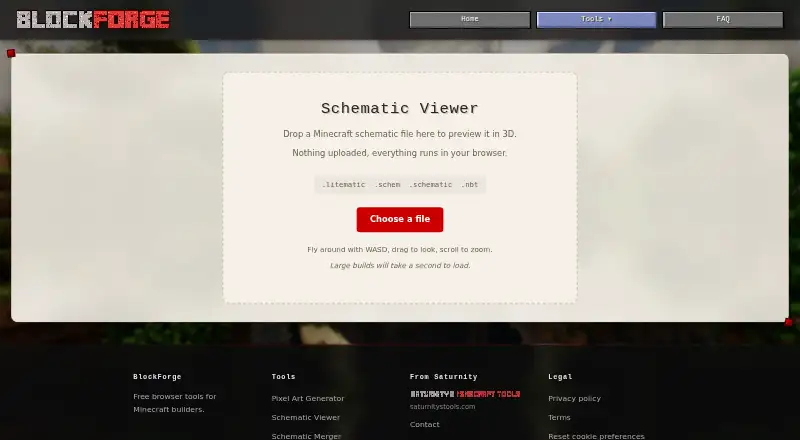
BlockForge Schematic Viewer is a free browser tool for previewing Minecraft schematic files as 3D scenes. It opens .litematic, .schem, .schematic, and .nbt files, with the viewer stating that processing happens in the browser and files are not uploaded. Move through a scene by flying with WASD, looking around by dragging, zooming with the scroll wheel, and moving vertically with Shift or Space. A Y limit control is available for adjusting the view.
Scene options include Studio, Day, Sunset, Night, Cave, and Meadow, alongside a custom background control. An optional grass floor can add scale and color; it does not affect material counts. A materials panel is also included. The page notes that large builds may take a second to load. Saturnity describes BlockForge as a collection of free browser tools for Minecraft builders. Its site identifies Kody, operating as Saturnity, as the maker and says the tools are maintained by one person. A contact form accepts bug reports and feedback, with replies potentially taking a while. Tool inputs stay in the browser, while site visits may be measured using Google Analytics subject to consent settings.
Who it suits
This viewer suits Minecraft builders who want to inspect supported schematic files in a browser, with scene controls and a materials panel. It is also a fit for people who prefer files to be processed locally in the browser rather than uploaded.
What it does well
- Free browser-based 3D previews for four schematic formats.
- Files remain in the browser rather than being uploaded.
- Scene presets and a custom background are available.
- The materials panel excludes the optional grass floor from counts.
What to know first
- Large builds may take a second to load.
- It is available as a web tool.
Plans
| Plan | Billed and limits | Price |
|---|---|---|
| Free | Free browser tool · no signup stated · supports .litematic, .schem, .schematic, and .nbt files | Free |
As blockforge.saturnitystools.com lists them, read 9 Oct 2026. The maker's own page has the final word.
Getting started
- Open the BlockForge Schematic Viewer website in a browser.
- Load a .litematic, .schem, .schematic, or .nbt file.
- Navigate with WASD, dragging, the scroll wheel, and Shift or Space.
- Adjust the Y limit, scene, background, or optional grass floor as needed.
Verdict
Choose BlockForge Schematic Viewer to inspect supported Minecraft schematic files in 3D without uploading them. Its browser-based controls and scene options suit quick visual review; look elsewhere if you need a platform other than the web.
Questions
How much does BlockForge Schematic Viewer cost?
The Free plan is free.
Which file formats does it support?
It accepts .litematic, .schem, .schematic, and .nbt files.
Does it upload files?
The viewer says files are not uploaded and processing takes place in the browser.
Which platforms are supported?
It is available on the web.
Who makes BlockForge?
Saturnity identifies Kody, operating under the name Saturnity, as the maker. The tools are built and maintained by one person.
Facts from BlockForge Schematic Viewer's own pages
- File privacy
- The viewer says nothing is uploaded and everything runs in the browser. · blockforge.saturnitystools.com, 9 Oct 2026
- Floor and materials
- An optional grass floor adds scale and color, and is excluded from material counts; the viewer also provides a materials panel. · blockforge.saturnitystools.com, 9 Oct 2026
- Large files
- The page says large builds may take a second to load. · blockforge.saturnitystools.com, 9 Oct 2026
- Maker
- Saturnity's site identifies the maker as Kody, operating under the name Saturnity, and says the tools are built and maintained by one person. · saturnitystools.com, 9 Oct 2026
- Navigation
- Users can fly with WASD, look by dragging, zoom with the scroll wheel, and move vertically with Shift or Space. · blockforge.saturnitystools.com, 9 Oct 2026
- Product context
- BlockForge describes its tools as free browser tools for Minecraft builders. · blockforge.saturnitystools.com, 9 Oct 2026
- Purpose
- The viewer previews Minecraft schematic files in 3D in a browser. · blockforge.saturnitystools.com, 9 Oct 2026
- Scenes
- Scene options include Studio, Day, Sunset, Night, Cave, and Meadow, plus a custom background control. · blockforge.saturnitystools.com, 9 Oct 2026
- Security and tracking
- The maker's privacy policy says tool inputs stay in the browser, while site visits may be measured by Google Analytics subject to consent settings. · saturnitystools.com, 9 Oct 2026
- Support
- The maker provides a contact form for bug reports and feedback, and says replies may take a while. · saturnitystools.com, 9 Oct 2026
- Supported formats
- It accepts .litematic, .schem, .schematic, and .nbt files. · blockforge.saturnitystools.com, 9 Oct 2026
- Y limit
- The viewer includes a Y limit control. · blockforge.saturnitystools.com, 9 Oct 2026
Where BlockForge Schematic Viewer stands on Freedom251
- Minecraft Schematic Tools#5 of 42