Freedom251 › Fixed Asset Management Software

AssetFrog
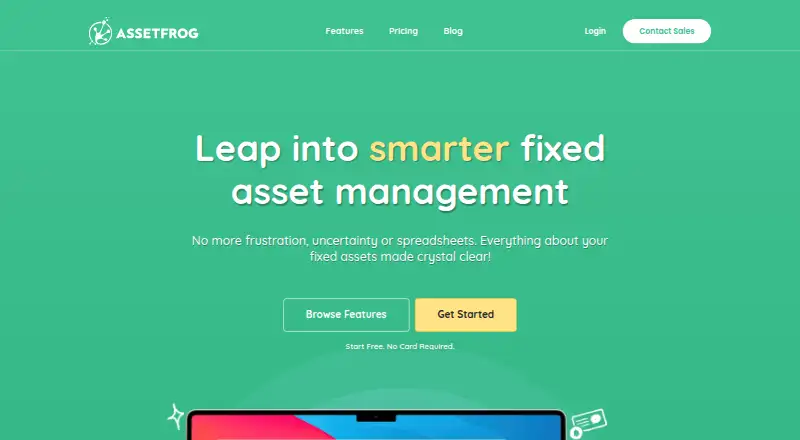
What AssetFrog is
AssetFrog is a cloud-based asset management system that tracks fixed assets and calculates depreciation for financial reports, forecasts and budgets. Records can include an asset’s location, assigned user and current status, with custom fields configured by category. Staff can be assigned checked-out assets with due dates and notes, and returns can be tracked. Invoices, contracts and other files can be attached to assets. A mobile browser can scan barcodes or QR codes to register, update or check items. An import wizard supports migration from other systems and bulk registration of identical assets. AssetFrog can also be installed as a progressive web app on Windows, Android, macOS and iOS devices. The free plan covers up to 50 assets, one user and three custom fields. Paid plans are billed annually; AF100 costs A$16 a month for up to 100 assets, unlimited users and 30 custom fields. The service is cloud-only and has no on-premises version.
Who it suits
AssetFrog suits organizations tracking fixed assets, staff assignments and depreciation. Its free plan may suit a small asset register; paid plans allow unlimited users, with a soft limit of 500 users before contacting AssetFrog.
What it does well
- Tracks asset location, user and current status
- Calculates depreciation for reports and budgets
- Scans barcodes and QR codes in a mobile browser
- Attaches invoices, contracts and other files
- Supports bulk asset imports
What to know first
- Free plan covers up to 50 assets
- Free plan allows one user
- Cloud-only service has no on-premises version
Limits
The free plan supports up to 50 assets, one user, and three custom fields. The lowest listed paid plan, AF100 at A$16 a month billed annually, supports up to 100 assets and 30 custom fields. Paid plans advertise unlimited users, with a soft limit of 500 users before contacting AssetFrog.
Plans
| Plan | Billed and limits | Price |
|---|---|---|
| FREE | up to 50 assets · 1 user · 3 custom fields | Free |
| AF1500 | Billed Annually · up to 1,500 assets · unlimited users · 30 custom fields | A$120 a month |
| AF2000 | Billed Annually · up to 2,000 assets · unlimited users · 30 custom fields | A$153 a month |
| AF100 | Billed Annually · up to 100 assets · unlimited users · 30 custom fields | A$16 a month |
| AF2500 | Billed Annually · up to 2,500 assets · unlimited users · 30 custom fields | A$186 a month |
| AF3000 | Billed Annually · up to 3,000 assets · unlimited users · 30 custom fields | A$219 a month |
| AF4000 | Billed Annually · up to 4,000 assets · unlimited users · 30 custom fields | A$268 a month |
| AF250 | Billed Annually · up to 250 assets · unlimited users · 30 custom fields | A$35 a month |
The first 8 of 10 plans, as assetfrog.com lists them, read 1 Oct 2026. The maker's own page has the final word. Every plan
Getting started
- Visit https://assetfrog.com/.
- Choose the FREE plan or a paid plan such as AF100, billed annually.
- Open AssetFrog through the web, or install it as a progressive web app on Windows, Android, macOS, or iOS.
- Use the import wizard to migrate records or register identical assets in bulk.
- Add asset details, configure category-specific custom fields, and attach documents as needed.
- Use a mobile browser to scan asset barcodes or QR codes.
Overview
AssetFrog is a fixed-asset management service for organisations that need both inventory control and depreciation calculations. It suits teams that want staff checkout and mobile scanning alongside financial records; its main trade-off is that asset caps remain even on paid plans, and it runs only in the cloud.
Key features
Records, depreciation and documents
Each asset record can track location, assigned user and current status, while depreciation calculations support financial reports, forecasts and budgets, including tax depreciation. That combination is useful when an organisation needs its operational register to support accounting work as well. Category-specific custom fields help distinguish different kinds of assets, and attached invoices, contracts and other files keep supporting documents with the relevant record.
Checkout and scanning
Staff assignments can include due dates, notes and return tracking, giving teams a way to follow assets that leave a central location. Mobile-browser barcode and QR scanning supports registering, updating or checking an asset without searching for its record manually. The import wizard can move data from another system and bulk-register identical assets, which should make initial setup or repetitive entry less onerous.
Cloud access and security
AssetFrog is cloud-only, with no on-premises option. It can be installed as a progressive web app on Windows, Android, macOS and iOS devices. The company says it uses 256-bit SSL encryption, Amazon AWS hosting and encryption for stored documents; support is handled through help-desk tickets.
Pricing
The free plan costs nothing and allows up to 50 assets, one user and three custom fields. It is a practical starting point for a small register, but the single-user cap makes it a poor fit for teams sharing checkout and recordkeeping.
Paid plans are billed annually, with prices shown per month. AF100 costs A$16 a month for up to 100 assets, unlimited users and 30 custom fields. It fits a small team that needs shared access and more configurable records than the free tier allows. AF250 is A$35 a month for 250 assets; AF500 is A$54 a month for 500; and AF1000 is A$87 a month for 1,000. Each includes unlimited users and 30 custom fields, so the choice among them is chiefly about register size.
For larger inventories, AF1500 costs A$120 a month for 1,500 assets, AF2000 costs A$153 a month for 2,000, AF2500 costs A$186 a month for 2,500, AF3000 costs A$219 a month for 3,000, and AF4000 costs A$268 a month for 4,000. These plans retain the same stated user and custom-field allowances; organisations should choose by asset count rather than expect a higher tier to add seats or fields. Paid plans advertise unlimited users, with a soft limit of 500 users before contacting AssetFrog.
Platforms
AssetFrog is available on the web and is listed for Android, iOS, macOS and Windows. Its installable progressive web app option extends to those four device platforms, but cloud delivery means it is not a locally hosted system.
Who it's for
AssetFrog is best suited to organisations managing fixed assets that need depreciation schedules as well as location, custody and return tracking. The free tier suits a single user with no more than 50 assets; growing teams can share paid plans, provided their inventory fits a published cap. It is less suitable for organisations that require on-premises deployment or need capacity beyond 4,000 assets without a published higher tier.
Pros and cons
- Pros: Depreciation, including tax depreciation, sits alongside operational tracking, making one register relevant to finance and staff managing equipment.
- Pros: Mobile barcode and QR scanning, checkout return tracking and document attachments cover useful day-to-day inventory workflows.
- Pros: Paid plans allow unlimited users and up to 30 custom fields, so adding colleagues does not require moving to a different listed tier.
- Cons: The free plan's one-user and 50-asset caps constrain collaboration and growth.
- Cons: Every paid plan still has an asset ceiling, and the soft limit of 500 users requires contacting the vendor.
- Cons: Cloud-only delivery rules it out for organisations that need an on-premises deployment.
Alternatives
For a broader comparison of products in this category, see the Fixed Asset Management Software list.
- Fixed Asset Register is another option with a free plan and free trial, and supports Android, web and Windows.
- AssetCenter may suit readers comparing a free plan that has no time limit, with 25 assets and no reports, and a listed Starter plan at $39 a month.
- xAssets ITAM is worth considering when self-hosted availability matters; its free Express Edition is cloud hosted, limited to one user and includes 100 endpoints per user.
- AssetAccountant offers a free plan for up to 10 assets, including its features and integrations except leases, making it an alternative to compare for a very small register.
- AssetComply has a free plan for up to 100 assets and supports Android and web.
- Minty Assets has a free Starter plan for 50 assets and one company, with straight-line or no depreciation, eight reports, and CSV import and export.
- AssetsTrak is another paid option with web, iOS and Android platforms.
- Sage Fixed Assets is another paid option, available on Android, web and Windows.
Verdict
Choose AssetFrog if your organisation needs a shared fixed-asset register that connects depreciation work with staff checkout, mobile scanning and supporting documents. Its free plan is a useful single-user entry point, while annual paid tiers extend collaboration and asset capacity; look elsewhere if you need on-premises software or an inventory above the published 4,000-asset ceiling.
Verdict
AssetFrog combines asset records, depreciation calculations, checkout tracking and mobile barcode or QR scanning. The free plan is limited to 50 assets and one user, and the service is cloud-only.
Questions
Is AssetFrog free?
Yes. The FREE plan costs nothing and includes up to 50 assets, one user, and three custom fields.
What does the first paid plan cost?
AF100 costs A$16 a month, billed annually. It includes up to 100 assets, unlimited users, and 30 custom fields.
Which platforms can I use AssetFrog on?
The listed platforms are Android, iOS, macOS, web, and Windows. AssetFrog can also be installed as a progressive web app on those device types.
Does AssetFrog have an on-premises version?
No. AssetFrog is cloud-only SaaS and has no on-premises version.
Who owns AssetFrog?
AssetFrog describes itself as 100% Australian owned and operated.
How can customers get support?
Customers can submit support tickets through the AssetFrog help desk.
Facts from AssetFrog's own pages
- Asset checkout
- Assets can be assigned to staff with due dates, notes and return tracking. · assetfrog.com, 1 Oct 2026
- Asset tracking
- It tracks fixed assets, including their location, user and current status. · assetfrog.com, 1 Oct 2026
- Barcode scanning
- Users can scan barcodes or QR codes in a mobile browser to register, update or check assets. · assetfrog.com, 1 Oct 2026
- Cloud delivery
- AssetFrog is cloud-only SaaS and has no on-premises version. · assetfrog.com, 1 Oct 2026
- Company ownership
- AssetFrog describes itself as 100% Australian owned and operated. · assetfrog.com, 1 Oct 2026
- Custom fields
- Custom fields can be configured to appear on assets according to category. · assetfrog.com, 1 Oct 2026
- Depreciation
- The software calculates accurate depreciation for financial reports, forecasts and budgets. · assetfrog.com, 1 Oct 2026
- Documents
- Invoices, contracts and other files can be attached to assets. · assetfrog.com, 1 Oct 2026
- Import
- The asset import wizard supports migration from other systems and bulk registration of identical assets. · assetfrog.com, 1 Oct 2026
- Purpose
- AssetFrog is an online asset management system with a depreciation schedule compliant with accounting standards. · support.assetfrog.com, 1 Oct 2026
- PWA availability
- AssetFrog can be installed as a progressive web app on Windows, Android, macOS and iOS devices. · assetfrog.com, 1 Oct 2026
- Security
- AssetFrog states that it uses 256-bit SSL encryption, Amazon AWS hosting and encryption for stored documents. · assetfrog.com, 1 Oct 2026
- Support
- Customers can submit support tickets through the AssetFrog help desk. · support.assetfrog.com, 1 Oct 2026
- User limit
- Paid plans advertise unlimited users, with a soft limit of 500 users before contacting AssetFrog. · assetfrog.com, 1 Oct 2026
Where AssetFrog stands on Freedom251
- Fixed Asset Management Software#2 of 27