Freedom251 › Game Profiling Software
Arm Performance Studio
What Arm Performance Studio is
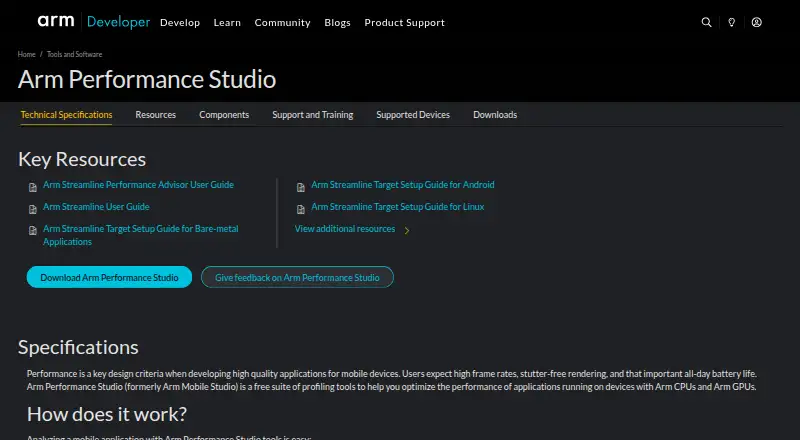
Arm Performance Studio is a free suite of profiling tools for applications running on devices with Arm CPUs and GPUs. Streamline captures CPU, GPU, and application activity from a device, while Performance Advisor turns those captures into reports with potential issues and optimization suggestions. Frame Advisor examines API calls and rendering data for a problem frame and provides geometry metrics. Mali Offline Compiler estimates shader and compute-kernel performance across Arm GPUs, reporting register usage, cycle cost, and stage-specific advice. The suite also includes RenderDoc for Arm GPUs, an Arm fork of an open-source graphics API debugger with support for Arm GPU extensions and Android features. Tools can run headlessly in continuous integration workflows and export machine-readable data; Unity and Godot integrations add application markers or counters. The product describes profiling Android and Linux applications. Android 11 or later is listed for several tools. Graphics profiling supports Mali GPUs from the Mali-T700 series onward, but not Mali-400 or Mali-T600 series products. Community support is available through Arm’s Gaming, Graphics, and VR forum.
Who it suits
It suits developers optimizing applications for devices with Arm CPUs or GPUs, including teams that want profiling tools in continuous integration workflows. It is also relevant to developers using Unity or Godot integrations.
What it does well
- Free suite for Arm CPU and GPU applications.
- Captures CPU, GPU, and application activity.
- Reports frame rendering data and geometry metrics.
- Runs headlessly in continuous integration workflows.
- Includes Unity and Godot integrations.
What to know first
- Mali-400 and Mali-T600 GPUs are not supported for graphics profiling.
- Android 11 or later is listed for several tools.
- Support is provided through the community forum.
Limits
Graphics profiling supports Arm Mali GPUs from the Mali-T700 series onward; Mali-400 and Mali-T600 series products are unsupported. Streamline, Performance Advisor, Frame Advisor, and RenderDoc for Arm GPUs list Android 11 or later.
Plans
| Plan | Billed and limits | Price |
|---|---|---|
| Free | Free suite of profiling tools · Arm CPU and GPU applications | Free |
As developer.arm.com lists them, read 29 Sept 2026. The maker's own page has the final word.
Getting started
- Open the Arm Performance Studio website.
- Choose the download for Windows x86-64, macOS Arm64, or Linux x86-64.
- Install the suite on a supported desktop platform.
- Use its profiling tools with an Android or Linux application.
- Add Unity or Godot markers or counters if they fit your profiling workflow.
Overview
Arm Performance Studio is a no-cost profiling suite for developers optimizing software on Arm CPUs and GPUs. It is best suited to teams working on Android or Linux applications that need to diagnose runtime, frame-rendering, shader, or graphics API issues. Its breadth is a strong draw, but GPU support and Android version requirements narrow where some tools apply.
Key features
Runtime and frame analysis
Streamline captures CPU, GPU, and application activity from a device, while Performance Advisor turns those captures into reports highlighting potential issues and optimization advice. Together they offer a practical route from observing runtime behavior to identifying areas to investigate. Frame Advisor concentrates on a problem frame, analyzing API calls and rendering data and providing geometry metrics; that narrower focus is useful when a slowdown is tied to a particular frame.
Shader and graphics tools
Mali Offline Compiler estimates shader and compute-kernel performance across Arm GPUs, reporting register usage, cycle cost, and stage-specific recommendations. It gives graphics developers concrete signals to assess, though its remit is Arm GPU workloads rather than a general-purpose shader tool. RenderDoc for Arm GPUs is an Arm fork of the open-source graphics API debugger, with support for Arm GPU extensions and Android features.
Automation and integrations
The tools can run headlessly in continuous integration workflows and export machine-readable data for custom reporting. That makes the suite relevant beyond interactive debugging, particularly for teams that want profiling data in an automated process. Arm also provides Unity and Godot integrations for adding application markers or counters to profiling workflows.
Pricing
Arm Performance Studio has one free plan: free. It includes the profiling suite for Arm CPU and GPU applications, with CPU profiling, GPU profiling, frame-time analysis, render API capture, and remote profiling. There is no free-trial period to weigh against a paid tier; the suite itself is free. This is an unusually broad set of capabilities at no price, though teams should still confirm the target device and GPU fall within the supported range.
Platforms
The supported platforms are Android, Linux, Windows, and macOS. Arm describes profiling Android and Linux applications, and Streamline, Performance Advisor, Frame Advisor, and RenderDoc for Arm GPUs require Android 11 or later. Downloads are listed for Windows x86-64, macOS Arm64, and Linux x86-64. Graphics profiling supports Arm Mali GPUs from the Mali-T700 series or later; Mali-400 and Mali-T600 series products are not supported. Arm says support is provided by the community through its Gaming, Graphics, and VR forum.
Who it's for
This suite fits developers who need to examine application activity and graphics performance on supported Arm hardware, especially teams connecting device profiling to CI or using Unity and Godot markers. It is less suitable as a default choice for work centered on unsupported Mali generations, Android versions below 11 for the named tools, or applications outside the Android and Linux profiling focus Arm describes.
Pros and cons
- Pros: Free access includes CPU and GPU profiling, frame-time analysis, render API capture, and remote profiling, so teams can combine several diagnostic approaches without a paid tier.
- Pros: Headless execution and machine-readable exports support automated profiling and custom reporting.
- Pros: Frame, shader, and graphics debugging tools address distinct stages of graphics investigation rather than relying on runtime activity capture alone.
- Cons: Graphics profiling excludes Mali-400 and Mali-T600 series GPUs, limiting use on older Arm graphics hardware.
- Cons: Android 11 or later is required for several core tools, which rules out older Android targets for those workflows.
- Cons: Support is community-provided through Arm's forum rather than a stated direct support channel.
Alternatives
Game Profiling Software is a useful category starting point for comparing options. Choose GameBench instead if its free Pro trial, which includes 30 minutes of Pro testing and unlimited sessions for 28 days, suits an evaluation before purchase. Tracy Profiler is a free option under a 3-clause BSD license; consider it when that licensing and profiler alternative better fit your project. GFXReconstruct offers free open-source graphics API capture and replay tools, making it a possible alternative when capture and replay are the priority. Optick is free under the MIT License, which permits use, copying, modification, publication, and distribution. CRYENGINE, Orx, Cocos Creator, and MicroProfile are other options to compare.
Verdict
Arm Performance Studio is a strong choice for developers profiling Android or Linux applications on supported Arm hardware: its free suite combines runtime, frame, shader, and graphics debugging tools, with automation support for teams that need repeatable workflows. Look elsewhere if your target relies on an unsupported Mali generation or cannot meet the Android requirements for the relevant tools.
Verdict
Arm Performance Studio offers a broad set of profiling and graphics tools at no cost. Check the listed Android requirements and Mali GPU support before relying on particular tools.
Questions
How much does Arm Performance Studio cost?
The Free plan costs nothing. It is a free suite of profiling tools for Arm CPU and GPU applications.
Is there a free trial?
No. The product is offered as a free plan.
Which platforms are listed?
The supported platforms are Android, Linux, Windows, and macOS. Downloads are listed for Windows x86-64, macOS Arm64, and Linux x86-64.
Which GPUs are supported for graphics profiling?
Graphics profiling supports Arm Mali GPUs from the Mali-T700 series onward. Mali-400 and Mali-T600 series products are not supported.
What integrations are available?
Arm provides Unity and Godot integrations for adding application markers or counters to profiling workflows.
Where can users get support?
Arm provides community support through its Gaming, Graphics, and VR forum.
Facts from Arm Performance Studio's own pages
- Automation
- The tools can run in headless mode in continuous integration workflows and export machine-readable data for custom reporting. · developer.arm.com, 29 Sept 2026
- Company history
- Arm says it was officially founded in November 1990 as Advanced RISC Machines Ltd. · newsroom.arm.com, 29 Sept 2026
- Downloads
- The page lists downloads for Windows x86-64, macOS Arm64, and Linux x86-64, with the 2026.5 release dated September 8, 2026. · developer.arm.com, 29 Sept 2026
- Frame Advisor
- Frame Advisor analyzes API calls and rendering data from a problem frame and provides geometry metrics. · developer.arm.com, 29 Sept 2026
- GPU support
- Graphics profiling supports Arm Mali GPUs from the Mali-T700 series or later; Mali-400 and Mali-T600 series products are not supported. · developer.arm.com, 29 Sept 2026
- Graphics debugging
- The included RenderDoc for Arm GPUs is an Arm fork of the open-source graphics API debugger with support for Arm GPU extensions and Android features. · developer.arm.com, 29 Sept 2026
- Integrations
- Arm provides Unity and Godot integrations for adding application markers or counters to profiling workflows. · developer.arm.com, 29 Sept 2026
- Performance Advisor
- Performance Advisor converts Streamline captures into performance reports that highlight potential issues and optimization advice. · developer.arm.com, 29 Sept 2026
- Purpose
- Arm Performance Studio is a free suite of profiling tools for optimizing applications running on devices with Arm CPUs and Arm GPUs. · developer.arm.com, 29 Sept 2026
- Shader analysis
- Mali Offline Compiler estimates shader and compute-kernel performance across Arm GPUs and reports register usage, cycle cost, and stage-specific recommendations. · developer.arm.com, 29 Sept 2026
- Streamline
- Streamline captures CPU, GPU, and application activity data from a device for performance analysis. · developer.arm.com, 29 Sept 2026
- Support
- Arm says Performance Studio support is provided by the community through its Gaming, Graphics, and VR forum. · developer.arm.com, 29 Sept 2026
- Supported targets
- The product page describes profiling Android and Linux applications and lists Android 11 or later for Streamline, Performance Advisor, Frame Advisor, and RenderDoc for Arm GPUs. · developer.arm.com, 29 Sept 2026
Where Arm Performance Studio stands on Freedom251
- Game Profiling Software#2 of 25