Freedom251 › Game Profiling Software
MicroProfile
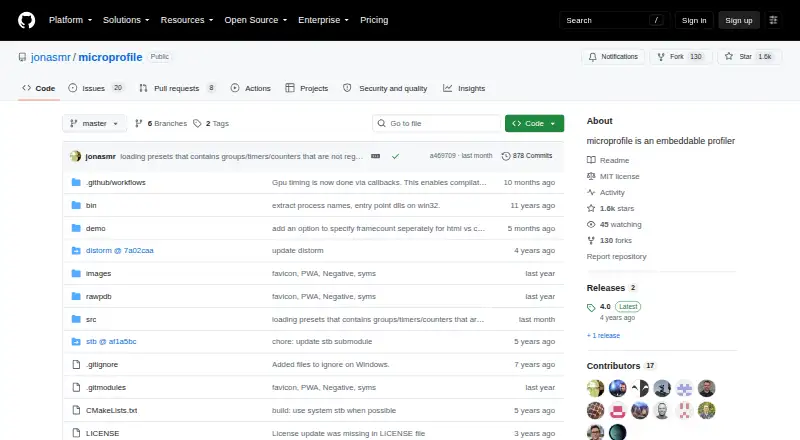
What MicroProfile is
MicroProfile is a free, embeddable C++ profiler supplied in a small set of files. Developers add timer macros to instrument code and include the microprofile.cpp implementation file in their project. Its live view runs in Chrome by opening the profiler host on port 1338 and can capture the last 30 frames by default. Captures are self-contained webpages that can be saved and shared; profile data can also be dumped to HTML or CSV. GPU timing supports OpenGL, D3D11, D3D12, and Vulkan. Counters appear in live and capture views, while timeline markers cover longer-running unique timers. A detailed view can compare two captures, but captures made with earlier versions are incompatible with that feature. Dynamic instrumentation is experimental and supports Intel x86-64 on Windows, macOS, and Linux. It requires MICROPROFILE_DYNAMIC_INSTRUMENT_ENABLE and distorm; Linux builds also need -rdynamic. The project lists Windows, macOS, and Linux support and mentions consoles without specifying which ones. Its license is MIT.
Who it suits
MicroProfile may suit C++ developers seeking an embeddable profiler with CPU and GPU timing, capture exports, and frame analysis. Developers interested in dynamic instrumentation should note its experimental status and build requirements.
What it does well
- Embeddable C++ profiler
- Captures can be saved and shared as webpages
- Exports profile data to HTML or CSV
- GPU timing for OpenGL, D3D11, D3D12, and Vulkan
- MIT-licensed
What to know first
- Dynamic instrumentation is experimental
- Dynamic instrumentation has additional build requirements
- Earlier-version captures cannot be compared in detail
Limits
The default per-thread profiling buffer allocation is 2 MB, and GPU buffers default to 128 KB each. Dynamic instrumentation is experimental; detailed comparison does not support captures from earlier versions.
Plans
| Plan | Billed and limits | Price |
|---|---|---|
| MicroProfile | Embeddable C++ profiler · MIT licensed | Free |
As github.com lists them, read 4 Oct 2026. The maker's own page has the final word.
Getting started
- Open the project website on GitHub.
- Add timer macros to the code you want to instrument.
- Include `microprofile.cpp` in the project.
- Open the profiler host on port 1338 in Chrome to view profiling data.
- For dynamic instrumentation, enable `MICROPROFILE_DYNAMIC_INSTRUMENT_ENABLE` and link distorm; Linux builds also need `-rdynamic`.
Verdict
MicroProfile provides embedded profiling, GPU timing, and shareable captures in a free MIT-licensed package. Its experimental dynamic instrumentation and capture-version compatibility limit are important considerations for some workflows.
Questions
How much does MicroProfile cost?
MicroProfile is free. Its plan is listed as free.
Which platforms does it support?
Windows, macOS, and Linux are listed, along with web and self-hosted platforms. Console support is mentioned, but specific consoles are not identified.
What GPU APIs have timing support?
GPU timers are available for OpenGL, D3D11, D3D12, and Vulkan.
Can I share or export captures?
Captures are self-contained webpages that can be saved and shared. Profile data can also be dumped to HTML or CSV files.
What license does MicroProfile use?
The repository uses the MIT license, which permits use, copying, modification, distribution, sublicensing, and sale subject to its conditions.
Who maintains MicroProfile?
The GitHub profile identifies Jonas Meyer as the maintainer and lists Denmark.
Facts from MicroProfile's own pages
- Capture comparison
- Two captures can be compared in detailed view, but captures from earlier versions are incompatible with this feature. · github.com, 4 Oct 2026
- Capture output
- Captures are self-contained webpages that can be saved and shared, and profile data can also be dumped to HTML or CSV files. · github.com, 4 Oct 2026
- Counters and timeline
- It supports counters shown in live and capture views, plus timeline markers for longer-running unique timers. · github.com, 4 Oct 2026
- Dependencies
- The project lists miniz for compressed captures, distorm for dynamic instrumentation, stb_sprintf, raw_pdb, and Dear ImGui among its dependencies. · github.com, 4 Oct 2026
- Dynamic instrumentation
- Dynamic instrumentation is supported on Intel x86-64 on Windows, macOS, and Linux, and the project describes it as experimental. · github.com, 4 Oct 2026
- Dynamic instrumentation requirements
- Dynamic instrumentation requires MICROPROFILE_DYNAMIC_INSTRUMENT_ENABLE and linking distorm; Linux builds also need -rdynamic. · github.com, 4 Oct 2026
- GPU timing
- GPU timers are available for OpenGL, D3D11, D3D12, and Vulkan. · github.com, 4 Oct 2026
- Instrumentation
- Code can be instrumented with timer macros, and the implementation file microprofile.cpp must be included in the project. · github.com, 4 Oct 2026
- License
- The repository’s license is MIT and grants permission to use, copy, modify, distribute, sublicense, and sell copies subject to its conditions. · github.com, 4 Oct 2026
- Live view
- The live view runs by opening the profiler’s host on port 1338 in Chrome and can capture the last 30 frames by default. · github.com, 4 Oct 2026
- Maker
- The GitHub profile identifies the maintainer as Jonas Meyer and lists Denmark. · github.com, 4 Oct 2026
- Purpose
- MicroProfile is an embeddable profiler written in C++ and provided in a few files. · github.com, 4 Oct 2026
- Resource use
- The default per-thread profiling buffer allocation is 2 MB, with GPU buffers defaulting to 128 KB each. · github.com, 4 Oct 2026
Where MicroProfile stands on Freedom251
- Game Profiling Software#10 of 25