Freedom251 › Localization Management Software

ApSIC Xbench
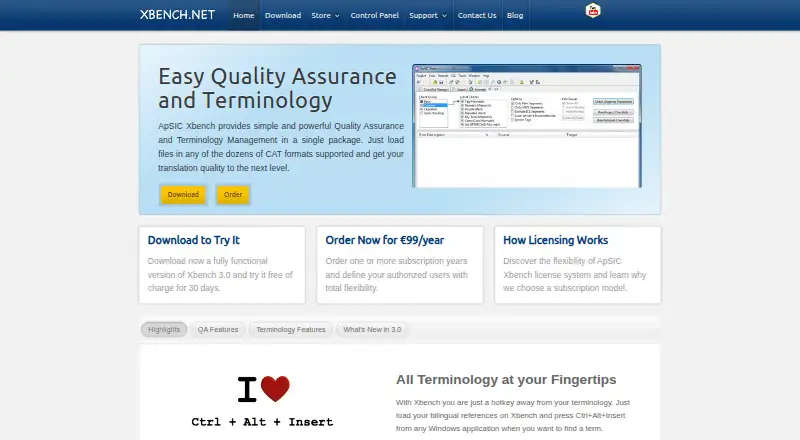
What ApSIC Xbench is
ApSIC Xbench combines translation quality assurance and terminology management for professional translators. It searches bilingual references and terminology sources in formats including TMX, XLIFF, Trados, Wordfast, memoQ, and Deja Vu. Predefined checks cover completeness, consistency, numbers, tags, spelling, and key terminology. Users can create custom checklists using PowerSearch, regular expressions, or Microsoft Word wildcards. Hunspell dictionaries provide spell-checking in 48 languages.
Plugins or extensions are listed for Trados Studio, Passolo, Matecat, Phrase TMS, Transifex, Smartcat, Crowdin, and Google Polyglot. Xbench 3.0 is available in 32-bit and 64-bit editions for Windows systems from XP through Windows 11. The maker offers a fully functional 30-day trial. Xbench 3.0 costs €99/year + VAT (if applicable); its multi-user license divides subscription time among authorized users, with a maximum of 10 years per user. A free Xbench 2.9 edition is also listed, but it is non-Unicode and its development is frozen. Licensed users may install Xbench on internet-connected computers, with one simultaneous instance per authorized user.
Who it suits
Xbench suits professional translators who need terminology search and translation quality checks, including custom checklists. Its listed Windows support spans older and newer Windows versions.
What it does well
- Searches bilingual references in common CAT formats.
- Predefined checks cover completeness, numbers, tags, and terminology.
- Custom checklists can use regex or Word wildcards.
- Hunspell dictionaries cover 48 languages.
- Fully functional 30-day trial is available.
What to know first
- Xbench 3.0 costs €99/year + VAT (if applicable).
- The free Xbench 2.9 edition is non-Unicode.
- Development of Xbench 2.9 is frozen.
- Email support is available, but phone support is not.
Limits
The free Xbench 2.9 edition is non-Unicode and its development is frozen. The paid Xbench 3.0 plan costs €99 a year plus VAT if applicable, and allows one simultaneous instance per authorized user; its fully functional trial lasts 30 days.
Plans
| Plan | Billed and limits | Price |
|---|---|---|
| Xbench 2.9 | Free of charge · Non-Unicode freeware; development is frozen | Free |
| Xbench 3.0 | €99/year + VAT (if applicable) · Multi-user license; subscription time is divided among authorized users; maximum 10 years per user | €99 a year |
As xbench.net lists them, read 9 Oct 2026. The maker's own page has the final word.
Getting started
- Download Xbench 3.0 for Windows in 32-bit or 64-bit edition, or choose the free Xbench 2.9 edition.
- Use the fully functional 30-day trial of Xbench 3.0, or select its paid plan at €99 a year plus applicable VAT.
- Load bilingual references or terminology sources in supported CAT formats.
- Run predefined QA checks or create a custom checklist using PowerSearch, regular expressions, or Microsoft Word wildcards.
- Install a listed plugin or extension for a supported translation tool if needed.
ApSIC Xbench is a desktop terminology and translation QA tool for professional translators who work across multiple CAT formats. It is strongest as a companion for checking bilingual material, not as a full translation editor. Its current edition brings broad search and customizable QA, but costs €99 per user each year and requires Windows.
Overview
Xbench combines terminology lookup with translation-memory searching and quality checks. It reads bilingual references and terminology sources in TMX, XLIFF, Trados, Wordfast, memoQ, and Deja Vu formats, which makes it useful when projects or reference material come from different CAT systems. The trade-off is a focused desktop tool rather than an all-in-one translation environment.
The free 2.9 edition is non-Unicode, and development is frozen, so it is a poor choice for ongoing professional work. Xbench 3.0 is the relevant edition for users who need current support and a maintained license.
Key features
Search and quality assurance
Predefined checks cover completeness, consistency, numbers, tags, spelling, and key terminology. Together with searches across common CAT formats, these checks give translators a way to catch omissions and discrepancies without relying on separate format-specific reference searches. They suit review and verification work, but do not replace the editing features of a CAT application.
Custom checks and spelling
Users can build checklists from PowerSearch queries, regular expressions, or Microsoft Word wildcards. This flexibility is useful when a client or project has recurring rules beyond the predefined checks; it does require users to formulate the searches that express those rules. Hunspell dictionaries cover 48 languages, broad enough for multilingual work while still tying spell-checking to the included dictionary coverage.
Integrations
Plugins or extensions are listed for Trados Studio, Passolo, Matecat, Phrase TMS, Transifex, Smartcat, Crowdin, and Google Polyglot. That range helps Xbench fit into several translation workflows, though the tool itself remains a Windows desktop application.
Pricing
Xbench 3.0 costs €99 a year, billed at €99/year + VAT (if applicable). The multi-user license divides subscription time among authorized users, with a maximum of 10 years per user. A licensed user may install Xbench on any internet-connected computer, but only one simultaneous instance is allowed per authorized user. That arrangement offers installation flexibility without allowing concurrent use of one user's license.
A fully functional 3.0 download is free for 30 days. After the trial, the 2.9 edition remains available free of charge, but it is non-Unicode freeware with frozen development. It saves the subscription cost, but gives up the current edition and is a weak fit for anyone who needs future fixes or enhancements. Xbench 3.0 includes email support and no phone support.
Platforms
Xbench is a desktop product for Windows, with 32-bit and 64-bit 3.0 editions. Supported systems range from Microsoft Windows XP through Windows 11. The platform focus rules it out for users who need a native Linux or macOS application. Xbench is not available for offline desktop use, so it does not suit workflows that require disconnected operation.
ApSIC says it maintains an information security management system to protect the confidentiality, integrity, and availability of information assets. For license compliance, it collects email and device signature data for Xbench 3.0; its servers are in the European Union.
Who it's for
Xbench fits professional translators who need to search bilingual references from multiple CAT formats and apply repeatable or custom QA checks on Windows. It is less suitable for people looking for a complete CAT authoring environment, a free current edition, or offline use. Teams should also account for the one-instance-per-authorized-user limit when planning simultaneous work.
Pros and cons
- Pros: Search covers several widely used bilingual reference formats, reducing the need to handle every source in a separate CAT tool.
- Pros: Predefined checks address completeness, consistency, numbers, tags, spelling, and key terminology, while custom search-based checklists extend the workflow.
- Pros: The 30-day 3.0 trial is fully functional, and licenses can be installed on any internet-connected computer.
- Cons: The current edition costs €99 a year, billed at €99/year + VAT (if applicable), and limits each authorized user to one simultaneous instance.
- Cons: Windows-only desktop support and no offline use exclude users who need macOS, Linux, or disconnected workflows.
- Cons: The free 2.9 edition is non-Unicode and frozen, so it is not a sound substitute for current software.
Alternatives
For a broader comparison, browse Computer-Assisted Translation Software.
Choose BasicCAT if you want a free, open-source CAT tool on Linux, macOS, or Windows rather than Xbench's paid QA-focused desktop workflow. CafeTran Espresso is worth considering for a cross-platform CAT tool with a free tier capped at 1,000 translation units and 500 glossary terms, or an annual subscription at €80 a year.
locAGI is another option to compare. Lokalize, Supervertaler Workbench, Déjà Vu X3, Matecat, and OpenTM2 are also alternatives.
Verdict
Choose Xbench if you are a Windows-based professional translator who needs terminology search across CAT formats and a flexible set of QA checks in a dedicated review tool. Its strongest reason to buy is the combination of broad reference searching and customizable checks; look elsewhere if you need a full CAT editor, offline operation, another desktop platform, or a free edition that is still being developed.
Verdict
Xbench offers terminology search and a broad set of predefined and custom QA checks, alongside a 30-day trial. Consider the paid 3.0 edition for current development; the free 2.9 edition is non-Unicode and frozen.
Questions
How much does Xbench 3.0 cost?
The listed plan is €99 a year, plus VAT if applicable. A fully functional 30-day trial is available.
Is there a free version?
Xbench 2.9 is listed as free of charge. It is non-Unicode, and development is frozen.
Which platforms does it support?
Xbench 3.0 is available in 32-bit and 64-bit editions for Windows XP through Windows 11.
What translation formats can it search?
It searches bilingual references and terminology sources in formats including TMX, XLIFF, Trados, Wordfast, memoQ, and Deja Vu.
Which integrations are listed?
Plugins or extensions are listed for Trados Studio, Passolo, Matecat, Phrase TMS, Transifex, Smartcat, Crowdin, and Google Polyglot.
How does the license work across computers?
A licensed user can install Xbench on any internet-connected computer, with one simultaneous instance per authorized user. The multi-user subscription time is divided among authorized users, with a maximum of 10 years per user.
Facts from ApSIC Xbench's own pages
- Custom checks
- Users can create checklists from searches using PowerSearch, regular expressions, or Microsoft Word wildcards. · xbench.net, 9 Oct 2026
- Integrations
- The download page lists plugins or extensions for Trados Studio, Passolo, Matecat, Phrase TMS, Transifex, Smartcat, Crowdin, and Google Polyglot. · xbench.net, 9 Oct 2026
- License use
- A licensed user can install Xbench on any internet-connected computer, with one simultaneous instance per authorized user. · xbench.net, 9 Oct 2026
- Privacy
- ApSIC says it collects email and device signature data for Xbench 3.0 license compliance, and that its servers reside in the European Union. · xbench.net, 9 Oct 2026
- Purpose
- Xbench combines translation quality assurance and terminology management for professional translators. · xbench.net, 9 Oct 2026
- Quality checks
- Predefined QA checks cover completeness, consistency, numbers, tags, spelling, and key terminology. · xbench.net, 9 Oct 2026
- Security
- ApSIC states that it maintains an information security management system intended to protect the confidentiality, integrity, and availability of information assets. · xbench.net, 9 Oct 2026
- Spell-checking
- Xbench includes Hunspell spell-checking dictionaries for 48 languages. · xbench.net, 9 Oct 2026
- Support
- Xbench 3.0 includes email support and does not offer phone support. · xbench.net, 9 Oct 2026
- Terminology search
- It searches bilingual references and terminology sources in common CAT formats, including TMX, XLIFF, Trados, Wordfast, memoQ, and Deja Vu. · xbench.net, 9 Oct 2026
- Trial
- The maker offers a fully functional Xbench 3.0 download free for 30 days. · xbench.net, 9 Oct 2026
- Version limitation
- Xbench 2.9 is non-Unicode, and the maker says further fixes or enhancements are unlikely because development is frozen. · xbench.net, 9 Oct 2026
- Windows support
- Xbench 3.0 is available in 32-bit and 64-bit editions and lists Microsoft Windows XP through Windows 11 among its supported systems. · xbench.net, 9 Oct 2026