Freedom251 › Performance Testing Software

Apache JMeter
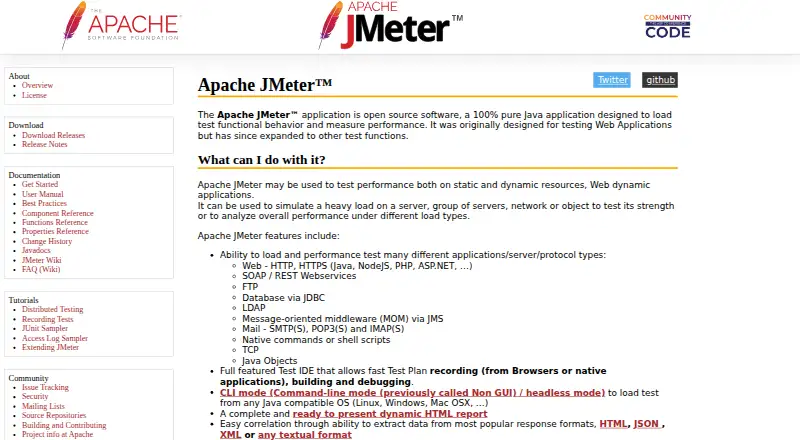
What Apache JMeter is
Apache JMeter is a free, open-source Java application for load testing functional behavior and measuring performance. It can simulate heavy workloads on servers, networks and other systems. Supported test types include HTTP and HTTPS, SOAP and REST, FTP, JDBC, LDAP, JMS, email protocols, TCP, Java objects, and native commands or shell scripts. Its test IDE can record plans from browsers or native applications, then support building and debugging them. JMeter offers command-line operation for load tests on Java-compatible systems, including Linux, Windows and macOS, and can generate dynamic HTML reports. It also supports remote testing, pluggable samplers and timers, scripting such as Groovy and BeanShell, and data analysis and visualization plugins. Third-party open-source libraries provide continuous integration with Maven, Gradle and Jenkins. JMeter works at the protocol level: it does not run JavaScript in pages or render them as a browser does. It requires Java 8 or later, and the project recommends command-line rather than GUI mode for load testing. The project directs usage questions to user mailing lists.
Who it suits
JMeter suits users who need to load test supported protocols on Java-compatible systems. Its command-line mode and remote testing support may be useful for load-test workflows.
What it does well
- Free, open-source software
- Supports a broad range of listed protocols
- Can record, build and debug test plans
- Generates dynamic HTML reports
- Supports remote testing
What to know first
- Does not execute page JavaScript
- Does not render pages like a browser
- Requires Java 8 or later
- Load testing should use CLI, not GUI mode
Limits
The free plan is open-source software and requires Java 8 or later. JMeter does not execute JavaScript in HTML pages or render them as a browser does; load tests should run in CLI mode rather than GUI mode.
Plans
| Plan | Billed and limits | Price |
|---|---|---|
| Apache JMeter | Open source software · Requires Java 8+ | Free |
As jmeter.apache.org lists them, read 30 Sept 2026. The maker's own page has the final word.
Getting started
- Visit the Apache JMeter website.
- Install Java 8 or a later compliant Java implementation.
- Use the download page to obtain JMeter and verify release files with a PGP signature or SHA-512 checksum.
- Create or record a test plan in the IDE, then build and debug it.
- Run load tests in CLI mode on a Java-compatible operating system.
Apache JMeter is a free, open-source Java application for measuring performance and functional behavior under load. It best suits engineers testing APIs, services, databases, and other protocol-driven systems across varied infrastructure. Its broad protocol support and extensibility are compelling, provided you do not need a browser-rendering test tool and are prepared to run serious loads from the command line.
Overview
JMeter can apply heavy workloads to a server, a server group, a network, or another target to assess strength and performance. It supports load, stress, API, and distributed-load testing without a license fee. The trade-off is its protocol-level design: it does not execute JavaScript in HTML pages or render pages as a browser does, so it cannot validate visual output or browser-only behavior.
The project has been established since 1998 and runs on Java 8 or later. It is available for Linux, macOS, Windows, and self-hosted environments, making it practical for teams that control their own runners and test infrastructure.
Key features
Broad protocol coverage
Tests can target HTTP and HTTPS, SOAP and REST, FTP, JDBC, LDAP, JMS, email protocols, TCP, Java objects, and native commands or shell scripts. That range is valuable for mixed application stacks and backend-heavy systems, while teams checking a user journey inside a real browser will need another approach.
Authoring and execution
The test IDE can record plans from browsers or native applications, then help build and debug them. Recording gives teams a starting point across different clients, but the resulting workload still operates at the protocol layer. For load testing, the project recommends command-line mode rather than GUI execution; CLI runs work on Java-compatible Linux, Windows, and Mac OS X systems.
Reports and extensibility
JMeter generates dynamic HTML reports, giving teams a shareable view of test results. Pluggable samplers and timers, JSR223-compatible scripting such as Groovy and BeanShell, and plugins for data analysis and visualization allow experienced users to tailor scenarios instead of being limited to built-in behaviors.
Automation and distributed operation
Third-party open-source libraries connect JMeter with Maven, Gradle, and Jenkins for continuous integration. Remote testing supports distributed workloads, although distributed deployments require care: the security guidance recommends enabling the security manager to reduce the risk of malicious code execution.
JMX input files should be treated as trusted because opening one can, in some cases, execute code. Untrusted files require isolation. Release downloads should be checked with the supplied PGP signatures and SHA-512 checksums.
Pricing
| Plan | Price | What it includes |
|---|---|---|
| Apache JMeter | free | Open source software; requires Java 8 or newer |
The single free plan is the right fit for individuals, development teams, and organizations able to operate their own Java-compatible infrastructure. There are no paid tiers, seat allowances, usage quotas, or trial expiry to weigh, but the project does not provide a hosted service in this plan; teams must supply and secure their own environments and distributed workers.
Platforms
JMeter supports Linux, macOS, Windows, and self-hosted deployment. Its command-line load execution is designed for Java-compatible operating systems, and Java 8 or higher is required. This favors teams comfortable maintaining local or CI runners rather than buyers seeking a browser-based managed console.
Who it's for
Choose JMeter when you need no-cost, protocol-level load or stress testing across APIs, web services, databases, messaging, mail, or custom command-driven workloads. It is particularly suitable for teams that need scripting, plugins, distributed execution, and integration with existing Maven, Gradle, or Jenkins pipelines.
Look elsewhere when acceptance criteria depend on JavaScript execution, page rendering, or browser-visible interaction. JMeter also demands operational discipline around CLI execution, trusted test files, download verification, and security controls for remote testing.
Pros and cons
Pros
- No license cost: the open-source plan is free.
- Wide protocol coverage: one tool can exercise web, API, database, messaging, mail, TCP, Java, and shell-based workloads.
- Adaptable test engine: pluggable samplers, timers, scripting, and analysis plugins support specialized scenarios.
- Automation-ready: third-party libraries connect tests with Maven, Gradle, and Jenkins, while remote testing supports distributed load.
- Portable execution: Linux, macOS, Windows, and self-hosted options suit controlled infrastructure.
Cons
- No browser rendering: JavaScript and browser presentation are outside its scope.
- CLI discipline required: the project advises against GUI mode for load tests, which adds workflow complexity for newcomers.
- Security responsibility: JMX files can trigger code execution, and distributed environments need protective configuration.
- Self-managed operation: users must provide Java-compatible runners and handle infrastructure, isolation, and release verification.
Alternatives
Artillery is a freemium option with web and self-hosted platforms; its Team plan costs $199 a month and includes 1,000 reports monthly, six months of data retention, eight team members, and up to 25 workers per distributed test.
Fortio is a free, open-source project for teams wanting another self-hosted API-oriented load-testing option.
Locust is free, open source under the MIT license, and supports API, web, and self-hosted platforms.
Speedscale offers a free proxymock plan with unlimited local mocking, basic traffic recording, community support, and a desktop CLI tool.
Taurus is free and open source under the Apache 2.0 License for users seeking a different self-hosted workflow.
Tricentis Testim suits teams prioritizing mobile and web testing; its free plan allows up to 1,000 runs per month, with customized paid pricing.
HammerDB is a free, GPL-licensed database benchmarking tool with Windows and Linux builds plus a Docker image.
Tsung is another free option under the GNU General Public License version 2 for Linux, macOS, Windows, and self-hosted use.
For a broader shortlist, see Performance Testing Software.
Verdict
Apache JMeter is a strong choice for technically capable teams that need broad, extensible protocol-level load testing at no cost. Choose it for API and backend performance work, distributed workloads, and CI automation; choose a browser-focused tool instead when rendered pages and JavaScript behavior are the acceptance criteria.
Verdict
Apache JMeter offers protocol-level load testing, reporting and extensibility at no cost. It is not a browser-rendering tool, and load tests should run in command-line mode.
Questions
How much does Apache JMeter cost?
The listed plan is free. It is open-source software.
What does JMeter require?
It is compatible with Java 8 or higher and requires a compliant Java implementation.
Which operating systems can run JMeter?
Its command-line mode supports Java-compatible systems including Linux, Windows, and Mac OS X.
Can JMeter perform browser-based testing?
No. It works at the protocol level and does not run page JavaScript or render pages as a browser does.
Does JMeter support distributed load testing?
Yes. It supports remote testing. Its security guidance recommends enabling the security manager in distributed environments.
Where can users get support?
The project directs setup, configuration, and usage questions to user mailing lists, and source-code questions to developer mailing lists.
Facts from Apache JMeter's own pages
- Browser limitation
- JMeter operates at the protocol level and does not execute JavaScript in HTML pages or render pages as a browser does. · jmeter.apache.org, 30 Sept 2026
- Community support
- The project directs users to user mailing lists for configuration, setup, and usage questions and developer lists for source-code questions. · jmeter.apache.org, 30 Sept 2026
- Distributed testing
- JMeter supports remote testing, and its security guidance recommends enabling the security manager in distributed environments to reduce the risk of malicious code execution. · jmeter.apache.org, 30 Sept 2026
- Download integrity
- The download page says to verify release files with PGP signatures and provides SHA-512 checksums. · jmeter.apache.org, 30 Sept 2026
- Execution
- JMeter provides command-line mode for load testing on Java-compatible operating systems, including Linux, Windows, and Mac OS X. · jmeter.apache.org, 30 Sept 2026
- Extensibility
- The core supports pluggable samplers, JSR223-compatible scripting such as Groovy and BeanShell, pluggable timers, and data analysis and visualization plugins. · jmeter.apache.org, 30 Sept 2026
- Founded
- 1998 · jmeter.apache.org, 23 Sept 2026
- Integrations
- The site describes continuous integration through third-party open source libraries for Maven, Gradle, and Jenkins. · jmeter.apache.org, 30 Sept 2026
- Load test guidance
- The user manual says to use CLI mode for load testing and not to run load tests in GUI mode. · jmeter.apache.org, 30 Sept 2026
- Protocols
- The site lists HTTP and HTTPS, SOAP and REST, FTP, JDBC, LDAP, JMS, email protocols, TCP, Java objects, and native commands or shell scripts among supported test types. · jmeter.apache.org, 30 Sept 2026
- Purpose
- Apache JMeter is an open source, pure Java application for load testing functional behavior and measuring performance. · jmeter.apache.org, 30 Sept 2026
- Reports
- JMeter can generate a dynamic HTML report for test results. · jmeter.apache.org, 30 Sept 2026
- Runtime requirement
- JMeter is compatible with Java 8 or higher and should run on systems with a compliant Java implementation. · jmeter.apache.org, 30 Sept 2026
- Security model
- JMeter assumes users trust JMX input files because opening one may in some cases trigger code execution; users evaluating untrusted files must provide isolation. · jmeter.apache.org, 30 Sept 2026
- Test authoring
- Its test IDE supports recording test plans from browsers or native applications, building them, and debugging them. · jmeter.apache.org, 30 Sept 2026
- Workloads
- It can simulate heavy loads on servers, groups of servers, networks, or objects to assess strength and performance. · jmeter.apache.org, 30 Sept 2026
Where Apache JMeter stands on Freedom251
- Performance Testing Software#2 of 38
- Software Testing Tools#4 of 33
- Testing And Qa#4 of 33