Freedom251 › Internet Filtering Software

AdGuard DNS
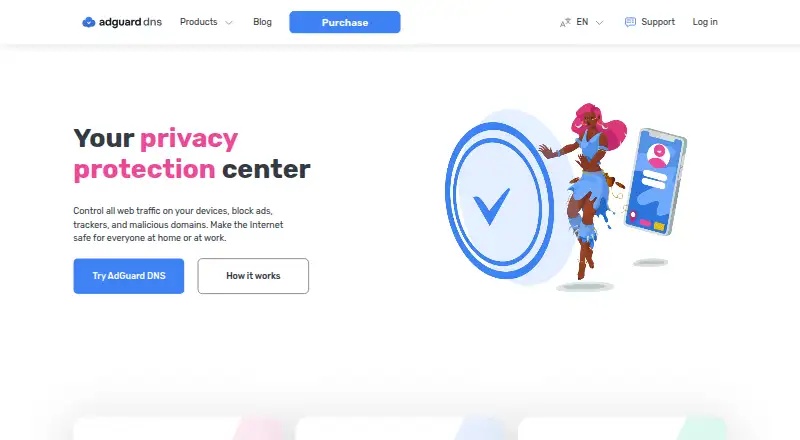
What AdGuard DNS is
AdGuard DNS resolves DNS requests for connected devices and can filter ads, trackers, phishing attempts, and malicious domains. Public DNS offers Default, Family, and Non-filtering modes. Family mode can block adult content and enable Safe Search and Safe Mode where supported. Private DNS adds parental controls, including scheduled restrictions, and rules to allow or block domains on specific devices or globally. A dashboard shows DNS request activity by date, country, or device, including which requests were blocked.
For encrypted connections, AdGuard DNS supports DNSCrypt, DNS-over-HTTPS, DNS-over-TLS, and DNS-over-QUIC. DNSSEC verifies stored DNS records using digital signatures. Enterprise DNS includes a REST API for automation and integration with existing security control systems, plus integrations with AdGuard Ad Blocker and AdGuard VPN. AdGuard describes the service as open source and GDPR-compliant, and says it collects only necessary data and does not share it with third parties. Supported platforms include Windows, macOS, Linux, Android, iOS, routers, and game consoles. The free Starter plan is available by default. Personal and Team plans are billed monthly, while Enterprise uses flexible pricing through sales contact.
Who it suits
AdGuard DNS suits individuals and families who want DNS filtering, parental controls, and request activity across their devices. Its Team plan is aimed at small businesses, while Enterprise is described for larger companies needing API access and security-system integrations.
What it does well
- Offers Default, Family, and Non-filtering public modes.
- Can schedule parental restrictions and set custom domain rules.
- Supports four encrypted DNS protocols and DNSSEC.
- Dashboard breaks down requests by date, country, or device.
- AdGuard says the service is open source and GDPR-compliant.
What to know first
- Personal and Team plan prices are not shown.
- Enterprise pricing requires contacting sales.
- Monthly subscriptions are non-refundable.
Limits
The free Starter plan is provided by default, and the listed device limit is 20 devices. One-year subscriptions have a 30-day money-back guarantee; monthly subscriptions are non-refundable.
Plans
| Plan | Billed and limits | Price |
|---|---|---|
| AdGuard DNS Starter | 300,000 monthly requests · 5 devices · 2 servers · 100 rules | Free |
| AdGuard DNS Personal | billed monthly +VAT · 10M monthly requests · 20 devices · unlimited servers · 1,000 rules | $19.99 a month |
| AdGuard DNS Team | billed monthly +VAT · 100M monthly requests · 200 devices · 50 servers · 5,000 rules · 2 dedicated IPv4 addresses · custom domains · RBAC | $239.99 a month |
| AdGuard DNS Personal | billed annually +VAT · 10M monthly requests · 20 devices · unlimited servers · 1,000 rules | $29.88 a year |
| AdGuard DNS Team | billed annually +VAT · 100M monthly requests · 200 devices · 50 servers · 5,000 rules · 2 dedicated IPv4 addresses · custom domains · RBAC | $359.77 a year |
| AdGuard DNS Enterprise | annual per user or per 100M requests · unlimited requests · unlimited devices · unlimited servers · 100,000 rules · dedicated IPv4 and IPv6 · priority support · SLA | On request |
As adguard-dns.io lists them, read 14 Oct 2026. The maker's own page has the final word.
Getting started
- Open https://adguard-dns.io/.
- Choose Public DNS for Default, Family, or Non-filtering mode.
- Use Private DNS for custom domain rules and parental controls.
- Select Starter, Personal, Team, or Enterprise based on the intended use.
- For Enterprise pricing, contact sales.
Overview
AdGuard DNS filters DNS requests to block ads, trackers, phishing, and malicious domains across connected devices. It suits households that want family controls and people or organizations that need per-device rules and request visibility. Its breadth is a strength, though the device cap on the free plan and custom pricing for paid tiers make cost and scale important considerations.
Public DNS provides Default, Family, and Non-filtering modes. Private DNS adds device-level controls and request analytics. AdGuard says the service is open source, GDPR-compliant, collects only the minimum necessary data, and does not share it with third parties.
AdGuard DNS is included in DNS Filtering Software and Internet Filtering Software.
Key features
Filtering and family controls
Family mode blocks adult content and enables Safe Search and Safe Mode where possible, making it the relevant Public DNS choice for households. Private DNS goes further with parental controls that can schedule restrictions on sites such as social media. Custom rules let users allow or block domains for one device or globally, useful when different devices need different policies.
Request visibility and privacy controls
The dashboard breaks DNS request statistics down by date, country, or device and shows which requests were blocked. That makes it easier to review filtering activity than a mode-only setup, particularly for administrators managing multiple devices. Enterprise DNS stores request logs for statistics, but users can disable logging in account settings.
Encrypted DNS and verification
Support for DNSCrypt, DNS-over-HTTPS, DNS-over-TLS, and DNS-over-QUIC gives users several encrypted DNS options. DNSSEC verifies the authenticity of stored DNS records with digital signatures. These are useful protections for users choosing a DNS service, although they do not replace the service's filtering or parental-control settings.
Enterprise integration and support
Enterprise DNS provides a REST API for automation and integration with existing security control systems; AdGuard also says it integrates with AdGuard Ad Blocker and AdGuard VPN. Enterprise customers receive priority support, technical documentation, setup guides, API documentation, and email support. The API and support package are aimed at larger organizations rather than households.
Pricing
AdGuard DNS uses a freemium model, with a free plan and a 30-day trial. Starter costs nothing and is provided by default. Its 20-device limit makes it a practical entry point for individuals or smaller households, but less suitable for larger deployments.
Personal is for personal use and Team is for small businesses; both are billed monthly, with custom pricing. The paid tiers are the options to consider when the free device limit is too restrictive, but buyers must obtain pricing before comparing their ongoing cost.
Enterprise uses flexible pricing and requires contacting sales. Payment can be annual per user or per 100M requests, and the plan includes unlimited devices, servers, and DNS requests. That removes the Starter scale ceiling for larger organizations, while the custom structure means it is not a self-serve, fixed-price option.
A one-year subscription has a 30-day money-back guarantee; monthly subscriptions are non-refundable. This makes the annual commitment less risky than monthly billing if a refund option matters.
Platforms
AdGuard DNS supports Windows, macOS, Linux, Android, iOS, routers, and game consoles. Its listed platform coverage also includes web, API, and self-hosted access, so it can fit mixed-device environments as well as browser-based administration.
Who it's for
Choose AdGuard DNS if you want filtering across devices, household controls, custom domain rules, or a dashboard for reviewing requests. Starter is the sensible place to begin when 20 devices are enough. Personal fits individual use and Team small businesses, while Enterprise is aimed at larger companies that need unlimited request capacity, an API, or integrations. It is a weaker fit if you need a published monthly price for a paid plan or expect Starter to cover more than 20 devices.
Pros and cons
- Pro: Family mode combines adult-content blocking with Safe Search and Safe Mode where possible, while Private DNS adds scheduled restrictions.
- Pro: Per-device and global allow/block rules make it possible to tailor filtering rather than apply one policy everywhere.
- Pro: Request statistics can be viewed by date, country, or device, with blocked requests identified.
- Pro: Enterprise supports a REST API and states integrations with AdGuard Ad Blocker and AdGuard VPN.
- Con: Starter is capped at 20 devices, limiting its usefulness for bigger households or organizations.
- Con: Personal and Team use custom pricing despite monthly billing, so buyers cannot judge their cost without requesting a quote.
- Con: Monthly subscriptions are non-refundable, unlike the 30-day money-back guarantee for a one-year subscription.
Alternatives
- Comodo Secure DNS is a free alternative with a stated cap of 300,000 DNS requests per month, which may suit enterprises and MSPs comparing a free request-limited option.
- NextDNS offers a free plan with 300,000 queries per month and unlimited devices and configurations; consider it if those free-tier limits matter more than AdGuard DNS's stated family controls.
- NxFilter offers free software for commercial and non-commercial use; it may suit readers looking for a freeware DNS filtering option.
- OpenDNS FamilyShield is free, preconfigured to block adult content, and requires no sign-up; it is a simpler option when those controls are the priority.
- Quad9 is free for everyone with no contract or sign-up process, making it an option for readers who want a no-contract DNS service.
- Technitium DNS Server is a free, open-source, self-hosted DNS server; choose it if you specifically want to host the server yourself.
- Blocky is a free, open-source self-hosted DNS proxy, another option for readers who prefer self-hosting.
- Pi-hole is free, open-source software that runs on supported Linux hardware or in Docker; it suits readers seeking that self-hosted approach.
Verdict
AdGuard DNS is a strong fit for households and smaller setups that want more than basic DNS filtering: its family controls, device-specific rules, and request dashboard make it more adaptable to everyday administration. The free Starter plan is a useful starting point within its 20-device limit. Look elsewhere if you need a published monthly price before committing, or if you need a fixed-price paid plan; larger organizations can instead weigh Enterprise's unlimited capacity and integration options against its custom pricing.
Verdict
Choose AdGuard DNS for device-level DNS filtering, family controls, and request analytics, with a free Starter plan available. Larger organizations can consider Enterprise for its REST API and stated integrations, while buyers seeking a published monthly price for Personal or Team will need to look elsewhere.
Questions
Is there a free plan?
Yes. AdGuard DNS provides the Starter plan free by default.
What do the paid plans cost?
The Personal and Team plans are billed monthly, but their numeric prices are not shown. Enterprise has flexible pricing through sales contact.
Which platforms does it support?
Listed platforms include Windows, macOS, Linux, Android, iOS, routers, and game consoles. The platform list also includes API, web, and self-hosted.
Is AdGuard DNS open source?
Yes. AdGuard says anyone can inspect its code.
Who are the plans for?
The pricing FAQ describes Personal for personal use, Team for small businesses, and Enterprise for larger companies.
Can I get a refund?
A one-year subscription has a 30-day money-back guarantee. Monthly subscriptions are non-refundable.
Facts from AdGuard DNS's own pages
- Analytics
- The dashboard provides per-device DNS statistics, traffic destinations, blocked-request counts, categories, domains, countries, and query logs. · adguard-dns.io, 14 Oct 2026
- API
- A REST User API supports API-key and OAuth bearer-token authentication for devices, DNS servers, settings, logs, statistics, and limits. · adguard-dns.io, 14 Oct 2026
- API extensibility
- The API documentation publishes an OpenAPI specification, supports OAuth2 Authorization Code with PKCE for approved clients, and links a dedicated API changelog. · adguard-dns.io, 14 Oct 2026
- Business integrations
- Enterprise DNS offers a REST API for automation and integration with existing security control systems, and the enterprise page says it integrates with AdGuard Ad Blocker and AdGuard VPN. · adguard-dns.io, 29 Sept 2026
- Company founders
- Crunchbase lists Andrey Meshkov, Dmitry Zaytsev, and Igor Lukyanov as founders and Limassol, Cyprus as headquarters. · crunchbase.com, 14 Oct 2026
- Company legal name
- The maker is Adguard Software Limited, incorporated on June 1, 2009, and registered in Limassol, Cyprus. · adguard-vpn.com, 14 Oct 2026
- Company size
- LinkedIn lists AdGuard as a privately held IT services and consulting company with 51–200 employees. · linkedin.com, 14 Oct 2026
- Custom filtering
- Private DNS users can set rules to block or allow domains on individual devices or globally. · adguard-dns.io, 29 Sept 2026
- Custom rules
- Users can add domain rules, import custom rule lists, export lists, and configure block or allow behavior. · adguard-dns.io, 14 Oct 2026
- DNSSEC
- AdGuard DNS supports DNSSEC to verify the authenticity of stored DNS records with digital signatures. · adguard-dns.io, 29 Sept 2026
- Documentation depth
- The knowledge base includes setup guides, protocol guidance, troubleshooting, filtering documentation, generated API reference, and API changelog material. · adguard-dns.io, 14 Oct 2026
- Encrypted DNS
- AdGuard DNS supports DNSCrypt, DNS-over-HTTPS, DNS-over-TLS, and DNS-over-QUIC. · adguard-dns.io, 29 Sept 2026
- Encryption protocols
- The service supports DNSCrypt, DNS-over-HTTPS, DNS-over-TLS, and DNS-over-QUIC with DNSSEC validation. · adguard-dns.io, 14 Oct 2026
- Enterprise filtering
- Enterprise includes more than 30 preinstalled blocklists and permits up to 100,000 user rules. · adguard-dns.io, 14 Oct 2026
- Enterprise infrastructure
- AdGuard says its anycast network has more than 100 servers in 15-plus locations, handles 400 billion queries daily, and processes over 4.6 million queries per second. · adguard-dns.io, 14 Oct 2026
- Enterprise management
- Enterprise adds automatic device onboarding, an AdGuard DNS Client, dedicated IP addresses, custom domains, centralized policy management, and email reports. · adguard-dns.io, 14 Oct 2026
- Filtering modes
- Public DNS offers default ad and tracker blocking, a family mode with adult-content and safe-search filtering, and a non-filtering encrypted mode. · adguard-dns.io, 14 Oct 2026
- Founded
- 2009 · adguard-dns.io, 23 Sept 2026
- Headquarters
- Limassol, Cyprus · adguard-dns.io, 23 Sept 2026
- Licence
- The AdGuard DNS resolver source is released under the GNU Affero General Public License version 3. · github.com, 14 Oct 2026
- Limit: Apple app
- Apple reviewers report Wi-Fi failures, ads returning after days or weeks, and some apps detecting the DNS blocker; the developer says DNS filtering only catches simpler DNS-level ads. · apps.apple.com, 14 Oct 2026
- Limit: G2 users
- G2 reviewers report missed or in-app ads, slower page loading, blocked SSO or remote-network features, and delayed support responses. · g2.com, 14 Oct 2026
- Limit: Google Play app
- A Xiaomi Redmi reviewer reports that clearing recent apps stops the VPN-based DNS service; AdGuard says it was working on background-process support. · play.google.com, 14 Oct 2026
- Limit: Trustpilot users
- Trustpilot reviewers report VPN connection conflicts, no official pfSense integration, and payment pages broken by aggressive blocking. · trustpilot.com, 14 Oct 2026
Where AdGuard DNS stands on Freedom251
- Internet Filtering Software#1 of 65
- DNS Filtering Services#1 of 60
- DNS Filtering Software#1 of 28