Freedom251 › Internet Filtering Software

CleanBrowsing
What CleanBrowsing is
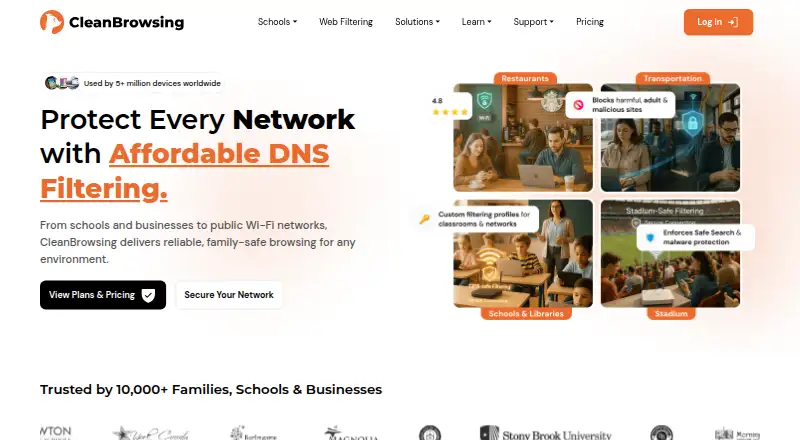
CleanBrowsing is a DNS-based content-filtering service that can limit explicit content and categories such as gambling, torrents, gaming, and social media. Its resolver filters fully qualified domain names, and its anycast network has more than 50 data centers. The service uses a proprietary machine-learning platform to discover and classify new domains. DNSCrypt, DNS-over-TLS, and DNS-over-HTTPS are supported by default, while DNSSEC is enforced and validated. Free public filters do not log personally identifiable information tied to DNS requests; paid customers can choose their logging level. Paid filtering adds custom allow and block domains, TLD blocking, device profiles with different rules, and an option to block all internet access. Activity logging supports searches by domain, profile, and day. Users can install apps for Windows, Mac, iOS, and Android or configure DNS settings manually; listed platforms also include Linux, web, routers, ChromeOS, and API. A free plan is available, and paid plans start at $75/yr. Self-service plans do not include a trial.
Who it suits
It suits households or administrators seeking DNS filtering across devices or networks. Paid plans add custom rules, profiles, and activity searches for organizations that need more control.
What it does well
- Free public filters are available
- Supports DNSCrypt, DNS-over-TLS, and DNS-over-HTTPS
- Paid plans support custom domain rules and profiles
- Apps and manual DNS setup are available
What to know first
- Resolver filtering is limited to fully qualified domain names
- Self-service plans do not include a trial
- Paid plans start at $75/yr
Plans
| Plan | Billed and limits | Price |
|---|---|---|
| Pro 50 | Monthly · Up to 50 devices or 7.5 M requests/month · Includes Basic · 10 networks · 10 dynamic devices · 5 profiles · 250 allowed domains · 1000 blocked domains | $15 a month |
| Pro 50 | Yearly · Up to 50 devices or 7.5 M requests/month · Includes Basic · 10 networks · 10 dynamic devices · 5 profiles · 250 allowed domains · 1000 blocked domains | $150 a year |
| Pro 100 | Monthly · Up to 100 devices or 15 M requests/month · Includes Pro 50 and Basic · API access · 25 networks · 25 dynamic devices · 10 profiles · 500 allowed domains · 1500 blocked domains | $30 a month |
| Pro 100 | Yearly · Up to 100 devices or 15 M requests/month · Includes Pro 50 and Basic · API access · 25 networks · 25 dynamic devices · 10 profiles · 500 allowed domains · 1500 blocked domains | $300 a year |
| Basic | Yearly · Up to 25 devices or 3.75 M requests/month · 26+ custom filters · 20+ predefined platforms · 5 networks · 5 dynamic devices · 3 profiles · 100 allowed domains · 500 blocked domains | $75 a year |
| Basic | Monthly · Up to 25 devices or 3.75 M requests/month · 26+ custom filters · 20+ predefined platforms · 5 networks · 5 dynamic devices · 3 profiles · 100 allowed domains · 500 blocked domains | $8.99 a month |
| Custom | 15 M+ requests/month · More than 100 devices · Custom needs · Integration with existing systems | On request |
As cleanbrowsing.org lists them, read 30 Sept 2026. The maker's own page has the final word.
Verdict
CleanBrowsing offers DNS filtering with encrypted DNS options, public filters, and paid controls for custom rules and profiles. Its domain-level filtering scope and lack of a self-service trial are worth noting.
Facts from CleanBrowsing's own pages
- Activity visibility
- The logging feature provides domain activity search, profile filtering, and day-based searching. · cleanbrowsing.org, 30 Sept 2026
- Custom rules
- Paid filtering includes custom allow and block domains, TLD blocking, and an option to block all internet access. · cleanbrowsing.org, 30 Sept 2026
- Device support
- CleanBrowsing offers apps for Windows, Mac, iOS, and Android and can also be configured manually on devices with DNS settings. · cleanbrowsing.org, 30 Sept 2026
- Encrypted DNS
- DNSCrypt, DNS-over-TLS, and DNS-over-HTTPS are supported by default, and DNSSEC is enforced and validated. · cleanbrowsing.org, 30 Sept 2026
- Filtering scope
- The DNS resolver is limited to filtering fully qualified domain names. · cleanbrowsing.org, 30 Sept 2026
- Headquarters
- Fully remote; no physical office or headquarters · cleanbrowsing.org, 28 Sept 2026
- Integrations
- Official integration guides cover Mosyle, Google Workspace Chrome, Microsoft Intune, Active Directory, the REST API, NordVPN, and ProtonVPN. · cleanbrowsing.org, 30 Sept 2026
- Network
- CleanBrowsing operates an anycast network with more than 50 data centers and uses a proprietary machine-learning platform to discover and classify new domains. · cleanbrowsing.org, 30 Sept 2026
- Privacy
- Free public filters do not log personally identifiable information tied to DNS requests, while paid customers can choose their logging level. · cleanbrowsing.org, 30 Sept 2026
- Profiles
- Paid plans let administrators group devices into profiles with different filtering rules, with Basic supporting 3 profiles, Pro 50 supporting 5, and Pro 100 supporting 10. · cleanbrowsing.org, 30 Sept 2026
- Support
- Support is provided by email at [email protected], with a typical response time of within 8 hours. · cleanbrowsing.org, 30 Sept 2026
- Trial policy
- CleanBrowsing says it does not offer a trial on self-service plans and instead offers monthly subscriptions that can be canceled and refunded if needs are not met. · cleanbrowsing.org, 30 Sept 2026
- What it does
- CleanBrowsing is a DNS-based content-filtering service that limits explicit content and categories such as gambling, torrents, gaming, and social media. · cleanbrowsing.org, 30 Sept 2026
- Windows app
- The Windows desktop app configures DNS filtering on all network interfaces, installs a local DNSCrypt proxy, monitors network changes, detects DNS tampering, and detects captive portals. · cleanbrowsing.org, 30 Sept 2026
Where CleanBrowsing stands on Freedom251
- Internet Filtering Software#6 of 65
- DNS Filtering Services#6 of 60
- DNS Filtering Software#6 of 28