Freedom251 › Game Crash Reporting Software

AccelByte Development Toolkit
What AccelByte Development Toolkit is
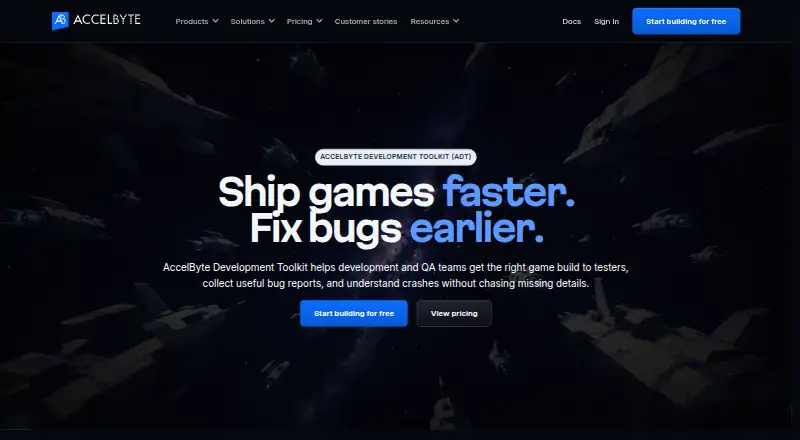
AccelByte Development Toolkit (ADT) helps development and QA teams deliver builds to testers, gather bug reports and investigate crashes. It distributes builds to selected testers and downloads only changed files when an updated build is available. Crash reports can include a 10-second pre-crash video, call stack, logs, and build and session details. Scheduled playtests connect reports with screenshots, videos, logs, builds, and session details. Its AI Assistant draws on crash replays and related information to suggest likely causes and next steps, while developers review proposed changes. ADT’s MCP Server lets AI tools access crash details without taking control of code changes. Documentation describes integrations for Unreal Engine, Unity, and custom C or C++ engines, alongside desktop apps for Windows and Mac, a command-line interface, and engine SDKs. Pricing includes free basic seats, 1 TB of storage and 100 GB of monthly data transfer at no charge, with Standard users at $25/user/mo and Power users at $60/user/mo.
Who it suits
ADT suits development and QA teams that distribute game builds to testers and need linked crash reports and playtest feedback. It supports teams working with Unreal Engine, Unity, or custom C or C++ engines.
What it does well
- Downloads only changed files for updated builds.
- Crash reports can include a 10-second pre-crash video.
- Scheduled playtests tie reports to session materials.
- Free plan includes 1 TB storage and 100 GB monthly transfer.
- Supports Unreal Engine, Unity, and custom C or C++ engines.
What to know first
- iOS build upload and download support is planned, not listed as available.
- Jira Server integration is currently disabled.
- Standard users cost $25/user/mo; Power users cost $60/user/mo.
Limits
The free allowance includes 1 TB of storage and 100 GB of monthly data transfer; additional storage is listed at $0.023 per GB and additional transfer starts at $0.102 per GB. Standard seats cost $25 per seat per month, while Power seats cost $60 per seat per month. iOS support for build upload and download is planned.
Plans
| Plan | Billed and limits | Price |
|---|---|---|
| Basic users | Free · Unlimited basic seats; download and upload builds; join playtests; report issues | Free |
| Data storage | $0.023 per GB; 1 TB free · Additional storage | $0.02 a month |
| Data transfer | $0.102 per GB; first 100 GB free monthly · Additional transfer starts at $0.102 per GB; tiered rates apply at higher volumes | $0.10 a month |
| Standard users | $25 / seat / mo · Smart builds; auto downloading; statistics | $25 a month |
| Power users | $60 / seat / mo · Group builds; access control; playtest and crash reporting; performance metrics; UTrace viewer | $60 a month |
As accelbyte.io lists them, read 2 Oct 2026. The maker's own page has the final word.
Getting started
- Visit the ADT website.
- Choose free Basic seats or review the paid Standard and Power seat plans.
- Install ADT Hub for Windows or Mac, or use the command-line interface.
- Connect a supported Unreal Engine, Unity, or custom C or C++ project using its documented integration.
- Upload builds and invite selected testers to download them or join playtests.
Overview
AccelByte Development Toolkit (ADT) connects game-build delivery with playtesting, issue reporting, and crash investigation. It is best suited to development and QA teams that regularly put builds in testers’ hands and want reports to retain the context needed for follow-up. Its breadth is useful, but some capabilities require paid seats and usage-based data charges can apply.
Key features
- Build distribution: Teams can send builds to selected testers, and updates download only changed files. That makes ADT a practical fit for repeated testing cycles where shipping a full build each time would be burdensome.
- Playtests and issue reports: Scheduled playtests tie reports to screenshots, videos, logs, builds, and session details. That context gives developers and QA a stronger starting point for investigating an issue than a report separated from the test session.
- Crash investigation: A crash report can include a 10-second pre-crash video, call stack, logs, and build and session details. This evidence is valuable when a crash is difficult to reproduce, though teams wanting only crash monitoring may not need ADT’s broader build and playtest workflow.
- AI and MCP: The AI Assistant uses crash replays, logs, call stacks, build details, and earlier reports to suggest likely causes and next steps. Developers review proposed changes; the MCP Server similarly lets AI tools access crash details without handing over control of code changes.
- Engine and issue-tracker connections: Documentation describes integrations for Unreal Engine, Unity, and custom C or C++ engines. ADT can create or link Jira tickets from crashes and issues, but Jira Server integration is currently disabled.
- Tools and security: ADT provides Windows and Mac desktop apps through ADT Hub, a command-line interface, and Unreal and Unity SDKs. AccelByte says player and game data is encrypted at rest and in transit, with TLS 1.2 or above for transfers between systems.
Pricing
ADT is freemium. Basic users cost nothing and have unlimited basic seats for build uploads and downloads, joining playtests, and reporting issues. This gives teams room to start without seat charges, but it does not include the paid-seat features below.
- Standard users: $25 / seat / mo, billed at $25 a month. Includes Smart builds, auto downloading, and statistics. This is the lower-cost paid tier for teams needing those build and usage capabilities.
- Power users: $60 / seat / mo, billed at $60 a month. Adds group builds, access control, playtest and crash reporting, performance metrics, and the UTrace viewer. It is the more suitable tier for users who need those testing and investigation tools, at a substantially higher per-seat cost.
Storage and transfer can also add usage charges. Data storage is billed at $0.023 per GB per month, with 1 TB free; additional storage is shown at $0.02 a month. Data transfer is billed at $0.102 per GB, with the first 100 GB free monthly and tiered rates at higher volumes; additional transfer starts at $0.102 per GB, shown at $0.10 a month. Teams should account for both quotas when estimating ongoing costs.
Platforms
ADT is available across Android, iOS, Linux, macOS, web, and Windows. Its build upload and download matrix covers Windows, Linux, Mac, PS5, PS4, Xbox Series X, Xbox One, and Switch; Android is supported, while iOS is planned for that build feature. The platform list is broad, but support varies by capability rather than every listed platform sharing the same build workflow.
Who it's for
ADT suits game-development and QA teams that need to circulate builds, schedule playtests, and carry evidence from a report into crash investigation. Its free basic seats are a sensible starting point for teams focused on uploads, downloads, playtest participation, and issue reporting. Teams that need the paid investigation and access features should budget for the relevant per-seat tier as well as storage and transfer beyond the free allowances. A team seeking only a standalone crash-reporting tool may prefer a narrower option.
Pros and cons
- Pro: Build updates retrieve only changed files, helping recurring test cycles avoid unnecessary repeat downloads.
- Pro: Reports can preserve video, logs, call stacks, and build and session context, giving investigations more than a bare issue description.
- Pro: Unlimited basic seats are free, so basic build distribution and participation are not constrained by a seat cap.
- Con: Playtest and crash reporting are included in the $60 / seat / mo Power users tier, which can make full investigation workflows costly for larger teams.
- Con: Storage and transfer have free allowances but may incur per-GB charges beyond them, so active teams need to watch usage.
- Con: iOS build upload and download support is planned rather than supported, and Jira Server integration is disabled.
Alternatives
For a wider set of crash-reporting options, browse Game Crash Reporting Software.
- Backtrace is another freemium option with a free Developer plan for one developer, up to 25k monthly errors, one-month retention, and 10 GB storage; choose it if those limits fit a single-developer crash-reporting need.
- BugSnag has a free plan with one user, 7.5K events and 1M spans per month, plus a free trial; consider it when those event and span allowances suit the workload.
- BugSplat offers a free plan with three user logins, 100GB storage, 15,000 crashes per month, and one-month retention; it may fit teams prioritizing those stated crash and storage limits.
- GameAnalytics offers a free plan with no MAU limits and dashboards, events, funnels, cohorts, retention, and real-time reporting; choose it when those analytics capabilities are the priority.
- Sentry Continuous Profiling is another freemium option.
- Tombstack is a freemium option made by AnkleBreaker Studio, the team behind the Unity game Mithrall.
- Embrace has a free pay-as-you-go plan with up to 1 million sessions per year, up to five users, three days of event retention, and error, exception, crash, and basic performance monitoring; consider it if those allowances match your needs.
- Firebase Cloud Messaging is a no-cost option for cloud messaging.
Verdict
ADT is a strong fit for game teams that want build distribution, playtesting, issue reporting, and crash evidence connected in one workflow. Its free basic seats lower the barrier to getting testers involved, while the main reason to look elsewhere is the cost of paid investigation features and potential usage charges for storage and transfer.
Verdict
ADT brings build distribution, playtesting, issue reporting, and crash investigation into a toolkit for development and QA teams. Basic seats are free, while several capabilities are listed under paid user plans.
Questions
Is ADT free?
Basic seats are free and include build upload and download, playtest participation, and issue reporting. The allowance also includes 1 TB of storage and 100 GB of monthly data transfer.
How much do the paid seats cost?
Standard seats cost $25 per seat per month. Power seats cost $60 per seat per month.
Which platforms are supported?
The listed platforms include Android, iOS, Linux, Mac, web, and Windows. The feature matrix lists build upload and download for Windows, Linux, Mac, PS5, PS4, Xbox Series X, Xbox One, and Switch; Android is supported and iOS is planned for that feature.
Which game engines does ADT support?
Documentation describes integrations for Unreal Engine, Unity, and custom C or C++ engines.
Does ADT integrate with Jira?
ADT can create or link Jira tickets from crash reports and issues. Jira Server integration is currently disabled.
Who makes ADT?
AccelByte makes ADT. The company says it was founded in 2016 and is headquartered in Bellevue, Washington, United States.
Facts from AccelByte Development Toolkit's own pages
- AI assistant
- The AI Assistant uses crash replays, logs, call stacks, build details and prior crash reports to suggest likely causes and next steps, with developers reviewing proposed changes. · accelbyte.io, 2 Oct 2026
- Build distribution
- ADT distributes builds to selected testers and downloads only changed files when a build is updated. · accelbyte.io, 2 Oct 2026
- Company founded
- AccelByte says it was founded in 2016. · accelbyte.io, 2 Oct 2026
- Crash reporting
- Crash reports can include a 10-second pre-crash video, call stack, logs, build and session details. · accelbyte.io, 2 Oct 2026
- Desktop apps and tools
- The documentation lists ADT Hub desktop apps for Windows and Mac, a command-line interface, and Unreal and Unity SDKs. · docs.accelbyte.io, 2 Oct 2026
- Engine support
- ADT documentation describes integrations for Unreal Engine, Unity and custom C or C++ engines. · docs.accelbyte.io, 2 Oct 2026
- Founded
- 2016 · accelbyte.io, 28 Sept 2026
- Free allowance
- ADT pricing includes 100 GB of monthly data transfer and 1 TB of storage at no charge. · accelbyte.io, 2 Oct 2026
- Headquarters
- Bellevue, Washington, United States · accelbyte.io, 28 Sept 2026
- Jira integration
- ADT can create or link Jira tickets from crash reports and issues; the documentation says Jira Server integration is currently disabled. · docs.accelbyte.io, 2 Oct 2026
- MCP
- ADT's MCP Server lets AI tools access crash details from ADT while developers retain control of suggested code changes. · accelbyte.io, 2 Oct 2026
- Playtesting
- ADT supports scheduled playtests and keeps reports tied to screenshots, videos, logs, builds and session details. · accelbyte.io, 2 Oct 2026
- Purpose
- ADT helps development and QA teams deliver builds to testers, collect bug reports and investigate crashes. · accelbyte.io, 2 Oct 2026
- Security
- AccelByte says player and game data is encrypted at rest and in transit, using TLS 1.2 or above for transfers between systems. · accelbyte.io, 2 Oct 2026
- Support
- ADT documentation directs users to email support at [email protected] or the Discord community. · docs.accelbyte.io, 2 Oct 2026
- Supported platforms
- The ADT feature matrix lists build upload and download support for Windows, Linux, Mac, PS5, PS4, Xbox Series X, Xbox One and Switch, with Android support and iOS planned for that feature. · docs.accelbyte.io, 2 Oct 2026
Where AccelByte Development Toolkit stands on Freedom251
- Game Crash Reporting Software#4 of 26