The Apple MacBook Pro 16-inch (A3403) is the M4 Pro configuration: a large, high-refresh XDR display, three Thunderbolt 5 ports, and long battery-life claims, housed in a 4.7-pound laptop. It makes the most sense for demanding creative or technical work that benefits from the screen and built-in connectivity. Its size and high cost are harder to justify if you mainly browse, write, or need an everyday carry laptop.
What does A3403 identify?
ENERGY STAR’s US certification record identifies A3403 as the MacBook Pro 16-inch (M4 Pro). The listed configuration has a 14-core CPU and 24 GB of memory. The record’s availability and certification dates—October 15 and October 21, 2025—are metadata from that listing, not a universal launch date. ENERGY STAR’s A3403 record
As an Amazon Associate I earn from qualifying purchases.
That model identifier does not mean every A3403 has identical memory and storage. Apple lists M4 Pro configurations with 24 GB unified memory, configurable to 48 GB, and a 512 GB SSD configurable to 1, 2, or 4 TB. Tom’s Guide’s review included a 24 GB/512 GB starting configuration and tested a 48 GB/2 TB unit; Macworld also reviewed an upgraded 48 GB/2 TB system. Apple’s 16-inch MacBook Pro (2024) specifications · Tom’s Guide review · Macworld review
How good is the 16-inch display?
Apple specifies a 16.2-inch Liquid Retina XDR panel with a native resolution of 3456 × 2234, ProMotion refresh rates up to 120Hz, P3 color, True Tone, and support for one billion colors. The combination gives you a spacious workspace for timelines, large documents, and side-by-side apps, while the high refresh rate supports smoother scrolling and motion. Apple’s display specifications
#1 Best Overall

- SUPERCHARGED BY M4 PRO OR M4 MAX — The 16-inch MacBook Pro with the M4 Pro or M4 Max chip gives you outrageous performance in a powerhouse laptop built for Apple Intelligence.* With all-day battery life and a breathtaking Liquid Retina XDR display with up to 1600 nits peak brightness, it’s pro in every way.*
- CHAMPION CHIPS — The M4 Pro chip blazes through demanding tasks like compiling millions of lines of code. M4 Max can handle the most challenging workflows, like rendering intricate 3D content.
- BUILT FOR APPLE INTELLIGENCE—Apple Intelligence is the personal intelligence system that helps you write, express yourself, and get things done effortlessly. With groundbreaking privacy protections, it gives you peace of mind that no one else can access your data—not even Apple.*
- ALL-DAY BATTERY LIFE — MacBook Pro delivers the same exceptional performance whether it’s running on battery or plugged in.
- APPS FLY WITH APPLE SILICON — All your favorites, including Microsoft 365 and Adobe Creative Cloud, run lightning fast in macOS.*
Apple also offers optional nano-texture glass. It reduces reflections, which can help in bright environments, but it changes the image’s appearance: Macworld’s reviewer found colors less vivid and blacks less deep than on the glossy finish. Choose it for glare control rather than assuming it is an across-the-board display upgrade. Macworld’s nano-texture assessment
Macworld reports that its reviewed model reached 1,000 nits sustained XDR brightness, 1,600 nits peak HDR brightness, and 1,000 nits SDR brightness. Those are figures reported for that review unit, not guarantees for every viewing condition. Macworld’s review
Rank #2

- FAST RUNS IN THE FAMILY — The 16-inch MacBook Pro with the M5 Pro or M5 Max chip brings next-generation speed and powerful on-device AI to personal, professional, and creative tasks. With all-day battery life, double the starting storage,* and a breathtaking Liquid Retina XDR display, it’s pro in every way.*
- BUCKLE UP — Along with a next-generation CPU, faster unified memory, and up to 2x faster SSD storage,* M5 Pro and M5 Max feature a more powerful GPU with a Neural Accelerator built into each core, delivering faster AI performance and on-device training capabilities. So you can blaze through demanding workloads at mind-bending speeds.
- BUILT FOR AI — Apple silicon, and every major component that powers it, is designed to run demanding on-device AI workloads like LLM inference and training. And Apple Intelligence helps you write, express yourself, and get things done effortlessly with groundbreaking privacy protections at every step.*
- ALL-DAY BATTERY LIFE — MacBook Pro delivers the same exceptional performance whether it’s running on battery or plugged in.*
- MACOS RUNS APPS FAST — All your go-to apps run lightning fast in macOS, including built-in apps like FaceTime and Messages. Plus, built-in virus protection and free software updates help keep your Mac running smoothly and securely.
What performance should you expect?
The M4 Pro is aimed at demanding work, but CPU and GPU performance should not be collapsed into one claim. Macworld tested a 14-core CPU/20-core GPU M4 Pro with 48 GB of memory and a 2 TB SSD. In its Geekbench and Cinebench CPU multicore tests, it matched the M3 Max; Macworld noted that the M3 Max had a substantially stronger GPU result. In Macworld’s iMovie 4K ProRes export test, the M4 Pro was 22% faster than the M3 Pro. These are results from Macworld’s specific unit and test workloads, not promises for every application or configuration. Macworld’s benchmark findings
What’s actually slowing this PC down?
Pick the symptom - the matching free tool is one click away.
For video editing, software development, and other sustained or resource-heavy tasks, consider whether your work is primarily CPU- or GPU-limited, and how much unified memory and storage your projects need. The M4 Max is a separate tier for buyers who need more GPU capacity or its different external-display support; this evidence does not establish that most users need it. Match the chip to the workload rather than buying the highest tier by default.
Rank #3
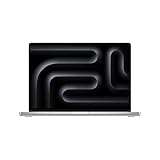
- SUPERCHARGED BY M4 PRO OR M4 MAX — The 16-inch MacBook Pro with the M4 Pro or M4 Max chip gives you outrageous performance in a powerhouse laptop built for Apple Intelligence.* With all-day battery life and a breathtaking Liquid Retina XDR display with up to 1600 nits peak brightness, it’s pro in every way.*
- CHAMPION CHIPS — The M4 Pro chip blazes through demanding tasks like compiling millions of lines of code. M4 Max can handle the most challenging workflows, like rendering intricate 3D content.
- BUILT FOR APPLE INTELLIGENCE—Apple Intelligence is the personal intelligence system that helps you write, express yourself, and get things done effortlessly. With groundbreaking privacy protections, it gives you peace of mind that no one else can access your data—not even Apple.*
- ALL-DAY BATTERY LIFE — MacBook Pro delivers the same exceptional performance whether it’s running on battery or plugged in.
- APPS FLY WITH APPLE SILICON — All your favorites, including Microsoft 365 and Adobe Creative Cloud, run lightning fast in macOS.*
How long does the 16-inch MacBook Pro M4 Pro battery last?
Apple rates the M4 Pro model for up to 24 hours of video streaming or up to 17 hours of wireless web use. The laptop has a 100-watt-hour battery and ships with a 140W USB-C power adapter. These are Apple’s workload-specific estimates, not a guarantee of mixed-use runtime. Apple’s battery and adapter specifications
Tom’s Guide measured 20 hours 46 minutes in its battery test on an M4 Pro configuration with a 14-core CPU, 20-core GPU, 48 GB of memory, and a 2 TB SSD. That is one outlet’s result under its own protocol; real runtime varies with workload, settings, and configuration. Tom’s Guide’s test and configuration
Rank #4

- SUPERCHARGED BY M4 PRO OR M4 MAX — The 16-inch MacBook Pro with the M4 Pro or M4 Max chip gives you outrageous performance in a powerhouse laptop built for Apple Intelligence.* With all-day battery life and a breathtaking Liquid Retina XDR display with up to 1600 nits peak brightness, it’s pro in every way.*
- CHAMPION CHIPS — The M4 Pro chip blazes through demanding tasks like compiling millions of lines of code. M4 Max can handle the most challenging workflows, like rendering intricate 3D content.
- BUILT FOR APPLE INTELLIGENCE—Apple Intelligence is the personal intelligence system that helps you write, express yourself, and get things done effortlessly. With groundbreaking privacy protections, it gives you peace of mind that no one else can access your data—not even Apple.*
- ALL-DAY BATTERY LIFE — MacBook Pro delivers the same exceptional performance whether it’s running on battery or plugged in.
- APPS FLY WITH APPLE SILICON — All your favorites, including Microsoft 365 and Adobe Creative Cloud, run lightning fast in macOS.*
What ports does the MacBook Pro A3403 have?
Apple lists three Thunderbolt 5 USB-C ports, an HDMI port, an SDXC card slot, a 3.5 mm headphone jack, and MagSafe 3. The Thunderbolt ports support charging, DisplayPort, Thunderbolt 5 up to 120 Gbps, and USB 4 up to 120 Gbps. That selection can reduce the need for a dock when connecting common displays, headphones, or SD cards, though your specific workflow may still call for adapters or a hub. Apple’s port specifications
External displays on M4 Pro
Apple documents these supported M4 Pro arrangements:
Best Value

- Apple M4 Max chip delivers exceptional performance for advanced workflows, including AI development, 3D rendering, video production, software engineering, and professional content creation.
- 48GB unified memory enables seamless multitasking and efficient handling of large datasets, complex projects, virtual machines, and resource-intensive applications.
- 1TB SSD storage provides ultra-fast boot times, rapid file access, and ample space for professional software, media libraries, and large project files.
- 16-inch Liquid Retina XDR display features exceptional brightness, deep contrast, P3 wide color, and remarkable detail for color-critical creative and professional work.
- Advanced camera, studio-quality microphones, and immersive six-speaker audio system enhance video conferencing, content creation, and entertainment experiences.
- Two displays up to 6K at 60Hz, connected over Thunderbolt.
- One 6K at 60Hz Thunderbolt display plus one 4K at 144Hz HDMI display.
- One HDMI display up to 8K at 60Hz or 4K at 240Hz.
The last option describes the maximum supported by a single HDMI display; it should not be read as an additional display beyond the listed simultaneous combinations. Check the monitor’s input, cable, and resolution/refresh requirements before purchasing accessories. Apple’s external-display support details
How heavy is it, and what did it cost at review?
Tom’s Guide lists the 16-inch M4 Pro at 4.7 pounds. That is a meaningful trade-off for frequent commuting or carrying it all day, even if the large display is useful at a desk or on location. Tom’s Guide’s specifications
Tom’s Guide’s review-era US prices were $2,499 for a 24 GB/512 GB configuration and $3,499 for its tested 48 GB/2 TB configuration. These are historical review figures, not current pricing. Check the price in your market and compare configurations with the same memory, storage, and display finish; otherwise, headline prices can obscure substantial differences. Tom’s Guide’s review-era pricing and configurations
Is the 16-inch MacBook Pro M4 Pro worth it?
It is a strong candidate if your work benefits from a large, color-capable display, sustained processing performance, and direct access to several kinds of ports. For less demanding tasks, the main question is whether the 16-inch workspace is worth the added cost and 4.7-pound carry weight; a smaller or less powerful laptop may be a better fit.
Quick Recap
- Prioritize memory and storage: choose enough unified memory for your active projects and enough SSD capacity for local files. Review configurations may include upgrades beyond the base model.
- Choose the display finish for your setting: glossy glass preserves the more vivid, deeper-black look reported by Macworld; nano-texture reduces reflections.
- Consider M4 Max only for a concrete need: more GPU capacity or a display setup that exceeds M4 Pro’s support may justify comparing tiers. Otherwise, do not assume the Max is necessary.
- Weigh screen space against mobility: the 16-inch panel is useful for complex work, but the machine’s listed weight makes it less convenient as a constant carry.
Product prices and availability are accurate as of the date/time indicated and are subject to change. Any price and availability information displayed on Amazon at the time of purchase will apply.




